Working with the Machine Learning Template Files
There are seven built-in Machine Learning (ML) template files, related to each of the three use cases for generating Narrative Summaries, which have a total of six criteria types, and one file for Notes Summarization, which provide examples of ideal inputs and outputs to guide the Generative AI (GenAI) narrative generation.
Note:
Gen AI Notes Summarization is not available for Reports in the Cloud EPM Platform.The system supports both built-in (product-shipped) and user-customized templates for various ML-driven use cases, such as Note summarization, causality analysis, and comparative analysis. Built-in templates remain static and cannot be customized. You can create custom templates for any required changes for any of the use cases.
You can create, modify, download, upload, and set defaults for custom templates. Different templates can be used in different reports, as defined by the Report Designer.
In Narrative Reporting, the Machine Learning template files are managed in Tools > Machine Learning Files, where you can download, modify (in a text editor) and upload each of the files. You can also reset each file to the default shipped version of the file.
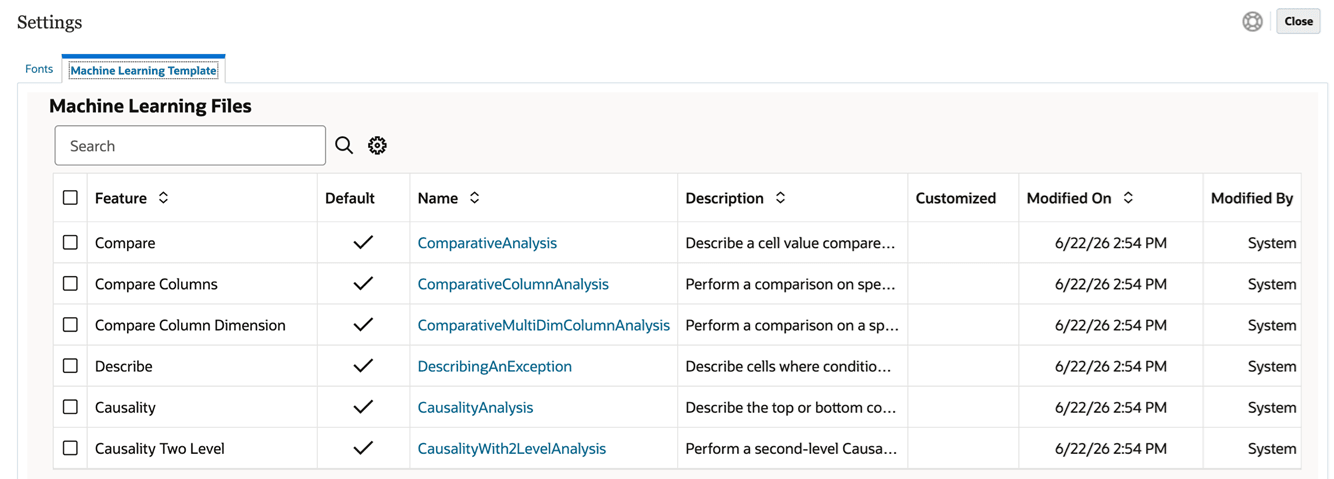
In Reports in the Cloud EPM Platform, the Gen AI ML template files are accessible in Application Settings > Report Settings: