Defining an Allocation Rule Offset
The offset tells the system how to balance out the allocated data. Select an option to specify where to post the offset:
To specify where to post the offset, click  to open the Rule Configuration panel, and select an
option:
to open the Rule Configuration panel, and select an
option:
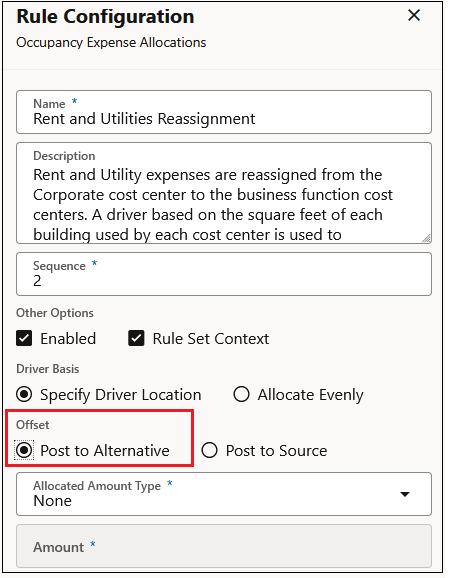
- Post to Alternative: If you select this option, you specify a dimension target to calculate the offset values.
- Post to Source: If you select this option, the selected Source dimension members are used as the offset.
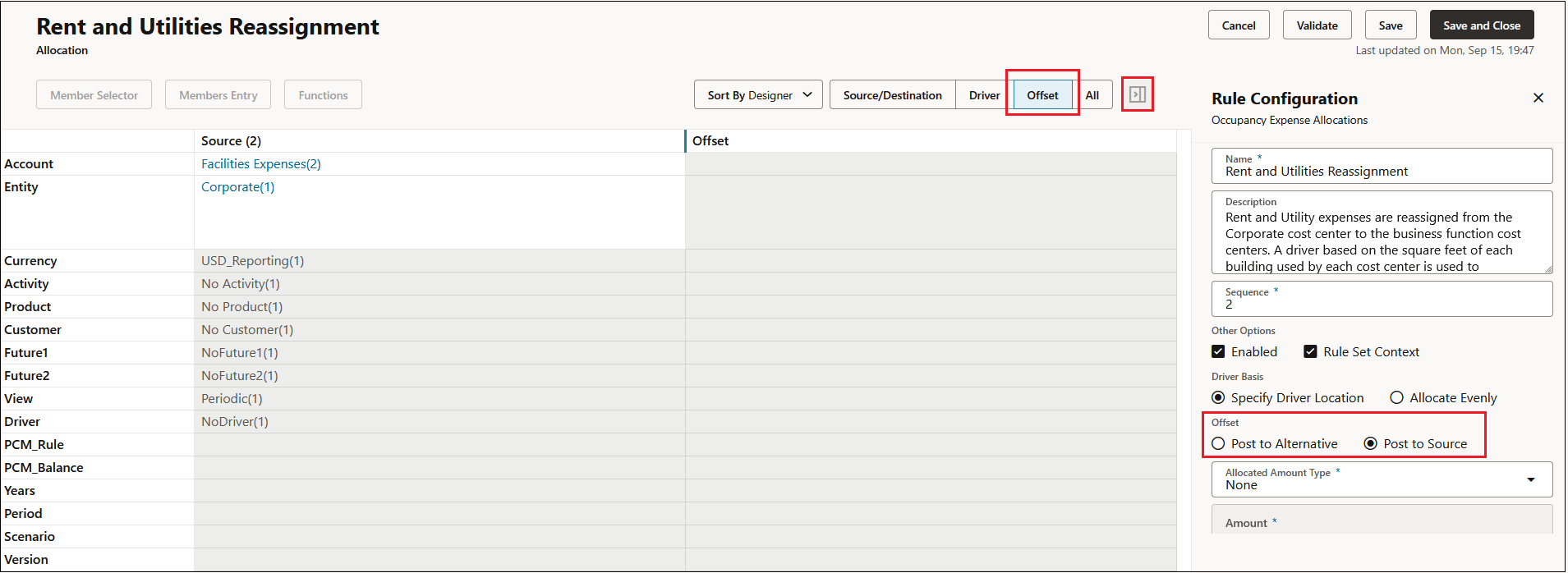
By default the offset is the same as the source location.
To post the offset to an alternative location:
-
In the Rule Configuration panel, under Offset, select Post to Alternative.
-
Click next to a dimension in the Offset column, and then click Edit.
-
In the Edit Offset Component panel:
-
Click Member Selector to open the Select Members dialog box, where you can select the dimension member to use for the offset (see Using the Member Selector) or,
-
Enter the dimension member name in the Dimension Members area.
-
Tip:
When posting the offiset to an alternative location:
-
You must select a single, level-0 member.
-
You do not need to select an alternative member for every dimension. Instead, select an alternate member only for those dimensions whose members are different from the members in the source location.