Filtering Trace Data by Focusing on Specific Nodes
You can filter the data in a trace diagram by focusing on specific nodes. Isolating portions of the diagram helps you to better understand the trace data and provides a wider range of analysis with the same base diagram.
To isolate a node or nodes and view the resulting allocation flow, click the desired node
or nodes, and then click  . To select multiple nodes, hold down the Ctrl key and click the desired
nodes.
. To select multiple nodes, hold down the Ctrl key and click the desired
nodes.
For example, in a trace diagram for All Products, assume you want to filter the data to see the allocation flow for only attending trade shows and handling materials. In this example, you would hold down the Ctrl key and click the nodes for "Attend Trade Shows" and "Handling Materials".
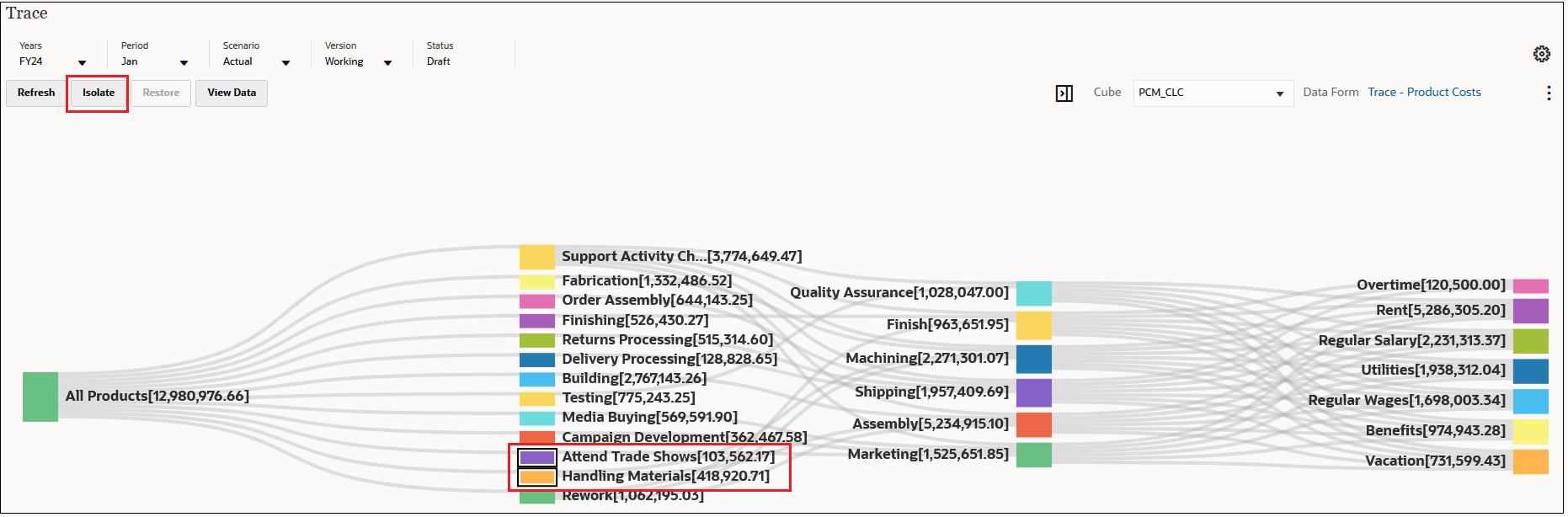
In this example, the data in the trace diagram is filtered as follows:
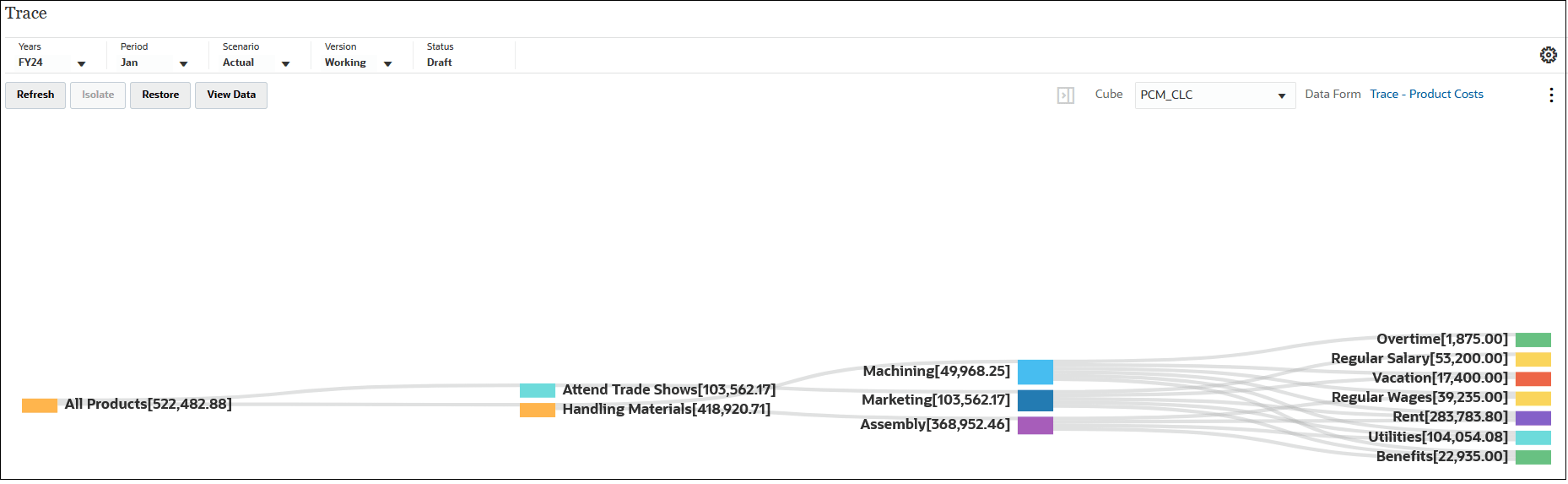
To restore all the nodes in the trace, click  .
.
 . See
. See