About Calculation Analysis
After calculating models, you can analyze calculation details by generating reports based on the models that you have calculated.
To analyze calculation details:
-
From the Home page, select Modeling, and then Calculation Analysis.
-
On the Calculation Analysis page, review status information, analyze performance, and run reports.
The Calculation Analysis page shows details for each point of view that was calculated on the Calculation Control page, using EPM Automate, or with the REST API automation tools. (See Calculating a Model.) You can have multiple calculations for a single point of view.
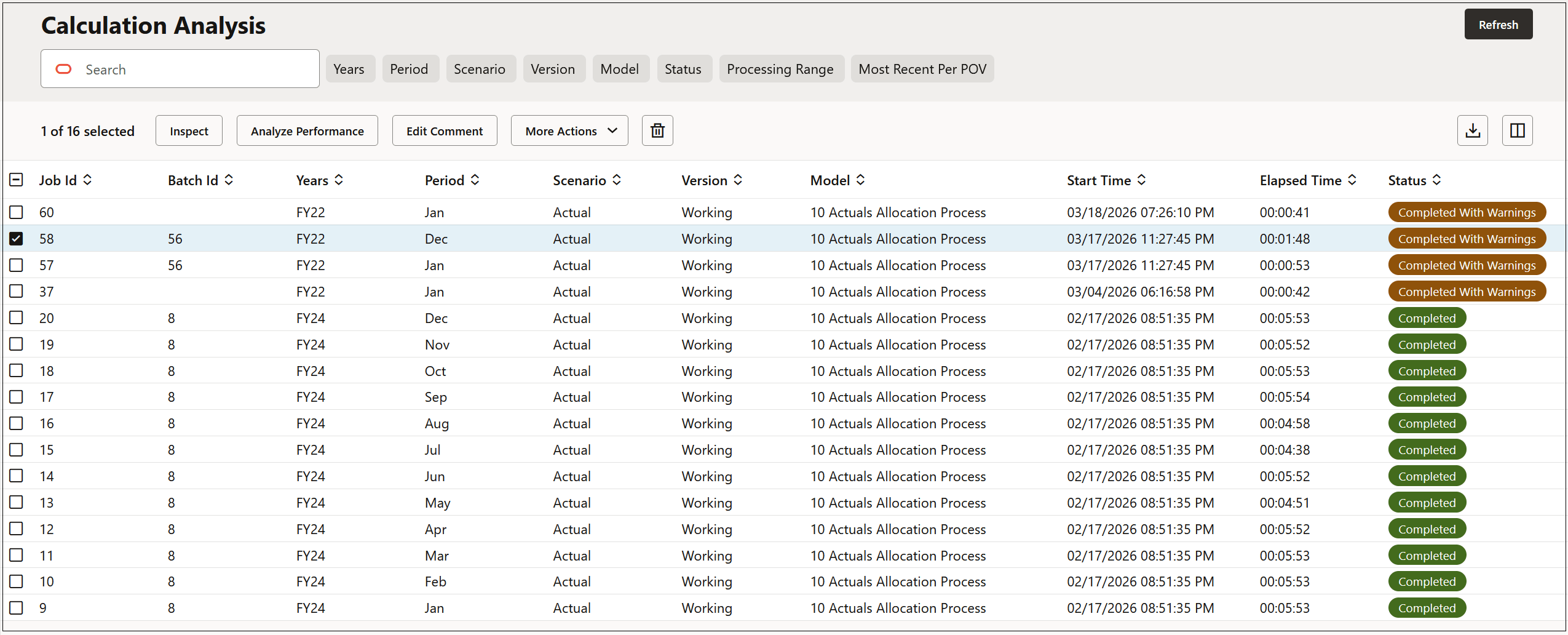
To delete a calculation record, select the calculation record, and then click  . To export a calculation record to Excel, select the calculation record, and
then click
. To export a calculation record to Excel, select the calculation record, and
then click  .
.
Each calculation record includes a snapshot of the model rules used, a model documentation report, and a calculation statistics report. Review the following topics for information on how to generate these reports and how to complete other tasks on the Calculation Analysis page: