Configure Oracle Fusion Service
You can use the 'Oracle Fusion Service to Oracle Fusion Field Service Integration OIC Recipe' for real-time data updates between Oracle Fusion Service and Oracle Fusion Field Service. You can enable this recipe by configuring a new Application Type namely 'Fusion Service' from within the Oracle Fusion Field Service Applications page.
-
Configure a new application of type 'Oracle Fusion Service'.
-
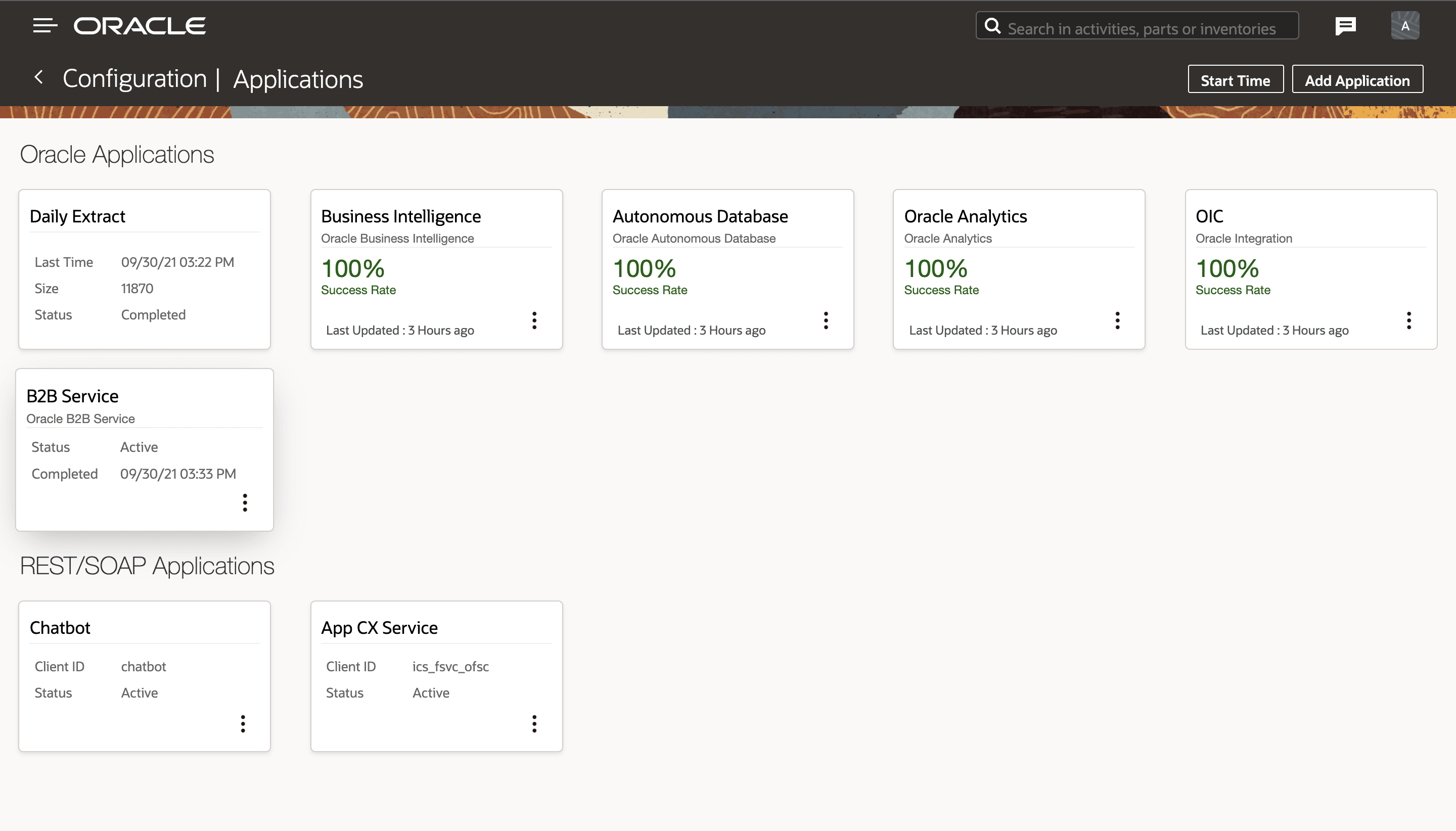
Click Applications.
This screenshot shows the Applications page.
Field Description Application Name Name of the application to be displayed on the Applications page. URL Oracle Fusion Service application URL .
Note: This field supports URL of the format 'https://<host>' only.
User Name Oracle Fusion Service user with 'IT Security Manager' job role.
With privileges for:
- Setup and Maintain Applications
- Setup Service
- Setup Service Work Order
Password Password for this user. -
Click Applications.
What to do next
This table lists the validations and warnings:| Warnings | Description |
|---|---|
| Host unreachable. Please check credentials | "Endpoints for configuring CX Service is not reachable." |
| The service is temporarily unavailable. Please try again later | "CX Service is temporarily down." |
| Configuration is in progress. | "CX Service configuration is in progress" |
| Unable to configure the service. Please retry | "CX Service configuration failed. You can retry the configuration by clicking the option menu or by clicking the retry button inside the application details page." |
| Configured successfully | "CX Service configuration completed" |
| Unable to configure the service. Please retry | CX Service configuration failed. You can retry the configuration by clicking the option menu or by clicking the retry button inside the application details page. When you retry the configuration, Oracle Field Service displays the Confirm Prerequisites dialog before continuing. |