Edit a Form
To open a form template for editing:
- On the Projects tab, select the Forms subtab.
- Select the form in the forms list.
- Click the Edit button.
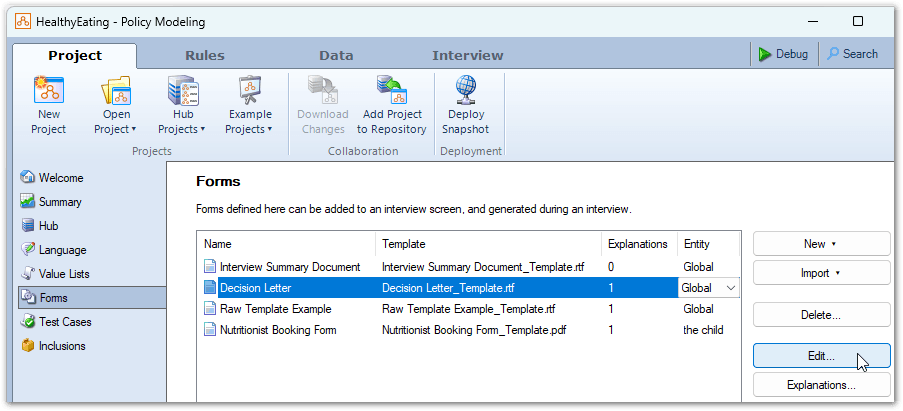
The form template will open for editing.
- RTF form templates will open in Microsoft Word. For information on editing RTF form templates, see Design an RTF Template for a Form.
- PDF form templates will open in your preferred PDF editing tool. For information on editing PDF form templates, see Design a PDF Template for a Form.
Rename a form
Always rename forms from the Forms subtab following the steps below. Do not rename any form template file in Windows Explorer as Policy Modeling will interpret this as deletion of the template. To rename a form:
- On the Projects tab, select the Forms subtab.
- Select the form in the forms list.
- Click the form name.
- Type a new name, then press Enter.
Tip: If your project uses translated form templates, when you rename a primary form template from the Forms subtab, any translated form templates are renamed automatically.
Delete a form
To delete a form:
- On the Projects tab, select the Forms subtab.
- Select the form in the forms list and click the Delete button. You will be advised that this action will also delete the associated template file and asked to confirm the deletion.
- Click OK. The form is removed from the forms list.