Create a model using the Intelligence Workbench
The Intelligence Workbench is the AI and machine learning workspace within the Fusion Unity Data Platform where marketers and data scientists create, train, manage, and run predictive models against unified customer and account data.
Rather than building models from scratch, it provides a library of ready-to-use machine learning algorithms for common marketing use cases, while also allowing organizations to configure models for their own business needs.
Here are the steps to access and use the Intelligence Workbench:
- Sign in to Oracle Fusion Cloud Applications with a user account that has the required Intelligence Workbench access.
- From the navigator, select and a screen similar to the following is displayed.
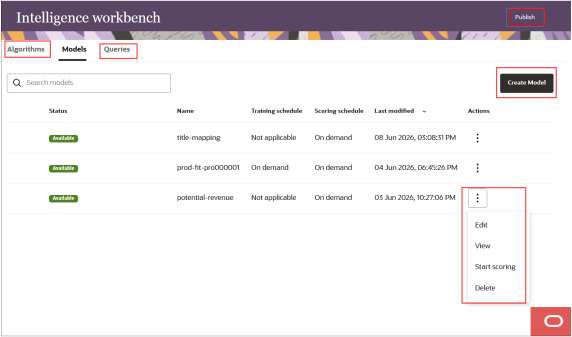
- Select Create Model and the following guided process flow is displayed:
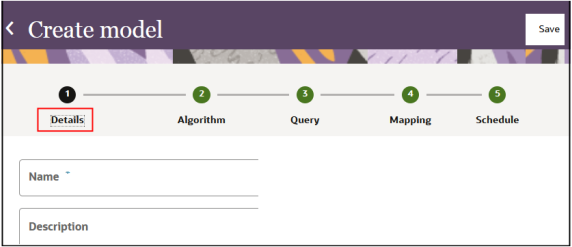
- Enter a name and description for your model and select step 2 to display the
Algorithm UI as follows:
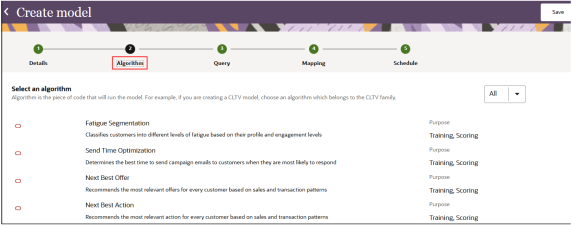
- Enter the algorithm details and select step 3 to Query the dataset on which the
model runs training or scoring as follows:
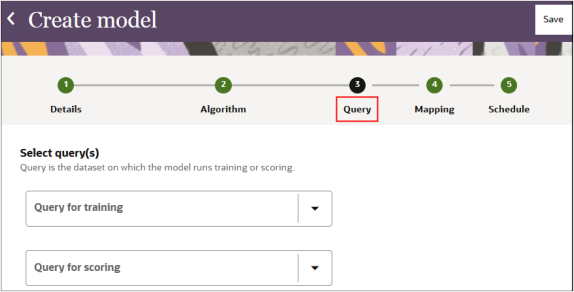
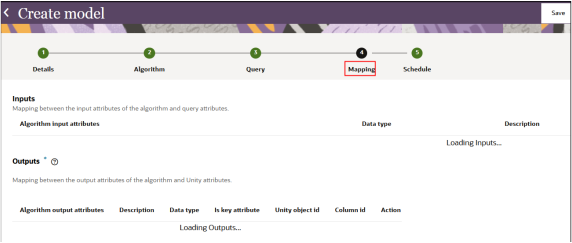
- Select step 4 to display the Mapping step as follows:
-
Inputs Mapping between the input attributes of the algorithm and query attributes.
-
Outputs Mapping between the output attributes of the algorithm and the UDP attributes.
-
- Select the final step 5 to enter the scheduling details as follows:
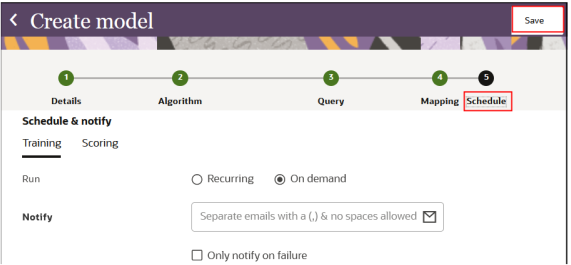
- Select Save.