Publish Changes to the Fusion Unity Data Platform
Any changes you make to the Fusion Unity Data Platform are pending until you publish those changes which can include any of the following:
- Create and edit data objects. Changes include when you add or update the following
within data objects.
- Attributes
- Attribute groups
- Relationships
- Create and edit attributes.
- Create and delete relationships.
- Create and edit data feeds.
- Create and edit sources and destinations.
- Create and edit segment deliveries.
- Create and edit master entities.
- Create and edit data science models.
After making a change, you'll see the Unpublished icon next to the item that was updated to indicate there are unpublished changes.
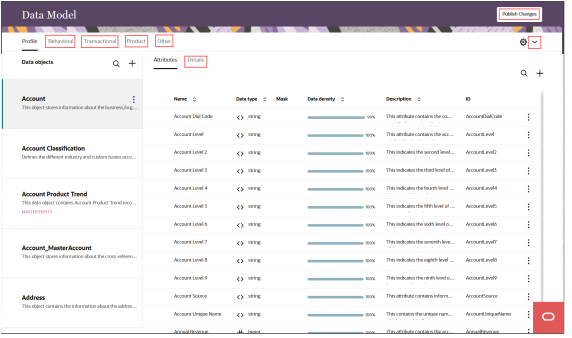
To publish changes:
- Sign in to Oracle Fusion Cloud Applications with a user account that has the required Data Model access.
- From the navigator, select .Or, if you're already in Customer Data Platform, select the Oracle icon and enter Data Model.Note: Other pages, such as Events, Sources, and Data feeds, also allow you to publish changes.
- Select Publish Changes to display the Change
list page.
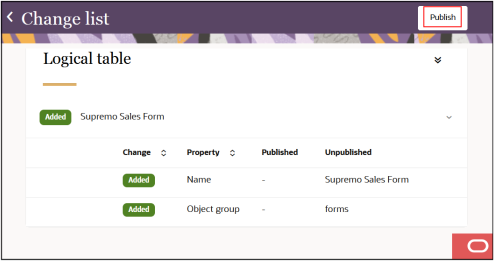
- Review the list of changes for the publish job.
- After reviewing all the changes, select Publish.
- Enable the checkbox to confirm the publish job and select Start publish
job.
A notification will display to confirm the publish job request was received and the job is waiting to start. A second notification will display when the job starts running.
-
You can go to the jobs dashboard page to monitor the progress of the job. See Manage Jobs for more information.