Manage Jobs
You can use the Jobs page to view and manage the jobs that run within the Fusion Unity Data Platform. The page displays the jobs that are currently running and also recent runs of jobs.
To access the jobs page:
- Sign in to Oracle Fusion Cloud Applications with a user account that has the required Jobs access.
- From the navigator, select and a screen similar to the following is displayed.
- Select Jobs and a page similar to the following is
displayed:
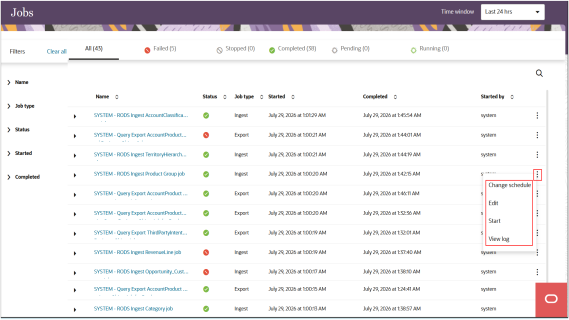
- Use the filters to narrow down the list of jobs and review the icons to confirm if the job completed or failed.
-
Select the job name or select View log from the Action menu to display more details on that specific job. If any records were unsuccessfully imported, then you can review those details as well.