Manage Integrations
You can manage your Fusion Unity Data Platform integrations from the Integration page. You can publish changes and create integrations to manage your import, export, and delete jobs types.
Here are the steps to create an integration:
- Sign in to Oracle Fusion Cloud Applications with a user account that has the required Integrations access.
- From the navigator, select and a screen similar to the following is displayed.
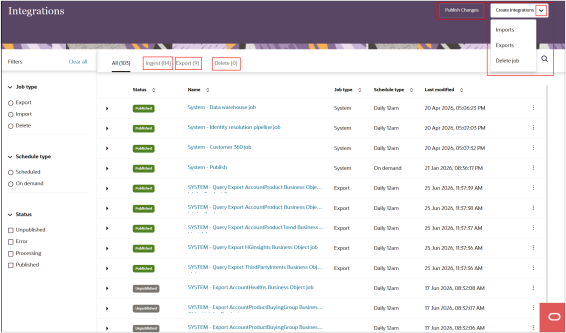
- Select Create Integrations and select one of the job
types from the drop-down list:
- Imports
- Exports
- Delete job
- For example, if you select Exports, a screen similar to
the following is displayed:
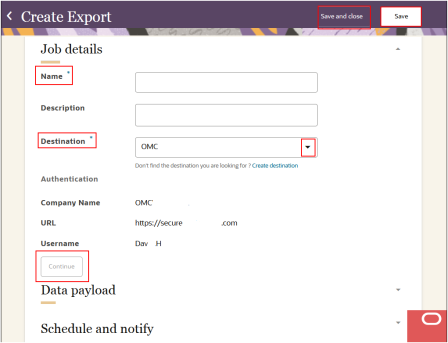
- Enter a Name and Description and select and authenticate a Destination.
SFTP Connection for Data Exports
Users with Customer Data Platform Administrator (ORA_FMK_CUSTOMER_DATA_PLATFORM_ADMINISTRATOR) and Customer Data Platform Manager (ORA_FMK_CUSTOMER_DATA_PLATFORM roles can create and manage SFTP (Secure File Transfer Protocol) connections directly within Data Orchestration.
By enabling centralized configuration of external data export destinations, teams can define connection details including endpoint URLs, authentication methods, credentials, and transfer parameters once and reuse them across multiple orchestrations. By embedding SFTP connectivity natively, organizations can streamline outbound data delivery while maintaining governance and consistency.