Manage Logical Objects
The logical objects used in Fusion Marketing segmentation can be classified as primary or secondary.
Primary objects represent the profiles you want to target, such as Contacts, Accounts, or Customers. They are created from a unified (master) data object and include links to source data and cross-reference information. A primary object can be related as a child of another primary object, but relationships can't be configured in a way that creates a circular dependency (cycle) in the data model.
Secondary tables store additional information related to your profiles, such as a customer's order history. They are built from one or more physical data objects and can combine data from multiple sources. A secondary table is always linked as a child of at least one primary table.
Considerations for Updating the Logical Model
Simply loading data into the physical data model isn't enough. You also need to think about the audience segments your users want to create and update the logical data model to support those needs. Start by building sample segments and identifying the attributes required for segmentation and data orchestration. If any needed data is missing, add the appropriate custom objects or attributes to the logical model. At the same time, hide objects and attributes that aren't relevant so marketers have a simpler and more efficient view of the data.
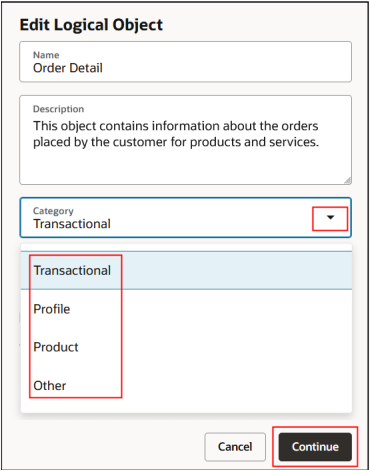
Here's an example of the Edit Logical Object from where you can change the name, description and category of your logical object.