Order and Monitor Data Warehouse Transformations
You can also manage existing Data Warehouse transformations from the Data Workbench. You can edit the transformation details, change the transformation logic in the visual canvas, monitor and change the execution priority.
When multiple transformations write to the same destination object, Fusion Unity Data Platform executes them in a defined order of priority. You can change the execution order using drag-and-drop. Only active transformations are run, while inactive transformations remain visible to preserve the sequence. Any change to the order requires republishing for the update to take effect.
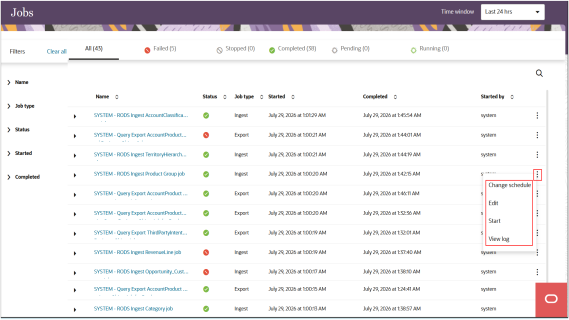
Using the Jobs dashboard, you can monitor Data Warehouse transformations after they're published and active. For example, you can activate or deactivate a transformation, create a copy, or delete a transformation. Any changes to a transformation set its status to Unpublished. Republish the transformation before the changes take effect.
Here's a sample screenshot of the Jobs page: