Set Up Pipeline Parameters for Data Augmentation Scripts
Set up pipeline parameters before proceeding to work with the Data Augmentation Scripts (DAS) application.
For more information, see Set Up the Pipeline Parameters.
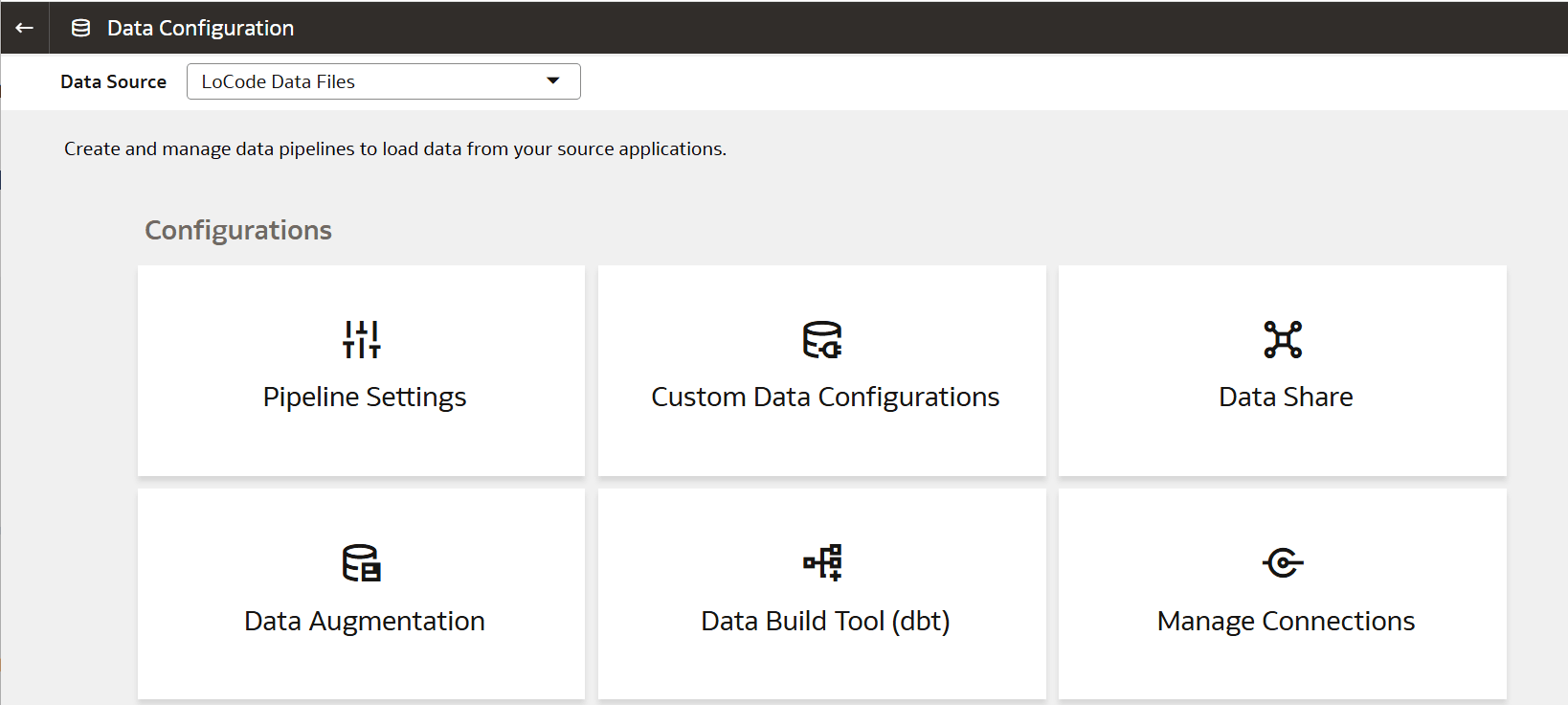
- On the Data Configuration page, select LoCode Data Files for Data Source, then click Pipeline Settings under Configurations.
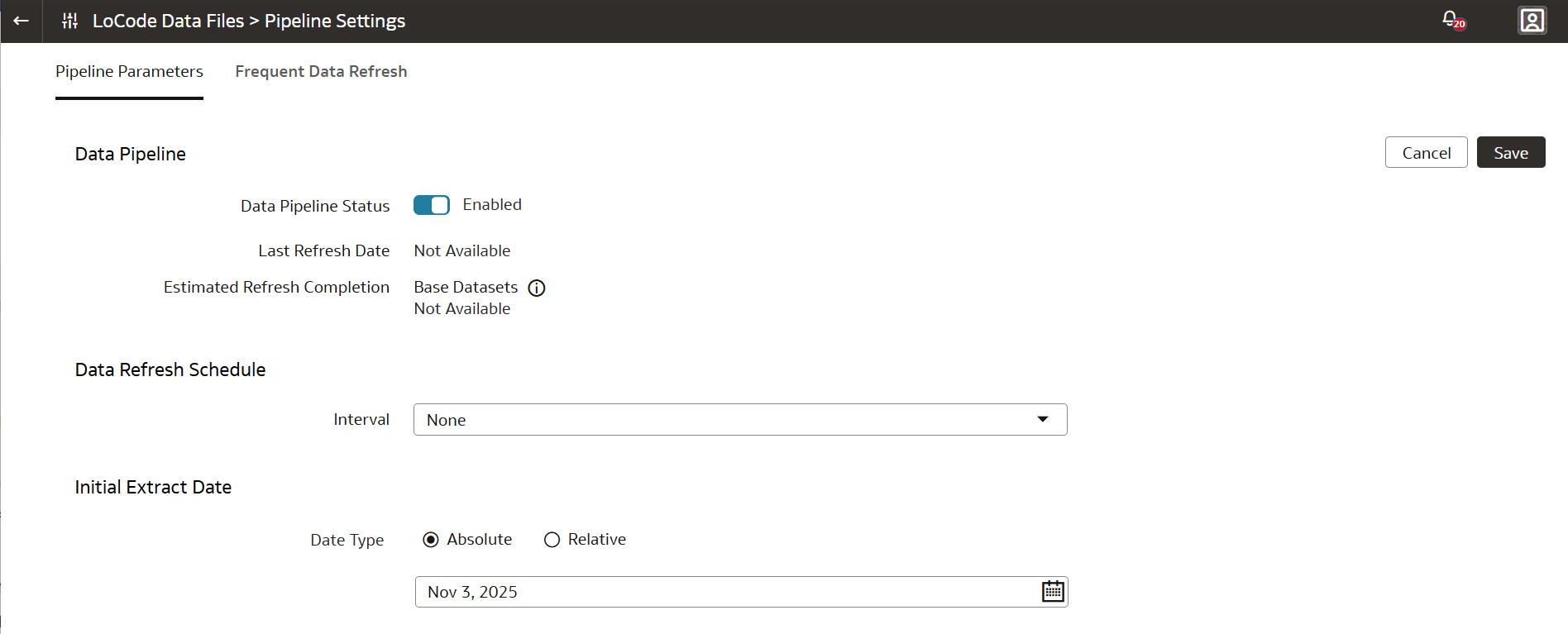
- On the Pipelines Settings page:
- Ensure that Data Pipeline Status is Enabled.
- (Optional) Select an Interval for Data Refresh Schedule.
- Select a Date Type. Enter a date if you select Absolute.