Projects
Changes to Project Summary Feature
View the list of summaries for all projects you have access to on one page, and share your summary as status update in the project news feed.
The following enhancements are available if the Project Summary feature is enabled for your company's SuiteProjects Pro account:
For more information about using the Project Summary feature, see Project Summary.
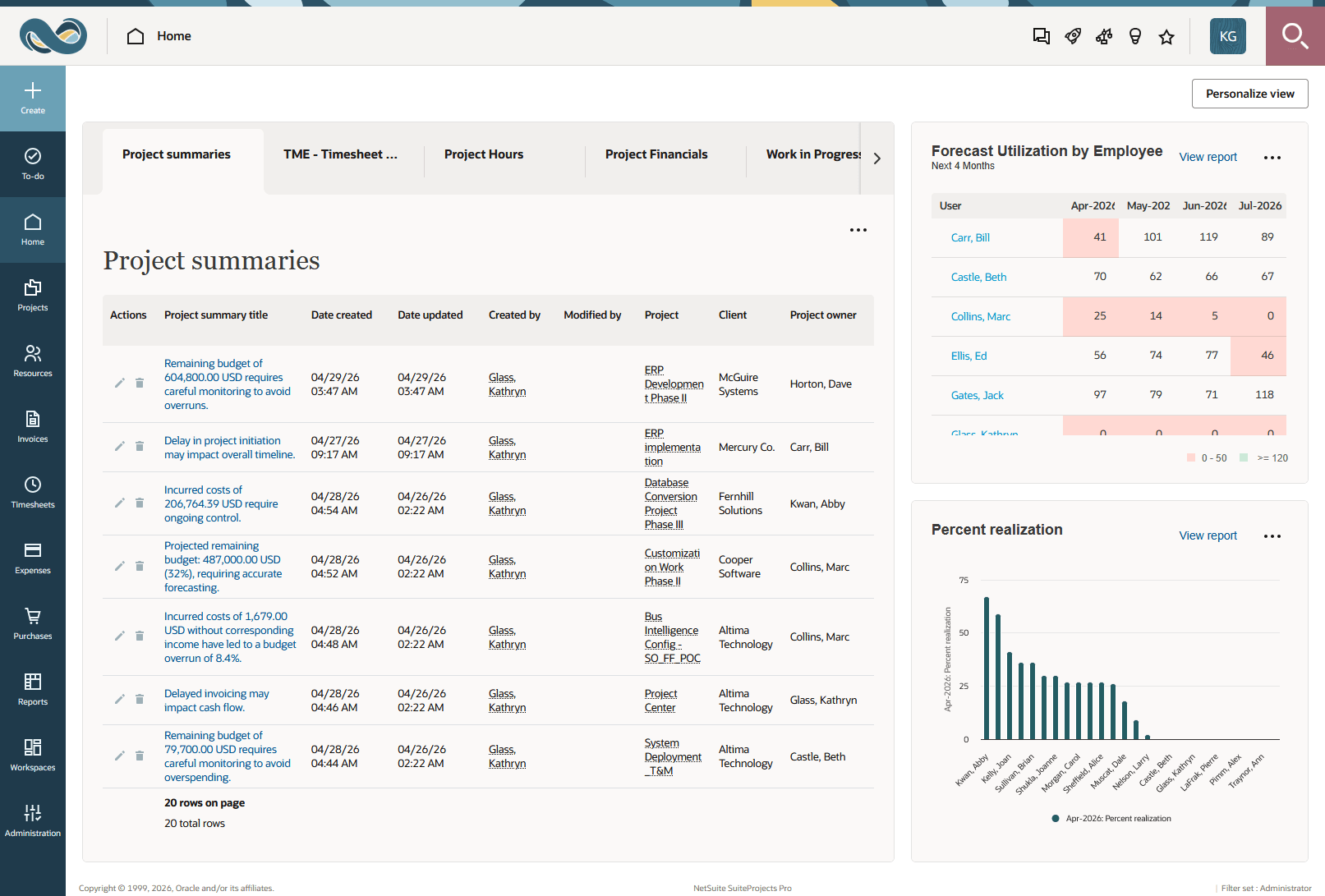
Project Summaries List (All Projects)
If the Project Summary feature is enabled for your account and if you have the relevant role permissions, you can now go to Projects > Project summaries to view the list of summaries for all the project you have access to.
If the Next-Generation Homepage or Next-Generation Dashboards features are enabled for your company's SuiteProjects Pro account, you can add a portlet showing the project summaries list to your homepage or dashboard. For more information, see Getting Started with the Next-Generation Homepage and Dashboards.
Share Summary as News Feed Status Update
The functionality described in this help topic is available only if the Project Summary and Project Status News Feed features are enabled for your account, and if your role permits to view project summaries and edit news feeds.
If the Project Status Newsfeed feature is enabled for your company's SuiteProjects Pro account, you can share it as a status update in the project news feed.
When you share your project summary as a news feed status update, SuiteProjects Pro adds a status update to the project news feed with the following information:
-
Title - Copied from your project summary title at the time of sharing.
-
Status update - Copied from the project summary content at the time of sharing.
-
Status - none (Empty). You can go to the project news feed and edit the status update to set the status. For more information, see Editing a Project Status Update.
For more information, see Sharing your Project Summary as a News Feed Status Update.
Always read the generated content carefully and validate for accuracy, quality, and appropriateness before you save or share AI-generated summaries. Generative AI services, such as the Project Summary feature, use creativity in their responses. A person should always validate the generated content for accuracy and quality.
Anybody who can view the news feed will be able to see the information in the summary from the news feed status update.
