Fetching a SuiteApp Install Base
When fetching a SuiteApp install base using Control Center API endpoints, you will receive the SuiteApp status in the JSON response. This status indicates the current state of the SuiteApp during installation, or upgrade. For more information about SuiteApp states, see SuiteApp States.
The following example shows you how to retrieve a SuiteApp install base using the GET request method and the corresponding JSON output.
          GET https://<accountID>.integration.netsuite.com/services/rest/suiteappcontrolcenter/v1/suiteapp/<applicationId>/installation
Authorization: Bearer {TOKEN}
If your request is successful, you will receive a 200 Code.
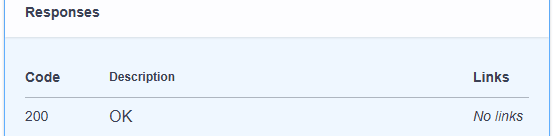
JSON example output of a successful installation:
          {
      "account": {
        "id": "<accountId>",
        "name": "Example_AccountName123",
        "type": "production"
      },
      "status": "INSTALLED",
      "installedVersion": "1.2.3",
      "nsVersion": "2024.1",
      "lastUpdated": 1678281916,
      "errors": []
 }
JSON output of failed installation:
               {
   "account": {
      "id": "<accountId>",
      "name": "Example_AccountName123",
      "type": "production"
   },
   "status": "FAILED_VALIDATION",
   "installedVersion": "1.2.3",
   "nsVersion": "2024.1",
   "lastUpdated": 1678281916,
   "errors": [
         {
           "errorMessage": "Verification failed",
           "errorDbTicket": "jz478bkv19hqrqnh8gvyj"
          }
       ]
     }