Control Center Endpoint REST API Samples
Use the following samples for details on using the available methods:
OpenAPI Specification
The OpenAPI specification and Postman collection for SuiteApp Control Center REST API v1 is now available in GitHub. Use this API to create, publish, and deprecate SuiteApp versions, list installations, and request installation upgrades. For more information, see SuiteApp Control Center REST API Documentation in GitHub.
Fetching a SuiteApp Install Base
When fetching a SuiteApp install base using Control Center API endpoints, you will receive the SuiteApp status in the JSON response. This status indicates the current state of the SuiteApp during installation, or upgrade. For more information about SuiteApp states, see SuiteApp States.
The following example shows you how to retrieve a SuiteApp install base using the GET request method and the corresponding JSON output.
            GET https://<accountID>.integration.netsuite.com/services/rest/suiteappcontrolcenter/v1/suiteapp/<applicationId>/installation
Authorization: Bearer {TOKEN}
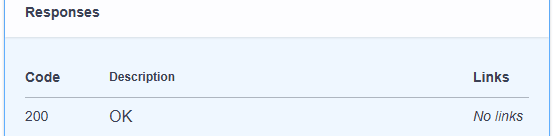
If your request is successful, you will receive a 200 Code.
JSON example output of a successful installation:
            {
      "account": {
        "id": "<accountId>",
        "name": "Example_AccountName123",
        "type": "production"
      },
      "status": "INSTALLED",
      "installedVersion": "1.2.3",
      "nsVersion": "2024.1",
      "lastUpdated": 1678281916,
      "errors": []
 }
JSON output of failed installation:
                 {
   "account": {
      "id": "<accountId>",
      "name": "Example_AccountName123",
      "type": "production"
   },
   "status": "FAILED_VALIDATION",
   "installedVersion": "1.2.3",
   "nsVersion": "2024.1",
   "lastUpdated": 1678281916,
   "errors": [
         {
           "errorMessage": "Verification failed",
           "errorDbTicket": "jz478bkv19hqrqnh8gvyj"
          }
       ]
     }
Fetching Installations Eligible for Managed Upgrade
To fetch installations that are eligible for managed upgrade, use the GET method and set upgradable to true. You can also use upgradePhase to filter installations by release phase. Supported upgradePhase values are LEADING and LAGGING. If you set upgradable to true and omit upgradePhase, LEADING is the default value.
            GET
    https://<accountID>.integration.netsuite.com/services/rest/suiteappcontrolcenter/v1/suiteapp/<applicationId>/installation?upgradable=true&upgradePhase=LEADING
    Authorization: Bearer {TOKEN}
If your request is successful, you will receive a 200 code. For unmanaged SuiteApps, this request returns an empty list because unmanaged SuiteApps are not eligible for managed upgrades.
Creating a New SuiteApp Version
To create a new SuiteApp version using the POST method, you must define the Minimal Required NetSuite version, SuiteApp phase, and the ZIP file of the SuiteApp. These three parameters should be formatted as form-data media type, Content-Type: multipart/form-data. The following example shows you how to create a new SuiteApp version.
            POST
    https://<accountID>.integration.netsuite.com/services/rest/suiteappcontrolcenter/v1/suiteapp/<applicationId>/version
    Authorization: Bearer {TOKEN} nsVersion=2026.1 phase=LEADING
    file=/path/to/your-suiteapp.zip
If your SuiteApp was successfully updated, you will receive a 201 created code.

Publishing or Deprecating a SuiteApp Version
To publish or deprecate a SuiteApp version, use the PATCH method. You can use this endpoint to publish a pending SuiteApp version or deprecate a released SuiteApp version.
            PATCH https://<accountID>.integration.netsuite.com/services/rest/suiteappcontrolcenter/v1/suiteapp/<applicationId>/version/<versionId>
Authorization: Bearer {TOKEN}
Content-Type: application/json
Example request body:
            {
  "status": "PUBLISH_WITH_PHASE_SHIFT"
}
Supported status values are:
-
PUBLISH_WITH_DEPRECATION -
PUBLISH_WITH_PHASE_SHIFT -
DEPRECATE
If the SuiteApp version is successfully published or deprecated, you will receive a 200 code
Upgrading SuiteApp Installations
To upgrade SuiteApp installations using the PUT method, you must define the NetSuite IDs and the SuiteApp version. The following example shows how to upgrade SuiteApp installations to a selected version.
            PUT https://<accountID>.integration.netsuite.com/services/rest/suiteappcontrolcenter/v1/suiteapp/<applicationId>/installation
Authorization: Bearer {TOKEN}
Content-Type: application/json
Example request body: {
  "companyIds": [ "1339499" ],
  "version": "0.0.2"
}