FSM CRM Task Start and Complete Flows
Field Service Management (FSM) captures timestamps when you start or complete a customer relationship management (CRM) task in FSM Mobile. Synchronization sends the saved timestamps to NetSuite. Track Service Time and the Task Type's Service Time Item determine whether completion waits for time processing.
Start captures Field Service Start, and Complete captures Field Service End. Both fields store a date and time with a time zone. When a confirmation dialog appears, FSM captures the task timestamp when you confirm the action. The service-activity time is saved separately and can differ from that timestamp.
The following flows show normal progression from Not Started through In Progress to Completed. Case review assumes a related case eligible for status processing. For the feature overview and timestamp field IDs, see FSM Case and CRM Task Status Automation.
Start Flows
Start changes a Not Started task to In Progress during synchronization. With Track Service Time enabled, the confirmation dialog also records a service-activity start.
Both flows synchronize Field Service Start, change a Not Started task to In Progress, and request related case review.
The following diagram compares the Start flows with Track Service Time disabled and enabled:
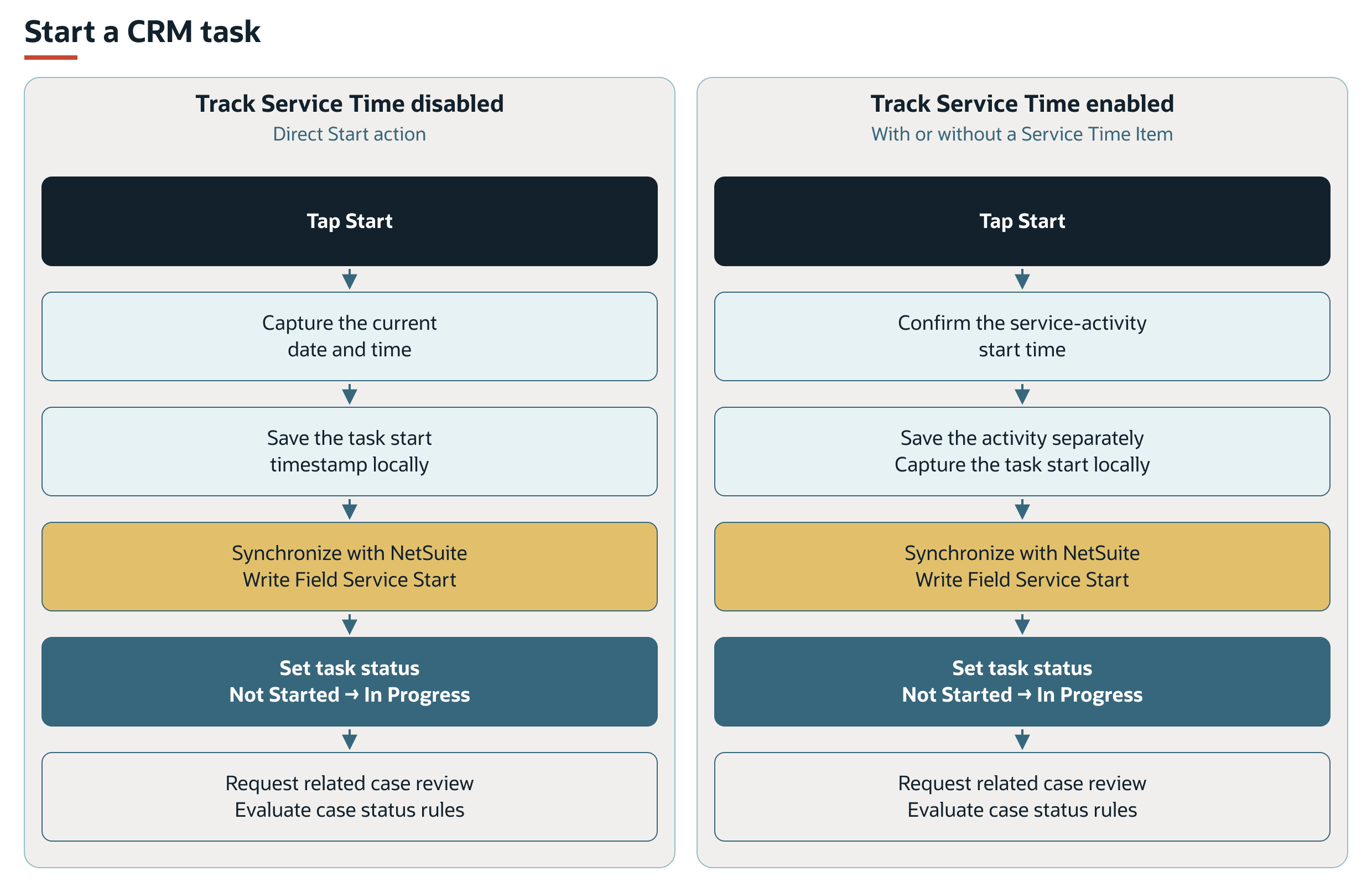
The enabled Start flow applies with or without a Service Time Item on the Task Type. Starting the task does not wait for scheduled time processing.
Complete Flows
The three paths distinguish direct completion from completion that waits for time processing. With Track Service Time enabled, the confirmation dialog and service-activity entry still apply when the Service Time Item is missing.
When both the feature and Service Time Item apply, synchronization checks Field Service Log Activity Time (custevent_nx_time_log_activities) to request time processing. Its effect on scheduled completion is described under Task Completion Eligibility.
With time tracking disabled, completion occurs during synchronization. With time tracking enabled and a Service Time Item, completion waits for time processing followed by status processing. With time tracking enabled and no Service Time Item, completion occurs during synchronization.
The following diagram compares the three Complete flows:
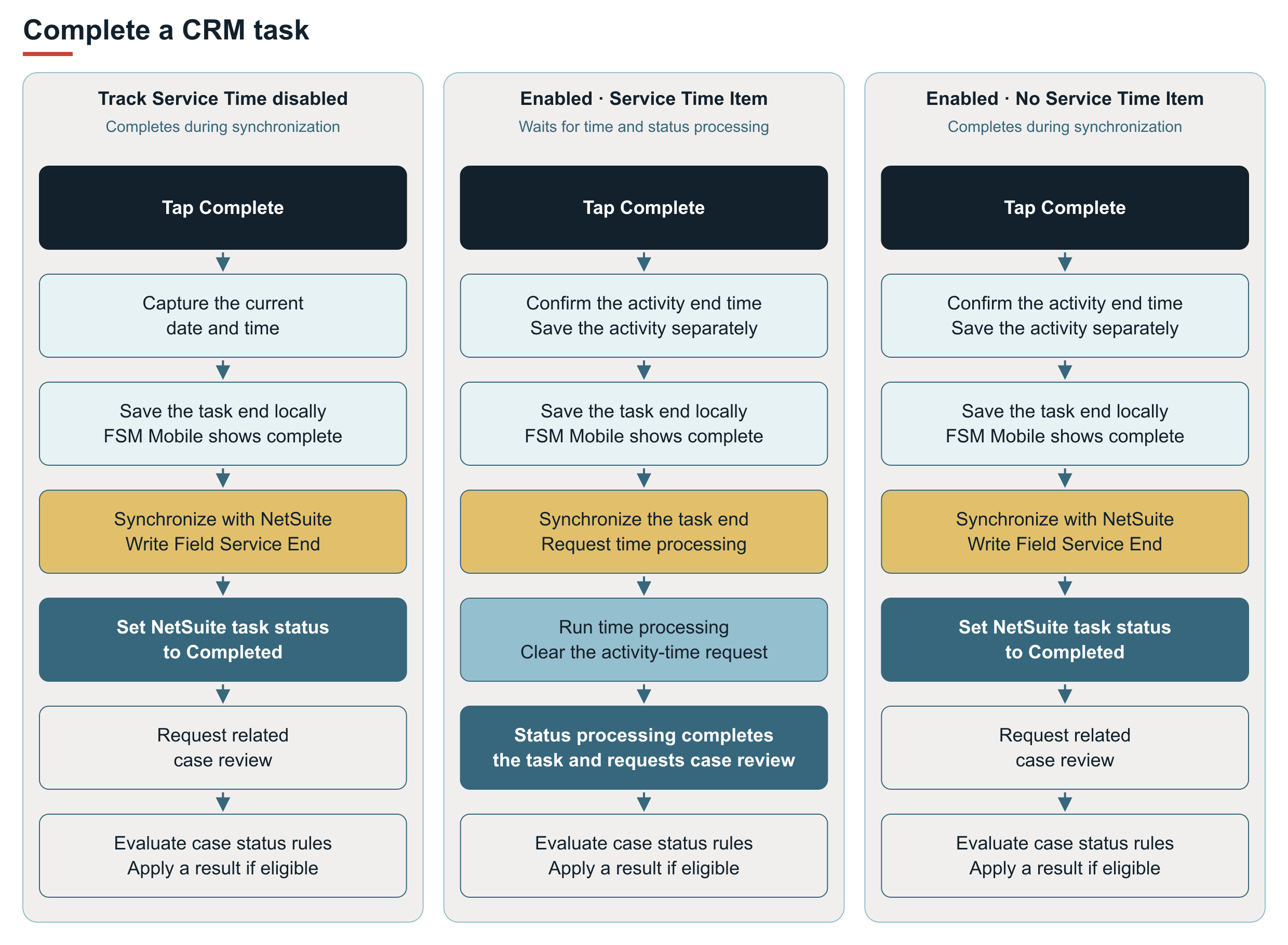
FSM Mobile shows completion from the locally captured timestamp. This can precede the NetSuite Completed status, particularly in the path that requires time processing. Completion of that path does not by itself establish that a time record was created. Time-record creation also depends on the service-activity data. See FSM Service Time Tracking.
After a task status change, the related case is reviewed according to Case Status Rules.