Filtering Custom Segments by Another Custom Segment
In some cases, you may configure a segment so that it's filtered by another segment. For example, you can have two segments, Sales Region and Sales Channel. You could configure the Sales Channel segment's values to be filtered based on the selection the user makes for Sales Region.
To achieve this type of configuration, edit the Sales Channel segment's Filtered by field. In this field, select Sales Region.
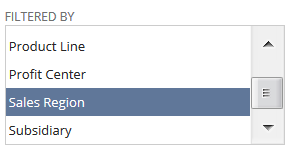
When you use this type of configuration, the segment in the Filtered by field must be applied to all of the same records as the segment that you're editing. Therefore, if you edit a segment to create a filtering relationship between it and a second segment, you may receive a message regarding record application. This message may state that the system will apply the second segment, the one named in the Filtered by list, to more record types.
Additionally, you may receive this message if you're editing a segment that's already filtered by another segment. If you apply the segment to additional record types, this change can affect the segment named in the Filtered by list. If that segment isn't already applied to the new types you've selected, the system displays a message stating that it'll be applied to them.
In both of these cases, you can cancel the change, or you can let the system apply the segment to the additional record types.
For more details about filtering, see Filtering for a Custom Segment.