Determining Field IDs on a Child Record Sublist
This topic outlines the process for identifying field internal IDs on a custom child record sublist. For a general overview, see Custom Child Record Sublist IDs Overview.
Use these steps to get internal field IDs on a custom child record sublist:
-
Go to the custom record definition page (for example, go to Customization > Lists, Records, & Fields > Record Types and select your custom record in the Record Types list).
-
On the Fields subtab of the Custom Record Type page, all field internal IDs appear in the ID column. These are the IDs you reference as the
fieldIdvalue in Record.getSublistValue(options) or CurrentRecord.getSublistValue(options).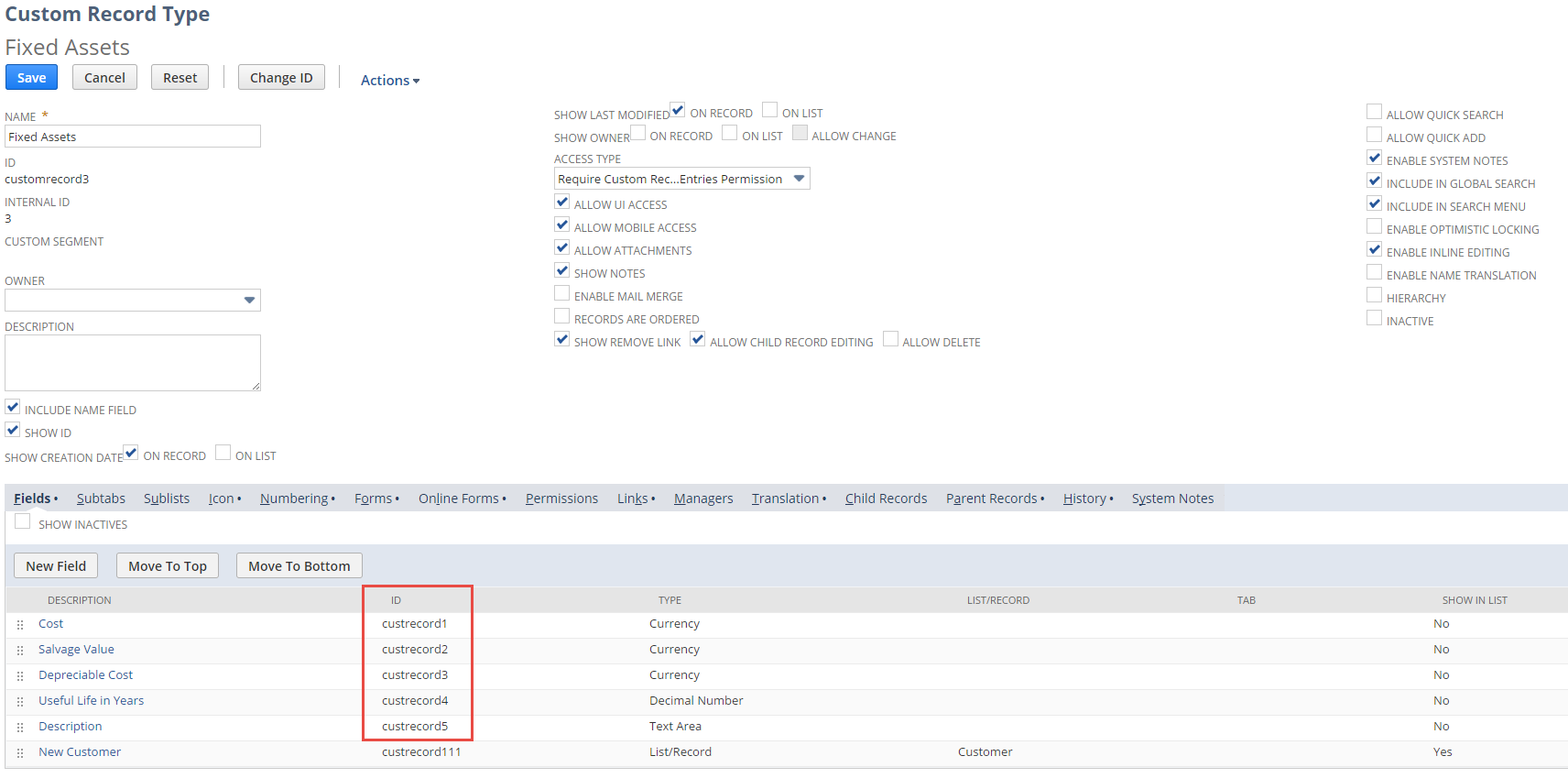
Example:
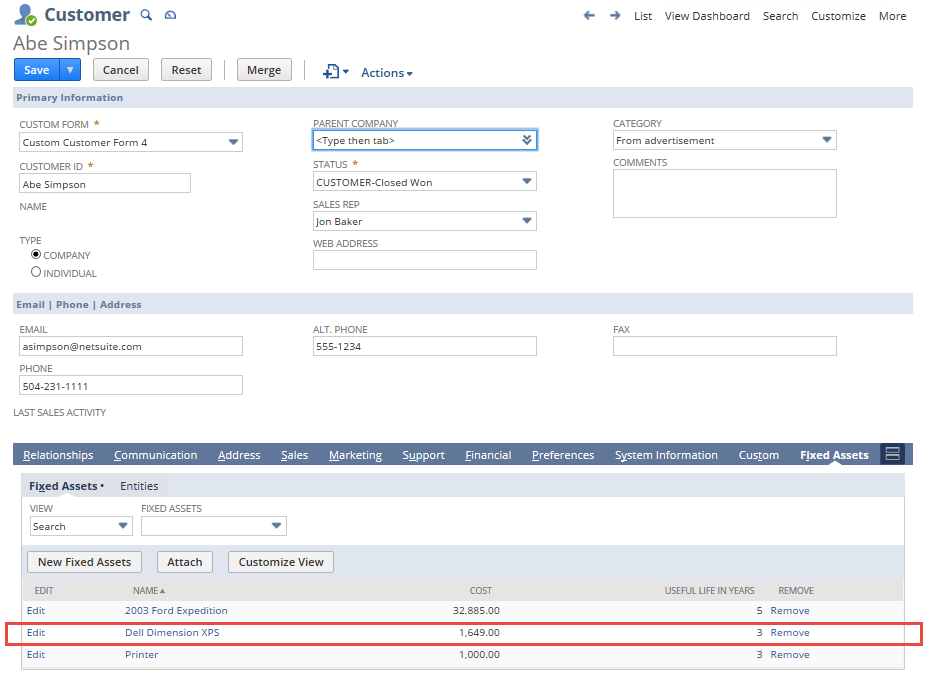
              //Get the value of the Cost field on the first line (see the following figure) ...
var sublistFieldValue = objRecord.getSublistValue({ sublistId: 'irecmachcustrecord102', fieldId: 'custrecord1', line: 1
});
You can get or set values for fields that appear in the Fixed Assets sublist. You can also set or get values that exist on the record, but don't appear in the sublist UI.
For example, the following line sets the value of the Salvage Value field in the fixed assets record 14 (see the following screenshot). The internal ID for Salvage Value is custrecord2. See this value on the Custom Record Type definition page for the fixed assets record type.
objRecord.setCurrentSublistValue({ sublistId: 'recmachcustrecord102', fieldId: 'custrecord2', });