Partner E-Invoice Integration with Thomson Reuters
There is a global regulatory trend towards e-invoicing and continuous transaction controls, as governments seek to drive operational efficiency and reduce tax leakage. Businesses operating across multiple countries face significant challenges:
- Processing e-invoices from suppliers worldwide, each using different standards
- Interfacing with the various service providers
- Maintaining compliance with diverse regulations
Traditionally, this required organizations to manually set up connectivity parameters, exchange credentials, and conduct integration testing with one or more service providers. To help simplify these complexities, businesses need a robust, scalable solution that streamlines connectivity and ensures reliable compliance.
The preconfigured integration with Thomson Reuters helps organizations to comply with global e-invoicing mandates while improving operational efficiency. Customers can receive e-invoices from suppliers using various service providers and government platforms. The solution leverages a predefined mapping to transform the e-invoice received in a standard format from Thomson Reuters into the Payables invoice format.
In this release, the solution provides turnkey onboarding for the Thomson Reuters e-invoicing integration, automated acknowledgments to suppliers for processed and rejected invoices, and support for the receipt of e-invoices in the following PEPPOL network countries operating under a model without clearance: Australia, Belgium, Denmark, Finland, the Netherlands, Norway, Sweden, and the United Kingdom.
The integration with Thomson Reuters provides numerous benefits for businesses:
- Rapid onboarding of e-invoicing partner without the need for custom development or complex integrations.
- Regulatory compliance with e-invoicing mandates in supported countries.
- Improved operational efficiency through automated, standardized e-invoice processing.
Steps to enable and configure
Partner E-Invoice Integration with Thomson Reuters is in controlled availability. To enable the feature, log a Service Request (SR) and mention Partner E-Invoice Integration. Oracle Support will provide the instructions for enabling the feature.
Before enabling e-invoicing with Thomson Reuters in Oracle Fusion Cloud ERP, ensure that the following prerequisites are completed:
- Finalize agreement with Thomson Reuters for using e-invoicing solution. You may have to provide the details of the participating legal entities such as name, address and registration number to Thomson Reuters.
- Provision the buyer account using the Thomson Reuters portal.
- If operating in a PEPPOL country, then complete buyer registration on the PEPPOL network through Thomson Reuters.
Contact Thomson Reuters by visiting https://www.pagero.com/contact to initiate the integration.
Steps for enabling connectivity with Thomson Reuters
Follow the steps below to establish a secure connection between Oracle Cloud ERP and Thomson Reuters. All credentials are exchanged using encrypted protocols.
First, assign the security privilege to the administrator who manages the connectivity with Thomson Reuters.
- Login as the IT Security Manager and navigate to the Security Console.
- Create a custom job role.
- In the Function Security Policies tab, add the privilege “Manage Thomson Reuters Services” and proceed to save the role.
- Assign the newly created custom job role to the administrator user.
Then, follow these steps to create a connection to the Thomson Reuters e-invoicing service.
- Sign into Oracle Cloud ERP as an administrator and go to Navigator > My Enterprise > Setup and Maintenance.
- From the Setup and Maintenance work area, go to the Manage Thomson Reuters Services task.
- Offering: Financials
- Functional Area: Transaction Tax
- Task: Manage Thomson Reuters Services
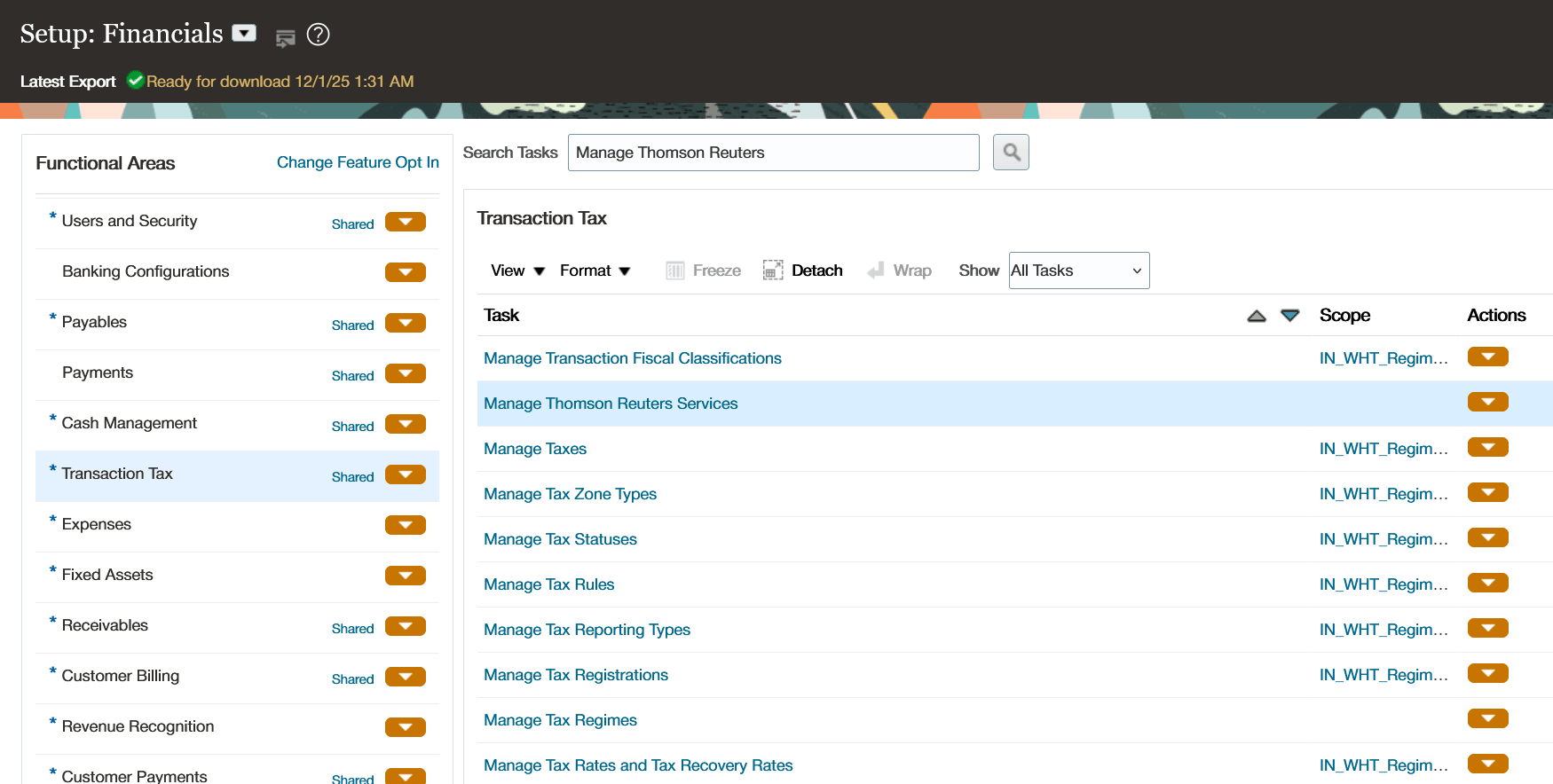
Manage Thomson Reuters Services in Setup and Maintenance
- Select Service: E-invoicing and click Configure for Activation to initiate the integration process
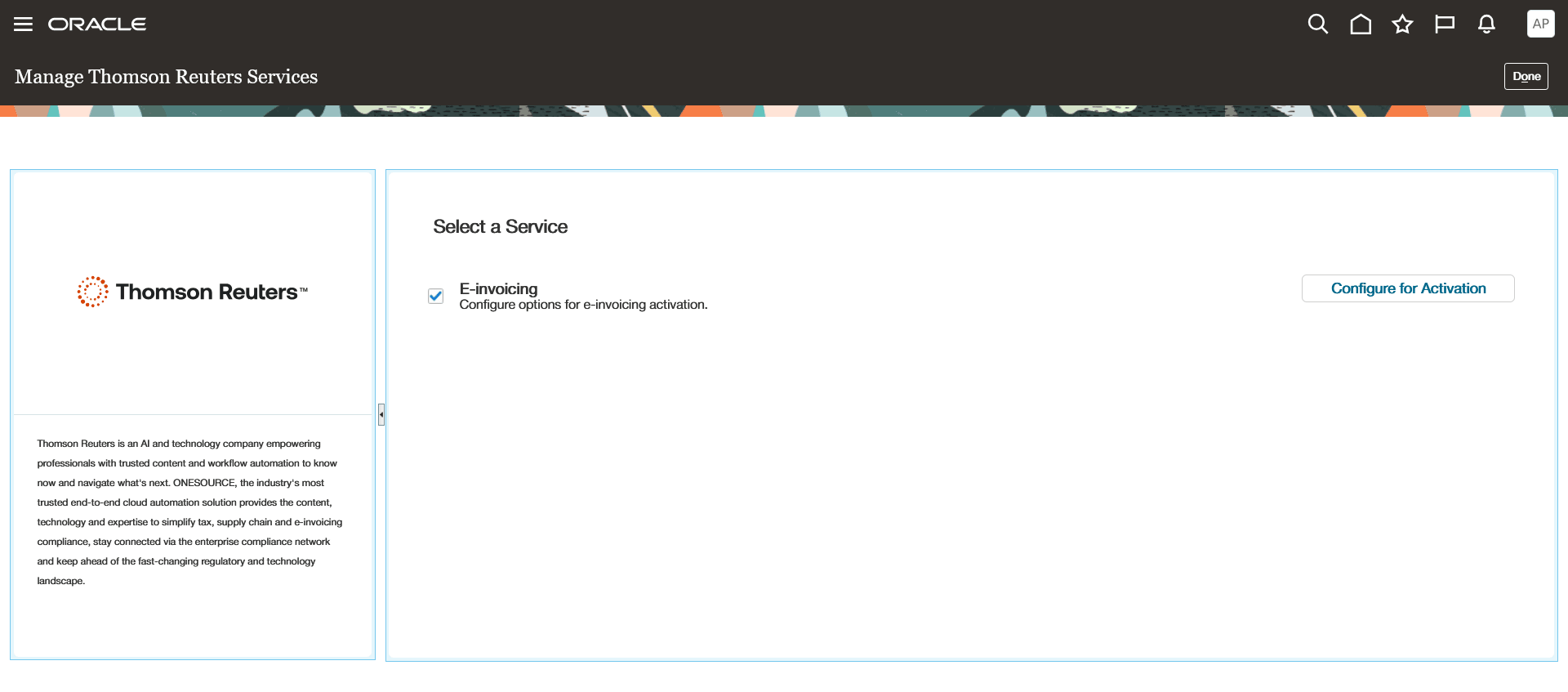
Select service for activation with partner
- Select Payables and click on Activate to initiate the connection.
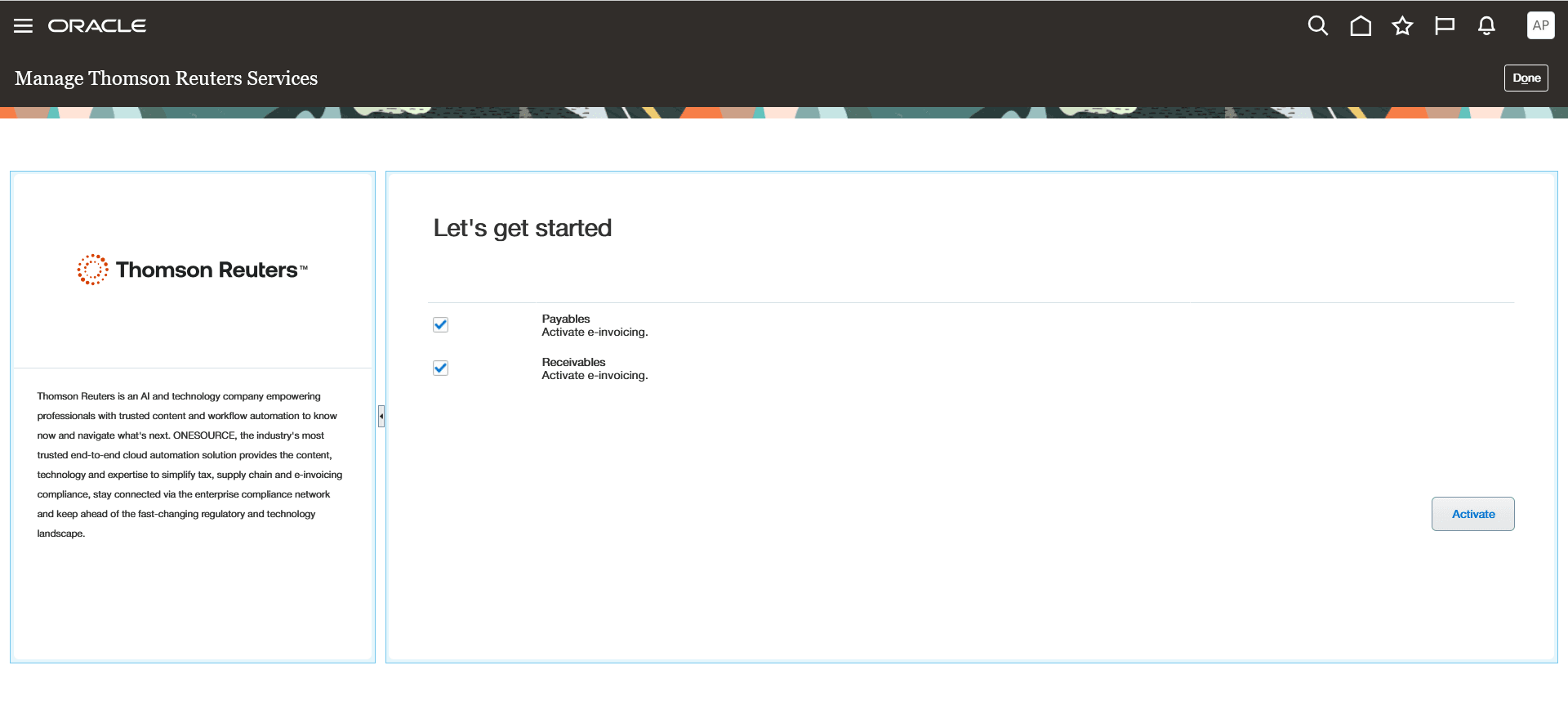
Activate E-invoicing with partner
- You will be redirected to Thomson Reuters’ portal to authorize data access. Login by entering the portal credentials provided by Thomson Reuters.
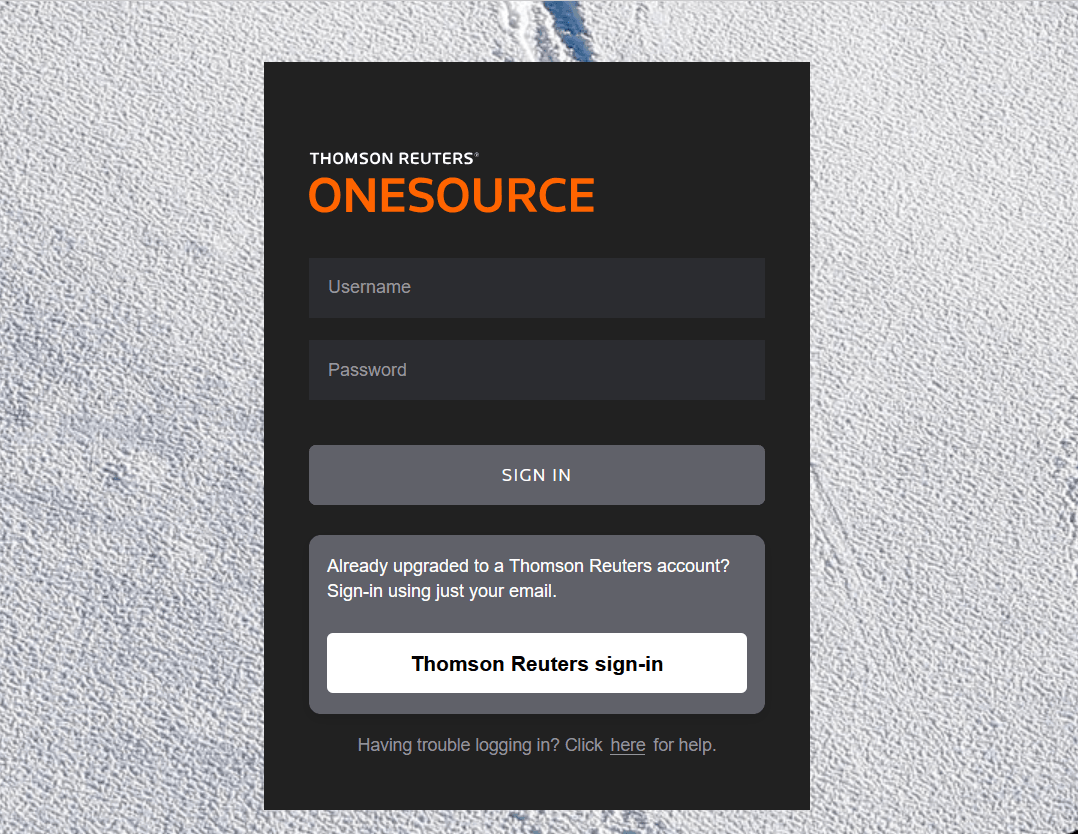
Login to Thomson Reuters OneSource portal
- Provide consent for enabling the data flow from Thomson Reuters to Oracle Cloud ERP.
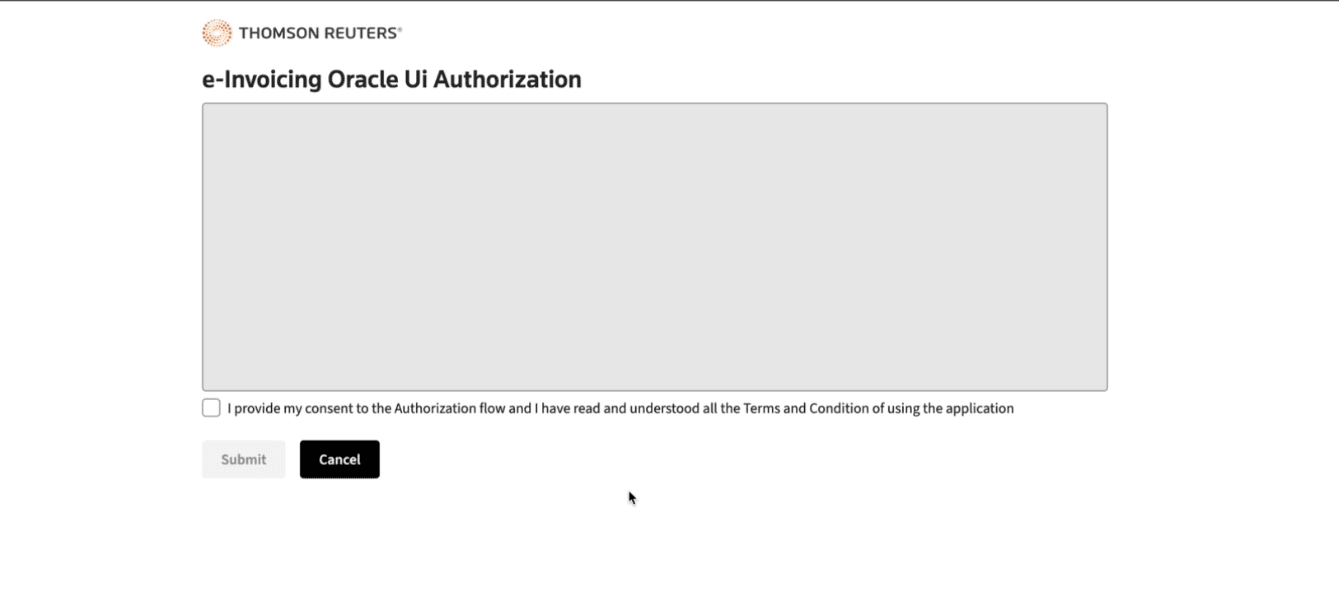
Provide consent for data flow
- You will be redirected back to Oracle Cloud ERP.
- Thomson Reuters and Oracle will establish a secure connection automatically and prepare the service for use through secure credentials exchange in the background.
- You can view the status of the service by clicking on the View Activation Status button.
- Once the enablement process is complete, the status is updated to Completed.
Steps for supplier onboarding
- First, identify the suppliers for e-invoicing and notify them about e-invoicing capability. Share the details required for transmitting e-invoices via Thomson Reuters. This includes:
- Identifiers like Tax registration number and PEPPOL ID
- Service provider name (Thomson Reuters)
- Connectivity details like end points, credentials, signature, and protocols.
- The specific details to be shared depends on the country and model they are operating in. You can contact Thomson Reuters for additional guidance on supplier outreach.
- The supplier can then register with an e-invoicing service provider to send invoices electronically.
- If the supplier doesn’t have a service provider for e-invoicing, they can either register with Thomson Reuters or another service provider which has interoperability agreement with Thomson Reuters.
- Suppliers then communicate their readiness to transition to e-invoicing and provide the required details like their tax registration number.
- Finally, update the supplier’s tax registration numbers in Oracle Cloud ERP to ensure correct e-invoice processing.
- Navigate to Procurement > Supplier > Transaction Tax > Tax Registrations.
- Enter the tax registration number for the supplier.
- Navigate to Procurement > Supplier > Transaction Tax > Tax Registrations.
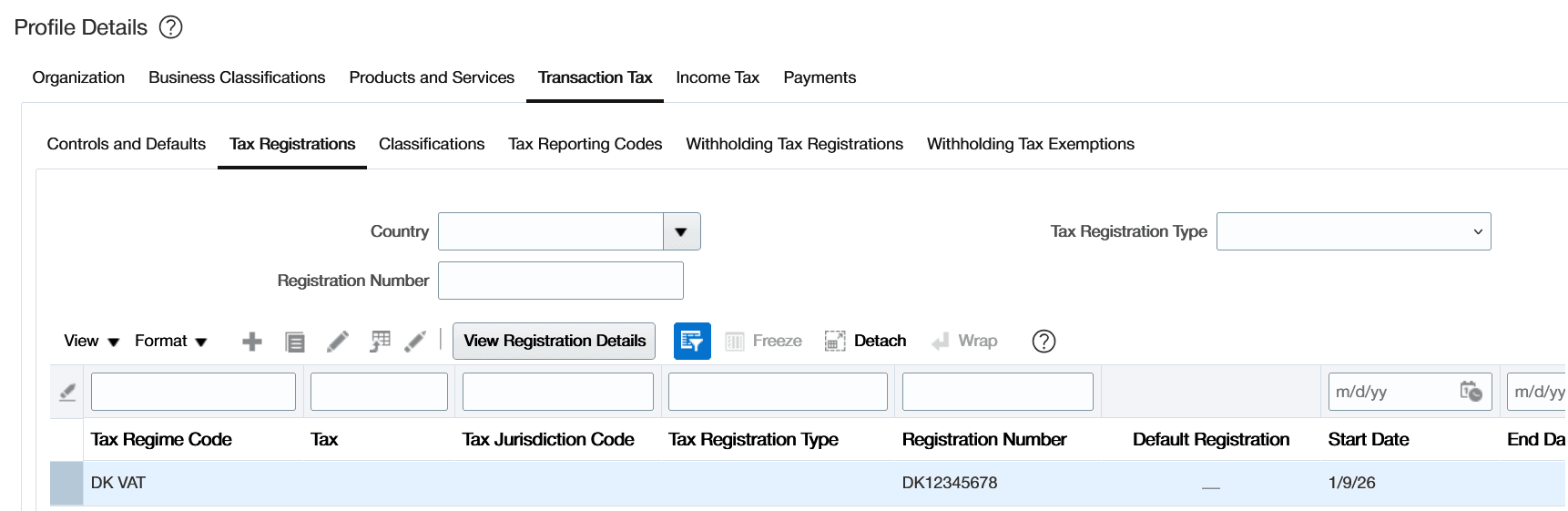
Supplier Tax Registration Number
- Alternatively, use the supplier FBDI spreadsheet to update tax registration numbers of suppliers in bulk.
Tips and considerations
- Ensure that the tax registration numbers are correctly updated in the Legal Entity and Legal Reporting Unit, and the same details are shared with Thomson Reuters. This will ensure that the legal entity is correctly defaulted on the invoice.
- Ensure that the supplier tax registration number is updated in the supplier profile so that the correct supplier can be identified.
Key resources
Guidelines for Configuring Security in Oracle ERP Cloud
Access requirements
You must have the Manage Thomson Reuters Services privilege to establish connectivity with Thomson Reuters.