Depreciation adjustment for tax book
The tax authority may finalize or confirm the depreciation allowable for a fiscal year several months after the tax book fiscal year has closed. In the meantime, tax book periods must be closed and advanced to the next fiscal year to allow ongoing transaction processing.
This feature allows users to adjust the depreciation for the applicable prior fiscal year in the tax book. When the depreciation is finalized, the tax authority may require an adjustment to the depreciation previously taken for one or more assets in a prior fiscal year. Oracle Assets reflects the adjustment in that fiscal year and in each subsequent year through the current fiscal year, ensuring that the depreciation amounts are updated accordingly.
You can now enter depreciation tax adjustment entries for prior fiscal years after the asset book has been closed.
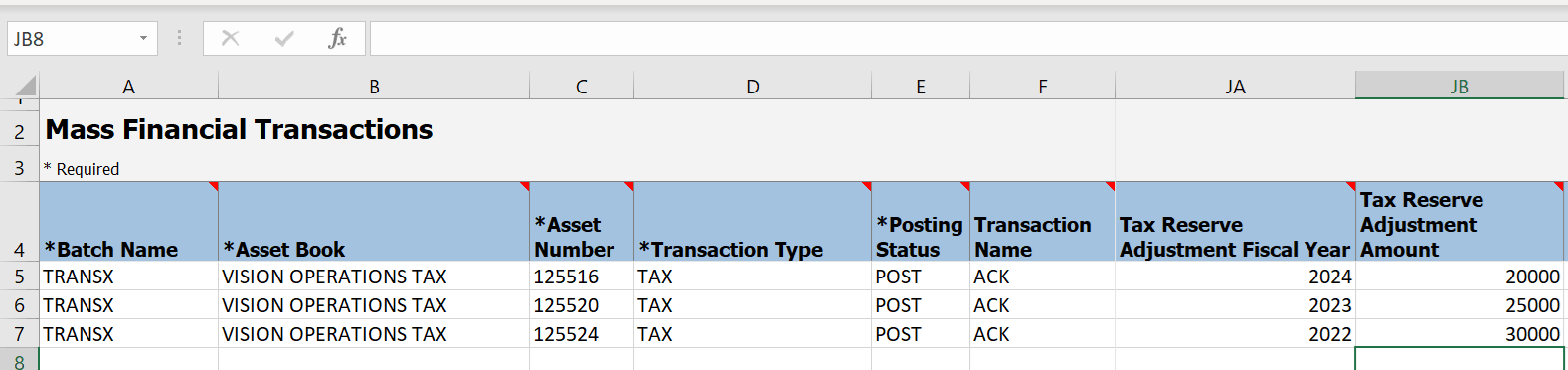
For a specific asset, enter the depreciation tax adjustment amount and the fiscal year to which the adjustment applies.
To specify the natural account for the depreciation tax adjustment account, use the Export and Import CSV File Packages actions for the Manage Asset Books task.
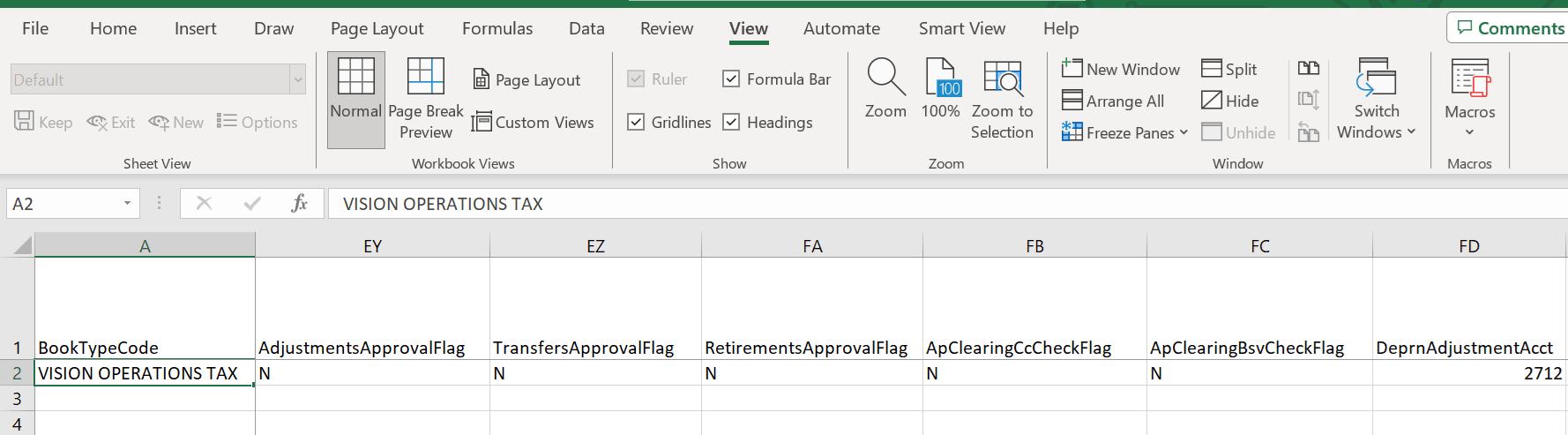
You can also use the Fixed Asset Mass Adjustments File-Based Import template to enter the depreciation tax adjustment amount and the applicable fiscal year.
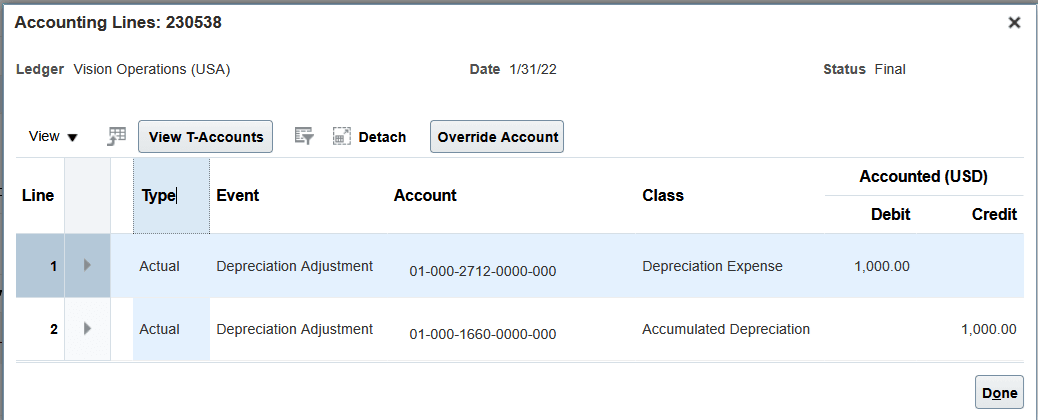
Create Accounting
Business benefits include:
- Enables you to record depreciation tax adjustments for prior fiscal years after the asset book is closed.
- Improves tax reporting accuracy by allowing adjustments to be recorded against the appropriate asset and fiscal year.
- Reduces manual effort by supporting bulk entry through the Fixed Asset Mass Adjustments file-based data import template.
Steps to enable and configure
You don't need to do anything to enable this feature.
Access requirements
No new access requirements.