Exclusion of Receivables transactions from tax partner integration
Exclude selected Oracle Receivables transactions from tax partner integration and tax calculation. This option is useful for imported transactions that already include tax information, such as migrated transactions, or for transactions where tax calculation is not required. Exclusion of tax calculation by tax partners only applies to transactions that have tax lines populated.
The exclusion criteria can be based on transaction type, transaction source, document fiscal classification, or the customer class of a bill-to site. A transaction is excluded when it meets at least one configured criterion.
The feature supports transactions imported using AutoInvoice and transactions created from the Create Transaction page, SOAP services, or REST APIs. Excluded transactions aren't included in the Partner Transaction Data Extract process.
These are the business benefits:
- Avoid unnecessary tax partner calls during Receivables transaction processing.
- Improve processing efficiency for migrated transactions with tax details and transactions that don't require tax calculation
Steps to enable and configure
- Navigate to My Enterprise > Setup and Maintenance and open the Manage Standard Lookups task.
- Search for lookup type ORA_ERP_CONTROLLED_CONFIG and define and enable a new lookup code ZX_38991414.
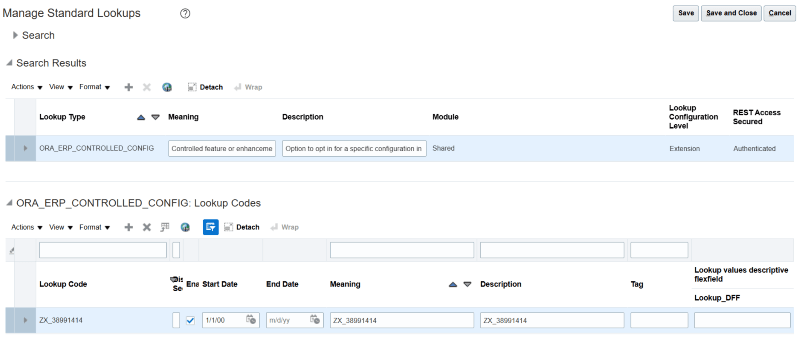
Define a new lookup code ZX_38991414.
- Search for the ZX_OPTIN_OPTIONS lookup type. If it isn't defined, create it.
- Enable the exclusion option as lookup codes for each criterion you want to use: You must also create the lookup codes the first time you perform this step.
- PTNR_AR_EXCLUDE_BATCH_SOURCE for transaction sources.
- PTNR_AR_EXCLUDE_TRANS_TYPE for transaction types.
- PTNR_AR_EXCLUDE_DOC_SUB_TYPE for document fiscal classifications.
- PTNR_AR_EXCLUDE_CUSTOMER_CLASS for bill-to customer classes.
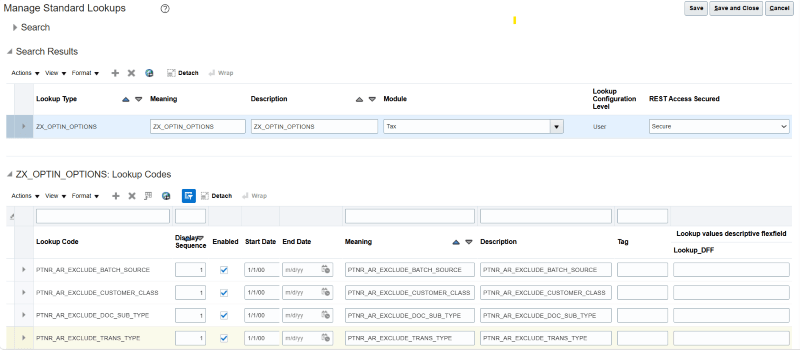
Lookup codes for exclusion criteria.
- Create the lookup type and add lookup codes for each enabled criterion:
- For transaction sources, create ZX_AR_EXCLUSION_BATCH_SOURCES and add values defined in the Manage Transaction Sources task.
- For transaction types, create ZX_AR_EXCLUSION_TRANS_TYPES and add values defined in the Manage Transaction Types task.
- For document fiscal classifications, create ZX_AR_EXCLUSION_DOC_SUB_TYPES and add values defined as Document Fiscal Classification Codes in the Manage Transaction-Based Fiscal Classifications task.
- For customer classes, create ZX_AR_EXCLUSION_CUSTOMER_CLASS and add values defined in the CUSTOMER CLASS lookup type.
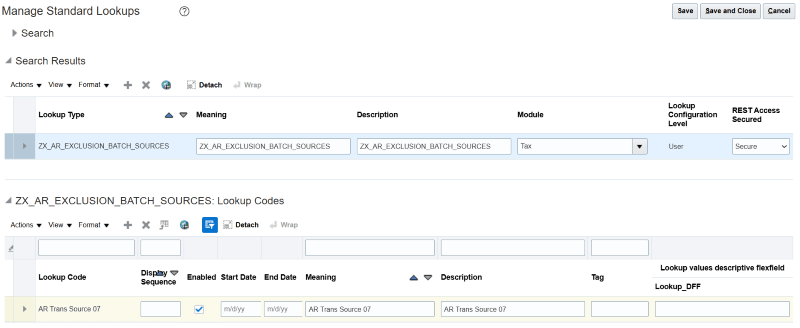
Lookup type for exclusion by transaction sources.
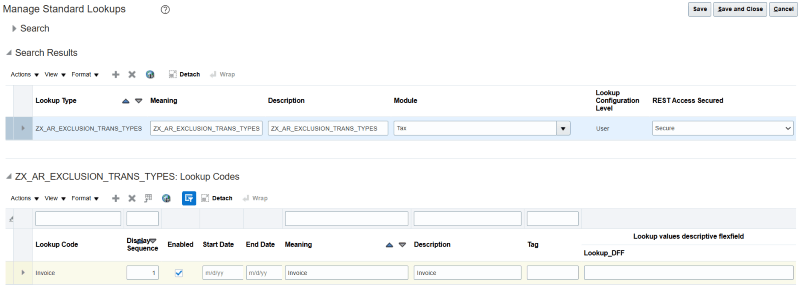
Lookup type for exclusion by transaction types.
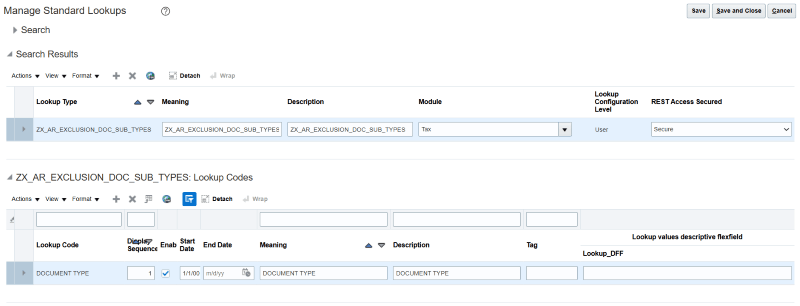
Lookup type for exclusion by document fiscal classifications.
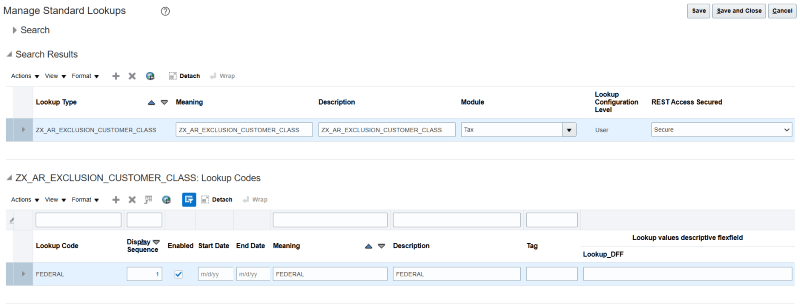
Lookup type for exclusion by customer classes.
- Save your changes.
Tips and considerations
- A transaction is excluded when it meets at least one configured exclusion criterion.
- Transactions that don't meet an exclusion criterion continue through tax partner calculation and are included in the Partner Transaction Data Extract process.
- Use the exclusion criteria for transactions that already include tax details or don't require tax calculation.
- Exclusion does not apply to transactions where tax partner calculation has already occurred.
Access requirements
No new access requirements.