Classification, Transactions, and Accountability for Receivables
Report reclassified Receivables transactions to the U.S. Department of the Treasury using the Classification Transactions and Accountability (CTA) process. Agencies can submit adjusted or corrected Receivables transactions in the Treasury-prescribed file format by reporting the correct Business Event Type Code (BETC), Trading Partner Treasury Account Symbol, and Trading Partner BETC.
The Perform CTA Reporting process for Receivables enables federal agencies to correct TAS and BETC information that was previously reported for Accounts Receivable cash receipts. Because Perform CTA Reporting is triggered only when a receipt is accounted and posted to the General Ledger, corrections cannot be made by updating the invoice or changing fund information after posting. Instead, the original standard or miscellaneous receipt must be reversed and a new receipt must be created with the correct TAS, BETC, receipt class, receipt method, or receivables activity.
The Perform CTA Reporting process has a new Extract Receipt Reclassifications parameter that enables agencies to include receipt reclassifications in the CTA report.
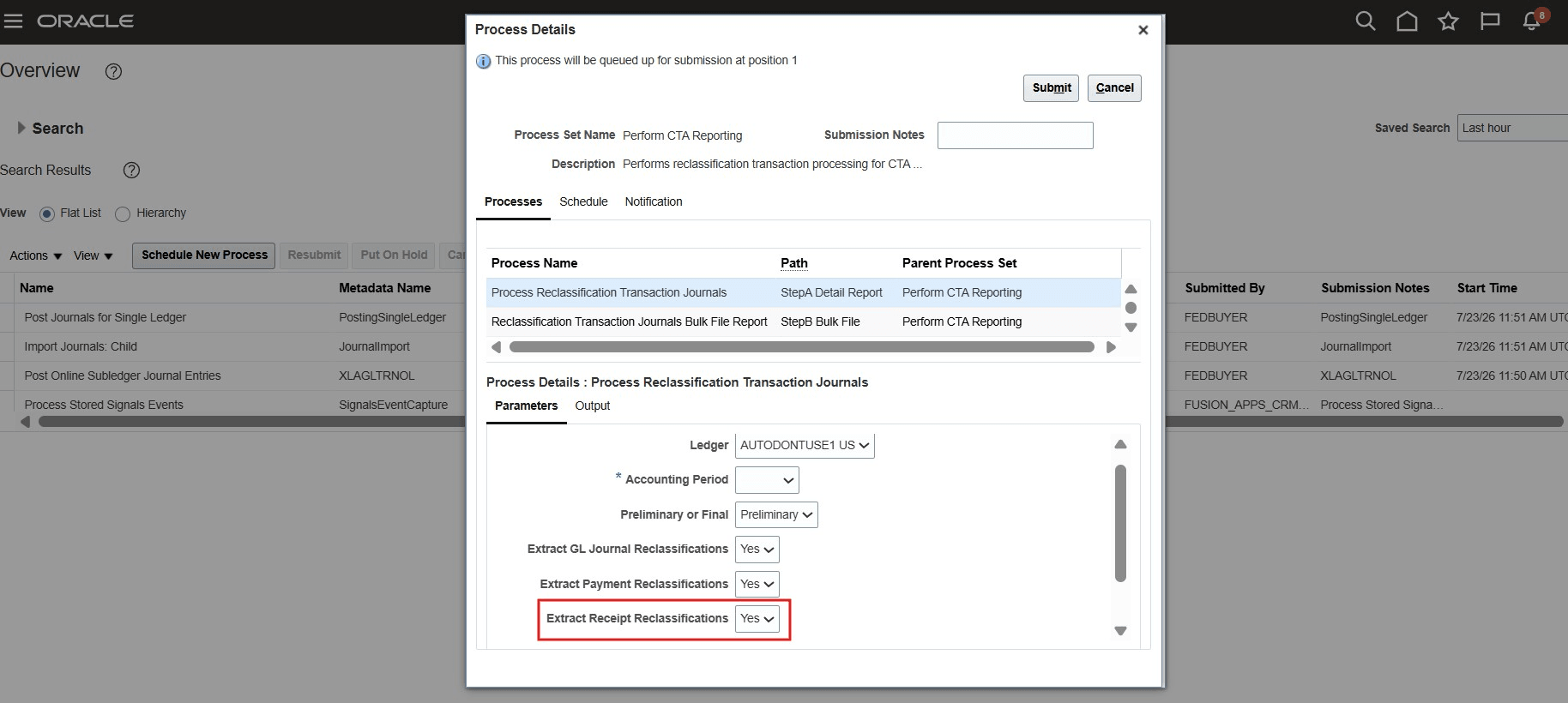
Perform CTA Reporting ESS job
A new Receivables Global Descriptive Flexfield (GDF) configuration enables agencies to identify CTA reclassification transactions and link the corrected receipt to the original reversed receipt. You can use the GDF to capture values for the Regional Information, CTA Transaction, and Reversed Receipt Number fields.
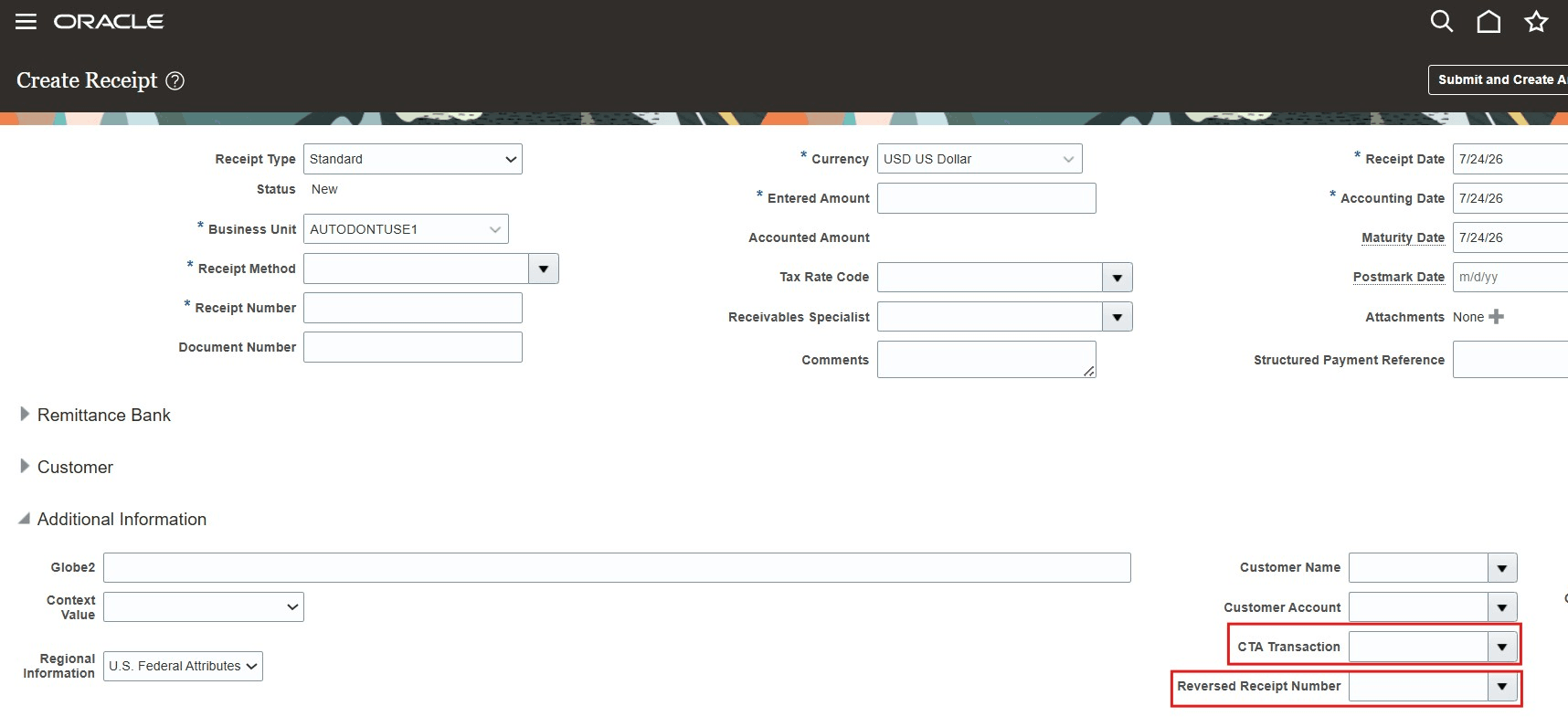
Reversed receipt number on the Create Receipt page
The business benefit is that US federal agencies and departments can report CTA Accounts Receivable transactions that have been adjusted or corrected to the U.S. Department of the Treasury in compliance with federal government guidelines.
Steps to enable and configure
Use the Opt In UI to enable this feature. For instructions, refer to the Optional Uptake of New Features section of this document.
Offering: Financials No Longer Optional From: March Maintenance Pack for 20A
- Opt in to the U.S. Federal Financials feature. To enable Opt-in for U.S. Federal Financials in Oracle Fusion, navigate to Setup and Maintenance, select the Financials offering, and click Change Feature Opt In. Locate U.S. Federal Financials in the list, click its name or edit icon, and check the Enable box.
- Define GL ledger as U.S. Federal.
- Refer to the Access requirements section for security configuration details
Key resources
For more information, refer to the following:
- Implementing U.S. Federal Financials
- Using U.S. Federal Financials guides
Access requirements
To use this feature, you need these privileges:
- Privilege Name and Code:
- Manage CTA Process (ORA_FV_MANAGE_CTA_PROCESS)
- Manage CTA Payables Reclassifications (ORA_FV_MANAGE_CTA_PAYABLES_RECLASS)
- Manage CTA Receivables Reclassifications (ORA_FV_MANAGE_CTA_RECEIVABLES_RELCASS
- Duty Role Name and Code:
- Federal CTA Administration Duty (ORA_FV_CTA_ADMINISTRATION_DUTY)