Landed cost charge association to invoice lines using file-based data import
Associate Landed Cost Trade Operation Charge References and additional charge details with invoice lines using the Payables Invoice File-Based Data Import Spreadsheet. Configure invoice lines with charge name, reference type, and reference value to streamline bulk processing and reduce manual effort for payables users.
When users import invoices via the File Based Data Import (FBDI) spreadsheet, any invoice line marked as “Landed Cost Enabled” can include the charge name, reference type and reference value on the new LCM Charge Reference sheet. During the import, the system captures these values, updates the landed cost interface records, and automatically runs a background process that links the specified charge to the corresponding invoice line. If the charge or reference data is invalid, the error details are stored into the CML Interface for review, while the rest of the invoice batch continues to import normally with no impacts on invoice creation.
The feature adds a new "CML_INV_CHARGE_REF_TYPES_INT" sheet to the standard Payables Invoice FBDI workbook. When a supplier invoice line is marked as "Landed Cost Enabled", users can enter the charge name, reference type name, reference type value, optional comments and a landed cost line number. During the AP invoice import, the system spawns a new LCM ESS Job (Import Landed Cost Charges and References for Invoice Lines), that reads only records with populated identifiers and associates the landed cost charges to the AP invoice lines.
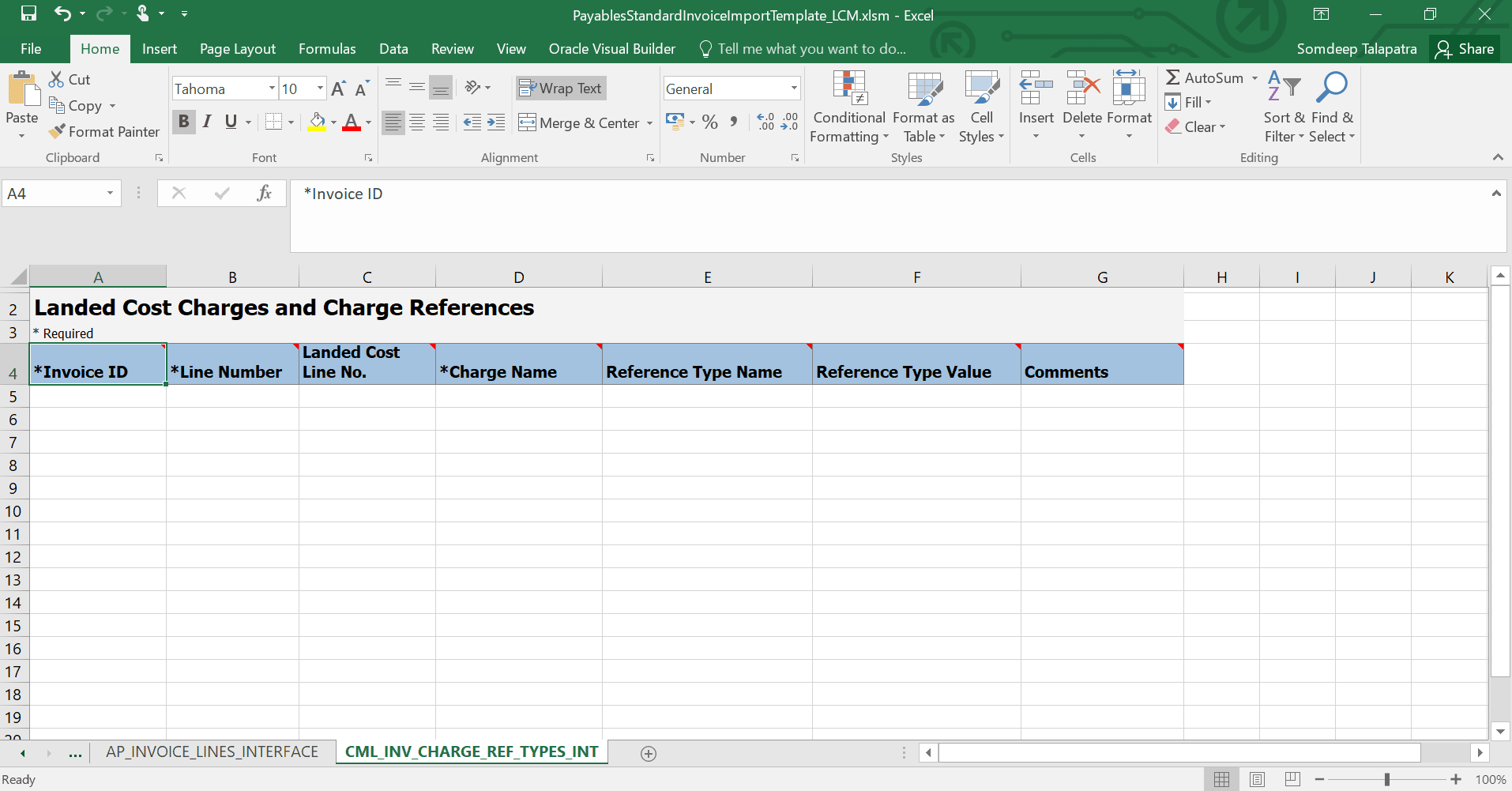
Charges and Charge References Sheet in the Payables Standard Invoice Import Template
These are the business benefits
- Captures actual trade-operation charges such as freight, insurance, and customs duties directly from supplier invoices during bulk import.
- Integrates Oracle Fusion Payables with Landed Cost Management through the File-Based Data Import (FBDI) process.
- Allows landed-cost charge details to be associated directly with relevant invoice lines in the FBDI spreadsheet.
- Improves the accuracy of landed-cost allocation and inventory valuation.
- Reduces manual data entry and the risk of errors when processing landed-cost-related invoices.
- Supports more efficient, compliant, and error-free invoice processing.
Steps to enable and configure
Use the lookup AP_39450994 to invoke LCM ESS Job (Import Landed Cost Charges and References for Invoice Lines) from AP Invoice Import Job.
- Navigate to the Setup and Maintenance work area and go to the setup task Manage Standard Lookups.
- Search for the lookup type ORA_ERP_CONTROLLED_CONFIG.
- Under the Lookup Codes section, look for the code AP_39450994 .
- If the code isn’t available, create a new lookup code with the following details:
- Lookup Code: AP_39450994
- Enabled: Checked
- Start Date: 1/1/00
- Meaning: AP_39450994
- Description: AP_39450994
Tips and considerations
- Prerequisites:
- Use the "CML_INV_CHARGE_REF_TYPES_INT" sheet for adding charge and charge reference details for invoice lines that are enabled for landed cost processing.
- The invoice line must have the LCM Enabled flag set otherwise the charge reference sheet is ignored.
- Data requirements: Invoice ID, Line Number and Charge Name are mandatory. Reference Type Name, Reference Type Value, Comments and Landed Cost Line No. are optional. Date type reference values must follow the "YYYY-MM-DD" format.
- Error handling:
- Invalid charge names, missing required fields, or malformed reference values are not associated; the system records validation errors in the CML interface (CML_INV_CHARGE_REF_TYPES_INT).
- Review the output of the Import Landed Cost Charges and References for Invoice Lines process to identify successfully processed records and records that couldn't be processed because of validation errors.
- Users can also create a custom BI Publisher report based on the CML interface table (CML_INV_CHARGE_REF_TYPES_INT) to review validation errors for failed CML charges and charge-reference types associated with invoice lines.
- Security: The LCM ESS job that performs the charge association runs under the existing AP_IMPORT_PAYABLES_INVOICE_PRIV privilege; no new privileges are introduced.
- Impact on missing or invalid data:
- If no matching CML record exists for an LCM enabled line, the invoice imports successfully without a charge association, and the line remains eligible for later association. Non LCM enabled lines are unaffected.
- Invalid charge or reference data is logged in the CML interface and does not prevent the remaining invoices from importing successfully.
Key resources
Based on Idea 503355 from the Idea Lab on Oracle Cloud Customer Connect.
Access requirements
No new access requirements.