Redwood Check-in Enhancements
Additional check-in features from the responsive user experience are now available in the Redwood user experience. These features provide the following capabilities:
- Ability for HR to view and update check-ins
- Ability for users to view multiple notes for a discussion topic, created by a worker or manager in the previous responsive experience.
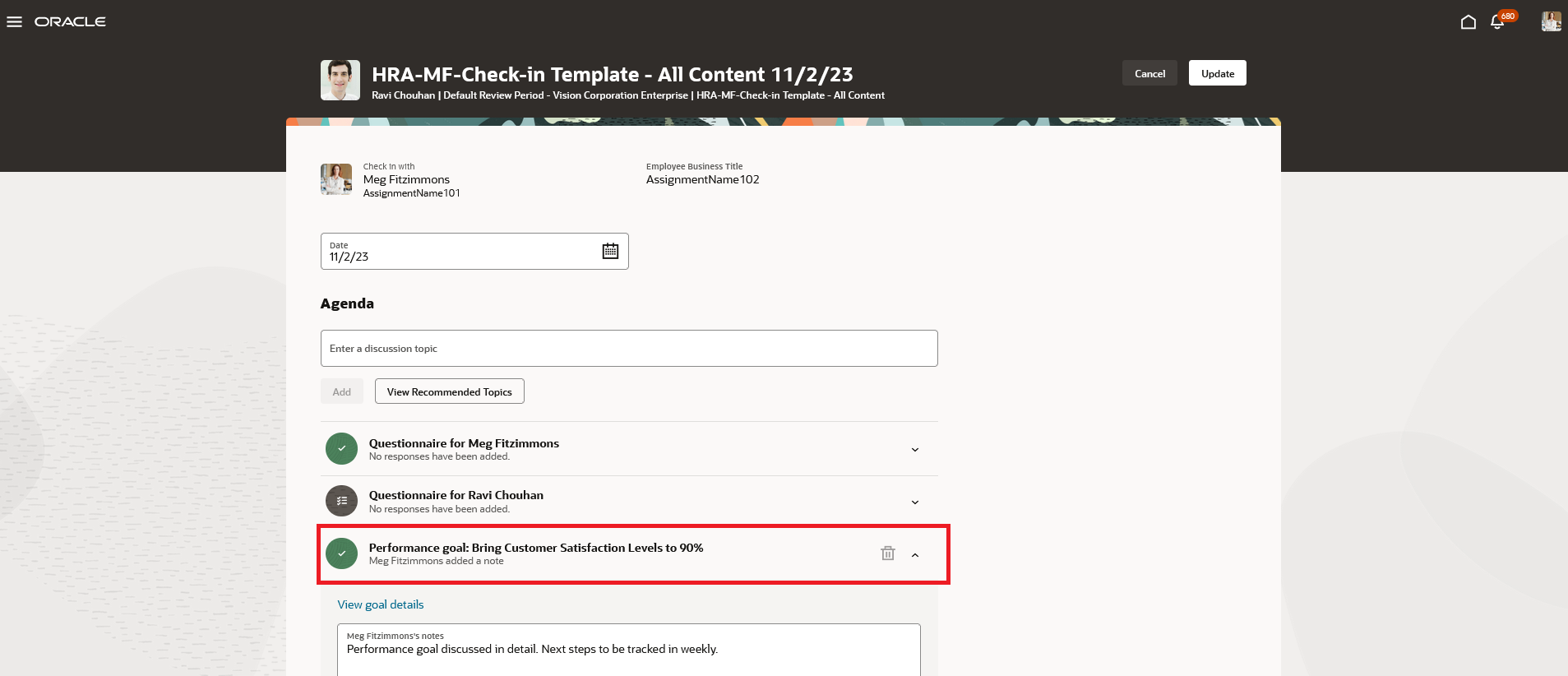
Latest Notes Added by Manager
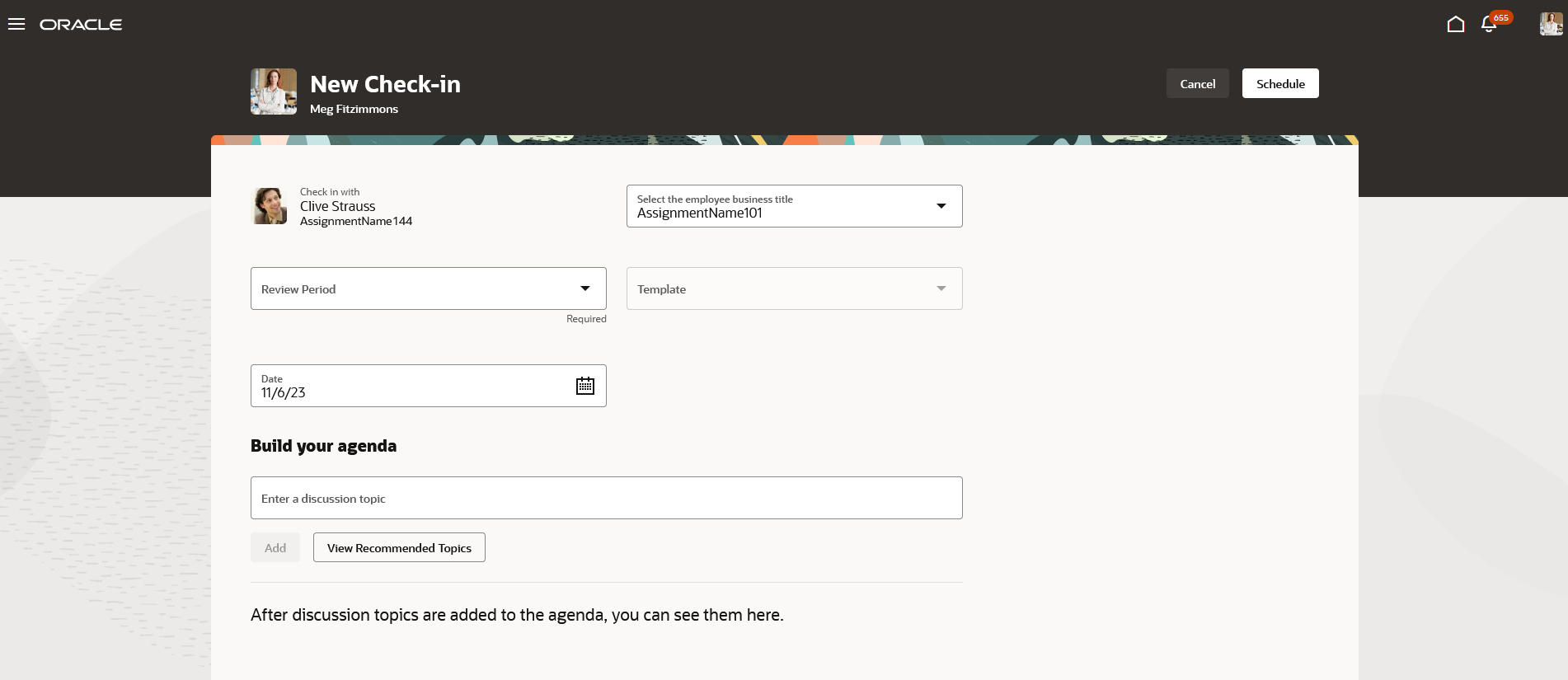
HR Creates New Check-in
These features provide consistency with the previous responsive experience.
Steps to enable and configure
You need to enable the profile options as indicated in the table.
|
Profile Option Code |
Description |
Value |
|---|---|---|
|
ORA_HCM_VBCS_PWA_ENABLED |
Enable VBCS Progressive Web Application User Interface |
Y |
|
ORA_HRA_PERFORMANCE_DOCUMENTS_AND_GOALS_REDWOOD_ENABLED |
Enable performance documents and employee performance and development goals to display in Redwood. |
Yes |
Tips and considerations
- As the Performance Document, Check-in, and Goals Center are closely connected the Redwood version of these pages you can enable or disable all using the common ORA_HRA_PERFORMANCE_DOCUMENTS_AND_GOALS_REDWOOD_ENABLED profile option. These features can't be enabled individually.
- Whether a check-in is for use in Performance or Touchpoints is identified by type in the check-in template. Key differences are that performance check-ins can be configured to default performance or development goals as discussion topics and Touchpoint check-ins can be created with a recurring schedule.
- HR can’t edit any note of the worker or manager irrespective of whether it’s the latest or oldest or answer the employee or manager questionnaire.
- HR can access and manage employees check-ins from the employee Performance page.
- Employees and managers can edit only the latest note created by them against a discussion topic in a Performance check-in. Older notes appear in read-only mode.
Key resources
- For a listing of all profile options for the recreated pages across HCM, see the following document in My Oracle Support:
- For more information, see the Implementing Performance Management and Using Performance Management guides in Oracle Help Center.
- For more information on the Redwood Spotlight page, see the Global Human Resources What's New Redwood Experience for My Spotlight.