Hide or Show Component Columns in Salary Section of Global HR pages
You can now hide or show columns in the tables displayed in the Salary section of GHR Redwood Add, Local and Global Transfer pages, when proposing salary with incremental, simple, or rates-based components.This example rates-based salary basis type shows a table with the default columns:
- Rate Name
- Percentage
- Amount
- Frequency
- Annual Amount
- Annualized Full-Time Amount
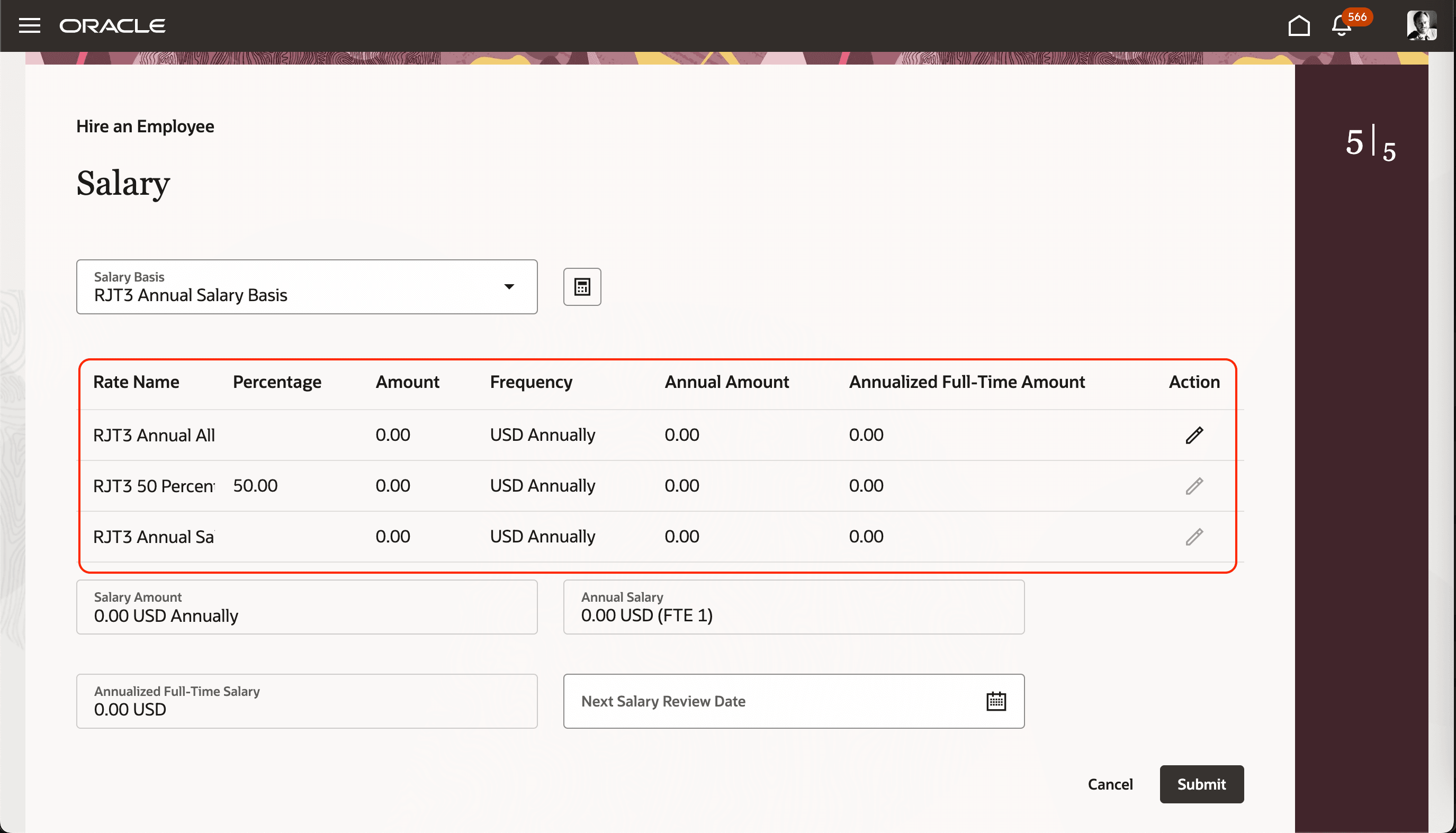
Redwood Hire an Employee Page Showing a Rates-Based Components Table and all the Default Columns
And this example rates-based salary basis type shows a table with only some of the default columns:
- Rate Name
- Percentage
- Amount
- Frequency
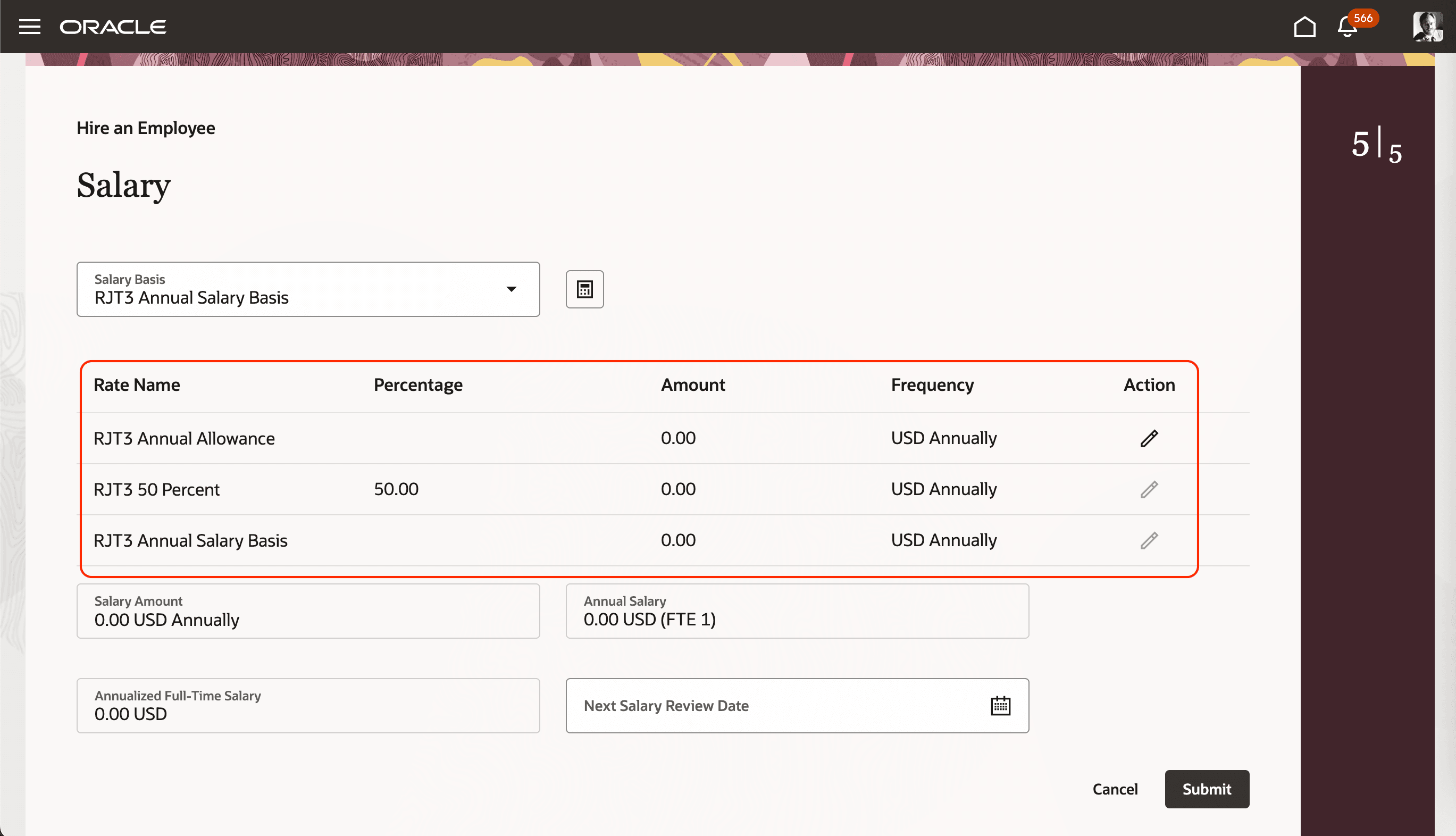
Redwood Hire an Employee Page Showing a Rates-Based Components Table with Some Default Columns Hidden
Here's the business rule configuration that resulted in hidden columns:
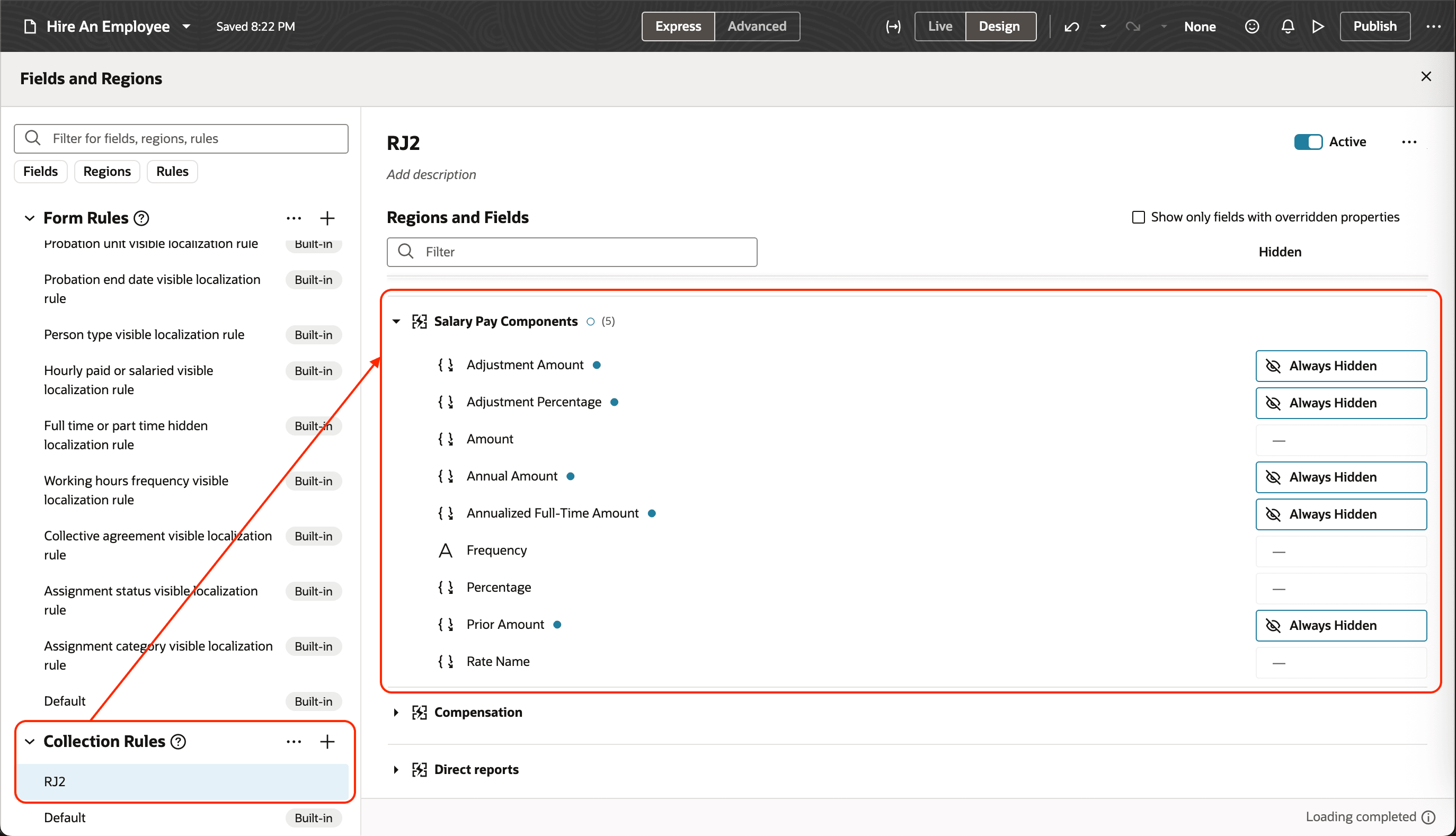
Business Rule Configuration
This feature reduces the number of visible columns so users can focus on the details that matter.
Steps to enable and configure
How do I hide or show component columns on salary pages?
Tips and considerations
Global HR owned flows, such as Hire an Employee and Add Assignment now support this feature.
Key resources
For more information about creating business rules, see this guide and playbook:
- Extending HCM Redwood Applications Using Visual Builder Studio
- How do I configure business rules for Redwood salary pages?
You can also see these release 25D What's New features:
- Hide or Show Component Columns on Salary Pages
- Adjustment Amount and Percentage Introduction for Rates-Based Salary