Calculated Simple Components Introduction
We now offer a helpful new simple component type called Calculated Amount. This component lets you create values based on simple calculations involving several components and fixed factors.
How It Works
- You can add or subtract simple components together.
- You can multiply each simple component by a specific factor before calculating the total.
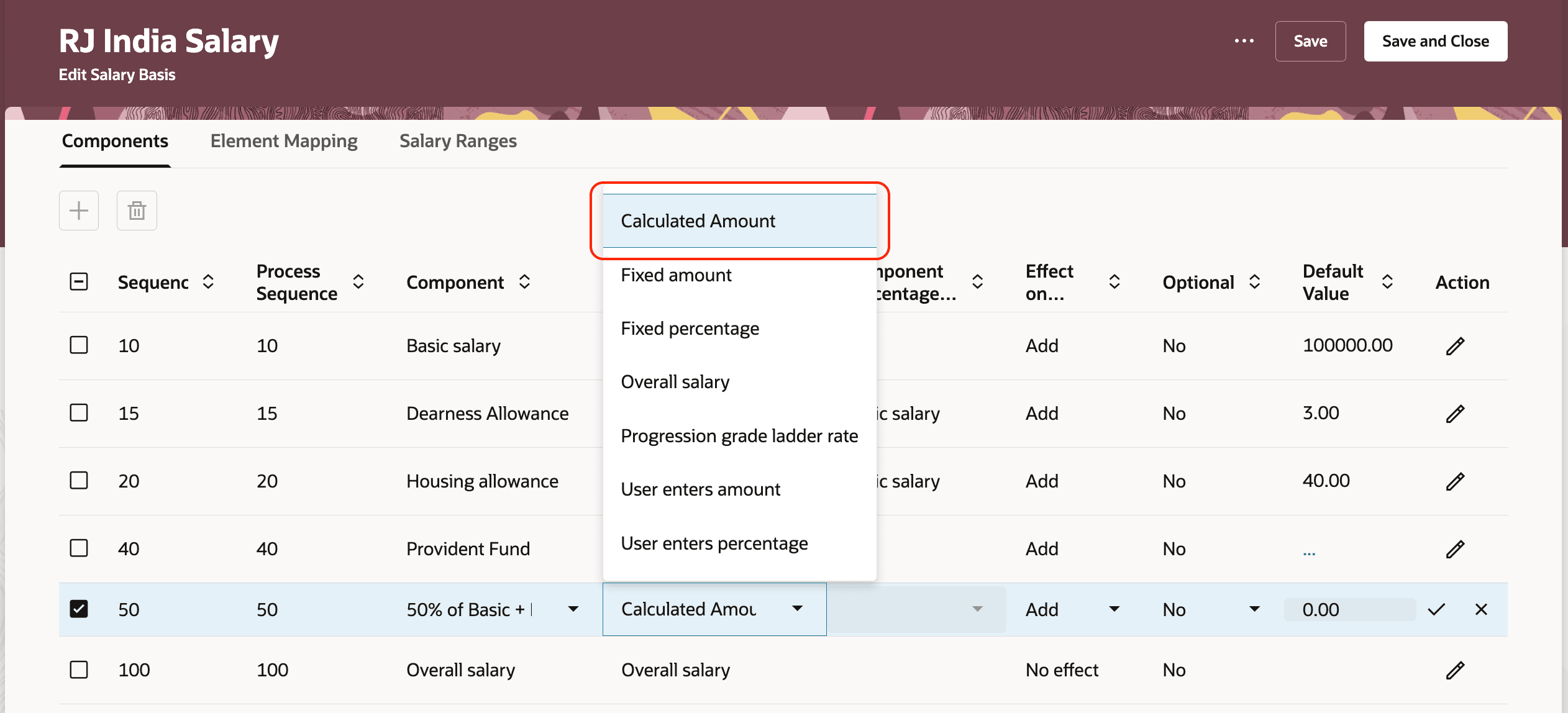
New Type of Simple Component
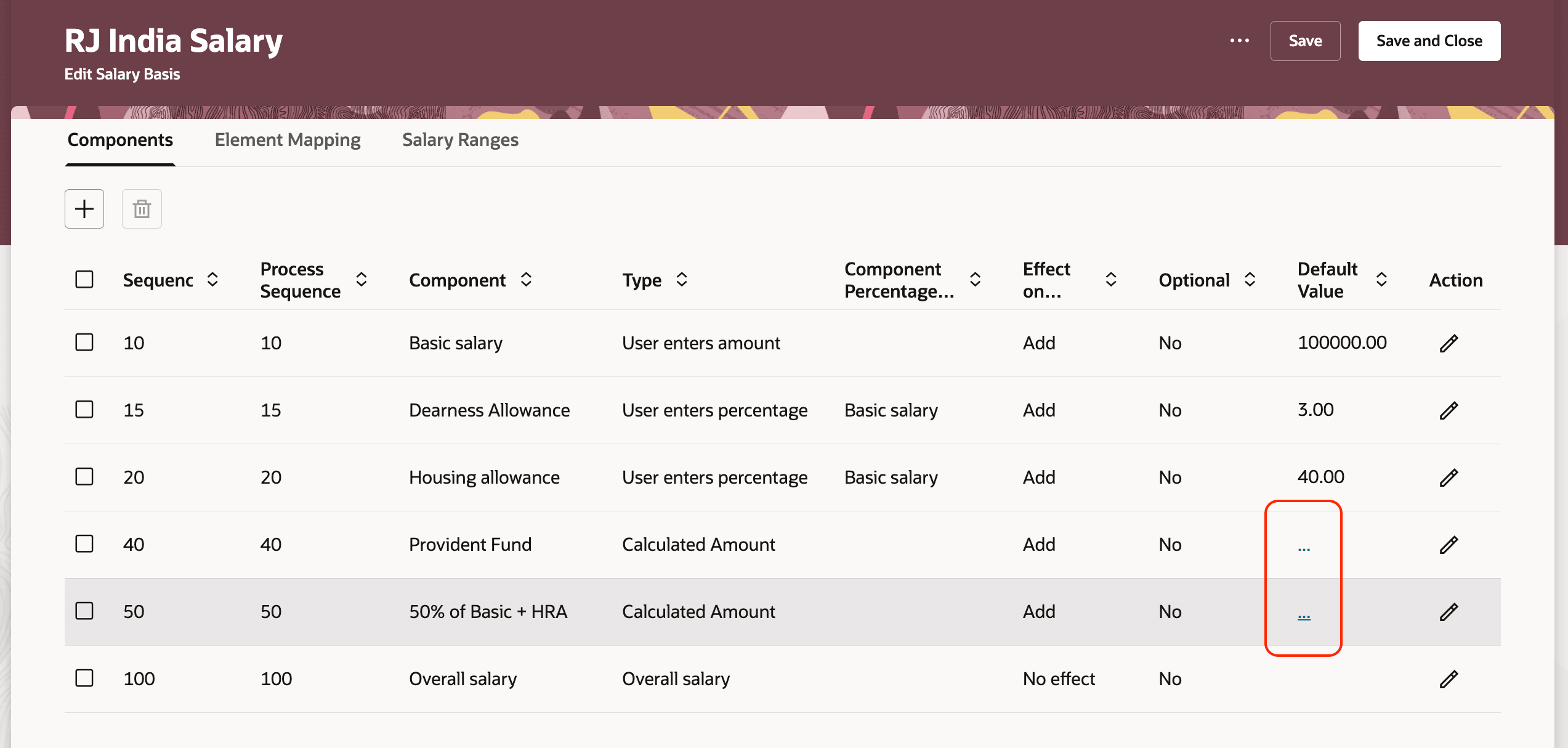
Click on the 3 Dot Menu to Launch the Drawer and Define the Formula
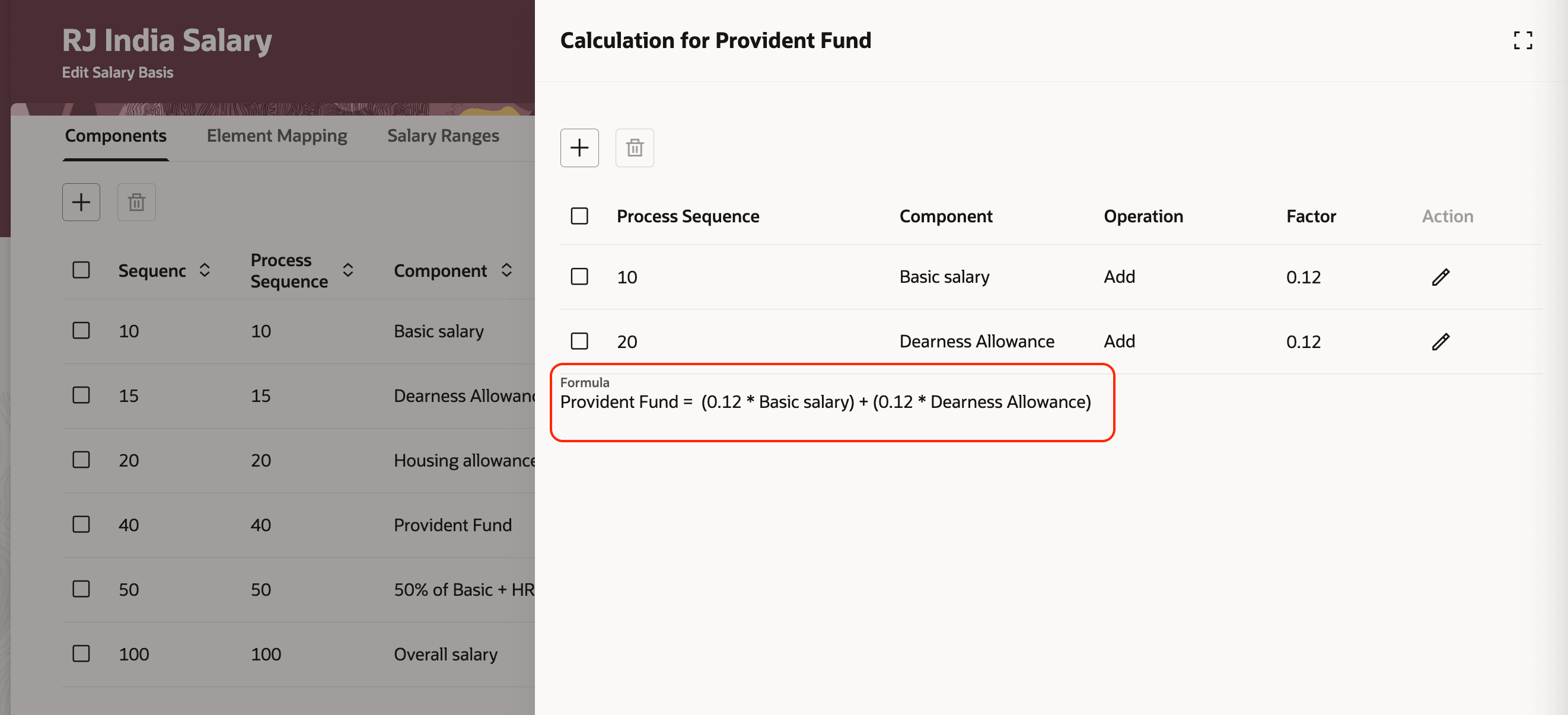
Provident Fund Simple Component Defined as 12% of (Basic Salary + Dearness Allowance)
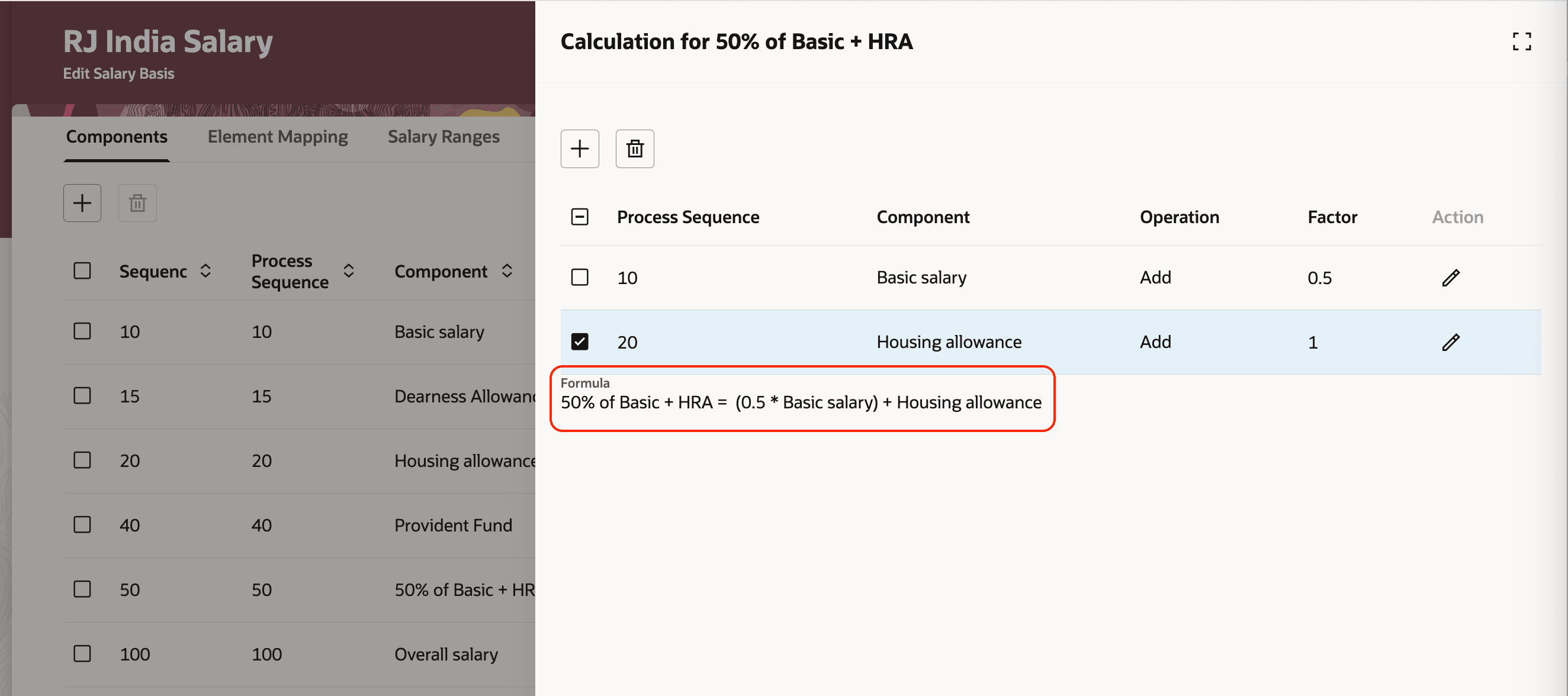
A Simple Component Defined as 50% of Basic Salary + 100% of Housing Allowance
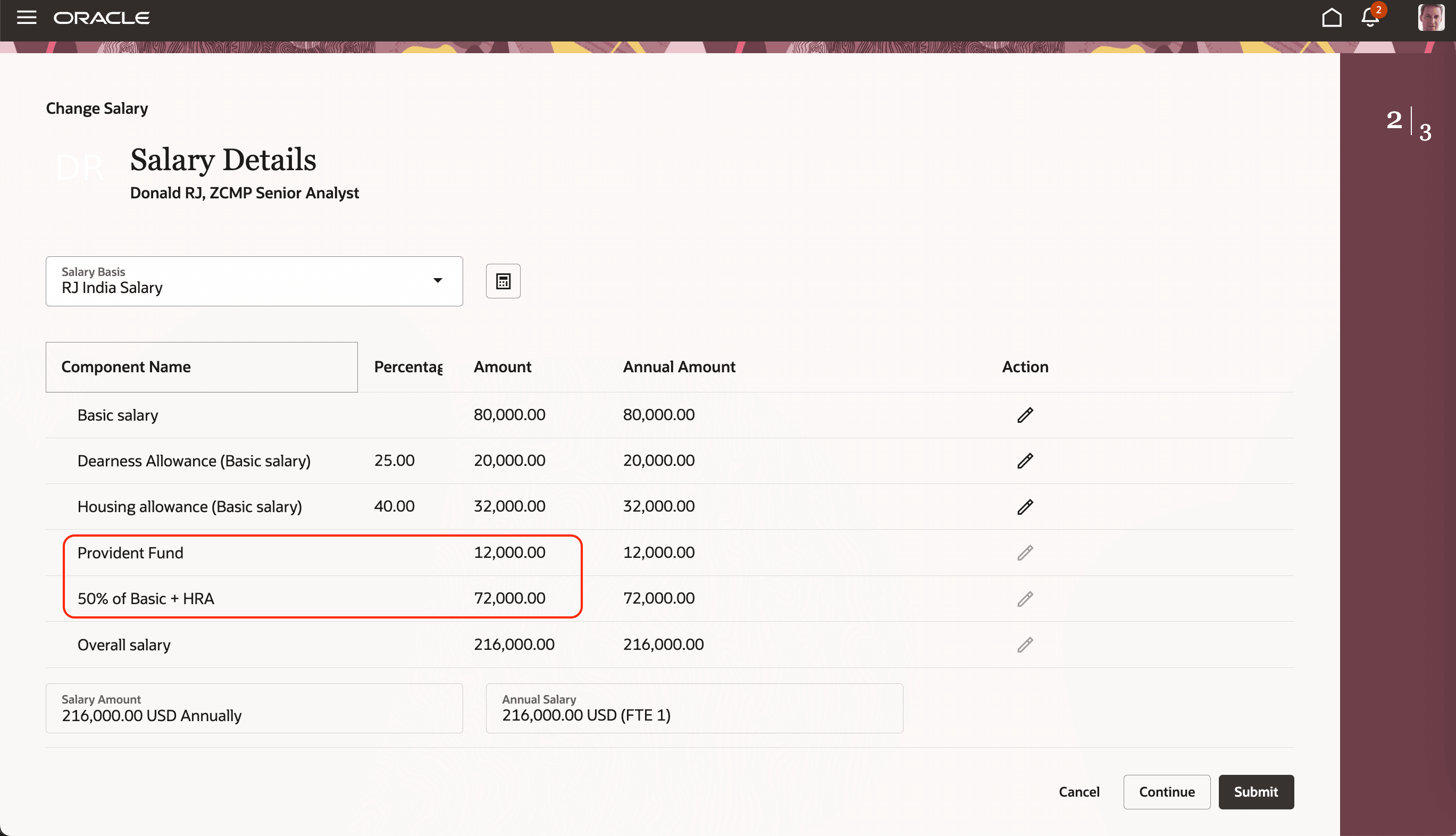
Provident Fund and Other Allowance Calculated Per Formula in Redwood Change Salary Page
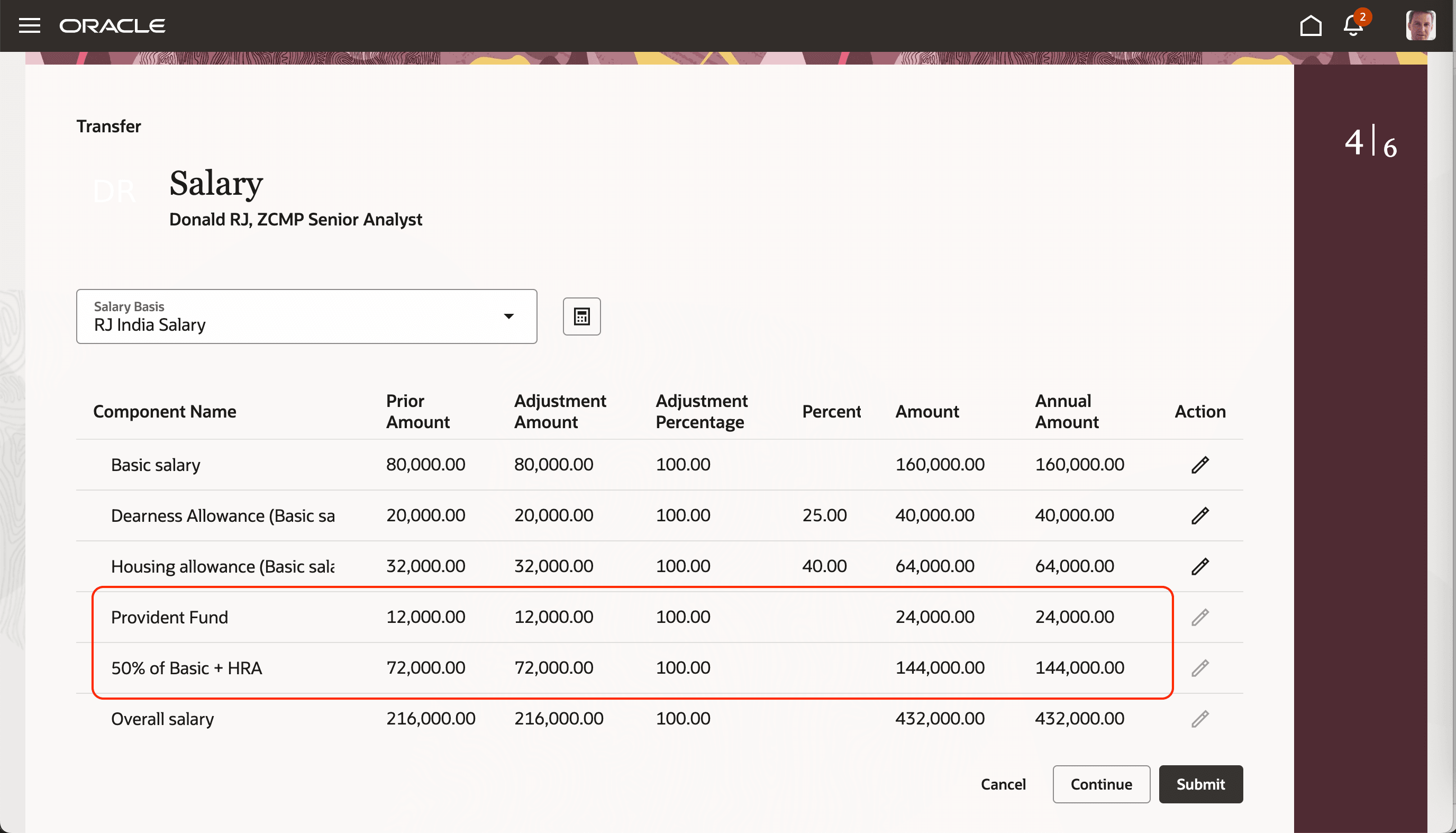
Provident Fund and Other Allowance Calculated Per Formula in Redwood Transfer Page
This feature is easy to use and makes calculating amounts transparent. It’s especially handy for situations where values depend on the interaction of different elements.
Steps to enable and configure
You don't need to do anything to enable this feature.
Tips and considerations
In future, you'll be able to:
- Create a salary basis that includes the calculated amount component using the Salary Basis object, HCM Data Loader, or the Export and Import tools in Setup and Maintenance.
- See calculated amounts shown automatically on the Redwood create and edit offer pages.
- Transfer salary from workforce compensation for salary basis that use this type of simple components.
Current functionality
- Right now, you can add calculated amount simple components to a salary basis only on the Redwood Salary Basis page. In the classic version, salary bases with these components aren't editable.
- The calculation for this new simple component works across classic, responsive, and Redwood change salary pages.
Rounding rules
Any rounding settings for the calculated amount simple component apply only at the end—after the full amount is calculated. The aren’t applied to the individual components that contribute to the total.
Key resources
For more information about creating business rules, see Extending HCM Redwood Applications Using Visual Builder Studio.