Updated Redwood Model Experience
You'll find it easier to navigate through the model flow when using the updated user experience. Previously, the purpose was selected later in the flow. Now, it is selected on the first page.
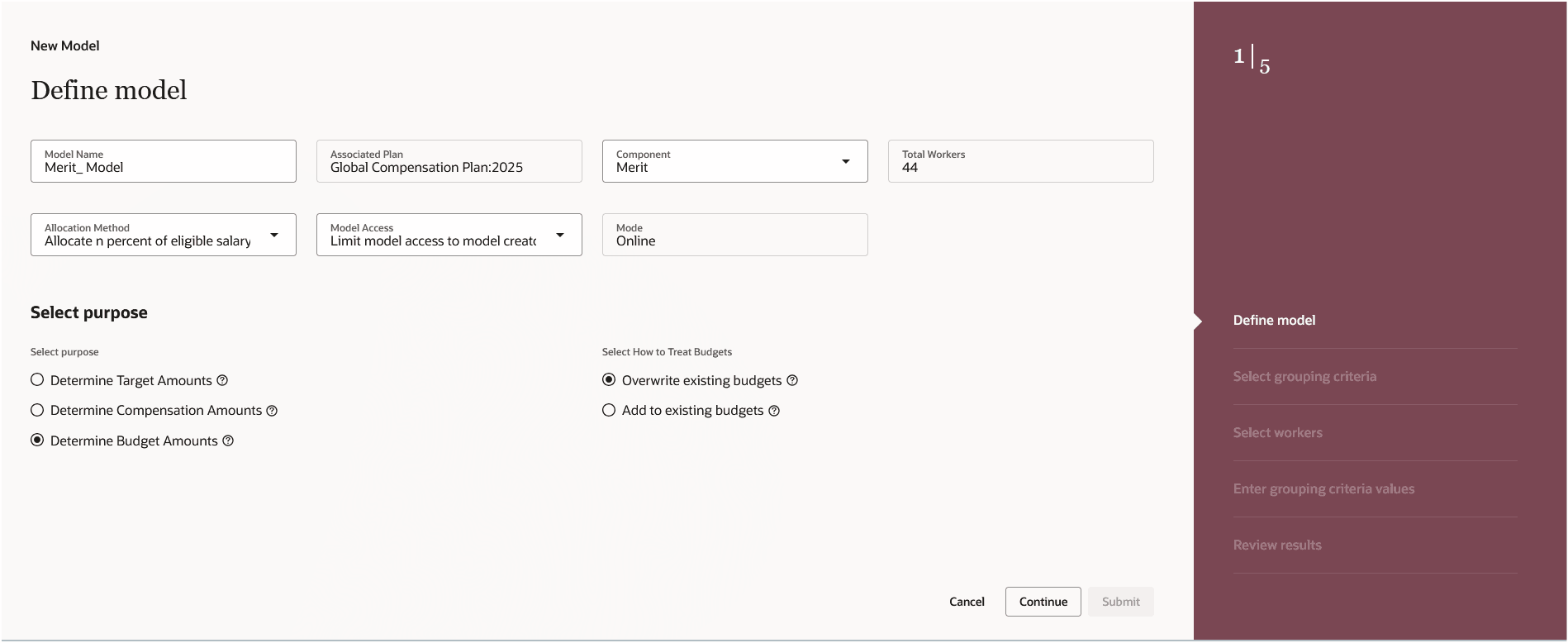
Updated Manager Model
The grouping criteria portion has been moved to a separate step within the flow.
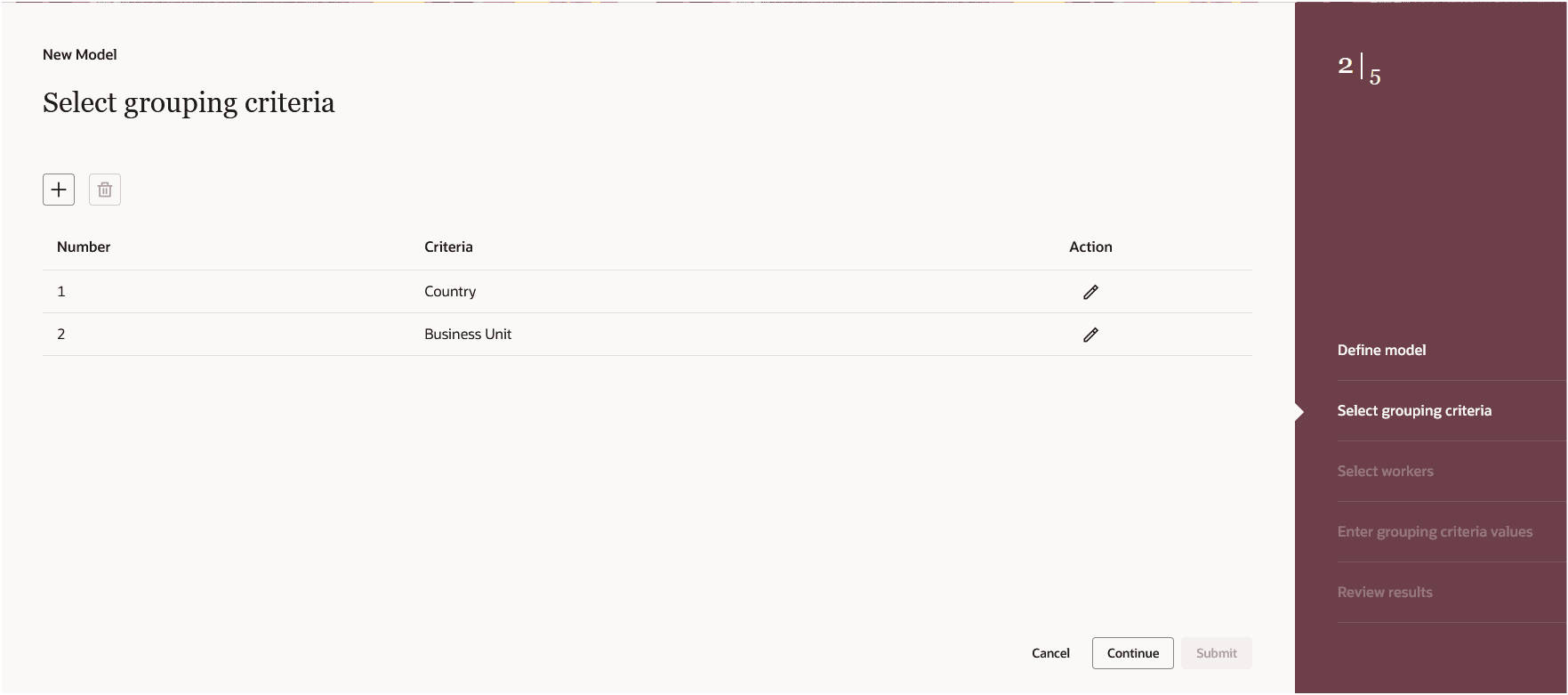
Select Grouping Criteria Step
The summary scoreboard info has been moved to a footer in the table.
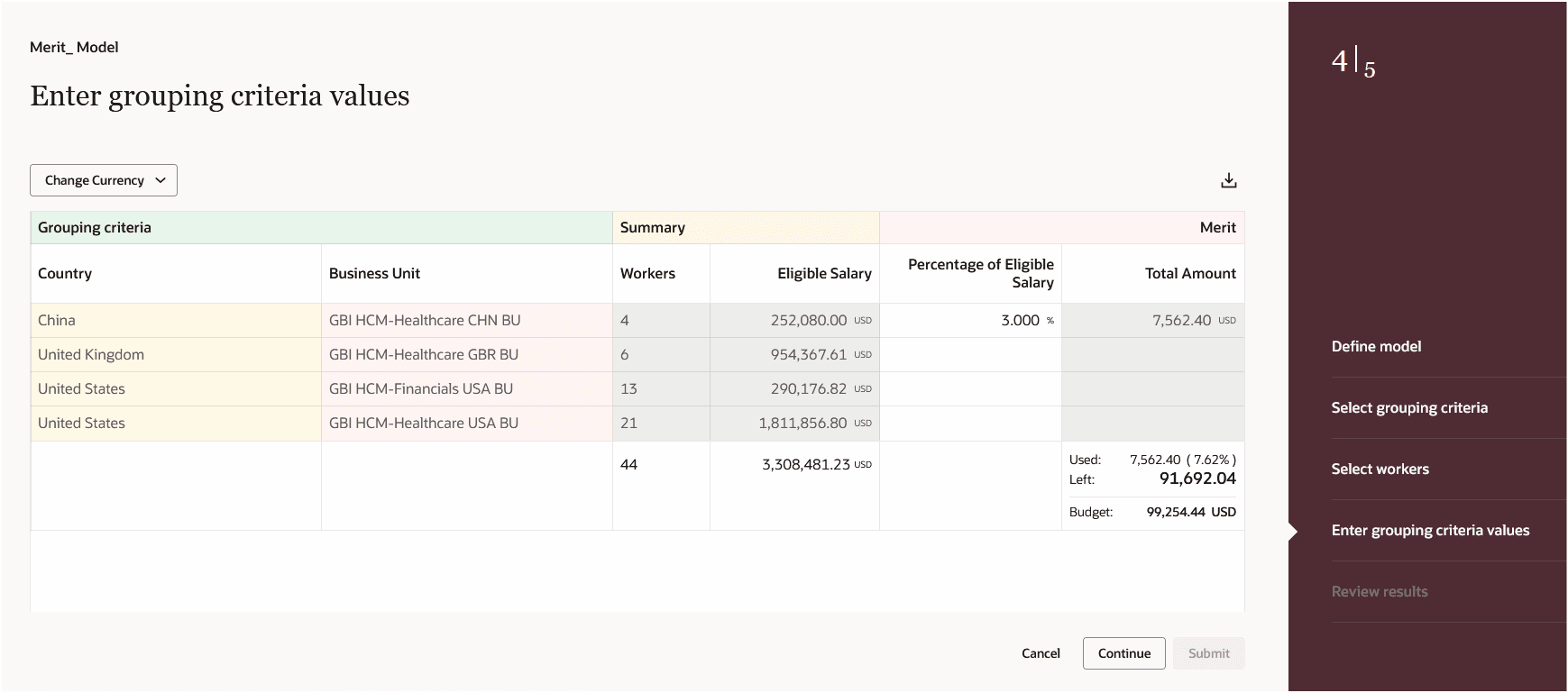
Enter Values Step with Bottom Row Summary Info
This change also applies to the Review Results step as well.
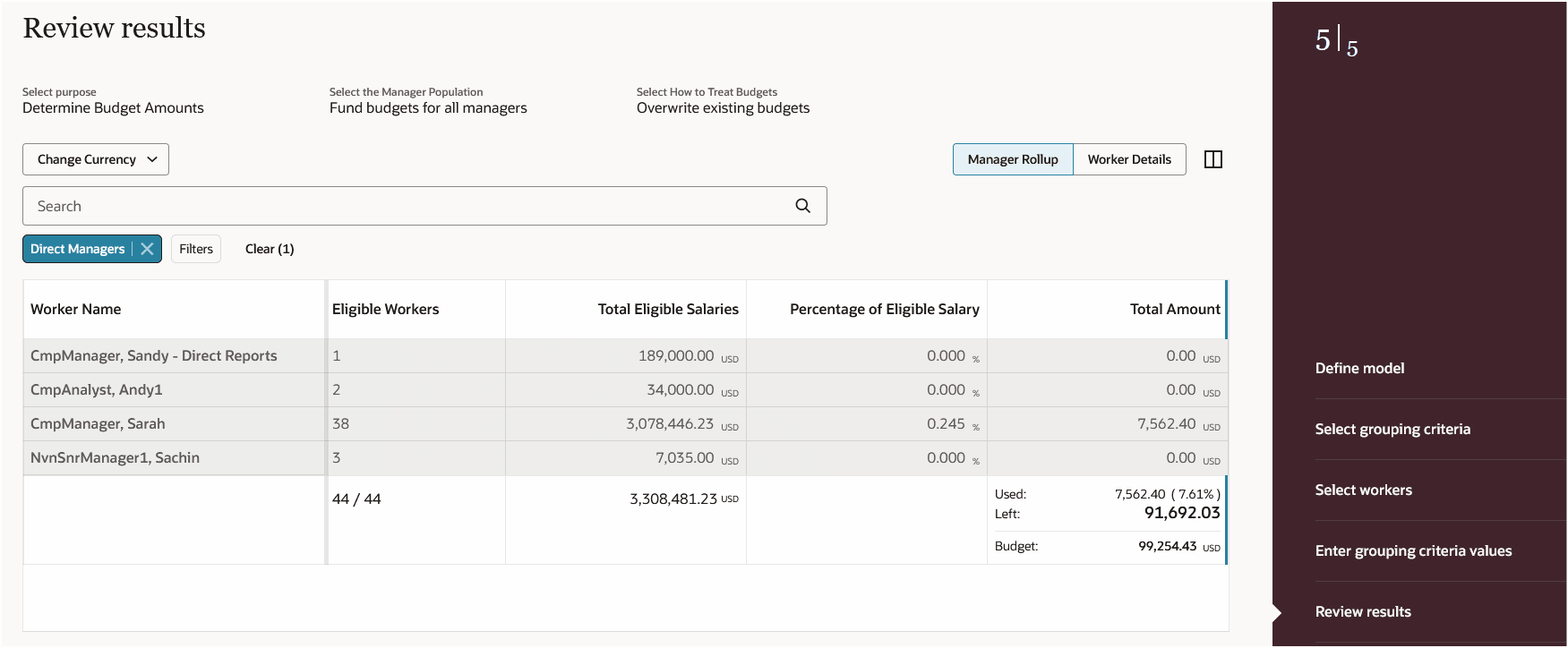
Review Results Step with Bottom Row Summary Info
With this updated Redwood flow, you continue your journey into Oracle Redwood solutions.
Steps to enable and configure
You need to enable all of these profile options to enable the Redwood page.
| Profile Option Code | Profile Option Description | Default Value |
|---|---|---|
| ORA_HCM_VBCS_PWA_ENABLED | Enable VBCS Progressive Web Application User Interface | No |
| ORA_CMP_WORKFORCE_COMPENSATION_REDWOOD_ENABLED | Enable the redwood workforce compensation pages. | No |
| ORA_CMP_WFC_LANDING_PAGE_REDWOOD_ENABLED | Enable the controlled release of redwood workforce compensation landing page. | No |
| ORA_CMP_MODEL_BUDGET_REDWOOD_ENABLED | Enable the redwood compensation Budgets and Models pages. | No |
To revert to the non-Redwood page, set the site-level profile value to No for this profile option.
To configure a profile option, complete these steps in the Setup and Maintenance work area:
-
Search for and click the Manage Administrator Profile Values task.
-
Search for and select the profile option.
-
Set the Level to Site.
-
In the Profile Value field, select a value.