Translation Editor Support on Redwood Nudge Pages
Users can now use the Redwood Translation Editor to translate attributes directly on the Redwood Nudge Configuration pages. This enhancement eliminates the need to sign out and sign back in with a different language to enter translations, streamlining the translation process.
Users can seamlessly translate translatable attributes such as nudge reason, description, user-defined email content, and so on using the Redwood Translation Editor. This tool provides an inline, language-aware interface for managing translations, allowing real-time entry and updates of multilingual content.
For example, the nudge plan, nudges in the nudge plan. and the user-defined content for email channel needs to be translated into Korean language.
Translation of Nudge Plan
The user selects the nudge plan and clicks Translation Editor.
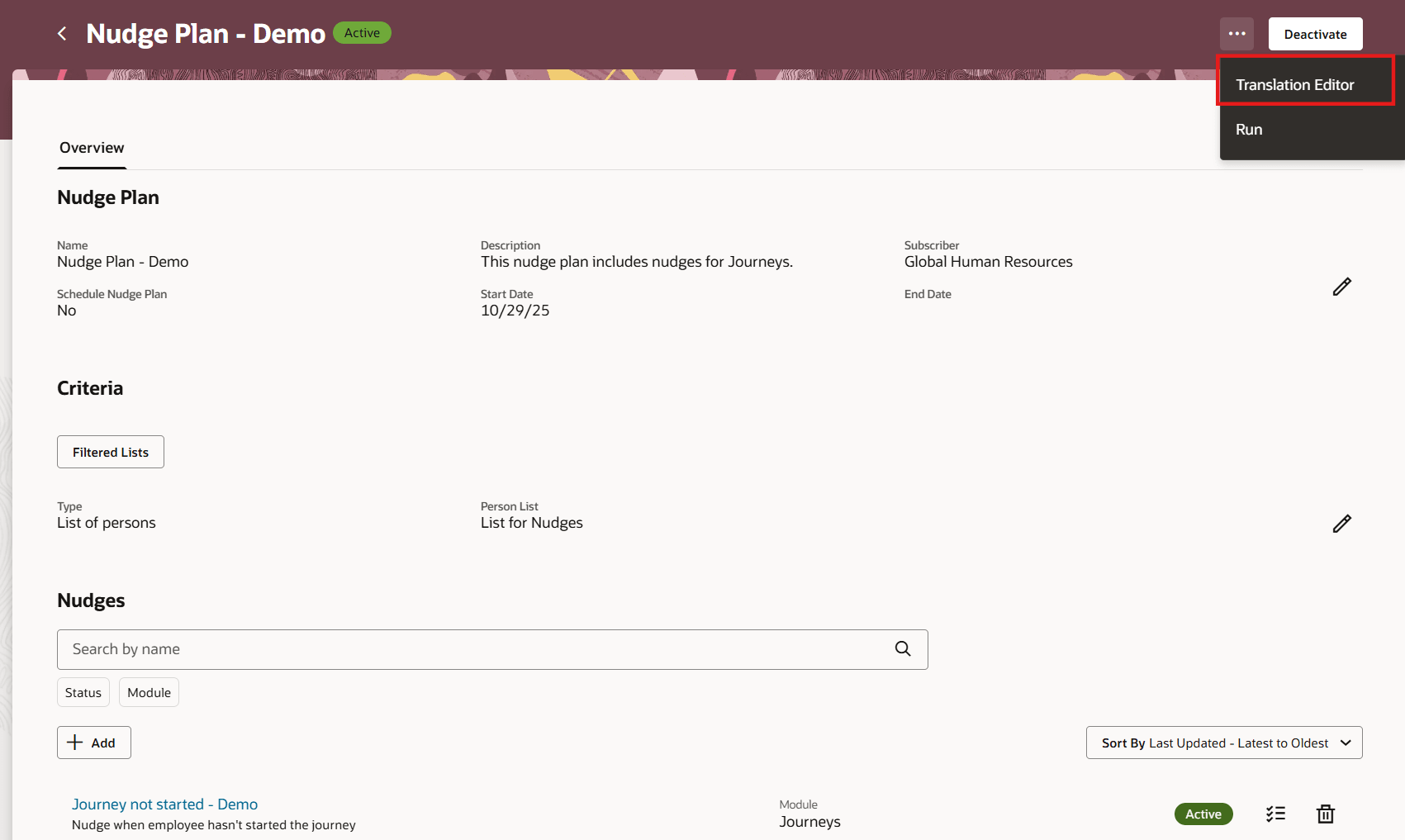
Translation Editor for Nudge Plan
The user selects Korean language for which translations need to be added and clicks Edit.
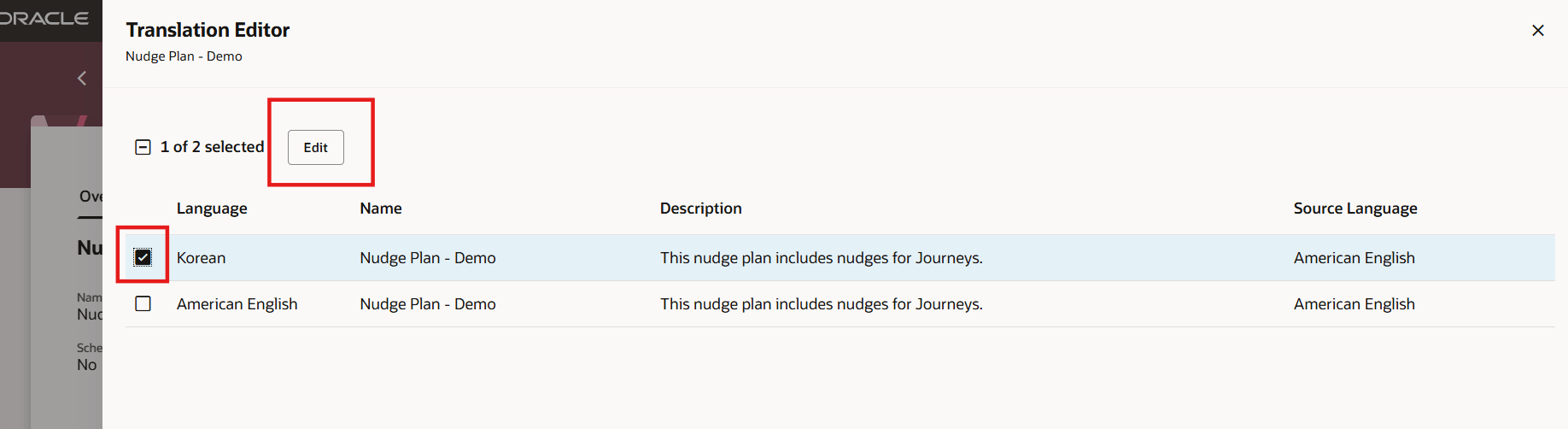
Select Language for Translation
The user adds Korean translations for the different attributes and clicks Update.
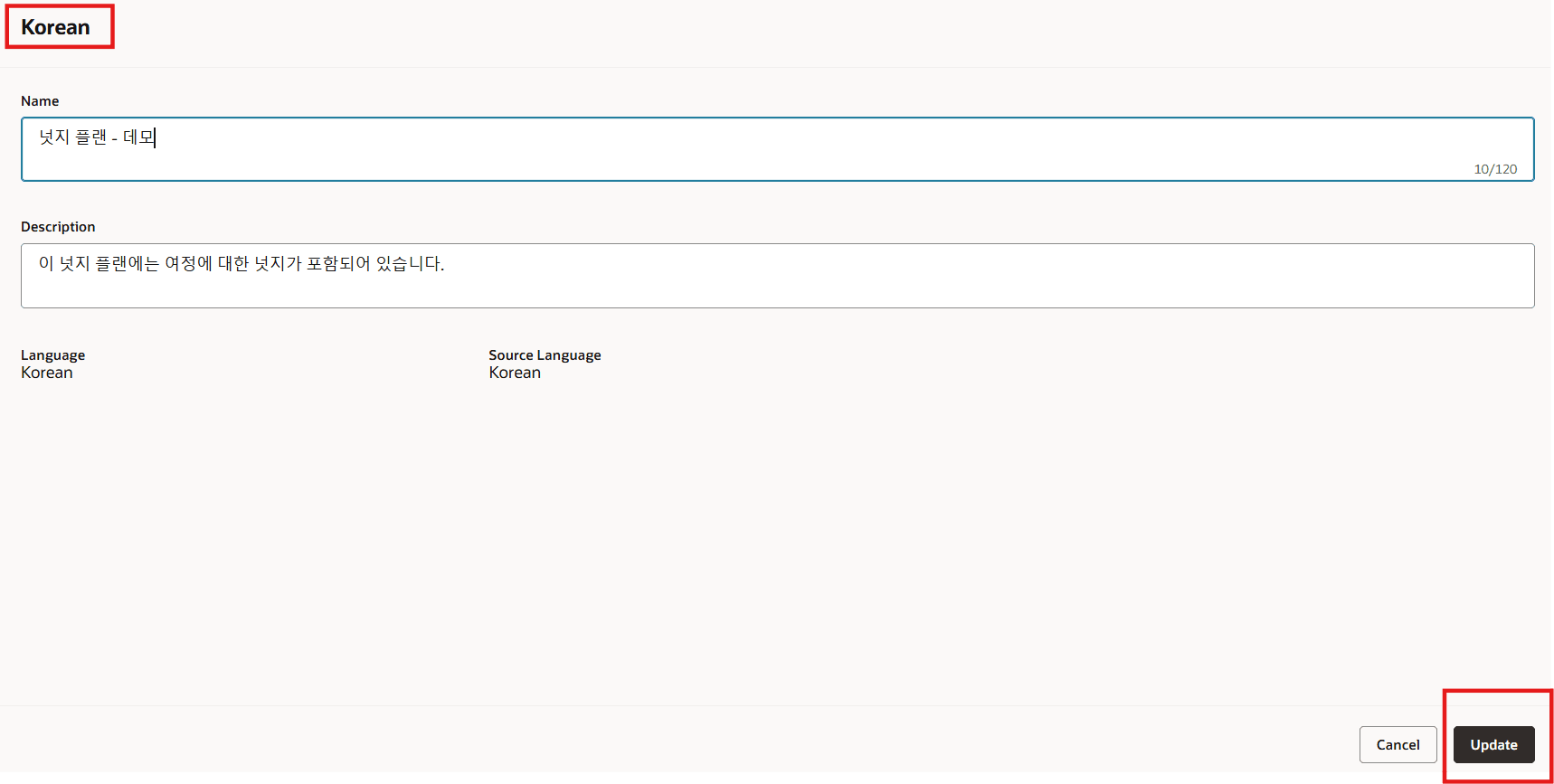
Translated Values Added for Nudge Plan Attributes
Translation of Nudge in a Nudge Plan
The user selects the nudge and clicks Translation Editor.
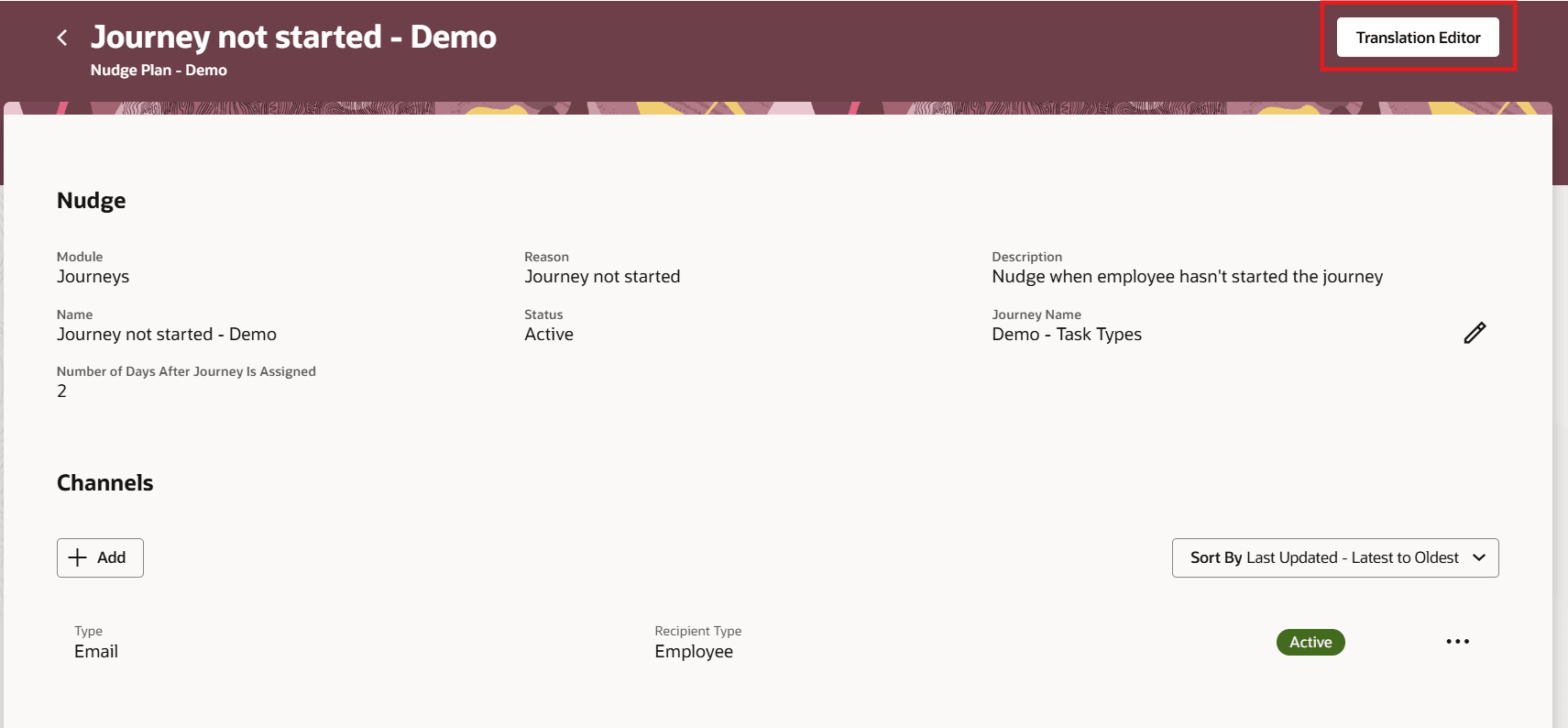
Translation Editor for Nudge in a Nudge Plan
The user selects Korean language for which translations need to be added and clicks Edit
.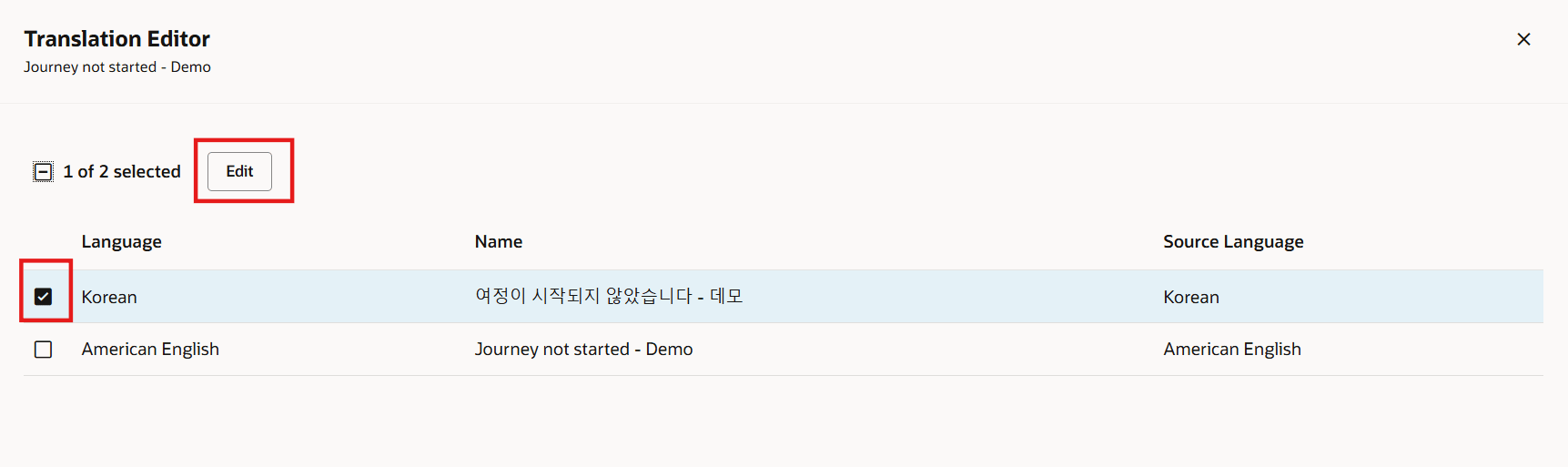
Select Language for Translation of Nudge
Translation of Nudge Channel - User Defined Content Email
The user clicks the three dots in the row for the email channel and clicks Translation Editor.
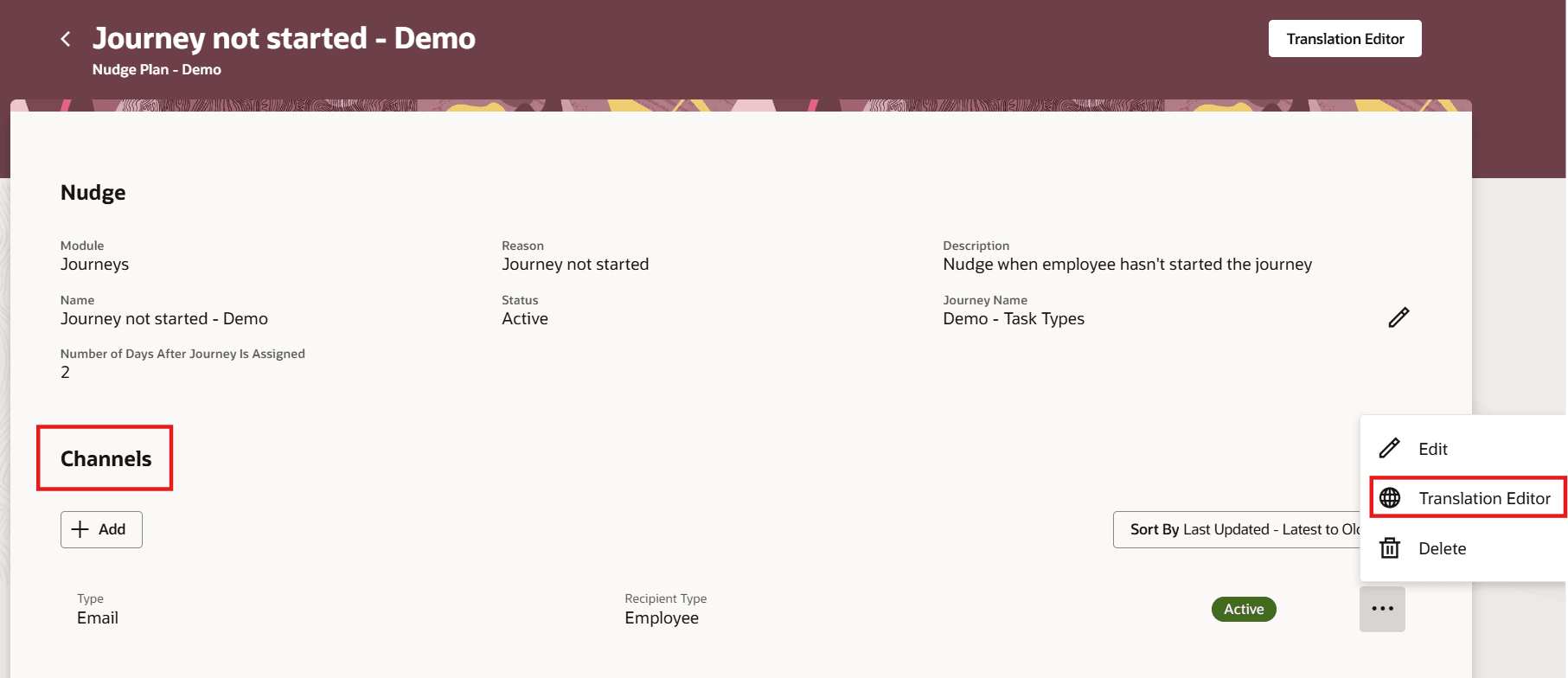
Translation Editor for User Defined Content Email Nudge Channel
The user selects Korean language for which translations need to be added and clicks Edit.
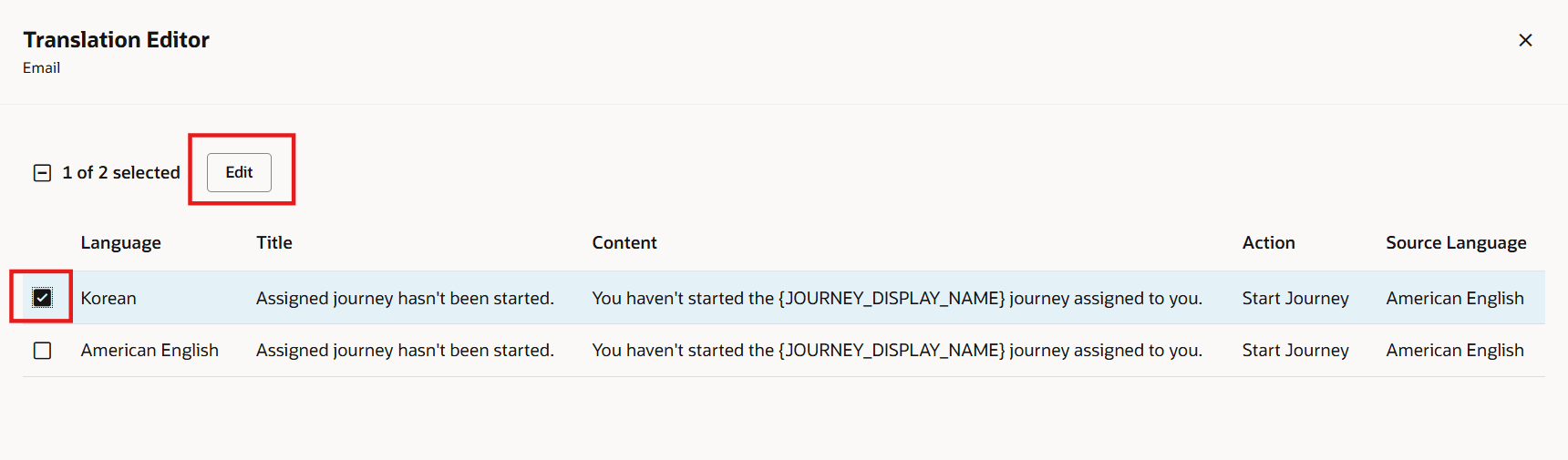
Select Language for Translation
The user adds Korean translations for the different attributes and clicks Update.
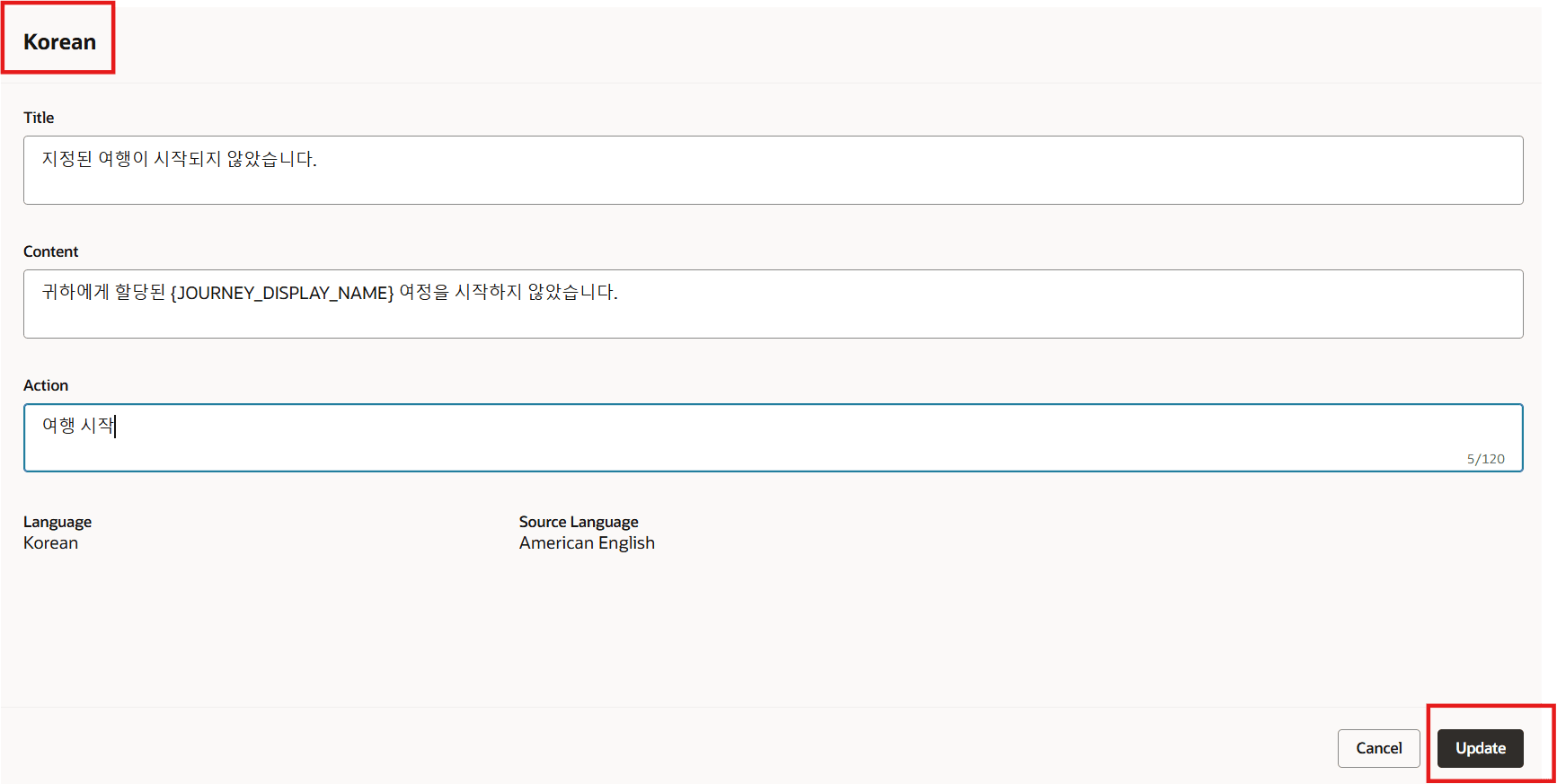
Add Translated Values for Email Content Attributes
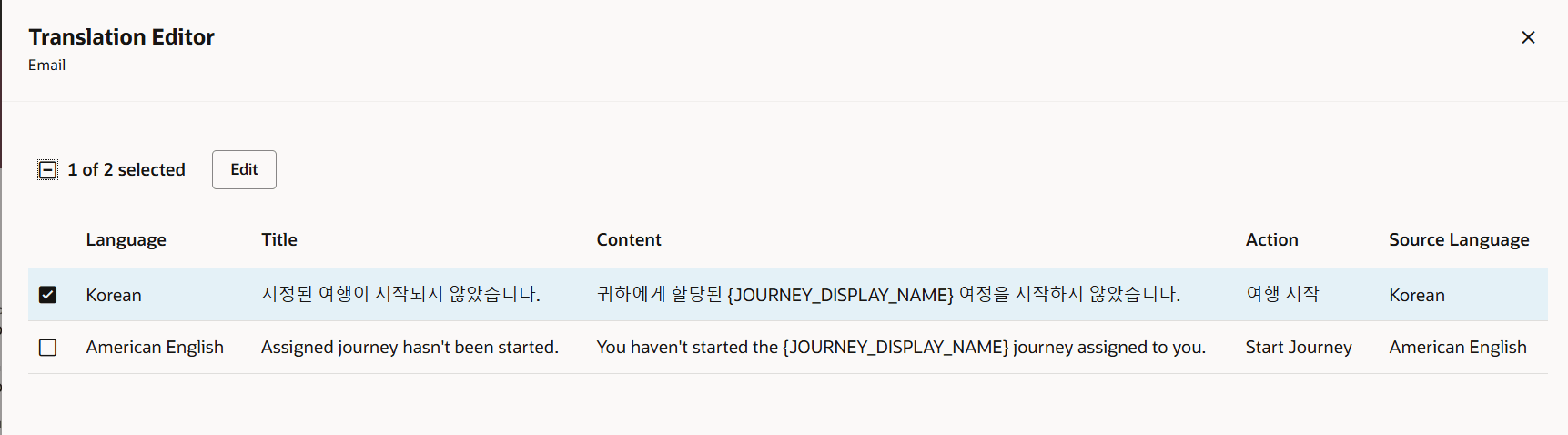
Translated Values Added for Email Content
Improves translation efficiency and ensures faster localization by allowing users to manage translations in a single session without language switching.
Steps to enable and configure
For more information, see this topic: How do I translate attributes on the Redwood Nudges Configuration page?
Key resources
For more information about nudges, refer to the HCM Nudges topic on Oracle Help Center.
Access requirements
You must grant administrators the Nudge Configuration (ORA_PER_NUDGE_CONFIGURATION_DUTY) duty role to configure nudges.