Analyze Workforce Structures with AI Assistance
The Workforce Structures Insight Analyst is your predefined AI-powered assistant for providing you a comprehensive overview of your organization’s workforce structures. The Assistant acts as an intelligent companion that helps to make the process of viewing and comparing workforce structures data faster and more efficient.
Here are some benefits of using this agent instead of the UI:
- Managers quickly get summaries of the workforce structures data, without having to navigate to reports and analytics.
- Access workforce structure data analytics without building custom reports.
- Get summaries and analysis of workforce structures for which dedicated subject areas aren't currently available in the reports and analytics tool.
- Enhance your experience by using natural language questions and receive responses with clear, actionable answers tailored to your organization's policies.
Key Challenges in Analyzing Workforce Structures Data
You may have sometimes faced hurdles in effectively understanding and managing workforce structures. The AI Agent helps you in overcoming some of these key challenges including:
- Visualizing and assessing workforce structures is fragmented and time-consuming.
- Users must access multiple systems and manually compile and analyze data.
- Lack of visual representation makes it hard to extract meaningful insights.
- Delayed decision-making and difficulty in identifying needed structural adjustments to meet business goals.
How the AI Agent Works
The AI Agent intuitively and intelligently assists HR professionals and Managers in better understanding and analyzing workforce structures. It simplifies workforce structure analysis and provides a centralized, intelligent, and user-centric experience as follows:
- Provides a personalized, visual overview of existing workforce structures. The views are tailored to individual user roles and needs.
- Enables dynamic filtering and on-demand breakdown of workforce structures data.
- Offers visibility into the historical progression of workforce setup.
- Delivers insights into short-term shifts and long-term historical trends in the evolution of your company’s workforce setup.
Sample Queries that the Agent Can Answer
Here are some sample queries that HR professionals and Managers may have about workforce structures data, which the agent can answer:
- Provide the summary of the current Workforce structures.
- I want to know the position distribution by departments.
- Can you show me the split of positions by Business Unit for the years between 2021 and 2024?
- Provide the position spread across Departments for the past two years as of 01-June.
- Please provide the total number of business units in our workforce structure.
- What departments do we have that include ‘Marketing’?
- Please find the position for identifier 202.
- Show me all the positions with the word ‘engineer’ in them.
- I want to search for locations that include the word ‘redwood’.
- What is the total number of locations established in the organization right now?
- Can you help me find jobs by the word ‘engineer’?
- Can you find all grades that match the word ‘East’?
- I need the details of the worker union associated with identifier 204.
- What positions are there in the Vision IT department?
- Can you search for any positions in the CRFL RRF BU US1 business unit?
- I would like to see any worker unions related to ‘HR’.
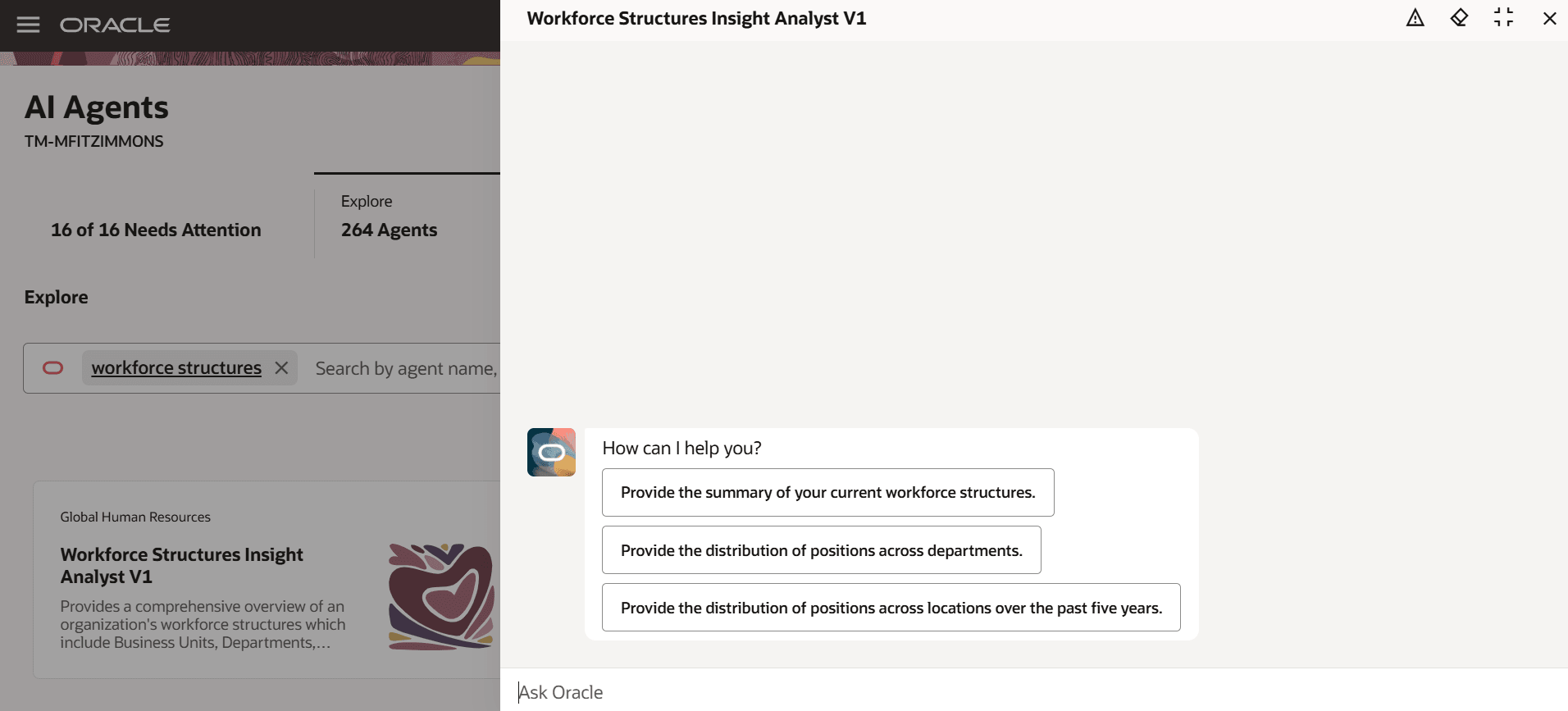
Workforce Structures Insight Analyst AI Agent showing the starter questions
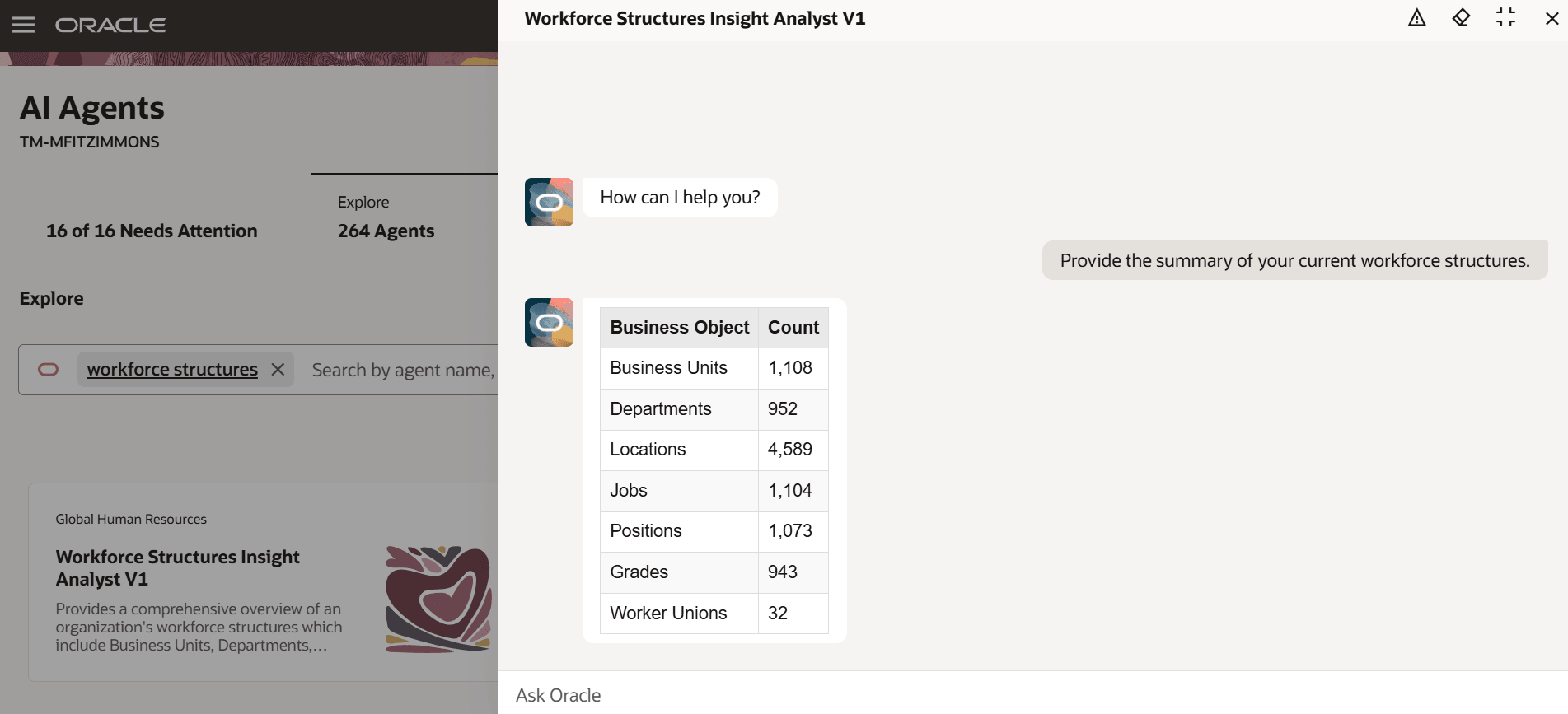
Summary of current workforce structures
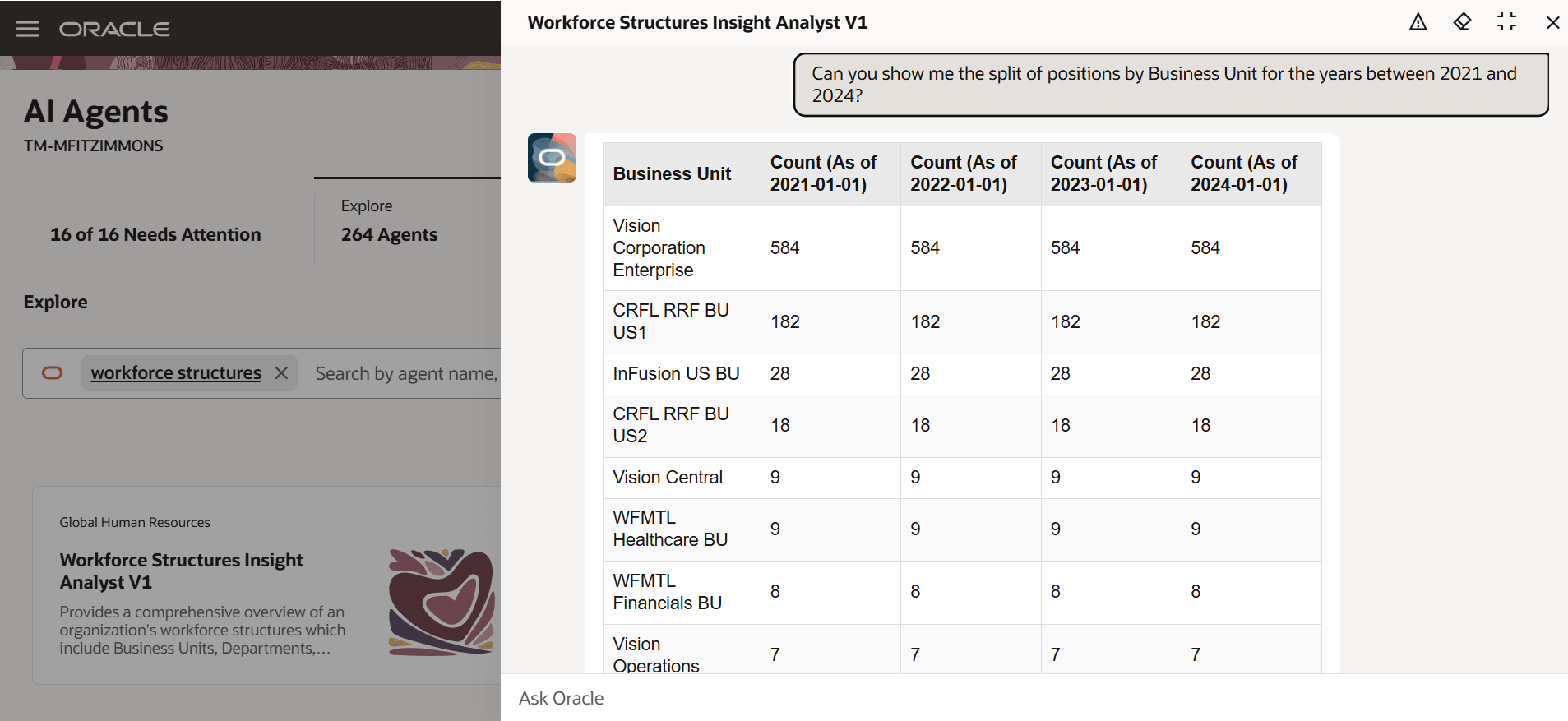
Split of positions by Business Unit for the years between 2021 and 2024
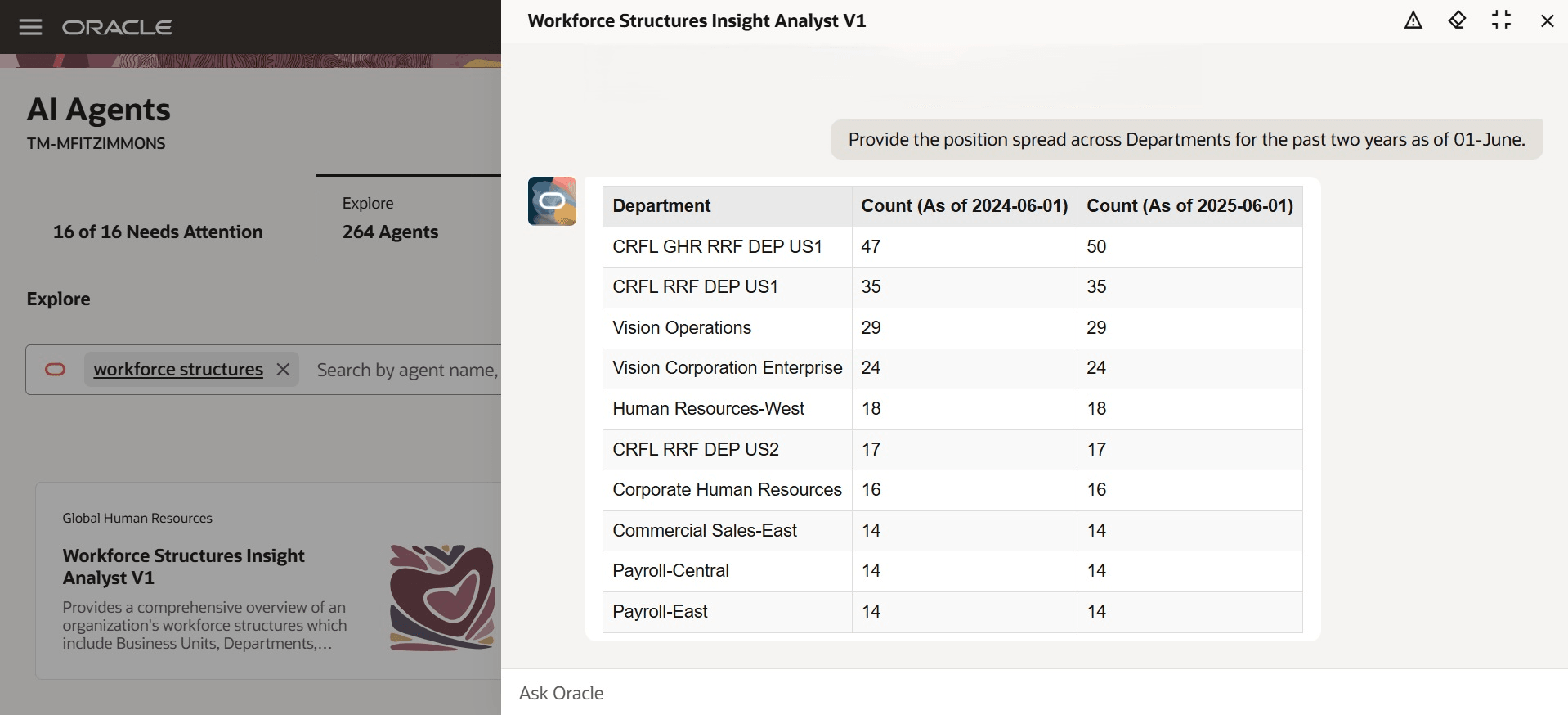
Position spread across Departments for the past two years as of 01-June
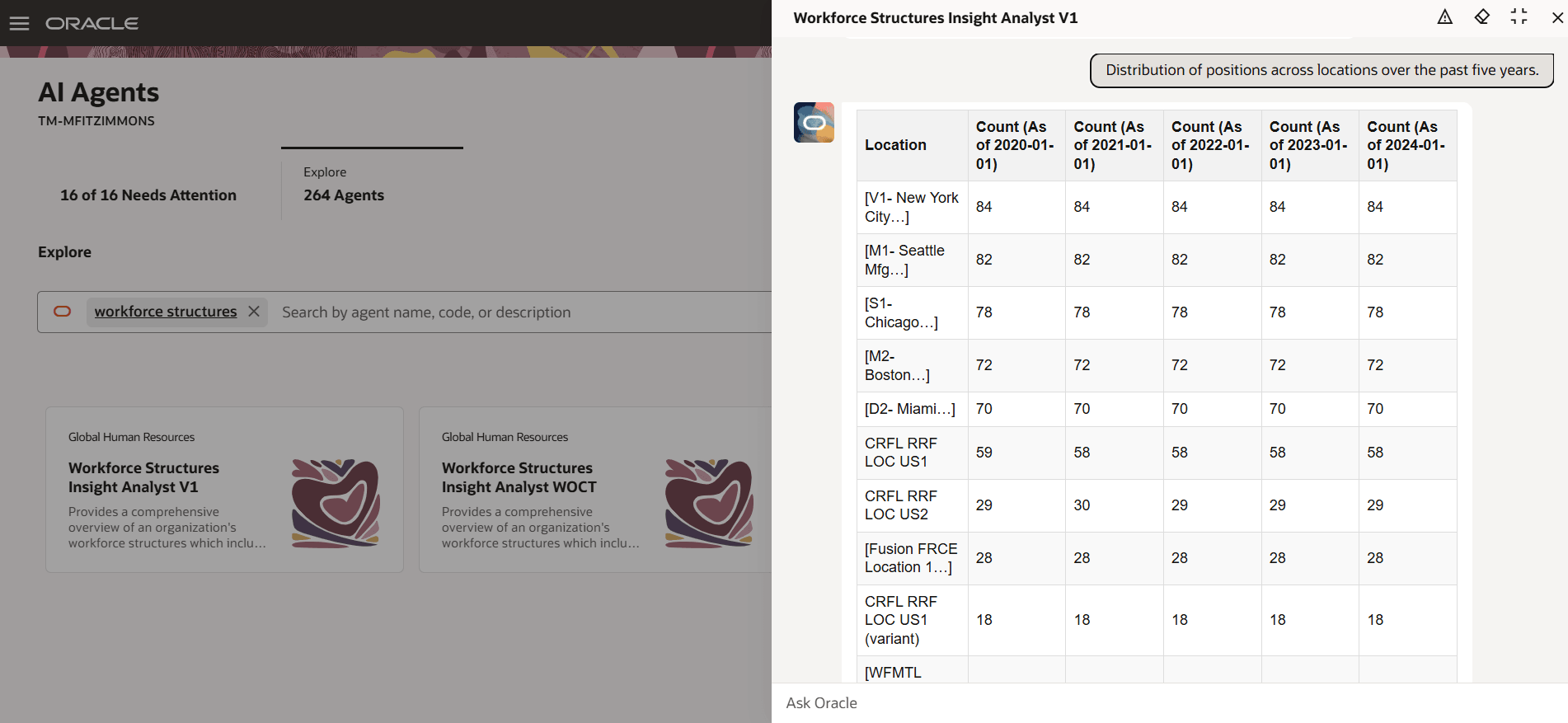
Distribution of positions across locations over the past five years
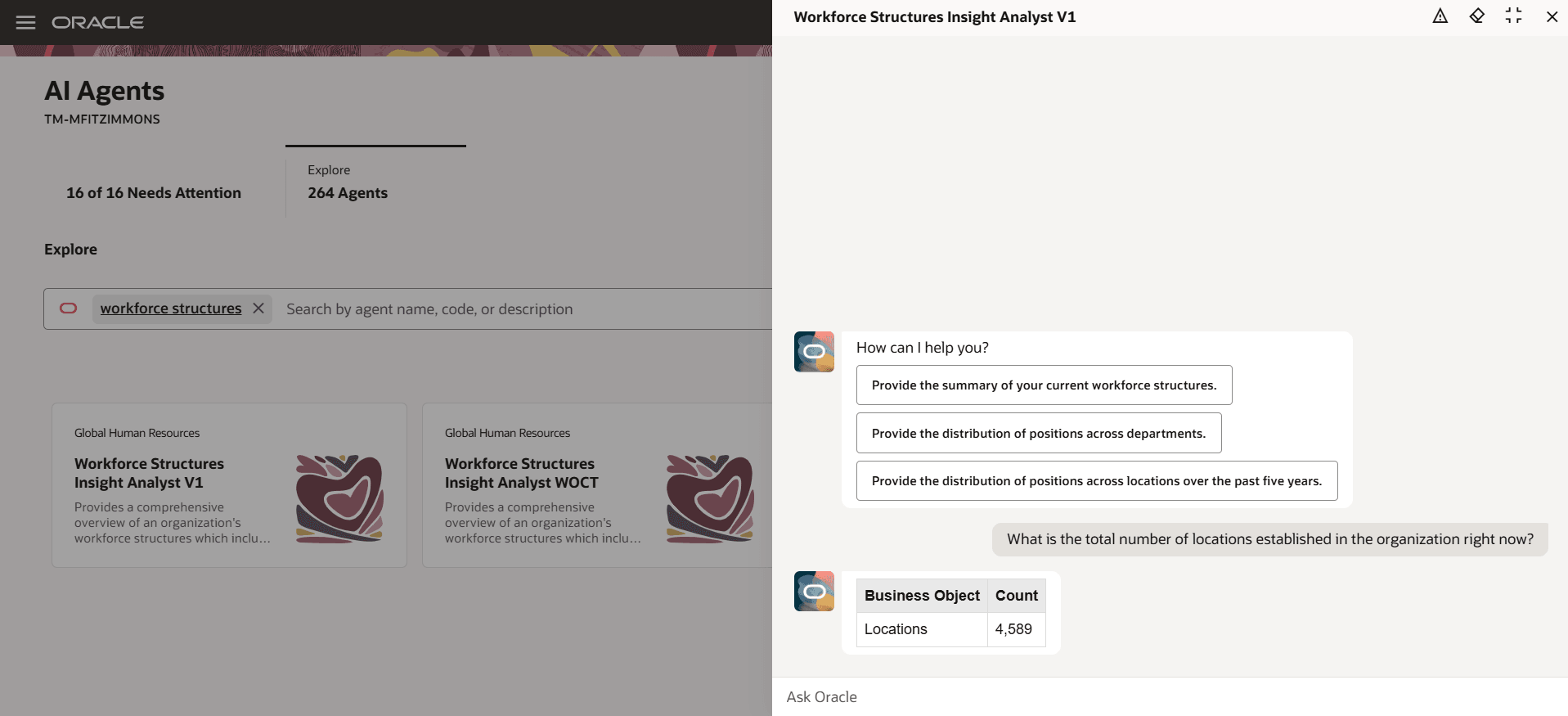
Total number of locations established in the organization right now
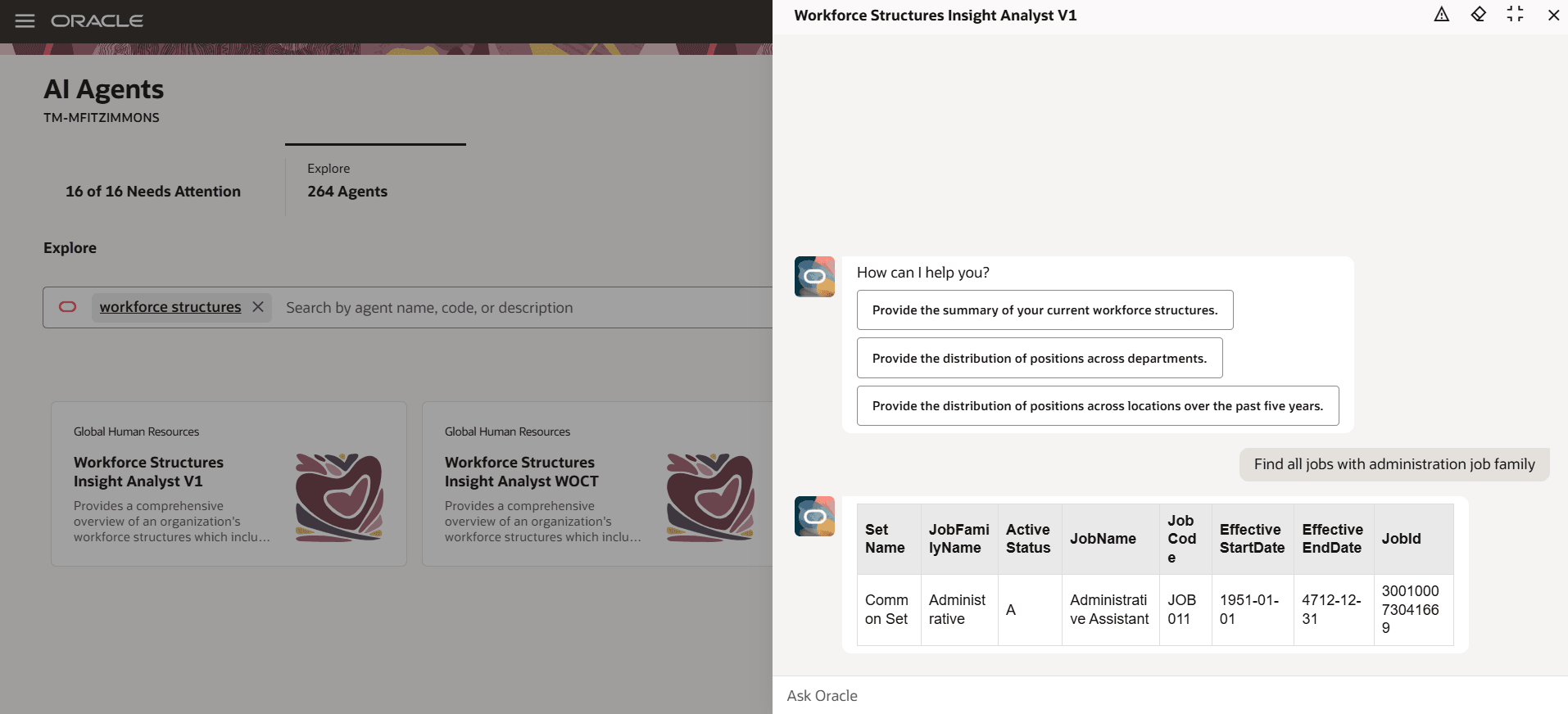
Jjobs with administration job family
Business benefit: HR professionals and managers get streamlined access to data from a single, reliable source that consolidates all the workforce structure information. They don’t need to navigate multiple systems. The data is compiled from multiple sources and displayed in a user-friendly format.
Steps to enable and configure
-
Your environment must have certain necessary configurations. Ask your help desk to contact Oracle Support, who can verify what your environment has and address any gaps. For more information, see FAQ2521 on My Oracle Cloud Support.
-
Set the Enable Security Console External Application Integration (ORA_ASE_SAS_INTEGRATION_ENABLED) profile option to Yes and enable permission groups for the appropriate roles. See Access Requirements for AI Agent Studio.
-
The Workforce Structures Insight Analyst is a preconfigured template. You need to create your own agent using the preconfigured template.
-
To learn how to set up AI agents, see Create AI Agents Using Preconfigured Agent Team Templates.
-
Tips and considerations
- You need to enable Oracle Search for positions to use this AI agent.
- This agent only provides the data. It can’t create, edit, or delete anything in workforce structures.
- For historical data, the agent gives you the top 10 results.
- If you don’t specify any date, it will give you the data as on the current date.
- When you search for matching data, the agent can show up to a maximum of 500 results.
Controlling what information the agent can return
- What's honored: Role-based data security (RBAC). Users only see the data that their role permits.
- What’s not honored: Localization rules and your own business rules in Visual Builder Studio aren't enforced by the Agent.
What's not included
- Data that's pending for approval isn't retrieved by the agent.
- Any object that has more than 25 rows will only return 25 rows.
Key resources
Access requirements
The agents you can view depend on the roles and privileges assigned to you. To access this agent, your role must be explicitly granted access to it by an AI Studio Administrator.
See How can I give users access to AI agents, and Access Requirements for AI Agent Studio.