AI-Generated Approval Comments in Redwood Employment Processes
The existing approval comments field in Redwood Employment processes is empowered with the new AI-powered assistance to generate and refine comments.
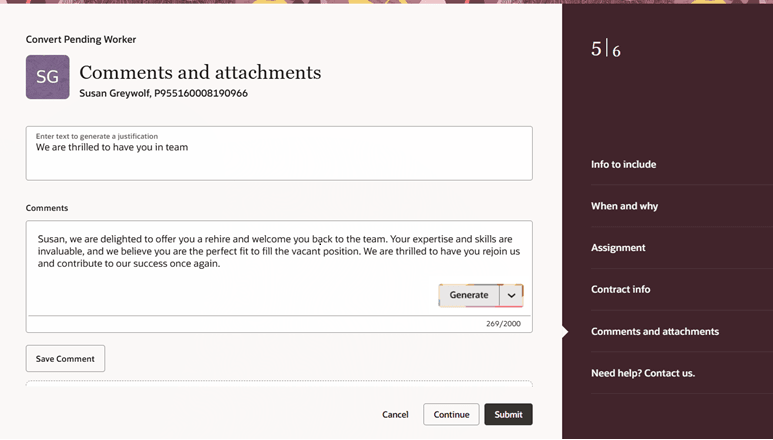
AI-generated approval comments
The text you enter in the Enter Text to Generate Justification field is used only as input for AI command generation. It isn't stored in the database or in the actual comments box. It helps AI to generate relevant comments or justifications.
To save the generated or manually written comment, the user must explicitly press the Save Comment button. This action stores the comment in the database. If you skip this step, the comment will not be saved, even if you proceed further. Here's what you need before you submit the transaction:
- Generate the comment (optional using AI).
- Click Save Comment.
AI-generated notes saves employees time and improves decision-making and satisfaction.
Steps to enable and configure
To use the AI generated approval comments, you must first enable the profile option in this table. For more information about how to enable the profile option, see How do I enable a profile option?. In the Profile Value field, enter true.
|
Profile Option |
Set the profile value at Site level as |
|---|---|
| HCM_AI_COMMENT_ASSIST_ENABLED | true |
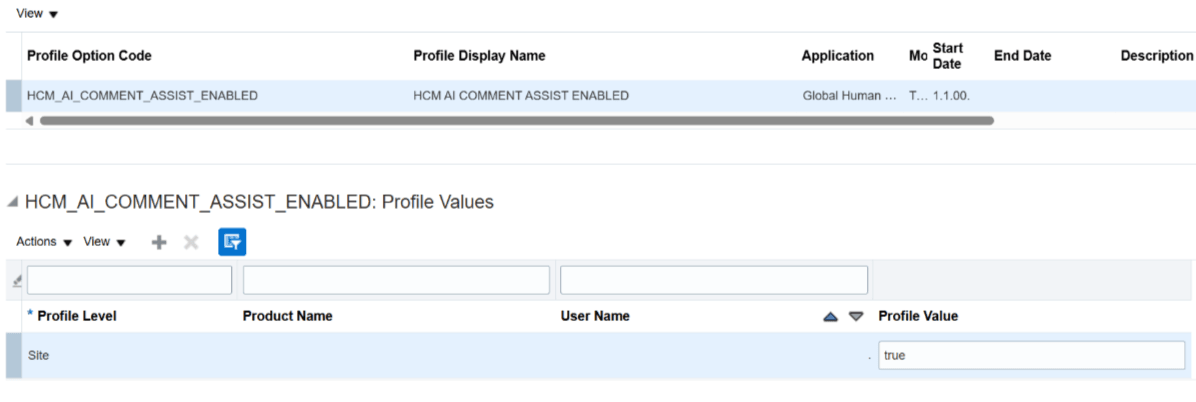
Profile option to generate AI comments
After you set the profile option, you must enable the AI Comments Assist option from Approval Transactions under My Client Groups for each flow.
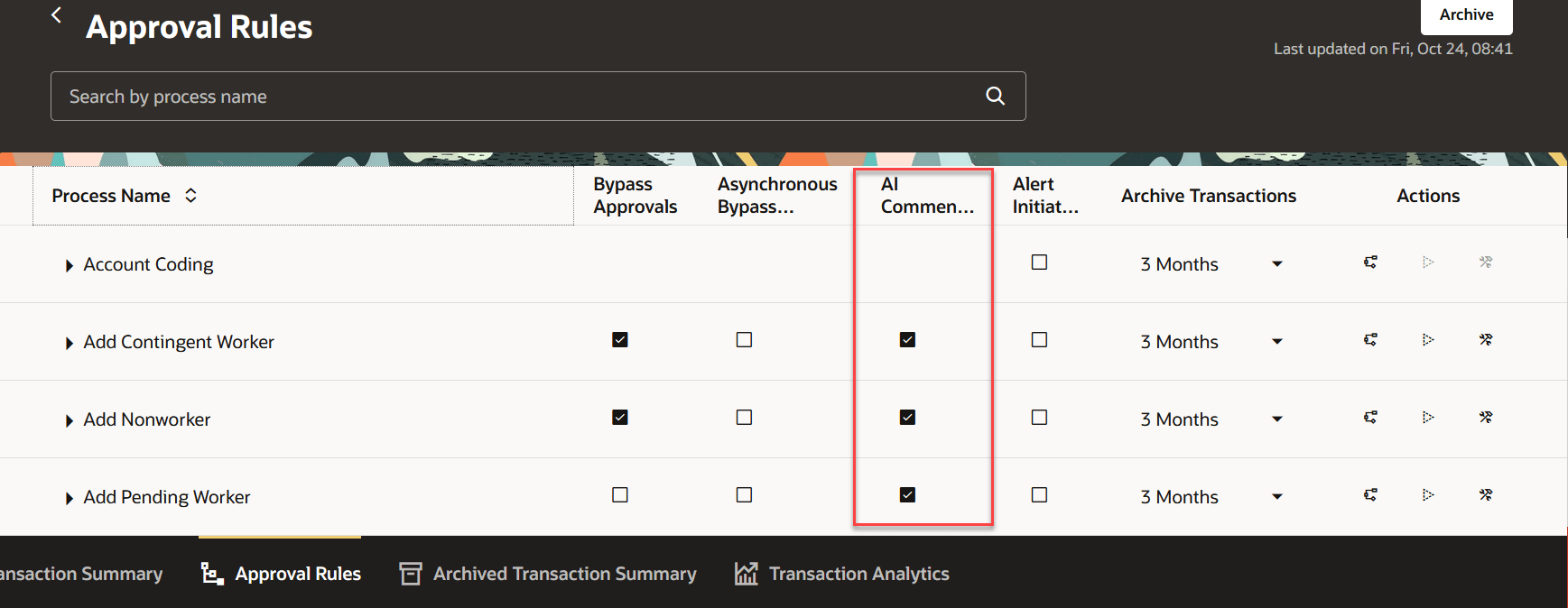
AI Comments Assist option
Tips and considerations
- There won't be any Revert action or icon for Generate. If user doesn't like the AI generated response, they need to click on Generate button again to regenerate the response.
- As this feature uses Generative AI to draft the Comments field, end-users should be advised to review the generated Notes to ensure accuracy and avoid ambiguity.
- AI-generated content will be created based on the parameter values enabled on the corresponding Redwood pages. However, please review the generated content carefully to ensure that it is accurate, applicable, and contains the correct values. In particular, if the user regenerates the content multiple times, verify that the output remains valid and relevant. Additionally, adjust the tone as needed to best suit the context.
Key resources
For more information, refer to these resources on the Oracle Help Center
- Employment Processes, in the Using Global Human Resources guide
Here are the topics we recommend on getting started with Express Mode.
- Refer to the following documentation in this order:
- Express Mode in VBS for detailed instructions on using specific Express Mode features.
- Extending Redwood Applications for HCM and SCM Using VB Studio for details on what’s supported by HCM.
- You can refer to the VB Studio documentation "Configure an Oracle Cloud Application" to check the steps to access VB Studio from a Redwood page.
- Extending HCM Redwood Applications Using Visual Builder Studio
- Refer to the Customer Connect forum Visual Builder Studio for HCM