Enabled Fields Are Displayed by Default on Redwood Document Records pages
The Redwood Document Records view pages now display all enabled fields by default, including those that don’t have values yet. This enhancement ensures users can see the complete set of available fields for each record, providing a clearer and more consistent view of the document’s structure and data attributes.
Based on the document type configuration, all attributes marked as Relevant are displayed when viewing a document record, even if empty.
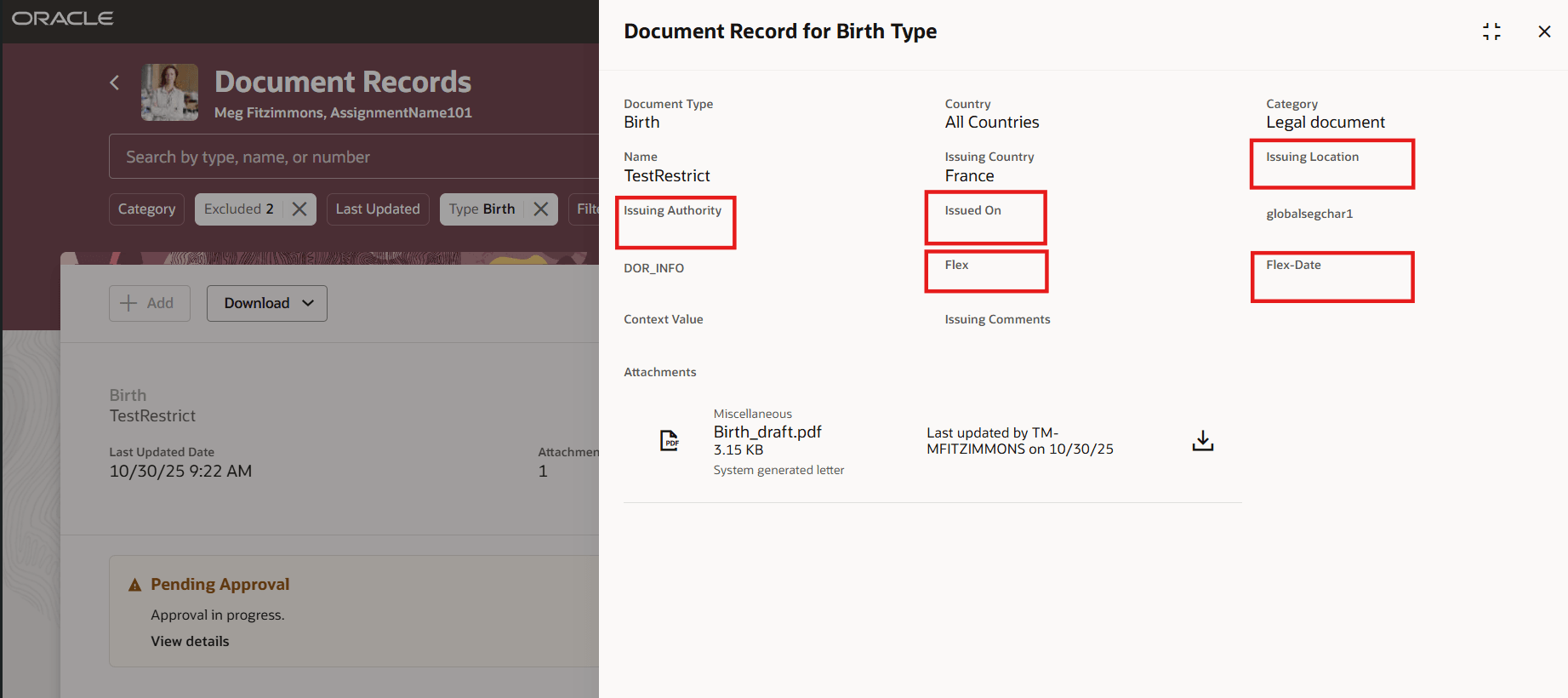
Enabled Fields Displayed Even if Empty
This feature helps you to quickly spot missing details and work with a consistent page layout.
Steps to enable and configure
You don't need to do anything to enable this feature.
Key resources
For more information about document records, refer to the Using Global Human Resources guide on Oracle Help Center.