Access Redwood Document Types Page from Functional Setup Manager
You can now open the Redwood Document Types page directly from Functional Setup Manager (FSM) if the respective Redwood profile option is enabled.
Previously, when accessing Document Types from FSM, only the classic Document Types page was displayed, regardless of whether the Redwood experience was enabled. With this update, if the Redwood UI profile option is turned on, FSM will now open the Redwood Document Types page instead, ensuring a consistent and modern experience throughout the setup flow.
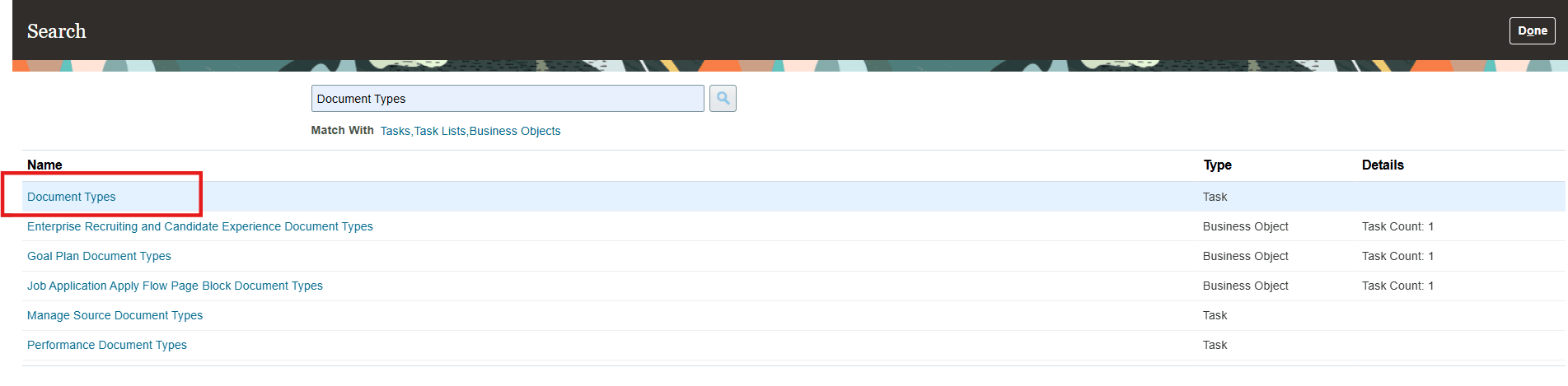
Launching Document Types Task from Functional Setup Manager
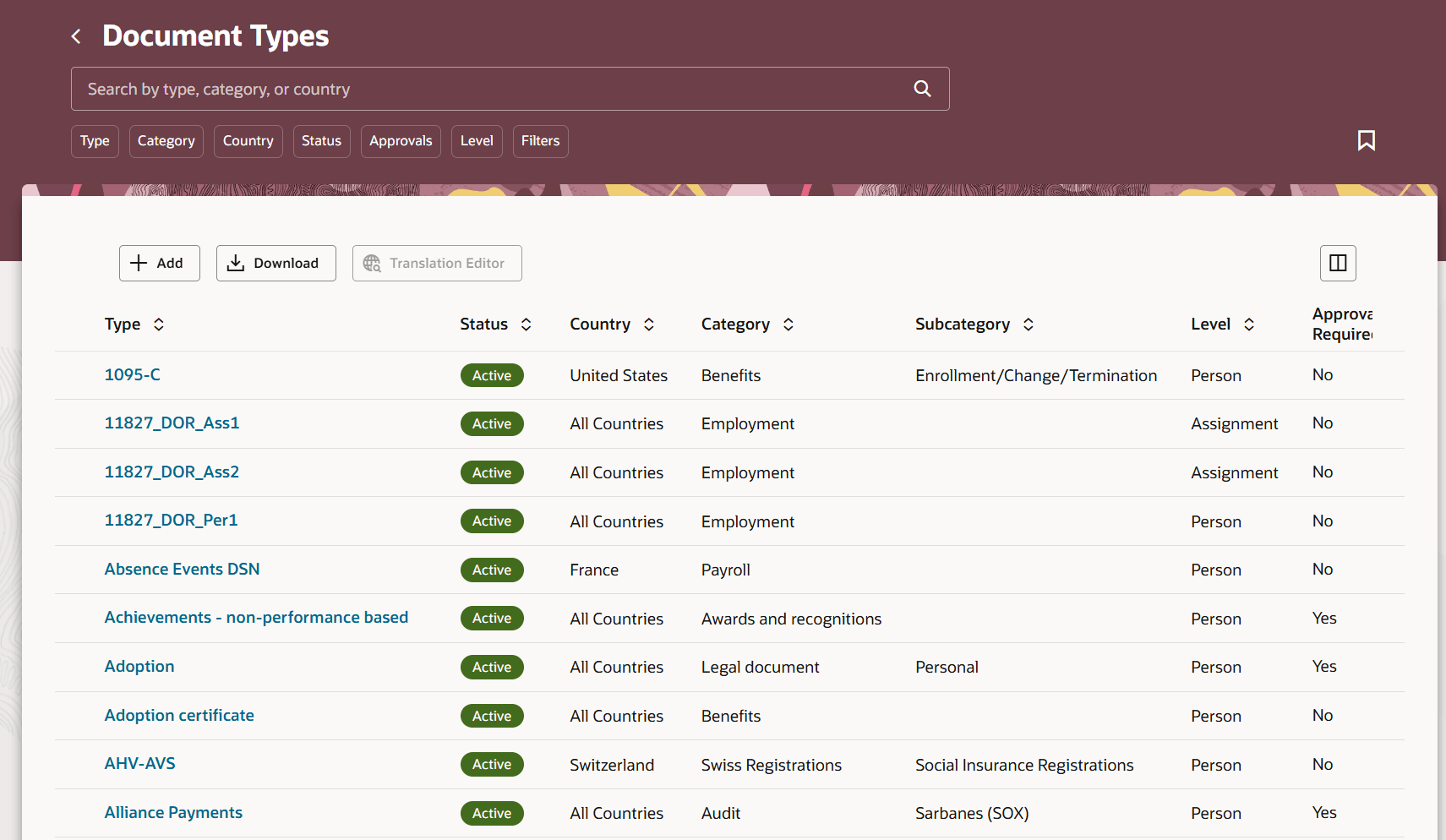
Redwood Document Types Page Launched
Note: For more information, see the Steps to Enable section of this What’s New.
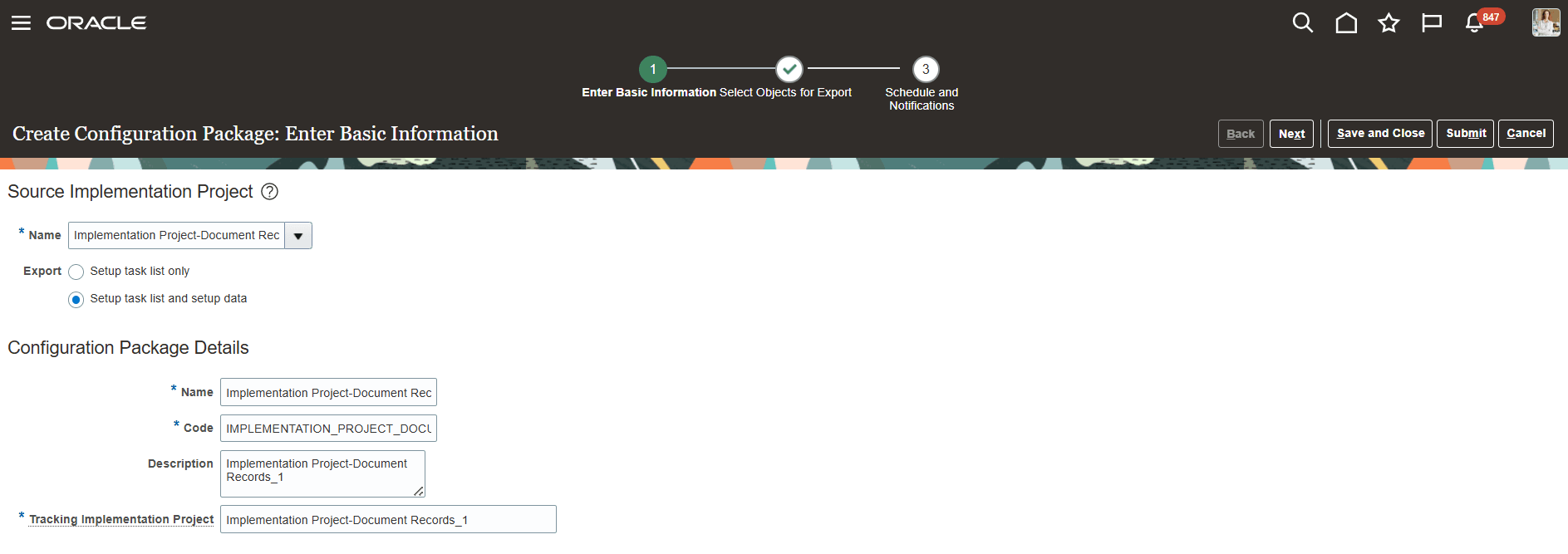
Enter Basic Information for Creating Configuration Package
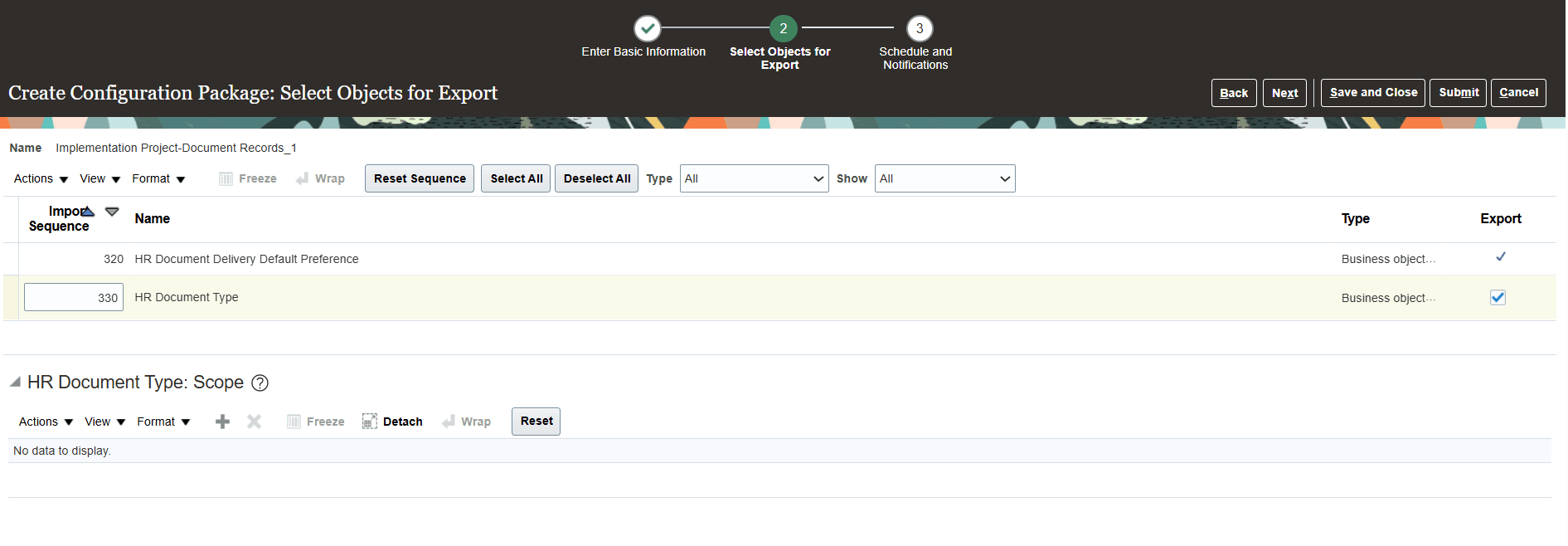
Select Objects for Export Using Configuration Package
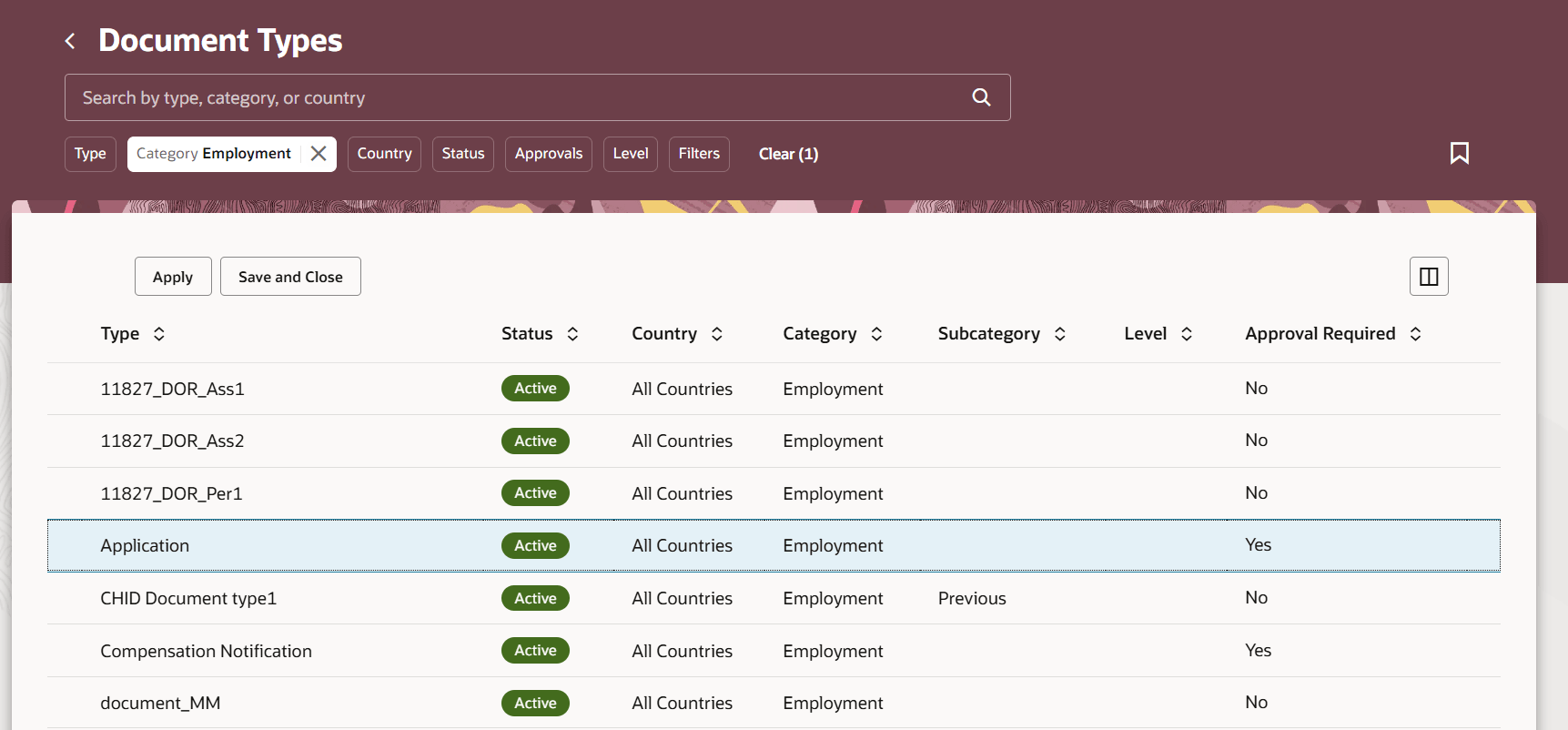
Document Types Redwood Page Opens Without Add Button and Name Links
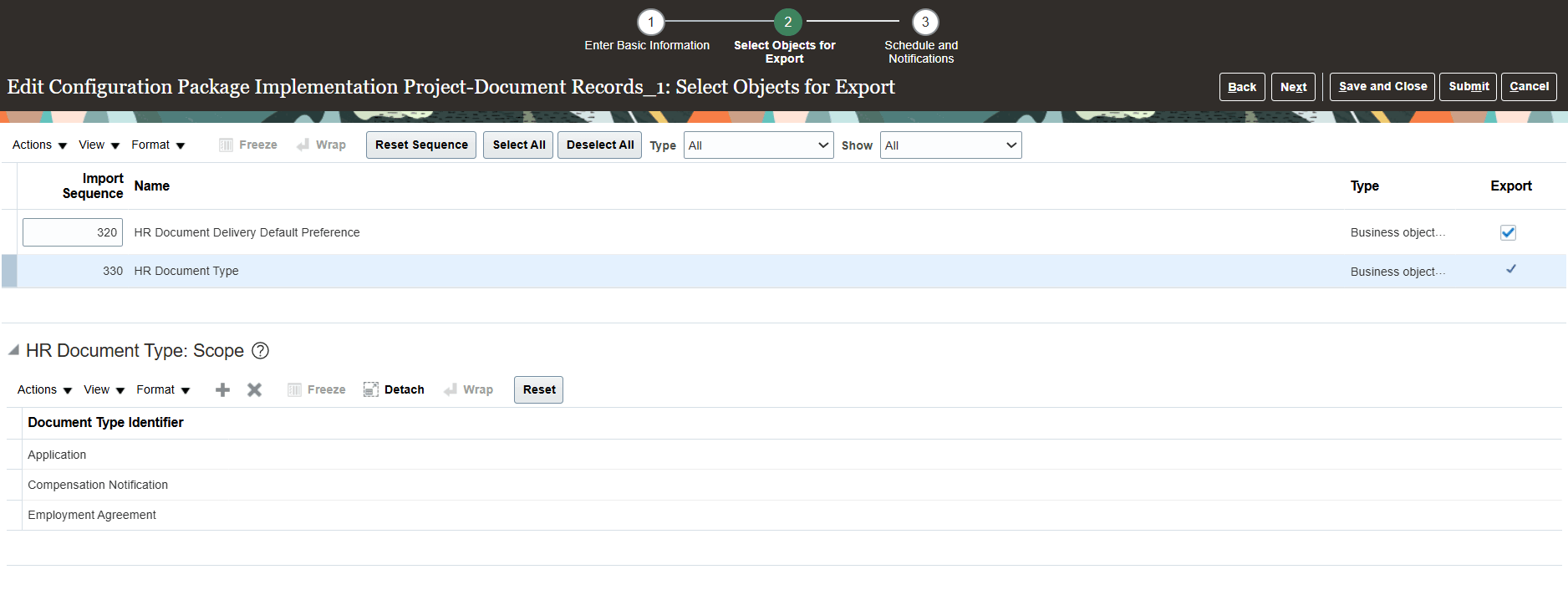
Add More Document Types to Configuration Package
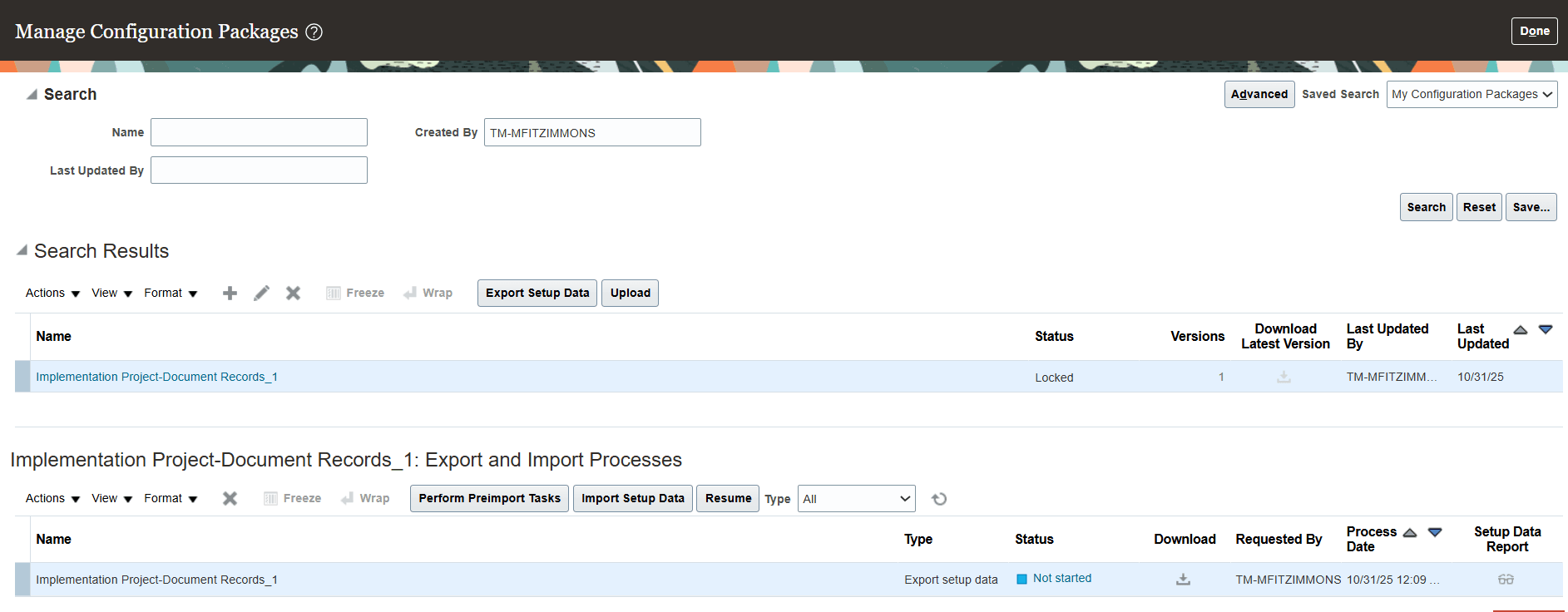
Select Rows to Export and Begin Process
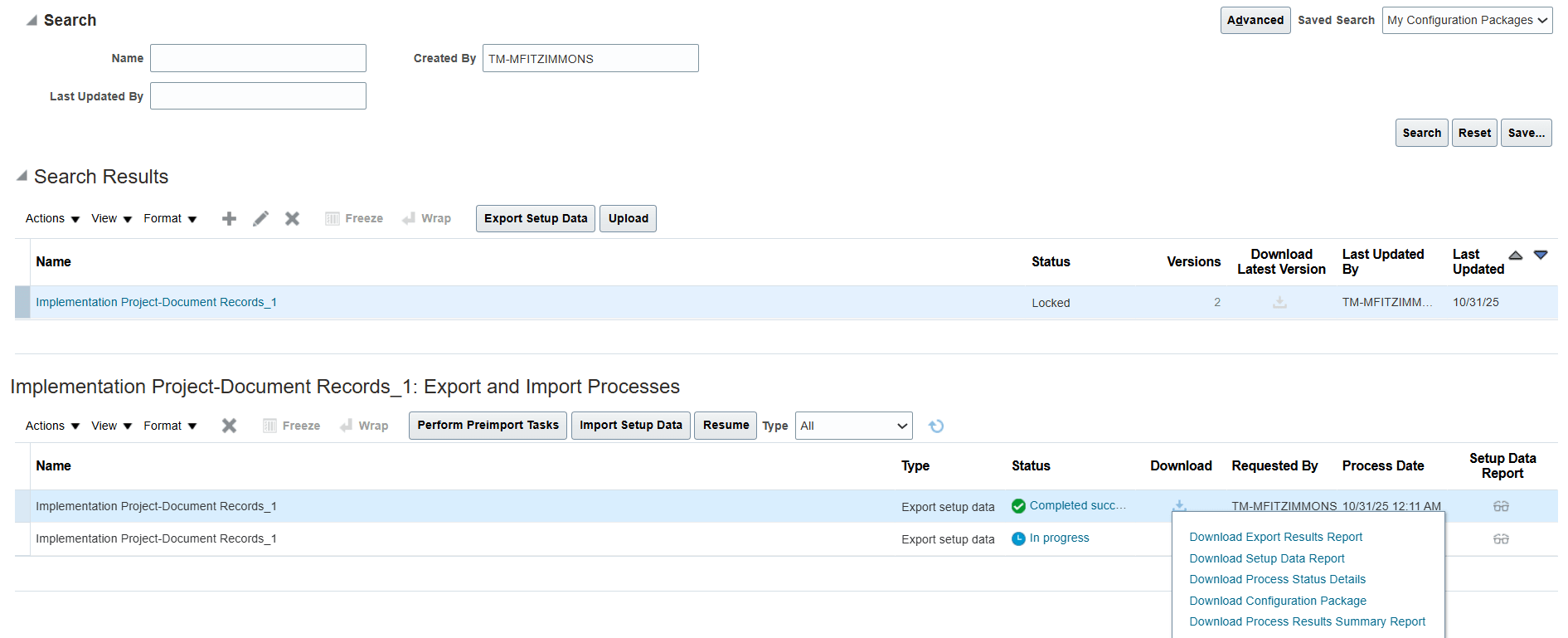
Open Downloaded Configuration Package
This feature creates a better user experience because the relevant Redwood Document Type pages are now opened from FSM when the Redwood profile options are enabled. Previously, only the classic pages used to open even when the Redwood profile options were enabled.
Steps to enable and configure
For more information, see the How do I enable a profile option? topic.
When Redwood is enabled, you will also notice some changes while exporting the setup data for document types object. For more information, see How do I selectively migrate setup data from one environment to another?.
Key resources
For more information, refer to these resources on the Oracle Help Center:
- Implementing Global Human Resources guide.
- Setup Data Export and Import chapter of the Using Functional Setup Manager guide.
Access requirements
You can work with Functional Setup Manager (FSM) if you have the Application Implementation Consultant role.