Ability to Make Payroll Fields Read-only in Redwood Employment Processes
You can now make payroll fields read-only within employment processes. This is useful if you do not want administrators to update copied or defaulted data. For example, a rule is written to default the payroll definition to Monthly Payroll and administrators should not be able to override it. When a field is marked as read only, defaulting rules will still apply but the value cannot manually be changed.
Employment processes supporting this feature are:
Add Processes
- New Hire
- Add Assignment
- Add Contingent Worker
- Add Pending Worker
- Create Work Relationship
- Add Non Worker
- Convert Pending Worker
Update Processes / Global Transfer
- Change Assignment
- Change Location
- Change Working Hours
- Promote
- Transfer
- Promote and Change Position
- Edit Pending Worker
- Local and Global Transfer
You can specify whether fields are read-only or editable in VB Studio, by selecting Configure Fields and Regions under Business Rules:
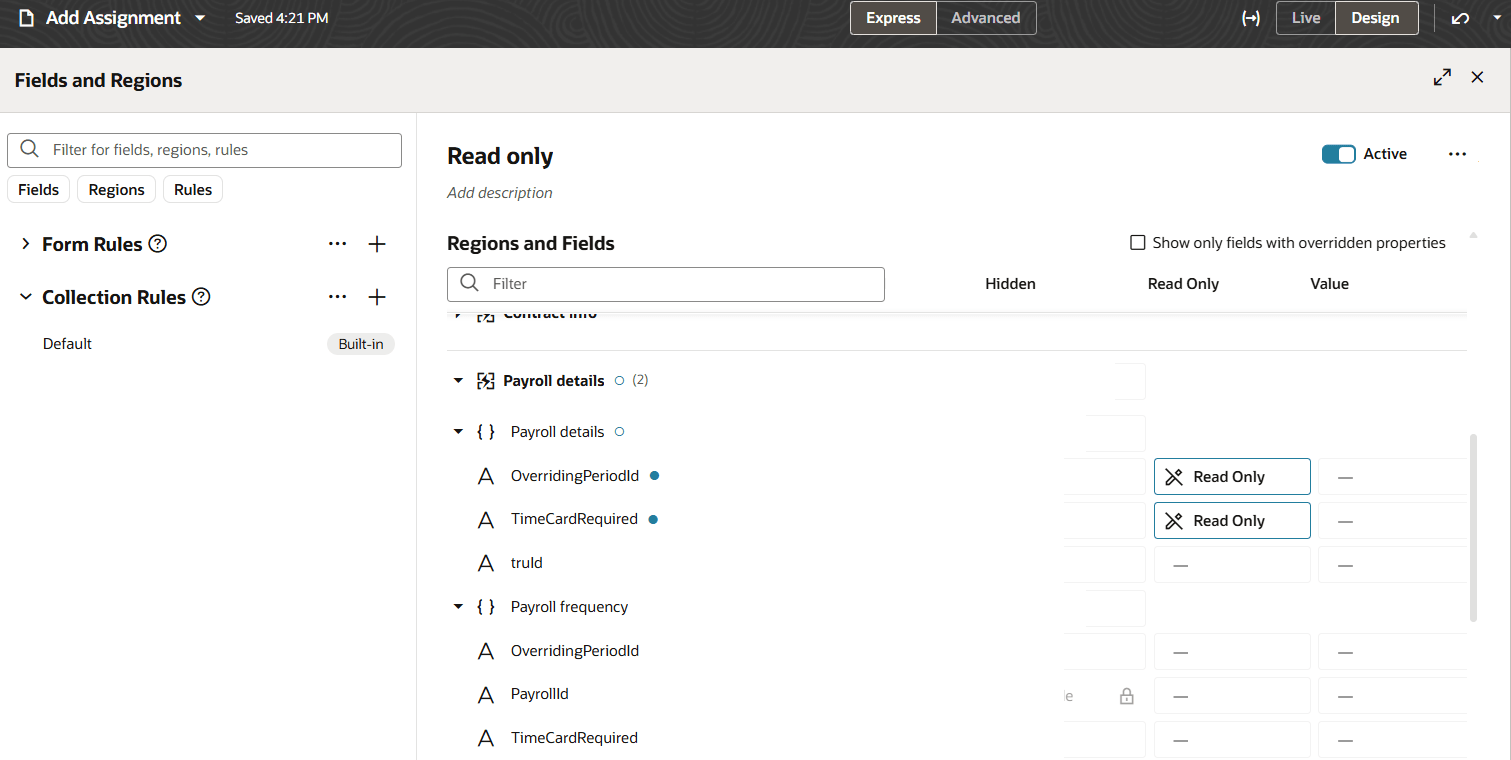
Payroll attributes can be made read-only in Add processes
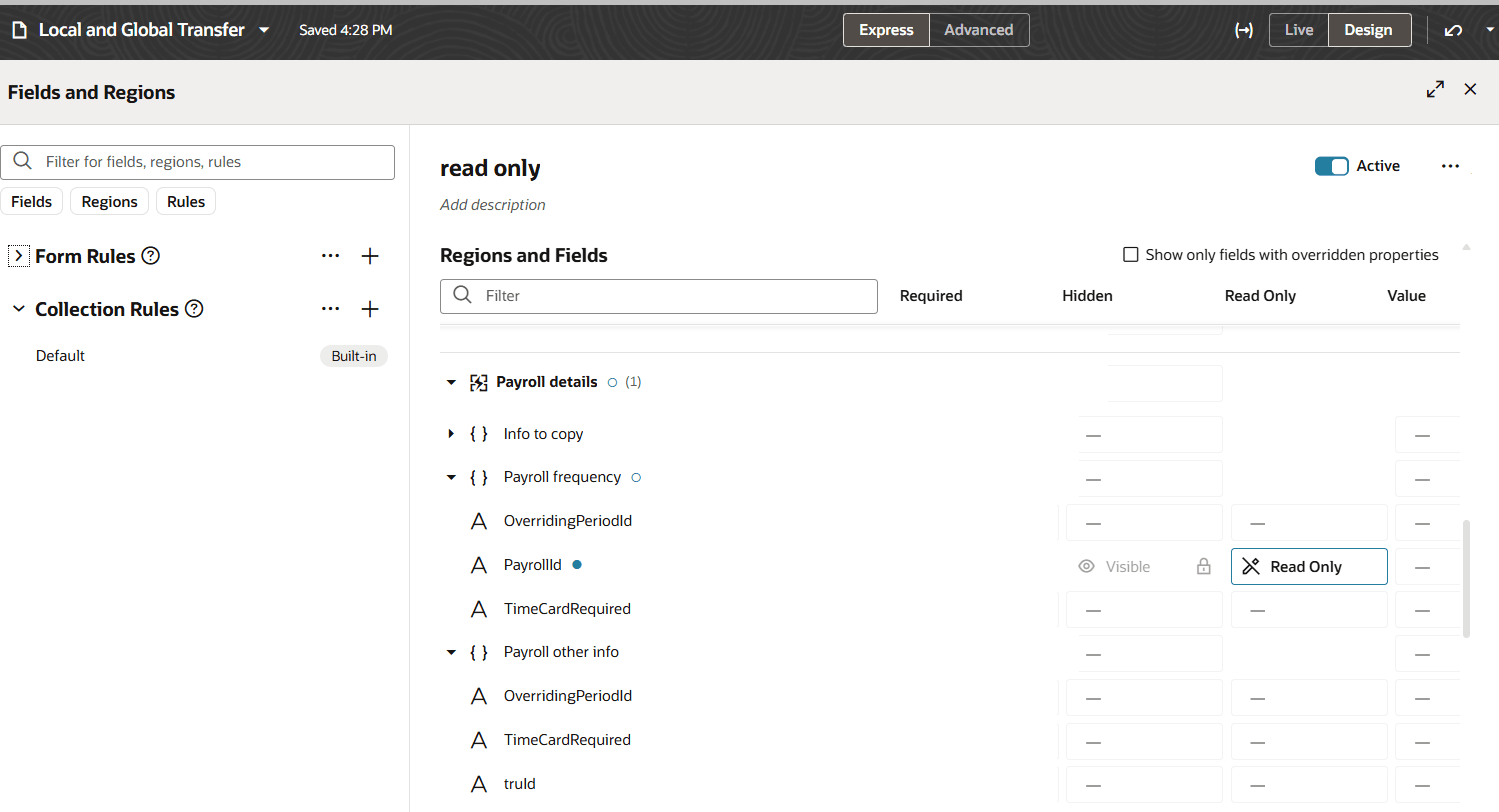
Payroll attributes can be made read-only in Local and Global Transfer
Both validation and defaulting rules apply to fields that are marked as read-only. If you have both validation rules and defaulting rules for a particular field, ensure that they do not conflict, as an administrator will not be able to take action on the field.
In employment processes where data is copied from an existing assignment such as Global Transfer or while converting a job offer to a pending worker manually, values will get copied even if the fields are read-only. However, in addition, if there is a default rule which would change the copied value, this always takes precedence over the copied data (this is the same behaviour as for editable fields).
Enhanced support for customizing application user interfaces within the payroll region in employment processes.
Steps to enable and configure
For more information, refer to Express Mode in VBS for detailed instructions on using specific Express Mode features.
Tips and considerations
- The read-only property can only be set at field level and not region level.
- Fields that are predefined as read-only can’t be made editable via business rules. For example, in update flows, when the selected employee is already on a payroll, 2 options are available: edit the current payroll or transfer to a new one. When Edit option is selected, the payroll field is always read-only. This can’t be changed via business rule. It is also the case in Edit Pending Worker where the Tax Reporting Unit is read-only by default; it can’t be made editable
- Within Local and Global Transfer, the flags that enables you to specify the information to copy to the new assignment can also be made read only. However, the list of values rendered based on your selection are not currently customizable.
Key resources
For more information, refer to these resources on the Oracle Help Center.
- Express Mode in VBS for detailed instructions on using specific Express Mode features.
- Extending Redwood Applications for HCM and SCM Using VB Studio for details on what’s supported by HCM.
- You can refer to the VB Studio documentation "Configure an Oracle Cloud Application" to check the steps to access VB Studio from a Redwood page.
- Extending HCM Redwood Applications Using Visual Builder Studio
- Refer to the Customer Connect forum Visual Builder Studio for HCM