Enhanced Control with Page Properties in Redwood Employment Processes
You can now use the Configure Page Properties feature to define how page properties are conditionally applied based on the logged-in user's security roles for all employment processes. Additionally Guided Journey codes, and Info to Include page properties will now be displayed as a list of values for easier configuration. For example, earlier the Guided Journey codes were displayed as text boxes. This has now changed to display as a list of values from which the user can select values.
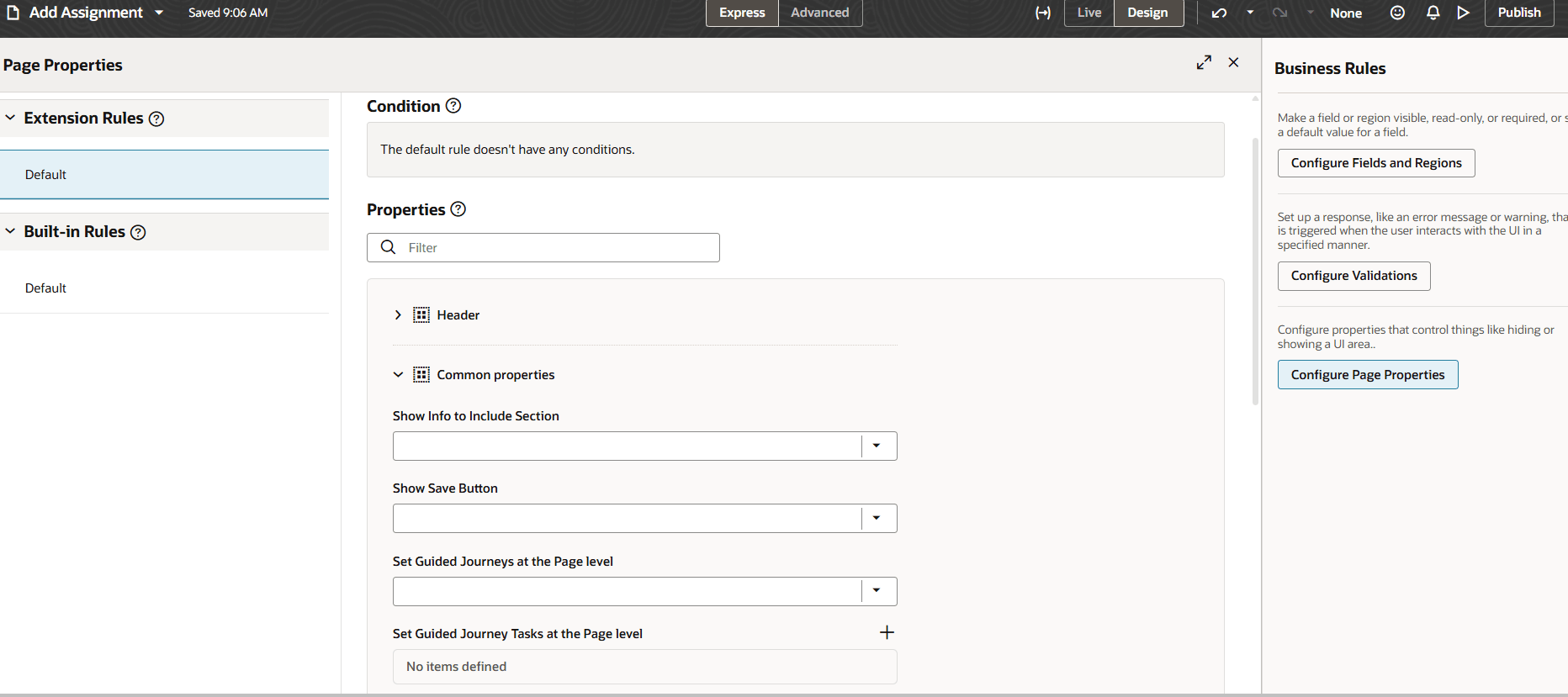
Common page properties for Add Assignment process
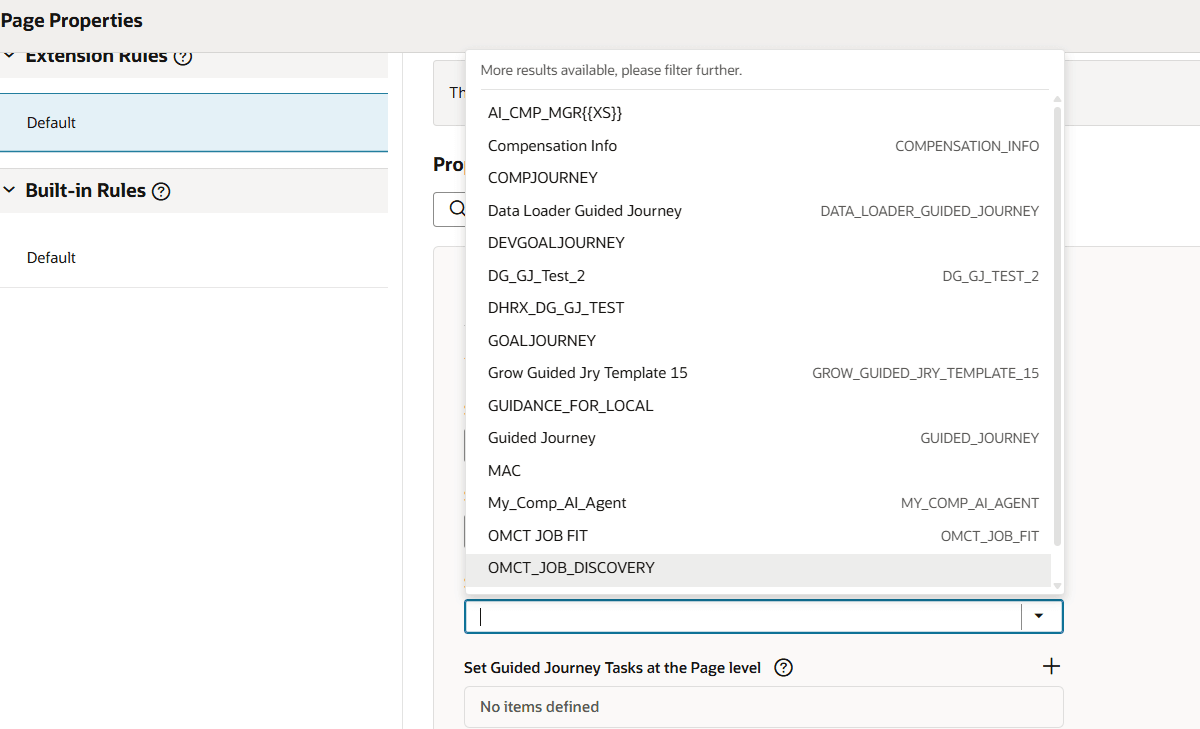
Guided journey at page level changed to an LOV
Using the page properties editor, you can now personalize the pages based on the user's roles.
Steps to enable and configure
For more information about how you configure page properties, see Set Property Values Using Rules.
Tips and considerations
- Avoid using conditional configuration for page header–related page properties. Conditional configuration supports only static attributes whose values remain unchanged for the duration of the page. For example, attributes such as Country and Legal Employer on the Promote page are supported, while attributes that can change during page interaction—such as Action or Business Unit aren’t supported.
Key resources
For more information, refer to these resources on the Oracle Help Center.
- Employment Processes in the Using Global Human Resources guide
- Set Property Values Using Rules in the Extending Oracle Cloud Applications in Visual Builder Studio Express Mode guide.
For more information, refer to these resources:
- Express Mode in VBS for detailed instructions on using specific Express Mode features.
- Extending Redwood Applications for HCM and SCM Using VB Studio for details on what’s supported by HCM.
- You can refer to the VB Studio documentation "Configure an Oracle Cloud Application" to check the steps to access VB Studio from a Redwood page.
- Extending HCM Redwood Applications Using Visual Builder Studio
- Refer to the Customer Connect forum Visual Builder Studio for HCM