New Configuration Controls for Add and Edit Buttons on Redwood Employment Contracts Page
You now have more flexibility in managing how users interact with Employment Contracts in the Redwood experience. You can now hide the Add and Edit options on the Employment Contracts page using two new configuration properties. This is especially useful if you want to prevent unauthorized contract creation or updates, or follow a strict HR-only contract management policy.
Two new page-level configuration properties let you control user access to key actions:
-
Hide Add Button on Employment Contracts Page: Controls whether the Add button is displayed in the Employment Contracts section.
-
Default: Visible
-
When set to Yes: The Add button is hidden.
-
-
Hide Edit Icon on Employment Contracts Page: Controls whether the Edit icon is displayed for existing Employment Contracts.
-
Default: Visible
-
When set to Yes the Edit icon is hidden.
-
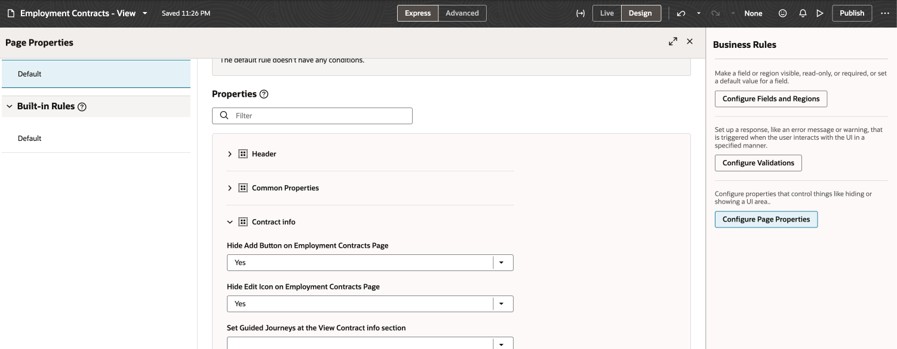
Option to hide add and edit button
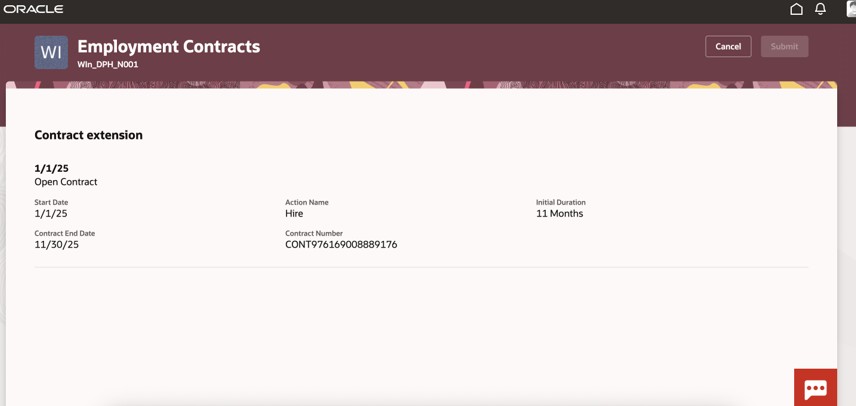
Add and edit buttons are hidden on the Employment Contracts Page
This feature allows you to display controls for specific users only.
Steps to enable and configure
For more information refer to this topic on the Oracle Help Center - How do I control the display of a UI element in Visual Builder Studio?
Key resources
For more information, refer to these resources on the Oracle Help Center.
-
Express Mode in VBS for detailed instructions on using specific Express Mode features.
-
Extending Redwood Applications for HCM and SCM Using VB Studio for details on what’s supported by HCM.
-
You can refer to the VB Studio documentation "Configure an Oracle Cloud Application" to check the steps to access VB Studio from a Redwood page.
-
Extending HCM Redwood Applications Using Visual Builder Studio
-
Refer to the Customer Connect forum Visual Builder Studio for HCM