Skills Support for Topic and Official Communities
You can now enrich Topic and Official communities by adding relevant skills and qualifications directly from the community definition.
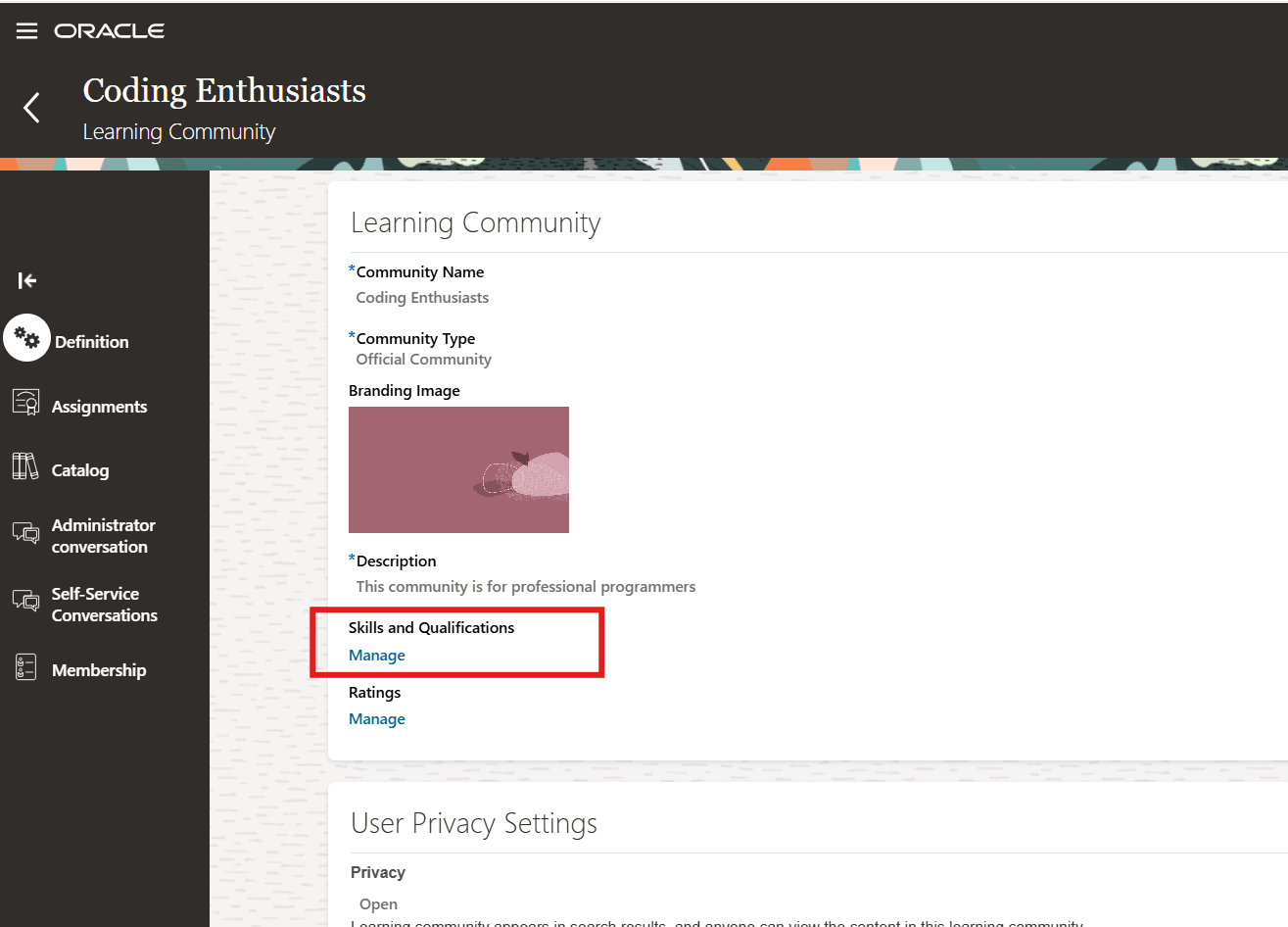
Learning Community Page Showing the Skills and Qualifications Section and Manage Link
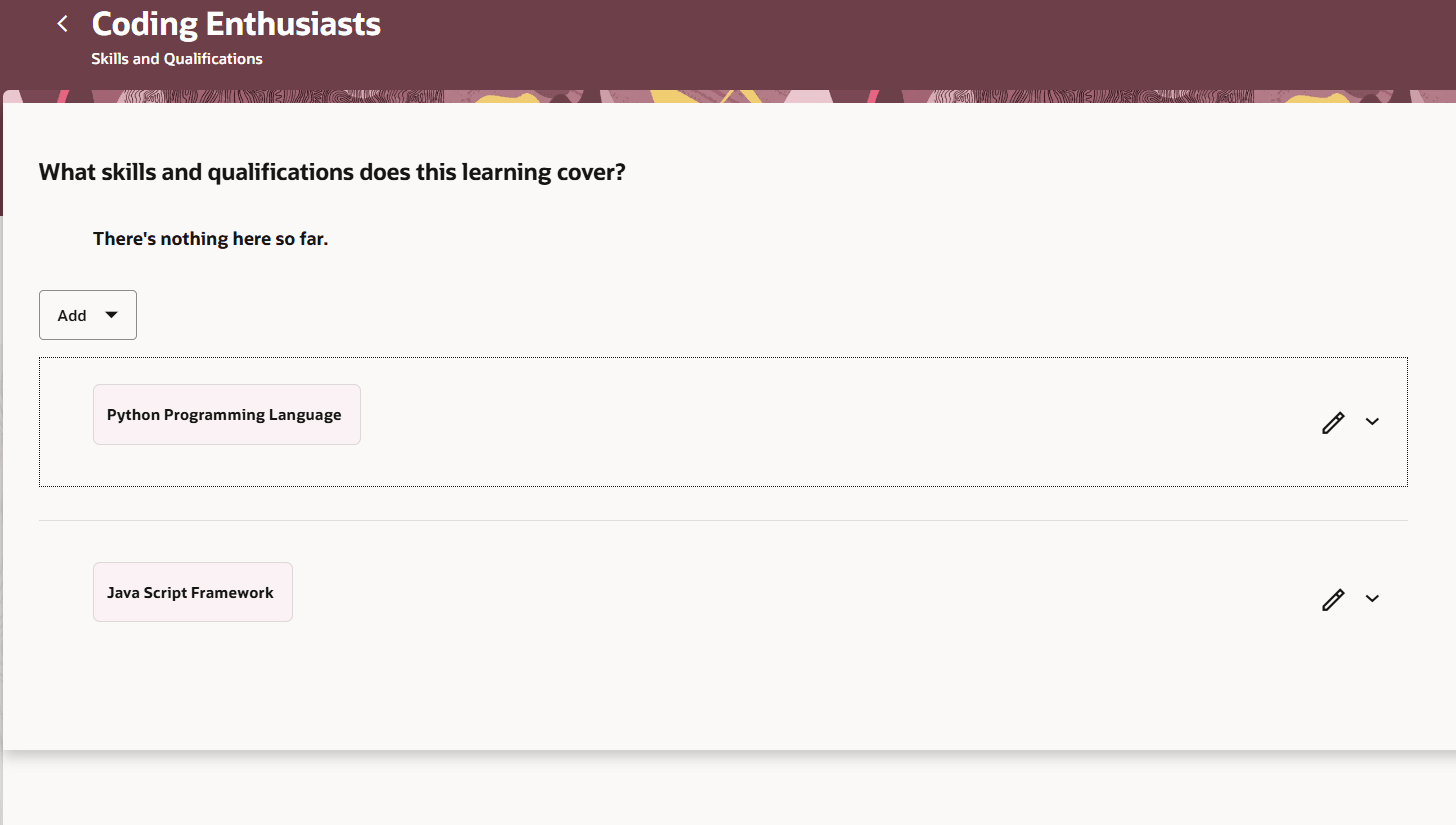
Skills and Qualifications Page Opened from the Learning Community
Learner Experience
With skills and qualifications now linked to communities, learners can discover the communities using skill-based filters and keyword search. They can see skill details on the community details page and by hovering over community cards in search results.
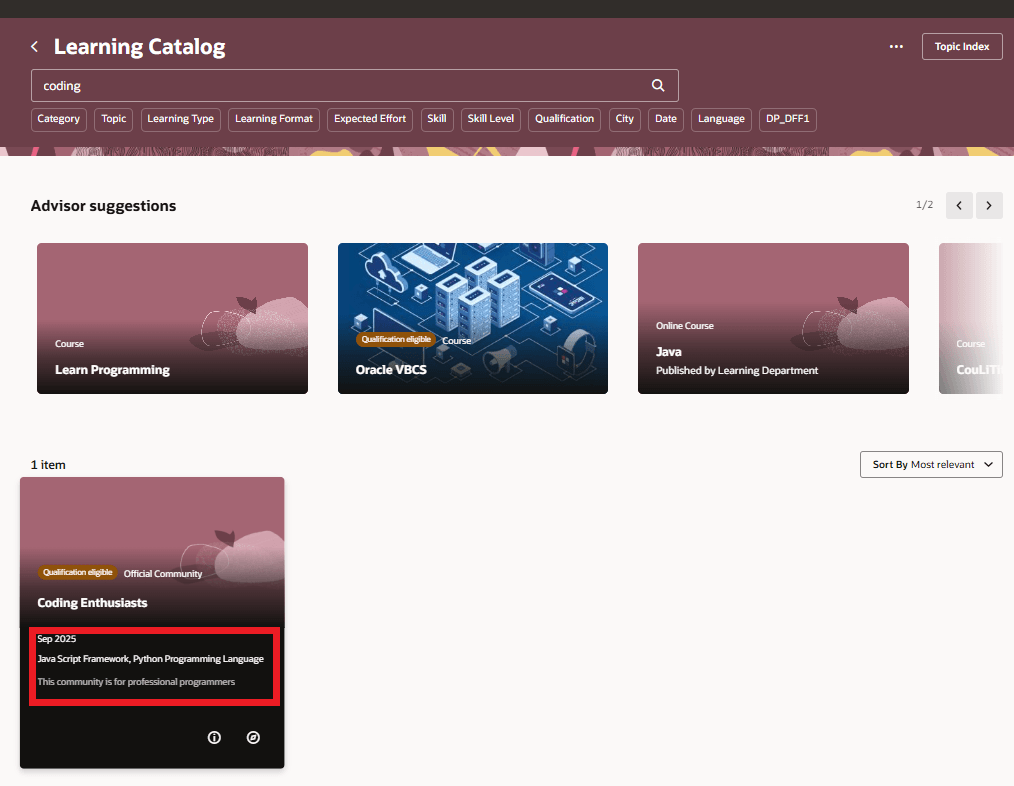
Learning Catalog Page Showing the Skills and Qualifications Info When Hovering Over the Community Card
Filtered Lists
You can now build conditions for learning communities in filtered lists. For all learning subscribers, the Learning Format choice list includes official and topic communities. This inclusion enables agents to make updates to applicable communities, streamlining content alignment and reducing manual effort.
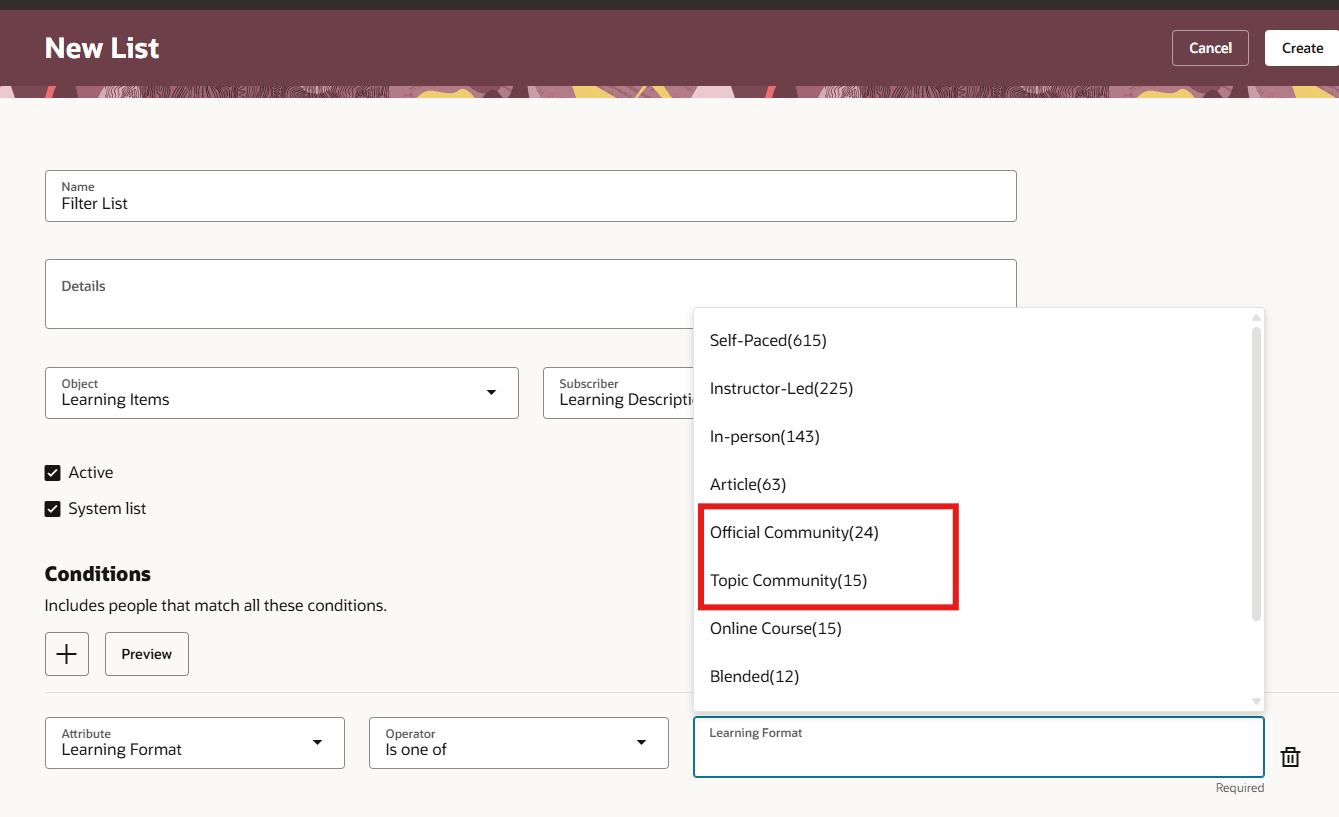
New Filtered List Showing the Official Community and Topic Community Options in the Learning Format Choice List.
Recommendations
You can now recommend Topics and Official communities across multiple categories in recommendations profile, to enhance their engagement with and connection to peer-driven learning. The new option appears as a recommendable resource for various recommenders in the profile.
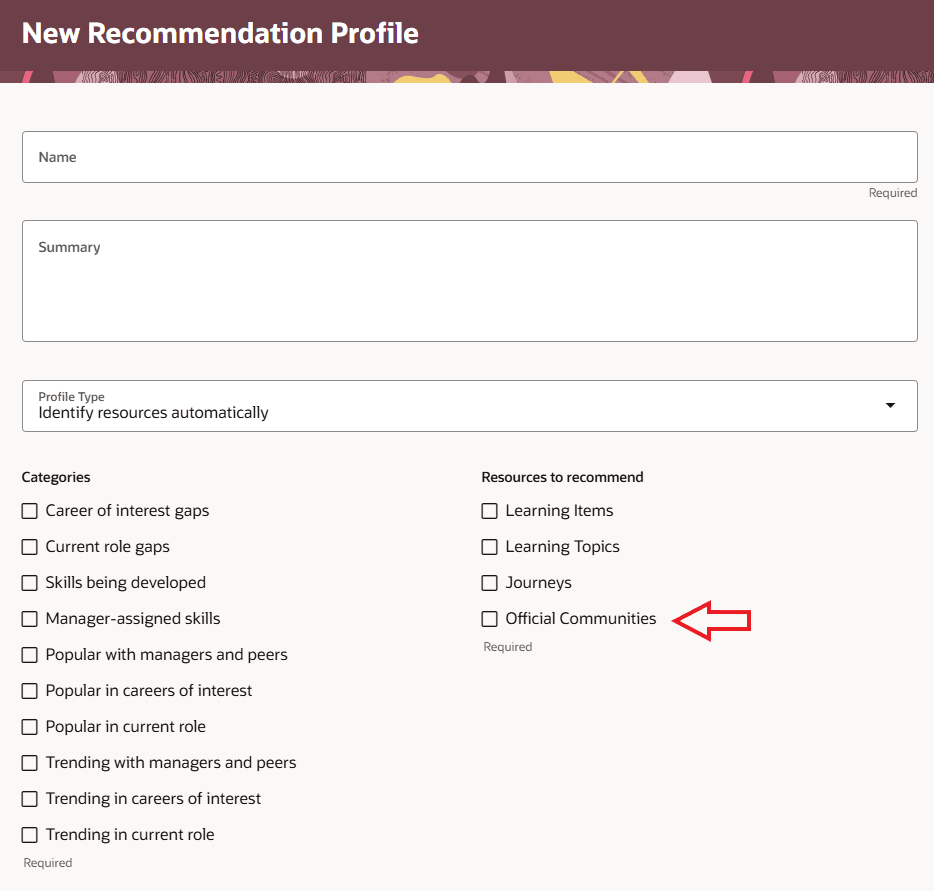
New Recommendation Profile Showing the Official Communities Option in Resources to Recommend
Learners then start getting focused community suggestions on Grow and Learn pages.
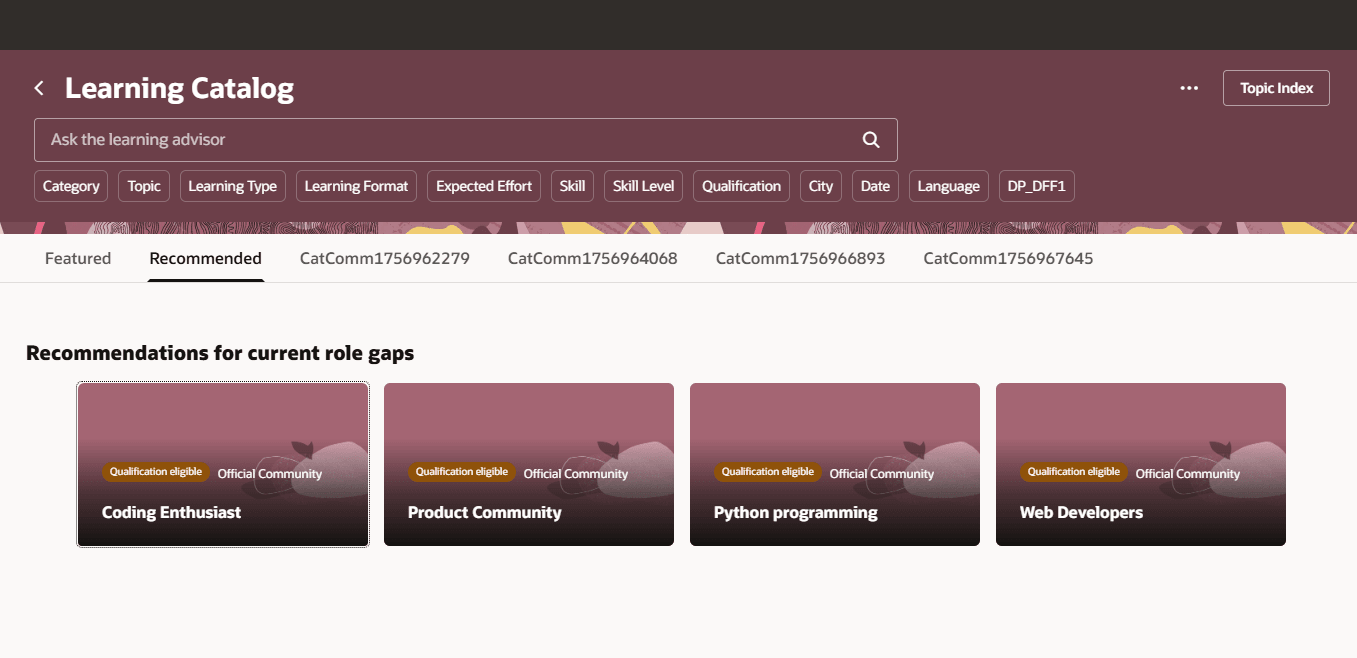
Learner's Learning Catalog Page Showing Official Community Recommendations
This enhancement helps learners easily discover relevant expertise, connect with the right content, and engage with communities that support their learning needs and career development.
Steps to enable and configure
You need to configure security. See the Access Requirements section.
Access requirements
Learning specialists can manage skills and qualifications for a community only if they have this privilege, otherwise they can only view the communities:
| Privilege Name | Code | Description |
|---|---|---|
| Manage Catalog Learning Communities | WLF_MANAGE_CATALOG_LEARNING_COMMUNITY_PRIV | Allows creation and editing of communities in the administration work area. |