Self-Paced Learning: Enrollment Form, Evaluations, and Feedback
You can now collect the information you need when people enroll in self-paced learning by requiring an enrollment form, questionnaire, or both. You'll find the Learner Info Collection options in the self-paced learning configuration on the Rules tab, in the Enrollment section.
| Option | What the Learner Does |
|---|---|
|
None (default) |
Goes straight to the Enrollment Details page—no extra info collected. |
|
Use Questionnaire and Request Form |
Completes a single page with both questionnaire and request form, then continues to the Enrollment Details page. |
|
Use Questionnaire |
Fills out just the questionnaire before continuing to the Enrollment Details page. |
|
Use Request Form |
Fills out just the request form, then continues to the Enrollment Details page. |
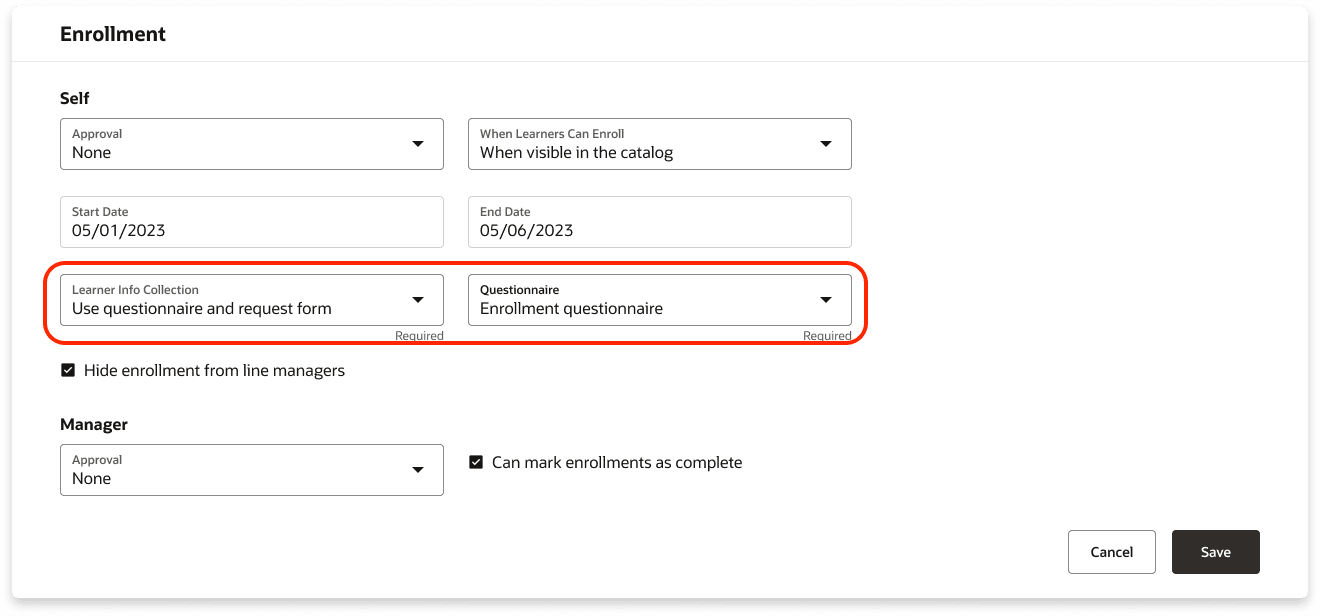
Enrollment Section Showing the Learner Info Collection and Questionnaire Settings
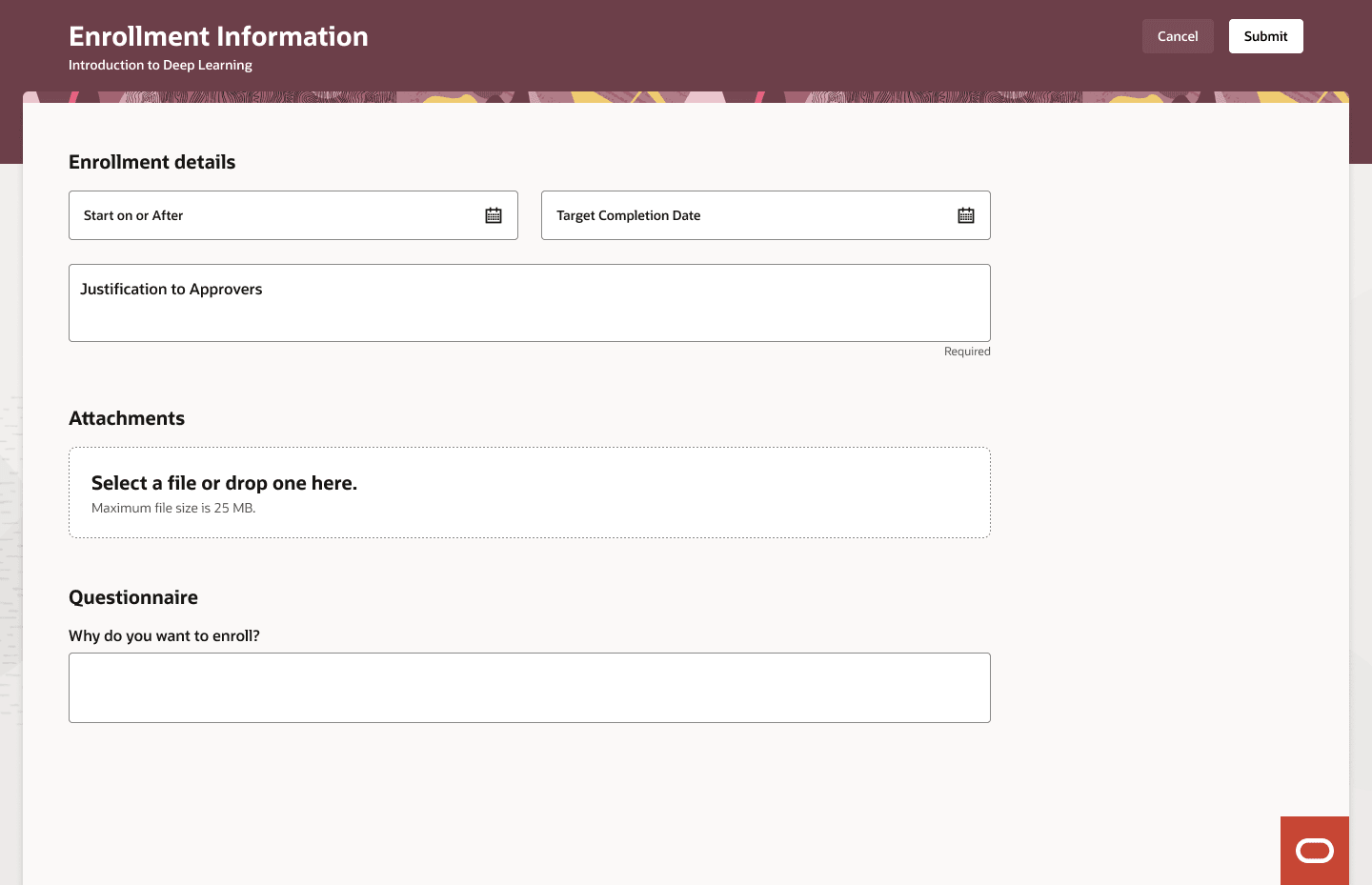
Enrollment Information Page Showing Both the Enrollment Form and a Questionnaire
You can also encourage or require learners to provide feedback through evaluations, ratings, or both directly from their enrollment details page. You can also specify when learners can submit their feedback:
- Any time after starting
- After any type of completion
- Only after a successful completion
If feedback is required, there are clear indicators showing its status. Learners may also get reminders or warning messages letting them know they must submit feedback to fully complete their enrollment. You can find the Learner feedback options on the Rules tab, in the Completion section.
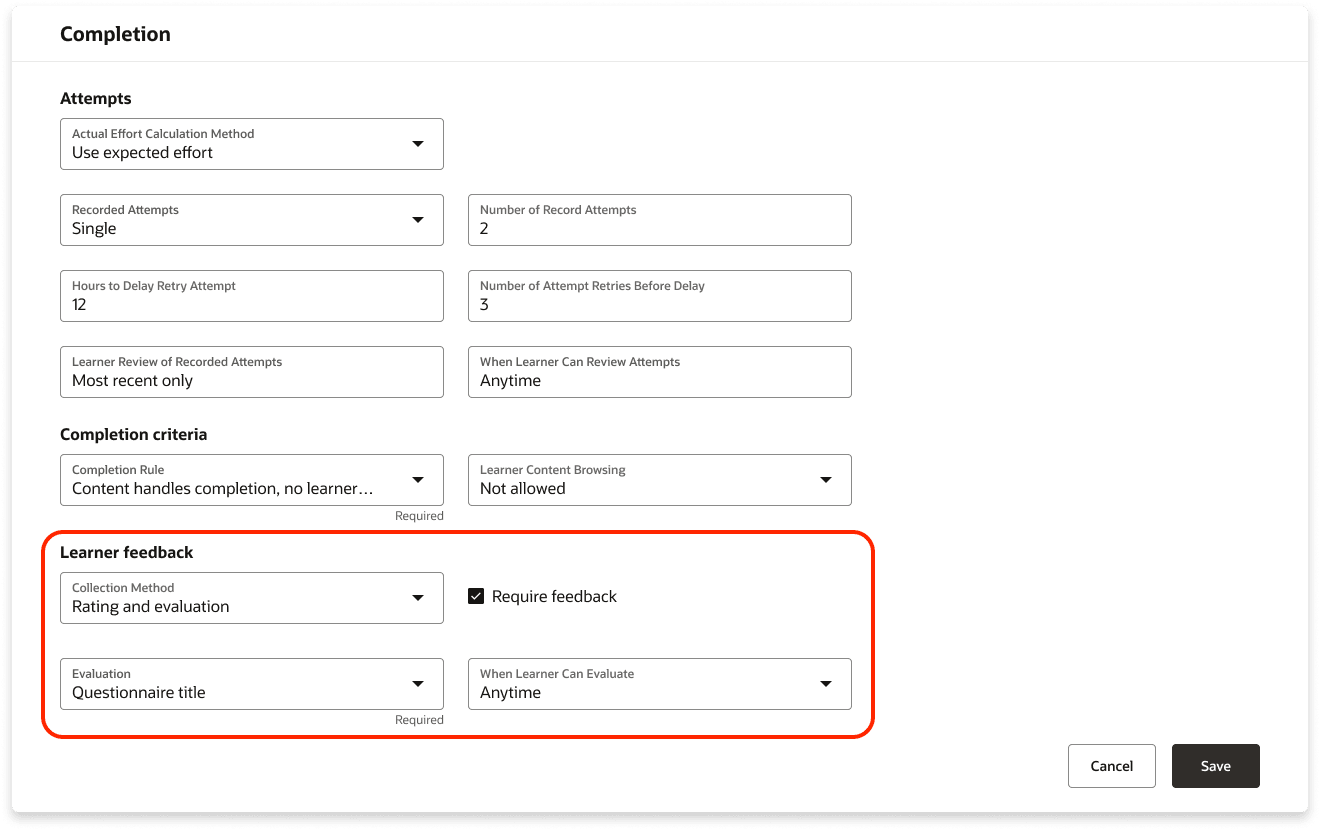
Completion Section Showing the Learner Feedback Settings
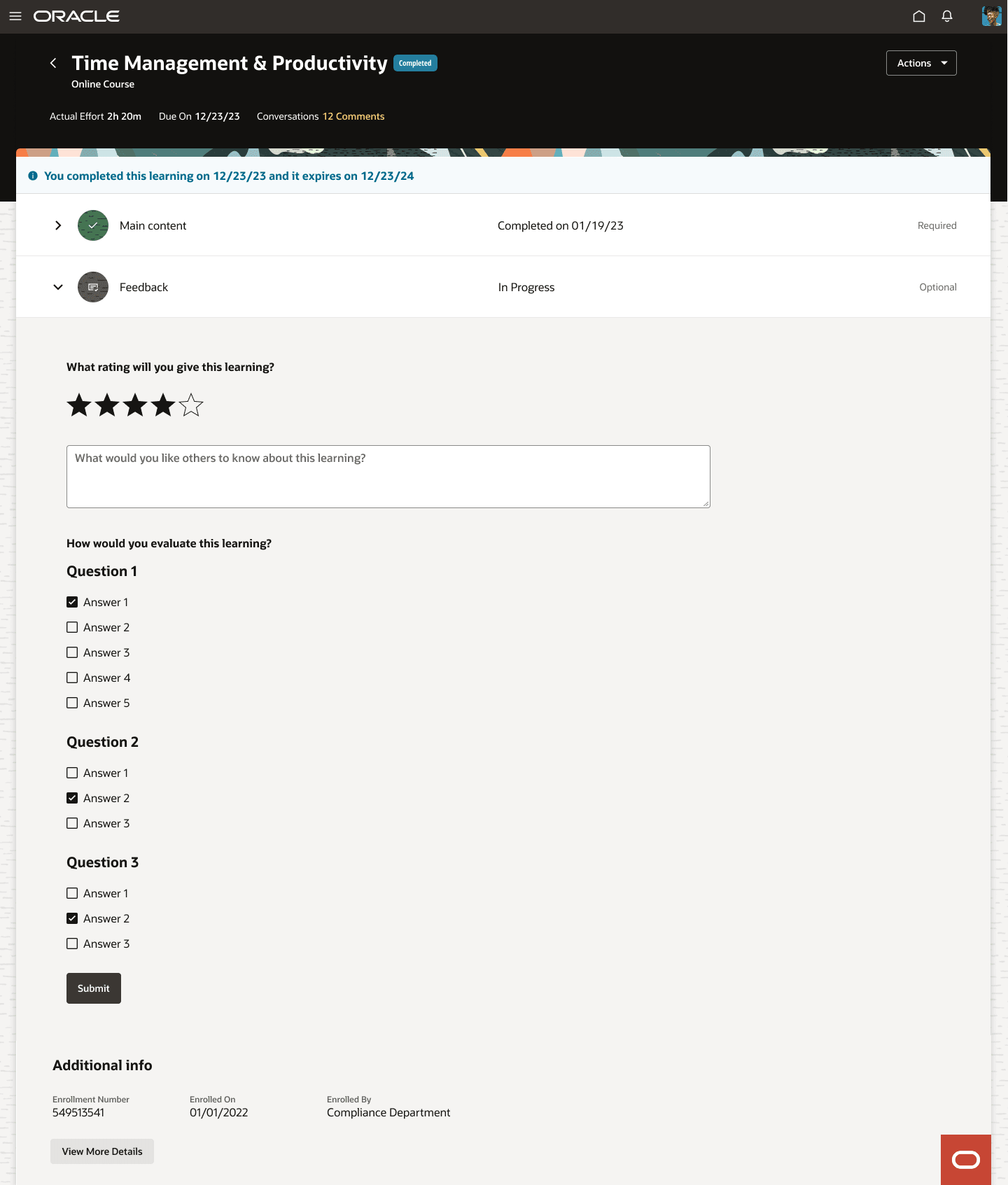
Enrollment Details Page for a Self-Paced Learning with the Feedback Activity After the Main Content
This enhanced setup gives you more control over learner enrollment and better insights into learning effectiveness, while ensuring a seamless experience for learners through an integrated and intuitive interface
Steps to enable and configure
You need to enable self-paced learning to use this feature.
Tips and considerations
- If you update the Learner Info Collection setting, the changes automatically apply to all new learner enrollments. Existing learners who are already enrolled won't be affected.
- If you update the Learner feedback settings, the changes automatically apply to all new learner enrollments. Existing learners see the updates only after you reconcile their learning assignments.
- These new configuration options will be available but not enabled by default on existing self-paced learning items.
- You can now configure ratings, which were previously a global setting, individually for each self-paced learning item.
Key resources
- Release 24D What's New feature Managing Self-Paced Learning Redwood Experience
- Learning Catalog Management: Redwood Experience [3052904.1] on My Oracle Support