 Introducing Learning Events
The new Event learning type introduces a streamlined workflow for publishing instructor-led training directly to your learning catalog. Designed to simplify setup and enhance flexibility, events can be further defined using learning formats, such as In-Person, Webinar, and custom configurations tailored to organizational needs.
You can deliver events as standalone offerings or include them in a course to create equivalency.
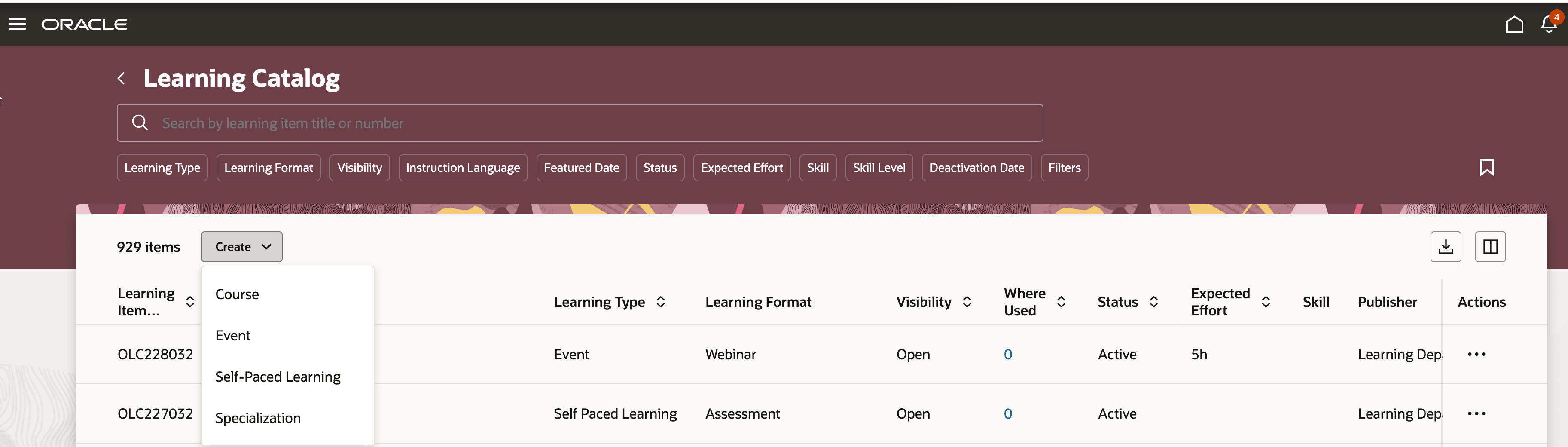
Learning Catalog Page with Option to Create an Event
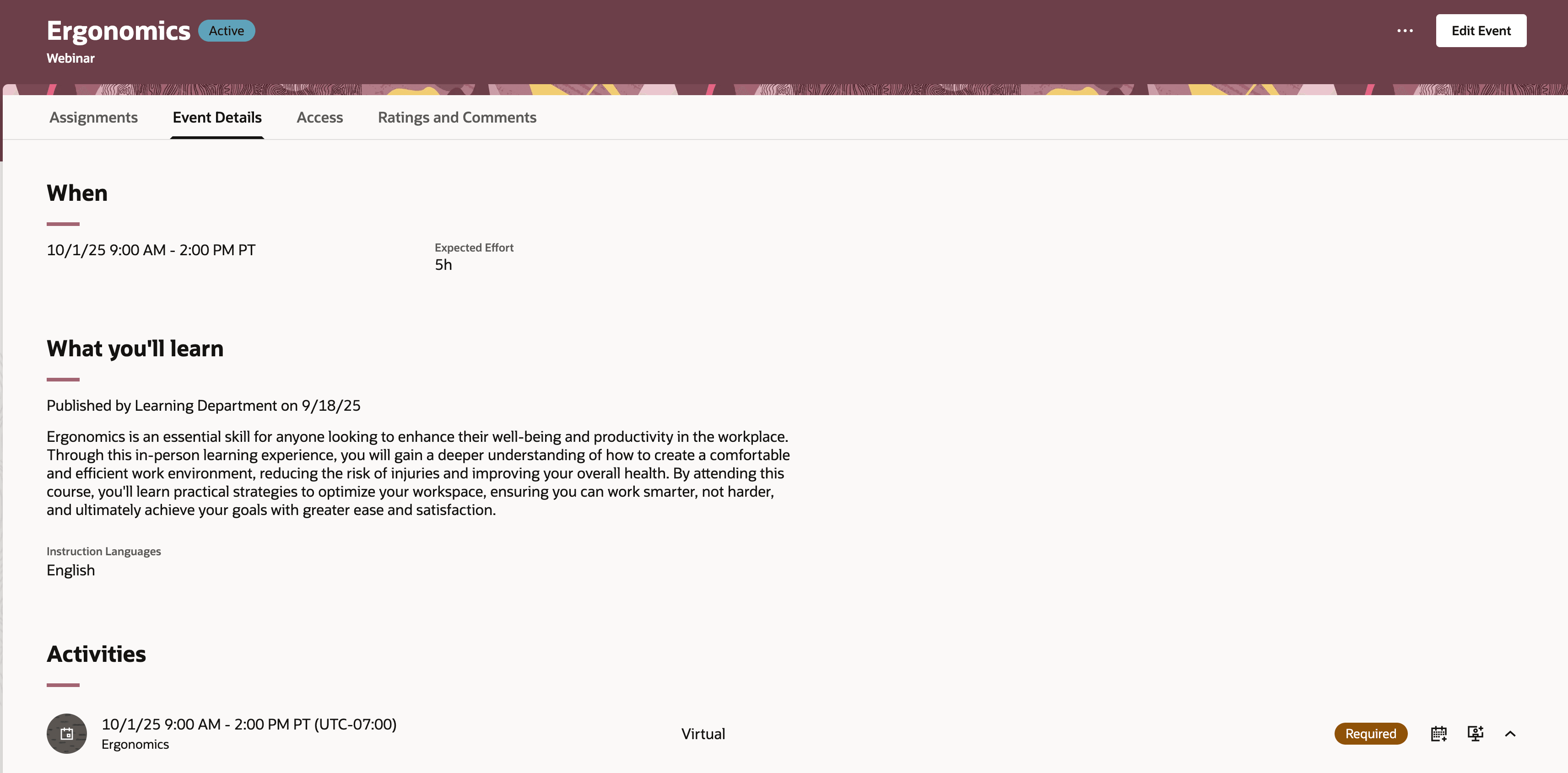
New Event Page
Activity management
- Activity scheduling is more flexible, supporting multiday and overnight sessions, with automated effort calculations based on start and end times.
- Dates and times can be specified either with a calendar selector or manual entry.
- Feedback is now more integrated, with the ability to add evaluations, ratings, or both, and control when the learner can provide the feedback
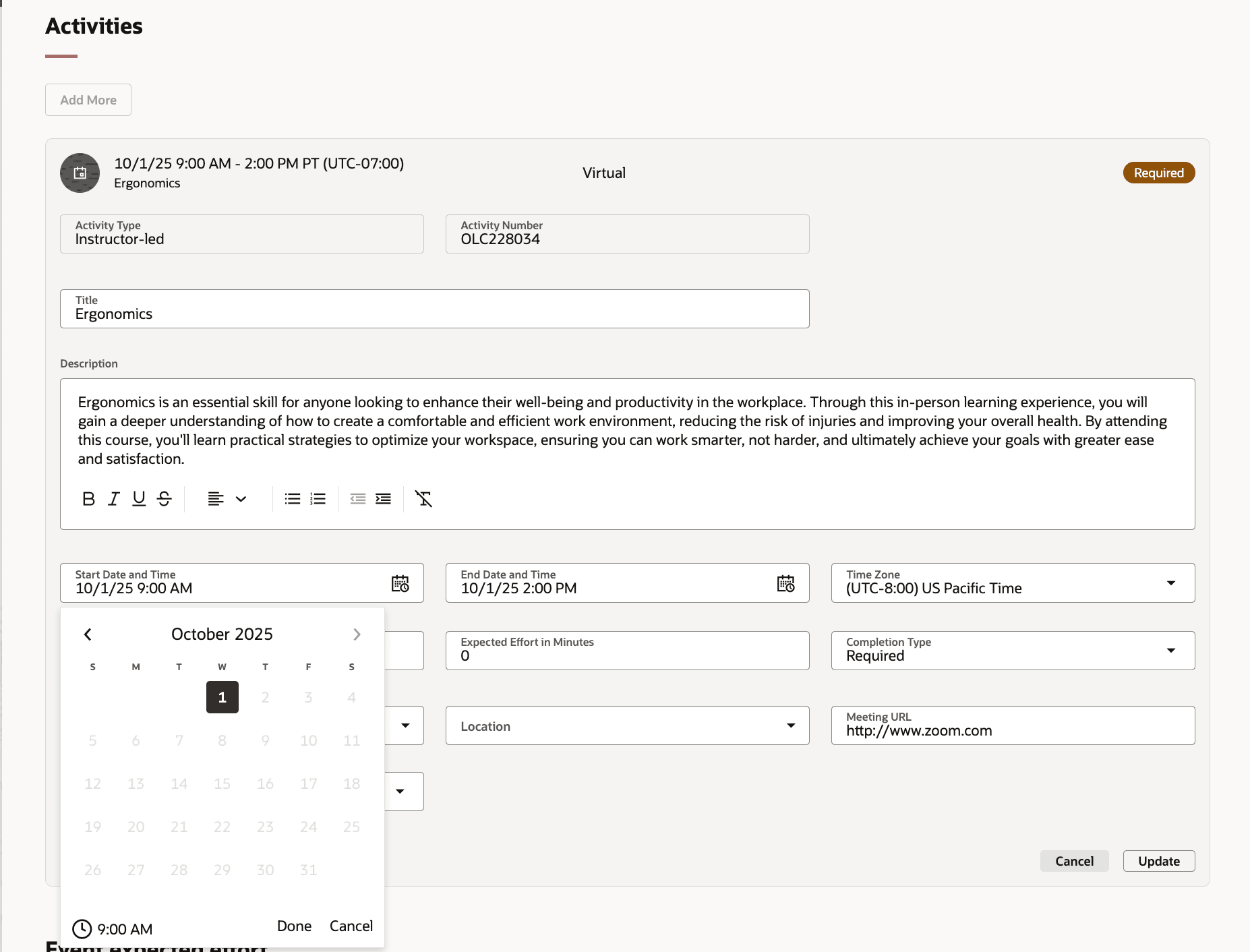
Scheduling an Event
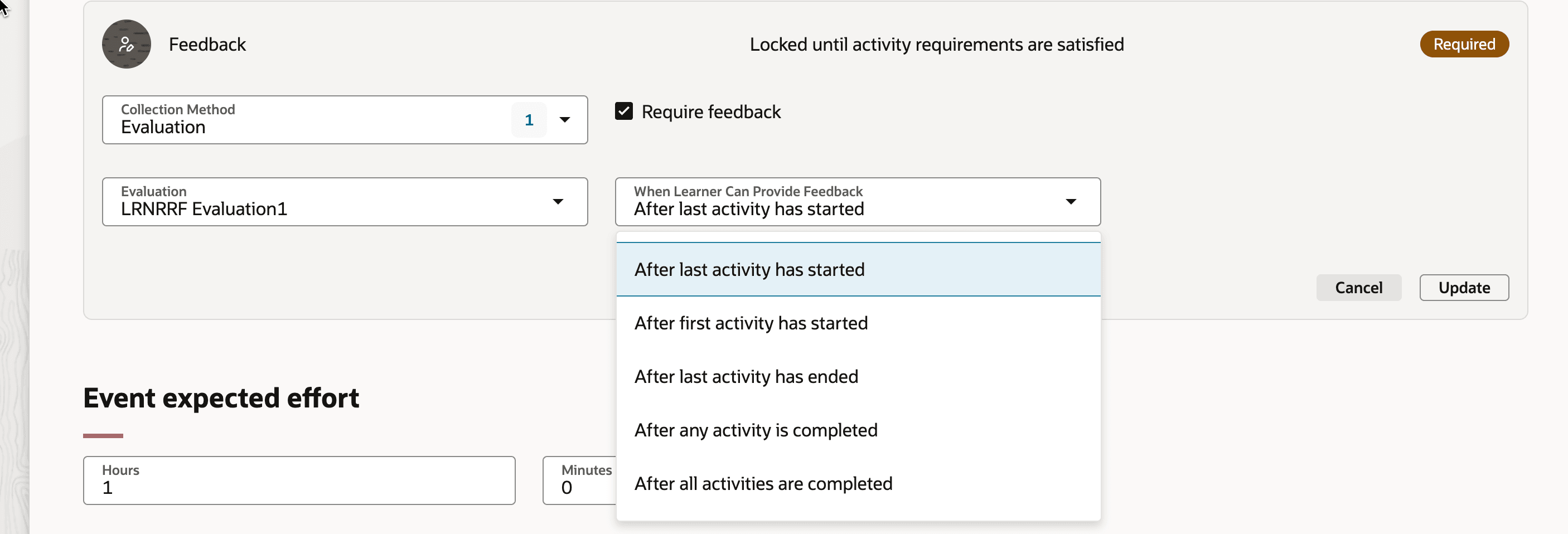
Configuring Event Feedback
Enrollment, withdrawal, and waitlisting
- The enrollment period can now be configured independently of catalog visibility, enabling earlier enrollment access for specific learners through enrollment deep links
- Withdrawal periods offer enhanced control: prevent last-minute withdrawals and let managers withdraw any required assignment
- New waitlist options let you set a maximum number of waitlist seats and specify who can join the waitlist, learners, managers, or both.
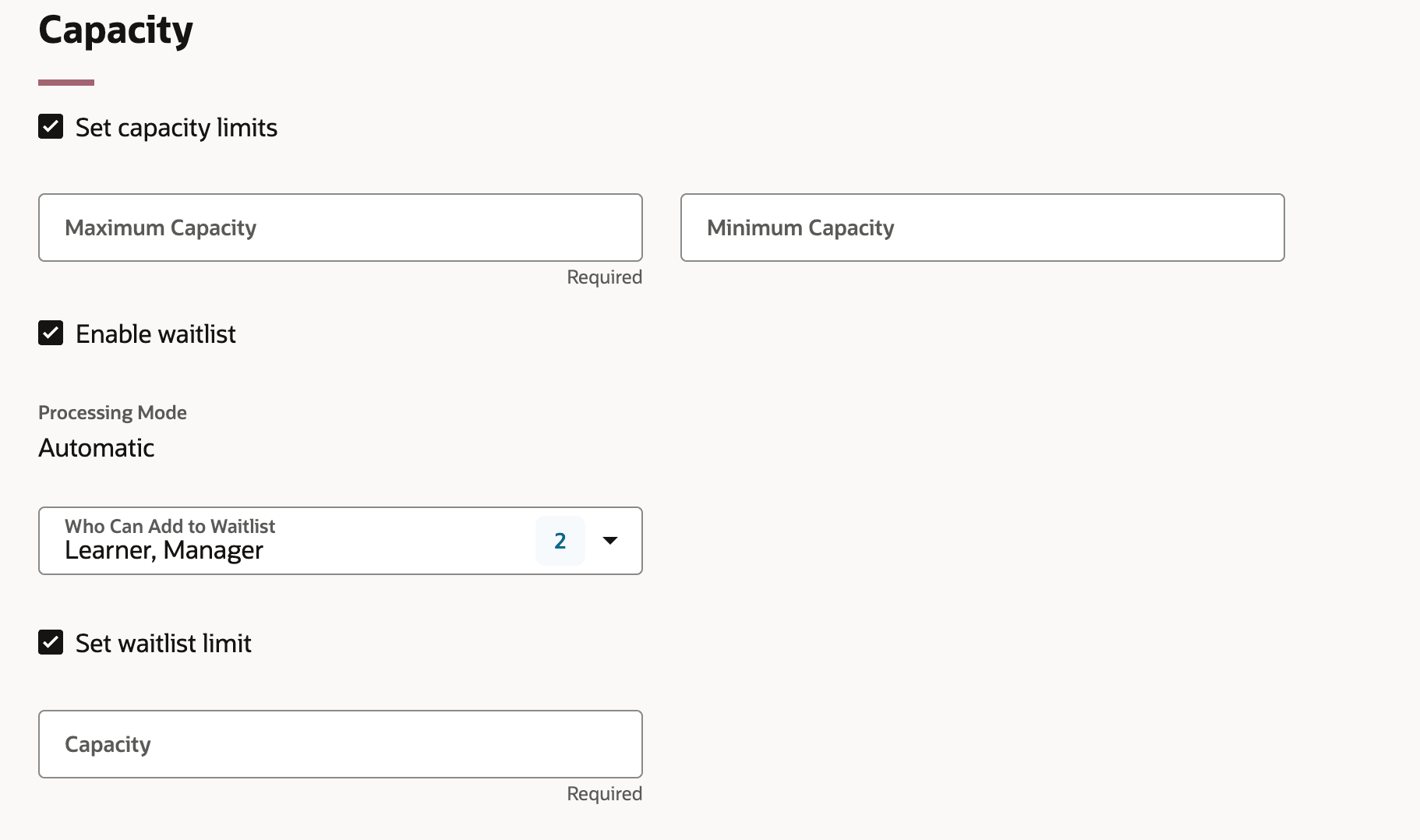
Defining Capacity Rules
Canceling and Closing
-
Save time and reduce manual effort by canceling events and automatically withdrawing all enrolled learners with a single action.
-
Close an event to clearly signal roster review completion, enhancing visibility for learning specialists and instructors. This action ensures all event roster statuses are accurately updated and finalized.
- During the process of closing and finalizing an event, a learning specialist can update any learners with assignments that aren't completed with a status of Didn't attend, Completed, or Withdrawn.
Event Administration Details
The event administration details page gives you a preview of the learner experience as well as key information and assignment management tools.
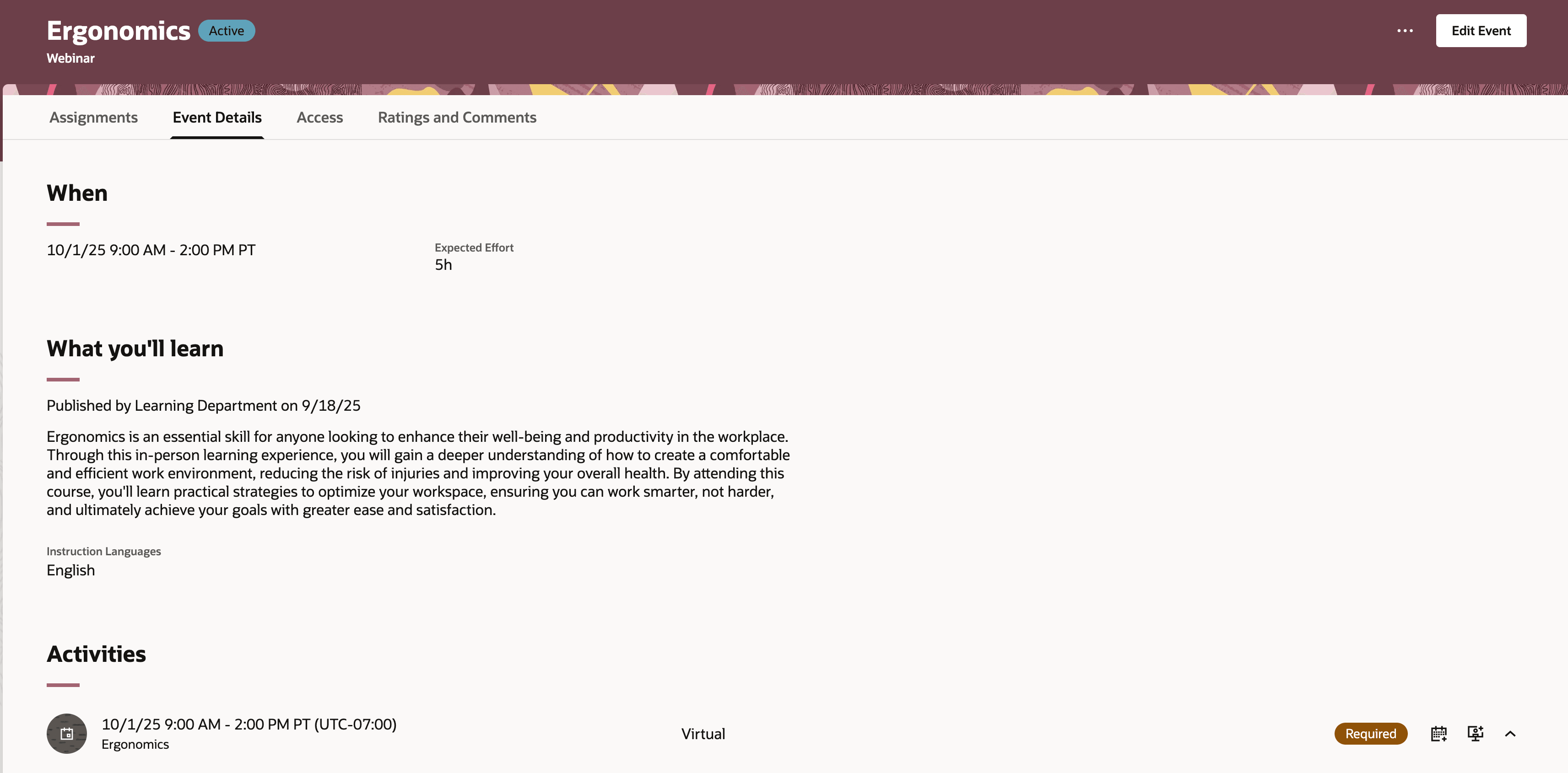
Event Details Page for Learning Specialists
Additional features
- Tailor catalog settings and enjoy enhanced search: You now have friendly and flexible options for setting up and managing learning:
-
- Make fields required, visible, or set default values as you prefer.
- Decide if effort is tracked for the overall event or at the individual activity level.
- Set whether activity titles and details automatically copy over from the event, all managed through straightforward page settings and business rules.
- Explore smarter catalog search: The self-service catalog view is now much easier to use,
- You now have precise filtering for the Event learning type. You also have new options, such as Training Supplier, Capacity Limit Enabled, Time Zone, and Waitlist Enabled to help you find what you need without extra steps.
- Learners can more quickly discover the courses and resources they need because the Learning Type and Learning Format filters now fully support the new Event learning type.
- See more at a glance: New columns were added to result lists, such as these:
- Time Zone
- Whether a Capacity Limit is Enabled
- Minimum and Maximum Capacity
- Training Supplier
- Who can add to the Waitlist
- Waitlist Capacity Limit status
- Waitlist Capacity itself
- Save time with an enhanced learning creation assistant: Learning Creation Assistant, first released in version 25D, now supports creating both single and multi-activity events. This makes event setup much quicker and more flexible.
Sample Learning Creation Assistant Instructions
-
- Create a learning item called Introduction to Data Privacy. The training should start on October 15, 2025, at 9:00 AM Eastern Time and end on October 15, 2025, at 11:30 AM Eastern Time.
- Create a learning item called Introduction to Ergonomics. The training should start on October 15, 2025, at 11:00 PM Pacific Time and end on October 16, 2025, at 6:30 AM Pacific Time
- Create a training session called Manager Fundamentals starting 11/01/25 9am and ending 11/01/25 3:30pm
- Create a item "Intro to AI Series 5" with 2 activities with the description on the item as "learn AI description". First activity "Introduction Session" is on first october starting at 8:AM PST and ends at 11: 00 AM PST (3 hour duration). Second activity "Advanced Topics" is at same time the next day. Both activities will be attended via zoom link https: //oracle.zoom.com/j/1224. The session is privately held and targeted for intermediate level employees. Use cover art url as https://www.oracle.com/about/1.jpg
This feature significantly streamlines the creation and management of instructor-led training using the Redwood experience, reducing administrative effort and improving efficiency.
Steps to enable and configure
- Enable self-paced learning.
- Set up unified learning catalog administration and access control.
- Review the existing Self-Service Catalog Search View and Admin Catalog Search View to take advantage of new columns and filters.
Tips and considerations
- At this time, you can't add events directly to a specialization. This functionality will be supported in a future release.
- Pricing and payments for events isn't included in this release, but it's planned for a future release.
Key resources
For more information about the self-paced learning and learning catalog management, see these documents:
- Release 24D What's New feature Managing Self-Paced Learning Redwood Experience
- Learning Catalog Management: Redwood Experience [3052904.1] on My Oracle Support
- Oracle Learning Administration Transition to Redwood Series post on customer connect.
Access requirements
These duty roles are inherited by the Learning Specialist role. Add these duty roles to your corresponding custom roles.
| Duty Role | Code | Description |
|---|---|---|
| Learning Catalog Management | ORA_WLF_LEARNING_CATALOG_MANAGEMENT_DUTY |
Allows the user to manage learning catalog items. |
| Learning Catalog All Items Management | ORA_WLF_LEARNING_CATALOG_ALL_ITEMS_MANAGEMENT_DUTY |
Allows the user to manage all learning catalog items. |