Redwood Experience: Add to Actions Enhancements
The Add to Requisition, Add to Pool, and Add to Event actions have been enhanced so that you can more easily search and select requisitions, pools, and events.
You can now select multiple requisitions, pools, and events from a list using check boxes. When you select 11 or more items, the bulk process is used.
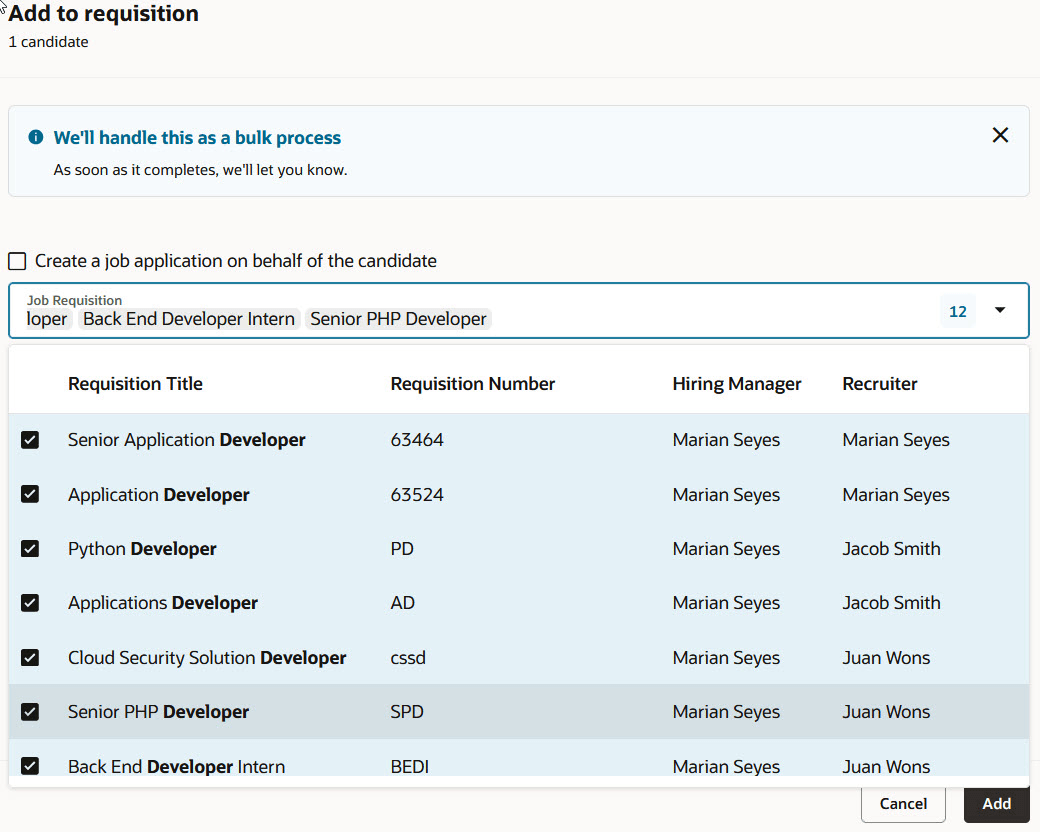
Selection of Multiple Requisitions in the Add to Requisition Panel
The Candidate Pool and Event selectors are now case insensitive when you search for items.
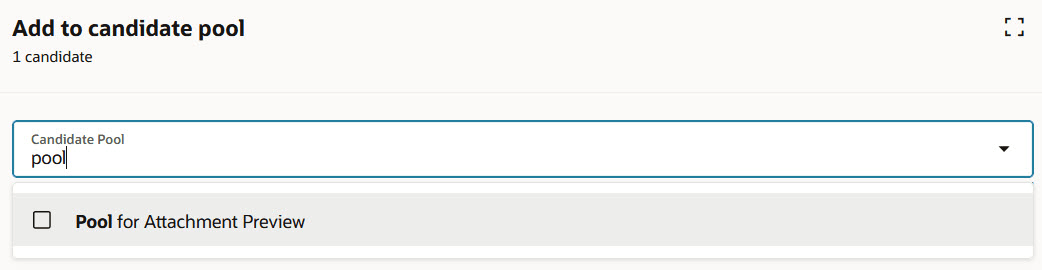
Case Insensitive Search
The multi-select functionality and the case insensitive enhancement are also available when you create a candidate using the Create Candidate action.
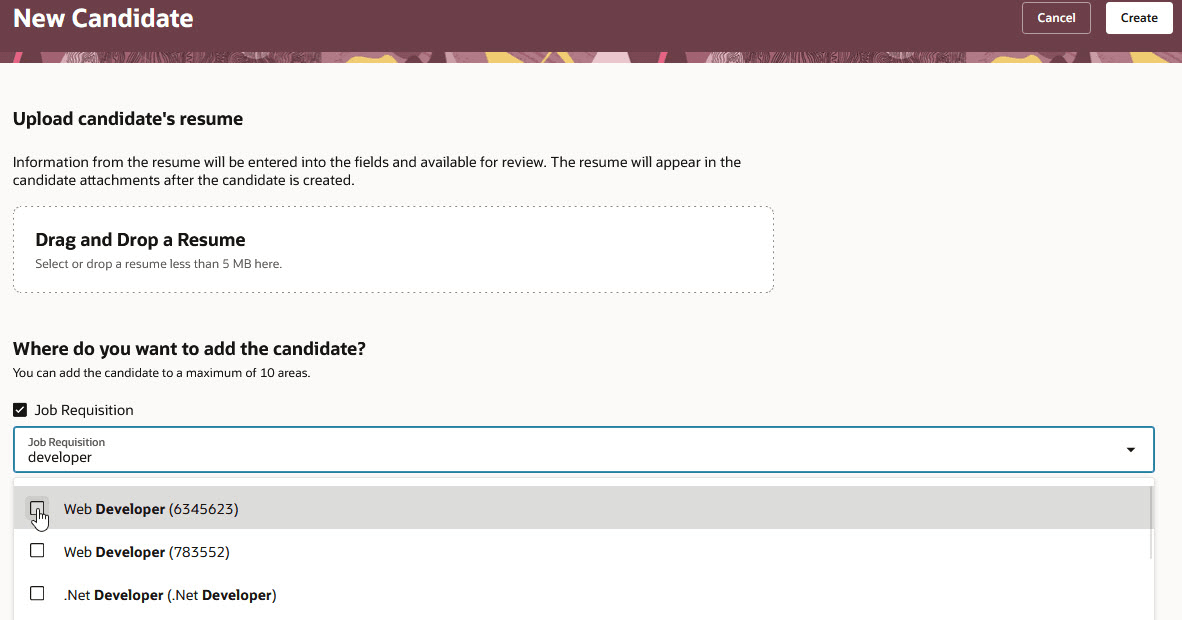
Multi-Select When Creating a Candidate
Business benefit: With these enhancements, you can quickly find and select the requisitions, pools, and events to add candidates with fewer clicks.
Steps to enable and configure
To search the Candidate Pool selector with a contains search, you need to set the IRC_LOV_SEARCH_CANDIDATE_POOLS_STARTSWITH profile option to N. By default, this profile option is set to Y.
For details, see How do I enable a profile option?
To use Redwood experience, you need to enable these profile options:
- ORA_IRC_RECRUITING_REDWOOD_ENABLED
- ORA_IRC_JOB_APPLICATION_REDWOOD_ENABLED
- ORA_IRC_CANDIDATE_REDWOOD_ENABLED
- ORA_IRC_REQUISITION_REDWOOD_ENABLED
For details on enabling and customizing Redwood for HCM, see How do I adopt Redwood for HCM? and Extending Redwood Applications for HCM and SCM Using Visual Builder Studio.