Redwood Experience: Prescreening Question Filter for Event Audience
A new filter named Prescreening Question is available in the Event Info filter group on the Event Audience list. Use this to filter your event registrants based on their answers to prescreening questions.
Note: The Event Info filter group only displays on the Event Audience page when Recruiting Booster is enabled.
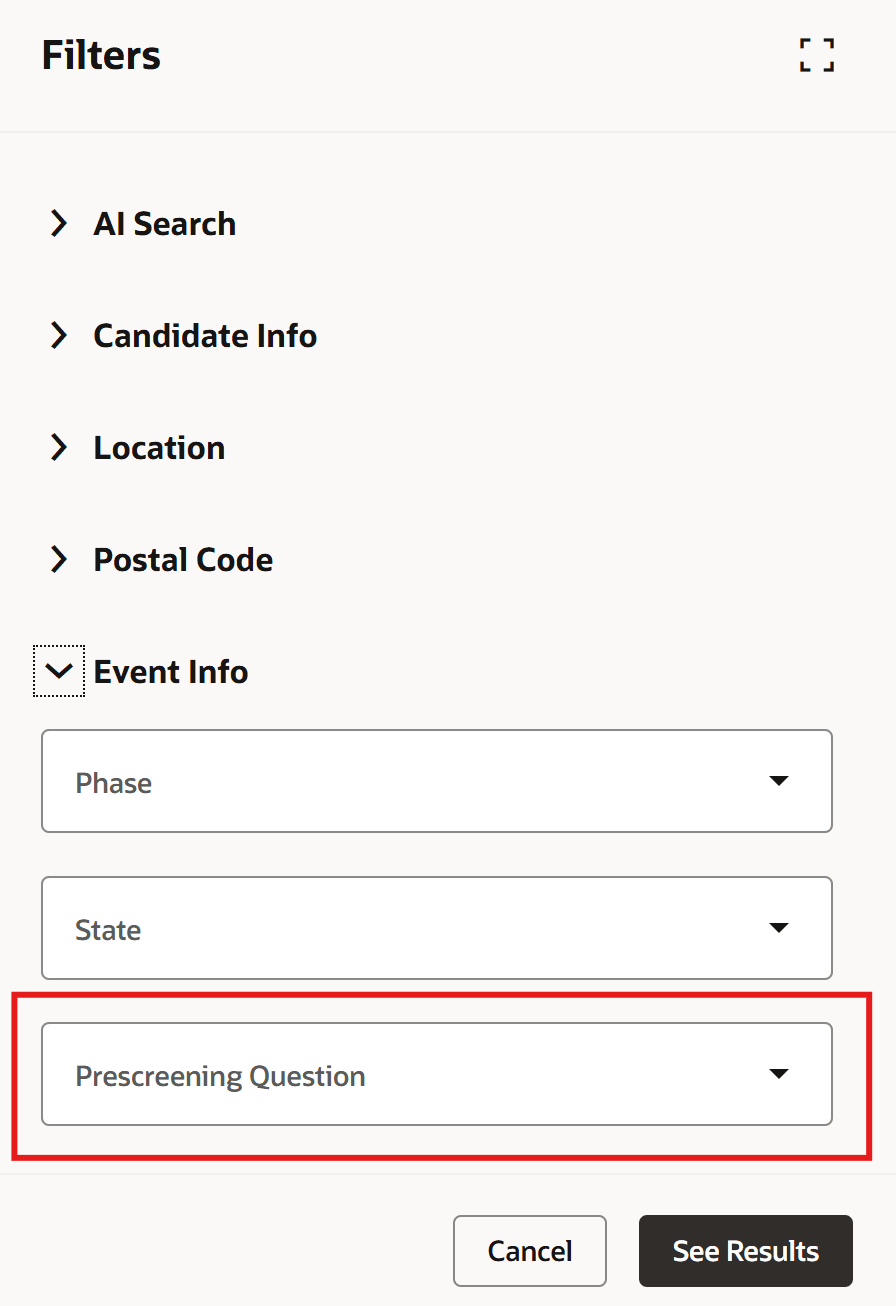
Prescreening Question Filter in Event Info Filter Group
Business benefit: Increased efficiency in identifying candidate subsets when managing the campaign audience.
Steps to enable and configure
This new filter is displayed by default in the Redwood Experience. To enable Redwood, you need to enable these profile options in Recruiting Booster:
- ORA_IRC_RECRUITING_REDWOOD_ENABLED
- ORA_IRC_EVENT_REDWOOD_ENABLED
For details, see How do I enable a profile option?
For details on enabling and customizing Redwood for HCM, see How do I adopt Redwood for HCM? and Extending Redwood Applications for HCM and SCM Using Visual Builder Studio.
For privileges, see the Access Requirements section.
Access requirements
Users need one of these privileges or aggregate privileges to access the Events tab in Candidate Sourcing:
- Manage Recruiting Event (ORA_IRC_MANAGE_RECRUITING_EVENT)
- View Recruiting Events (ORA_IRC_VIEW_RECRUITING_EVENT)