Redwood Experience: Candidate Shortlisting Form for Hiring Events
Take advantage of the candidate shortlisting form which has been recreated in the Redwood toolset called Visual Builder Studio (VBS).
Event managers will see a new checkbox to enable shortlisting for events.
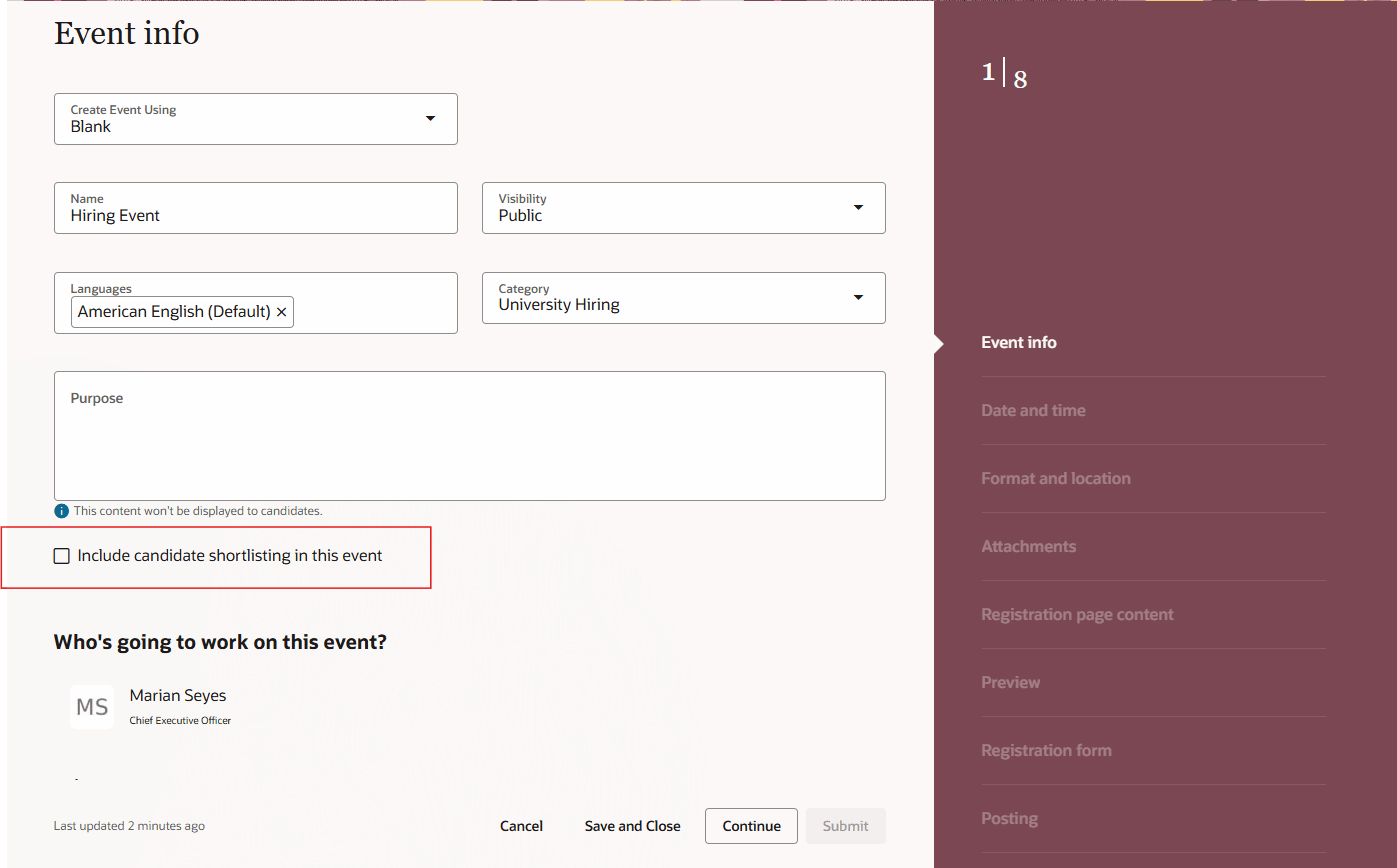
Include Candidate Shortlisting in this Event Checkbox
When shortlisting is enabled and the event is posted, the employees you designated as interviewers for the event will receive an email with a link to the shortlisting form. When they click it, the shortlisting page opens and they can capture comments about candidates and shortlist them. At the end of the event, event managers can review shortlisted candidates and match them to job requisitions, pools, or other events as required.
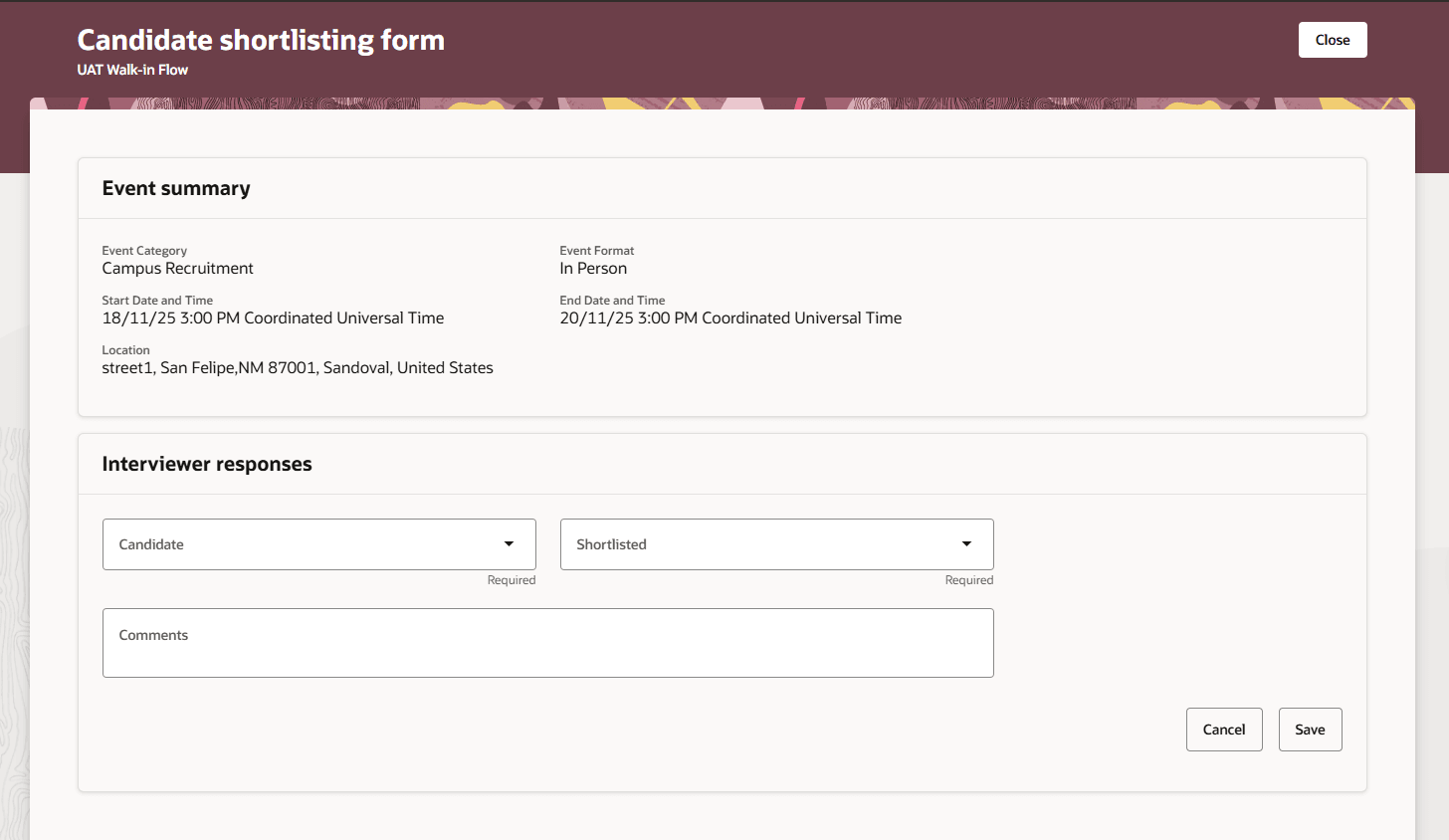
Shortlisting Form
Interviewers can select the candidate's name and indicate whether they want to shortlist them or not. They can also add comments.
Shortlisting now appears as an event filter when searching for events. Selecting Yes will show events which have the candidate shortlisting flag enabled.
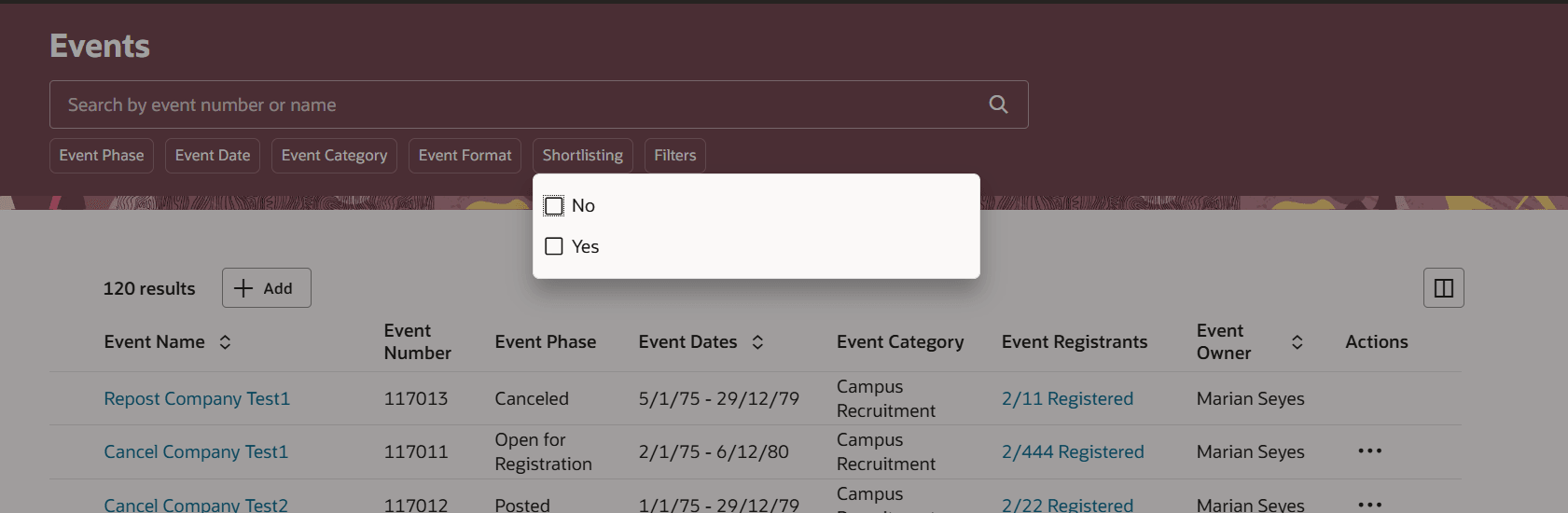
Filter Events For Those with Shortlisting Enabled
On the Metrics tab, you can see the number of candidates that were shortlisted.
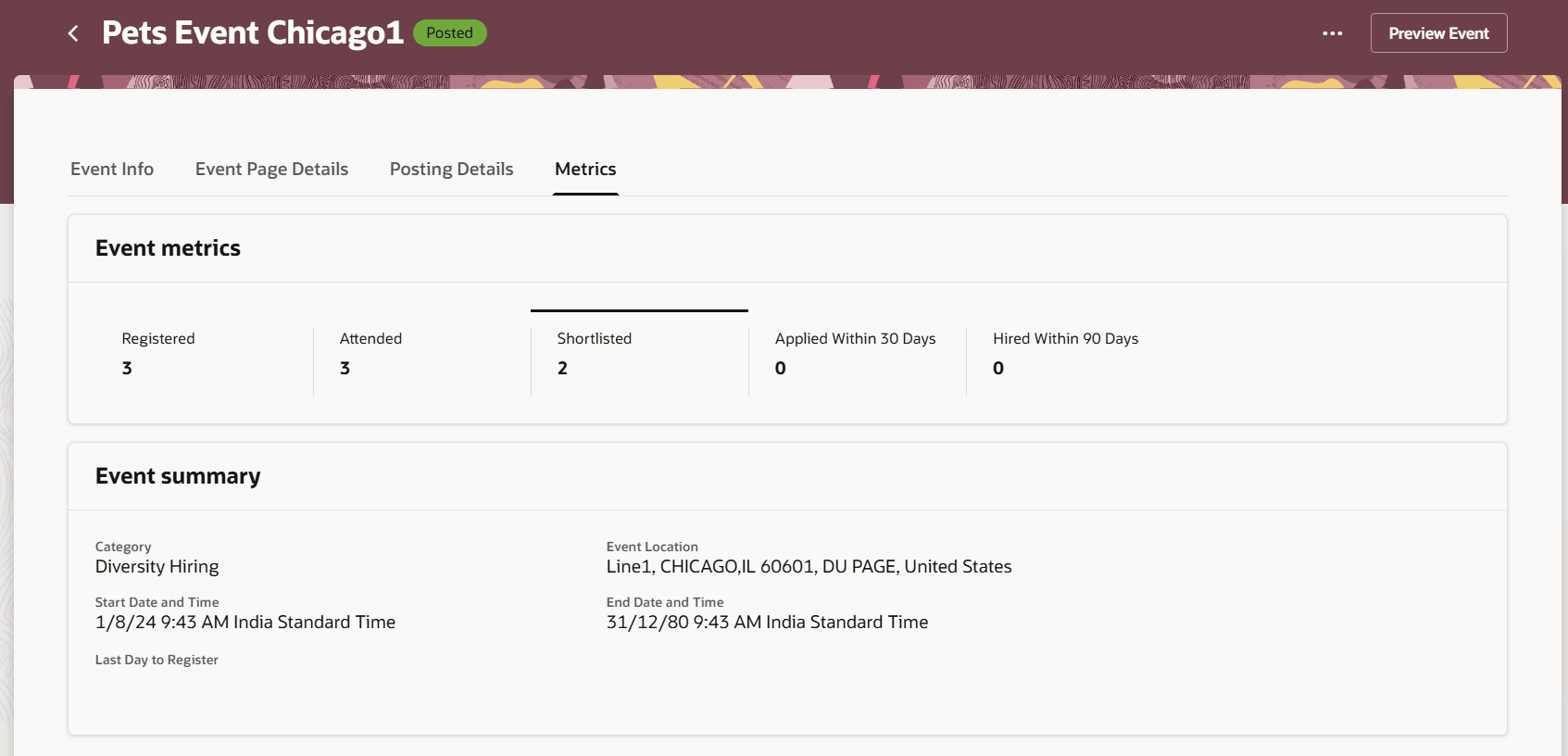
Shortlisting Metrics
You can also filter by shortlisted candidates on the audience page.
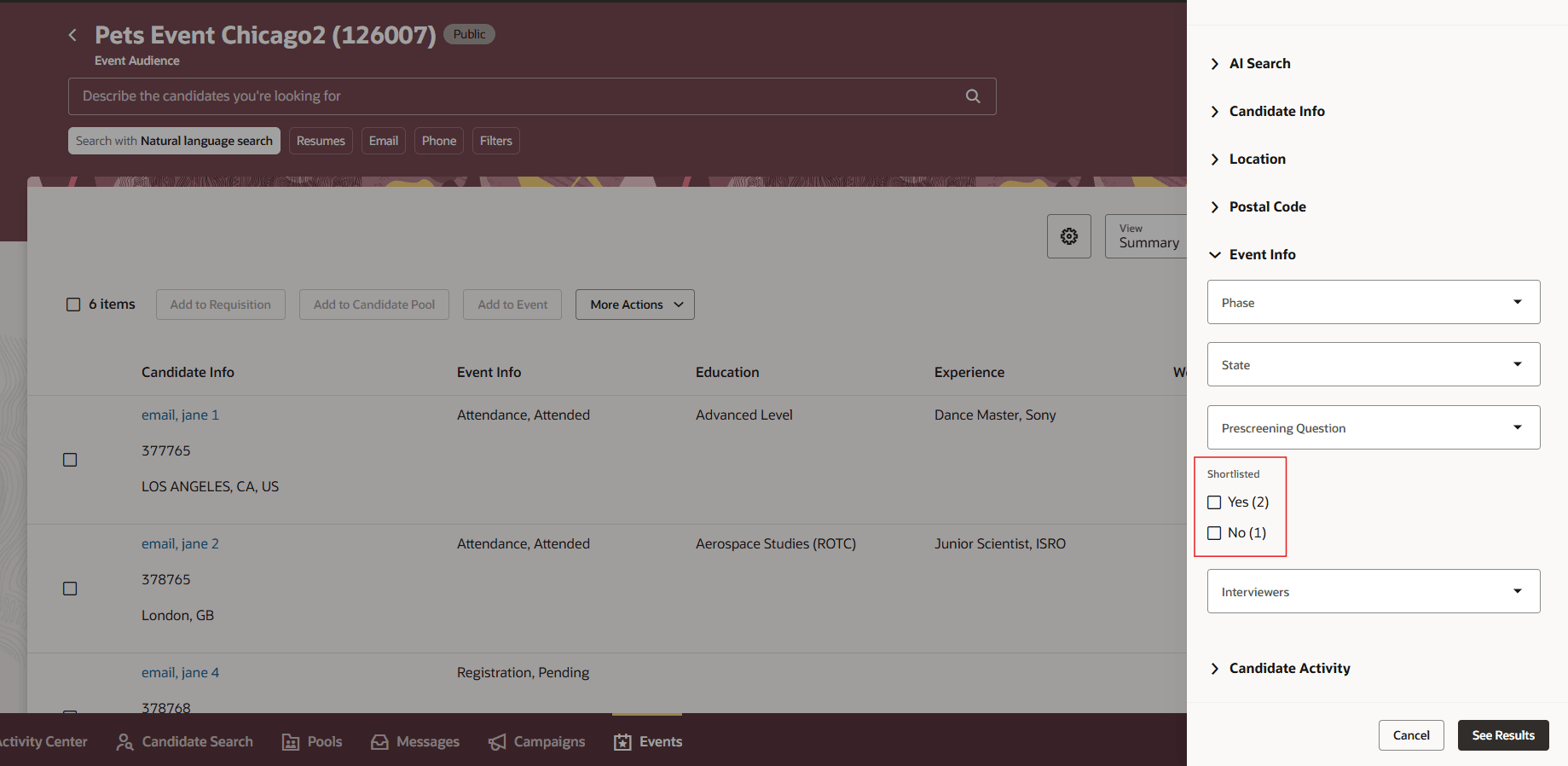
Shortlisted Filter on the Audience Page
Business benefit: With the new Redwood interface the user experience for managing events is greatly improved.
Steps to enable and configure
You need to enable these profile options:
- ORA_IRC_RECRUITING_REDWOOD_ENABLED
- ORA_IRC_EVENT_REDWOOD_ENABLED
For details, see How do I enable a profile option?
For more details on enabling Redwood for HCM, see How do I adopt Redwood for HCM? and Extending Redwood Applications for HCM and SCM Using Visual Builder Studio.