Redwood Experience: Location Filter Shows Locations Irrespective of Candidate Count
The Location filter in candidate search now shows locations whether there are candidates residing there or not. We can then use radius search and see candidates that live within a specified radius of our chosen location to find candidates that are close.
For example, if we enter Livermore in the Location filter we see that there aren’t any candidates there; the aggregate counts are zero (0).
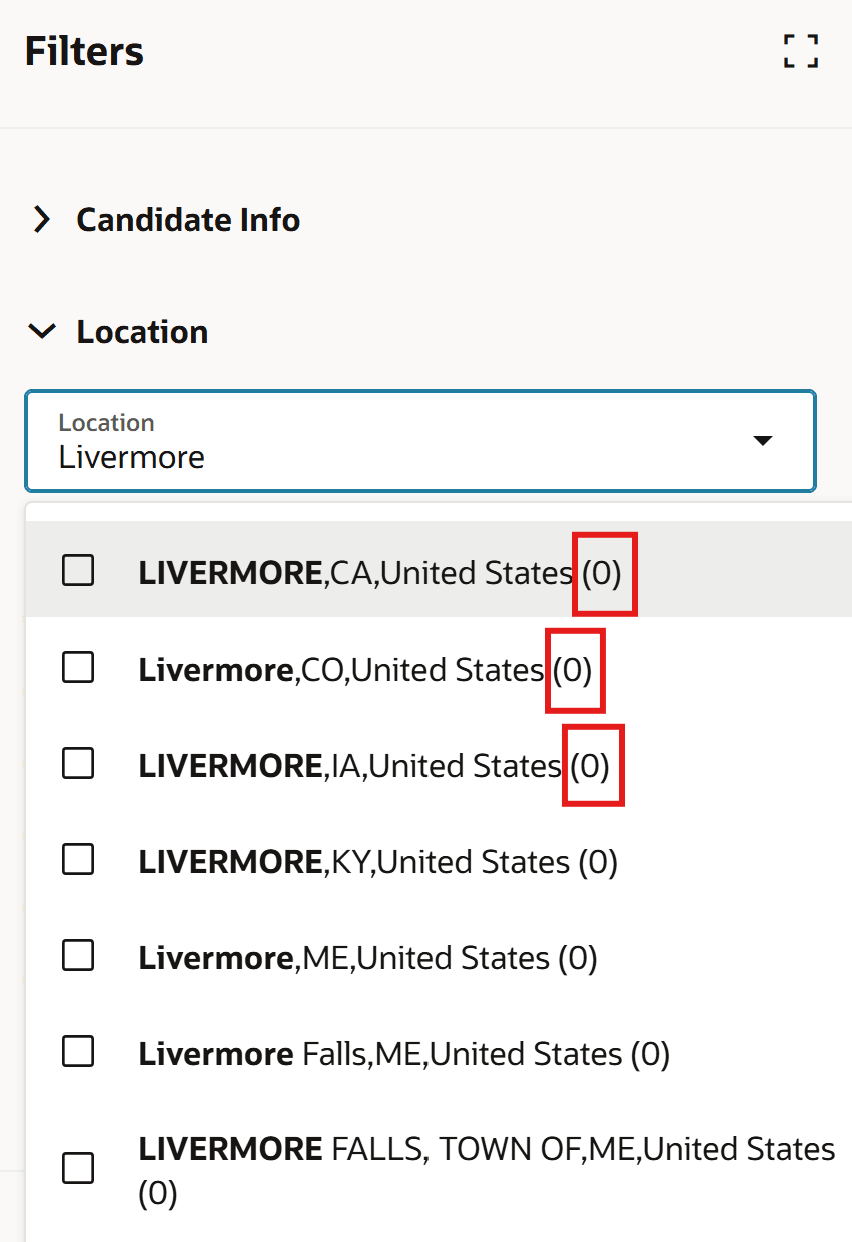
Location Filter with Aggregate Counts of Zero
However, if we select Livermore, CA and then use the radius filter to broaden our search, we see that there are over 400 candidates within 10 miles or 16 kilometers of our chosen location.
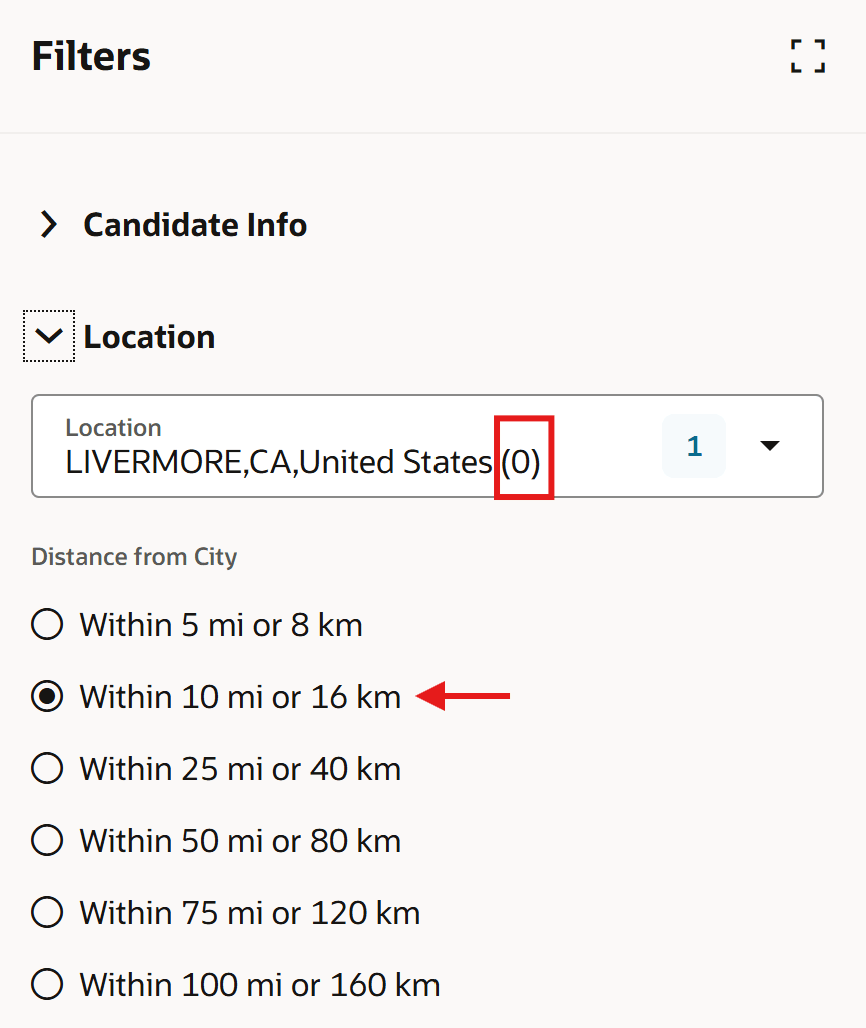
Location Filter with Radius Filter Applied
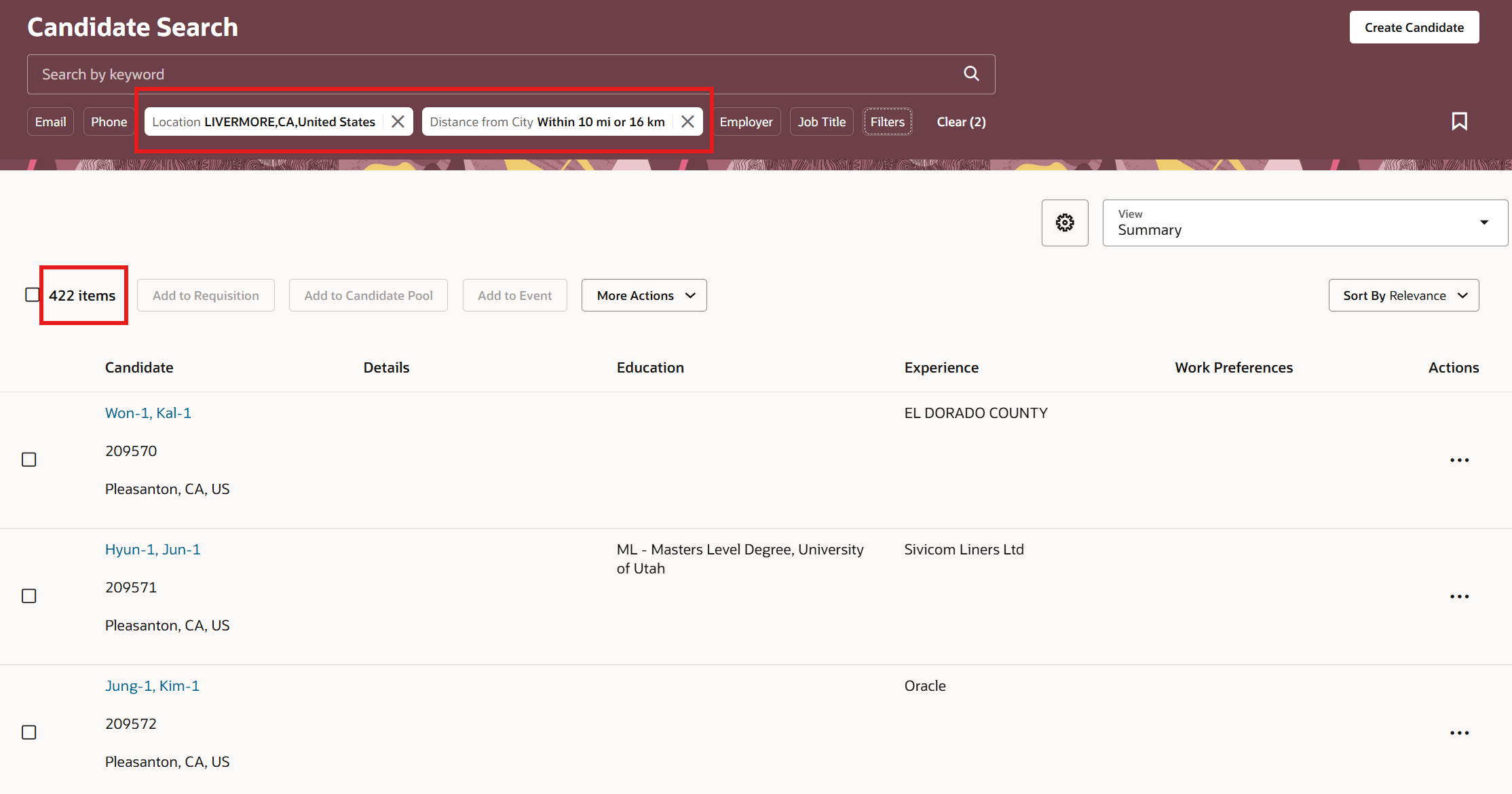
Search Results of Location Filter with Radius Filter Applied
Business benefit: This is useful when you don’t have a candidate in a particular location, but there are candidates near the location which can be leveraged in radius search.
Steps to enable and configure
This feature is enabled by default in the Redwood Experience. To enable Redwood, you need to enable these profile options:
- ORA_IRC_RECRUITING_REDWOOD_ENABLED
- ORA_IRC_CANDIDATE_REDWOOD_ENABLED
- ORA_IRC_CAND_ORACLE_SEARCH_ENABLED
- ORA_FND_SEARCH_EXT_ENABLED
For details, see How do I enable a profile option?
For details on enabling and customizing Redwood for HCM, see How do I adopt Redwood for HCM? and Extending Redwood Applications for HCM and SCM Using Visual Builder Studio.