Redwood Experience: Default Values for Request Interview to be Scheduled Action
The value of fields appearing on the Request interview to be scheduled panel can be defaulted by creating rules in Visual Builder Studio.
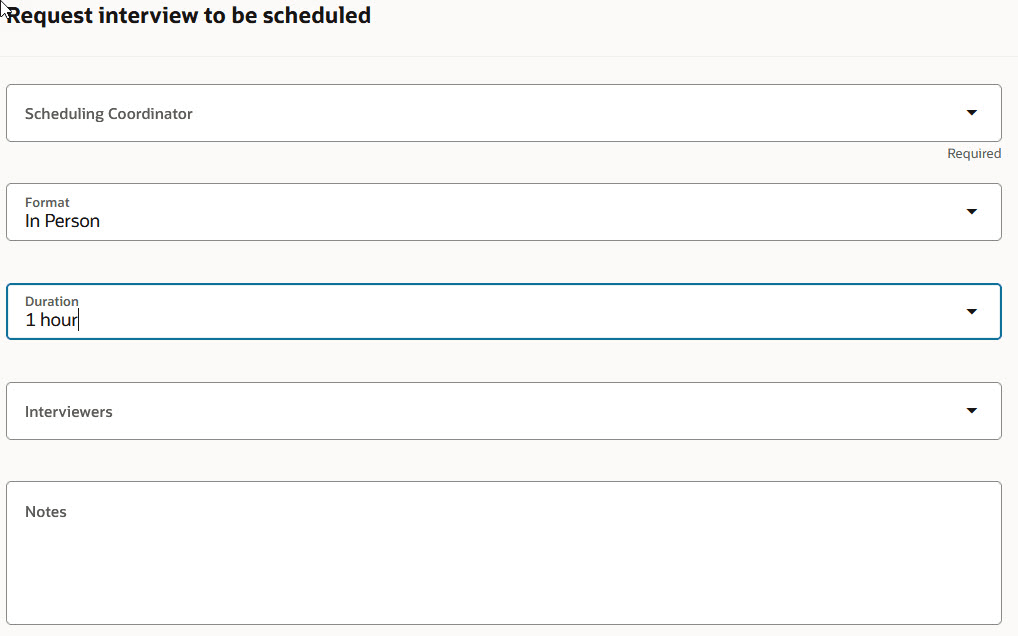
Request Interview to be Scheduled Panel
Business benefit: With this enhancement, you can set a default value for the fields of the Request Interview to be Scheduled action, making it easier for users to select the appropriate values.
Steps to enable and configure
For details, see How can I default field values in the Request Interview to be Scheduled Action in Redwood?
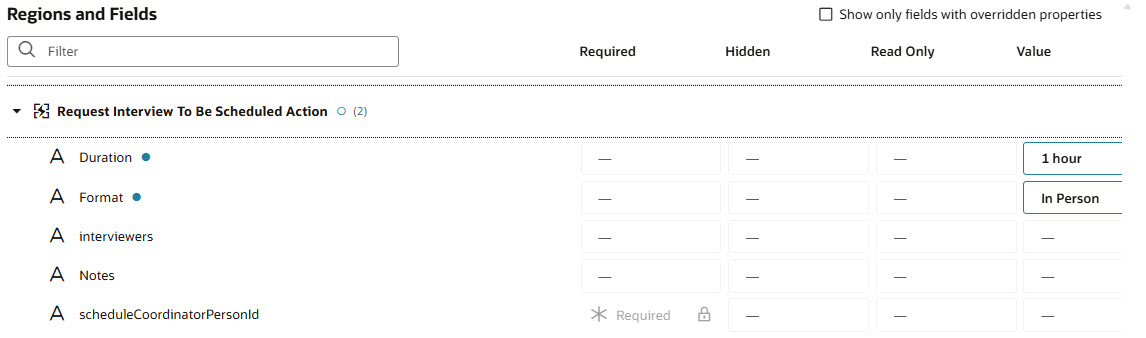
Defaulting Values for the Request Interview to be Scheduled Action
Note that the scheduleCoordinatorPersonId (Scheduling Coordinator) field is set to Required by default. You can’t change this configuration. The field is also Visible and Editable by default, but you can change this configuration.
If you want to set a default value for the Scheduling Coordinator or Interviewers field, you need to use the assignment ID of the user to be defaulted. For the scheduling coordinator, you can set the assignment ID directly as the value. For the interviewers, you need to use an expression returning an array of assignment IDs. You need to do so even if you want to set a single interviewer. Here's an example:
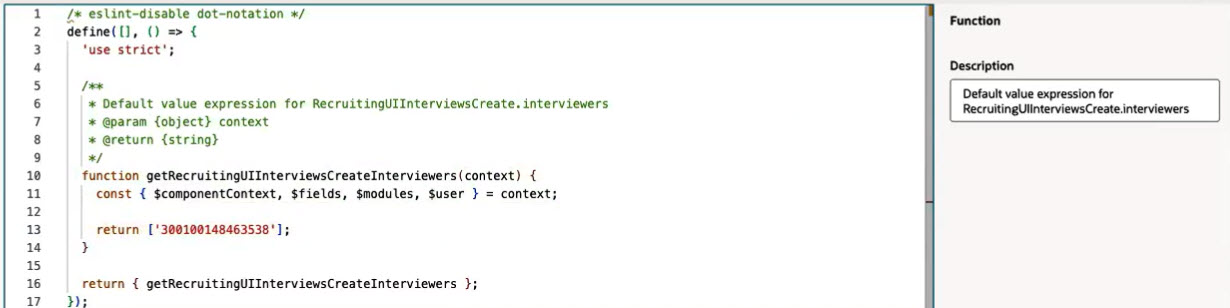
Example of Defaulting One Interviewer
To use Redwood experience, you need to enable these profile options:
- ORA_IRC_RECRUITING_REDWOOD_ENABLED
- ORA_IRC_JOB_APPLICATION_REDWOOD_ENABLED
- ORA_IRC_CANDIDATE_REDWOOD_ENABLED
- ORA_IRC_REQUISITION_REDWOOD_ENABLED
For details, see How do I enable a profile option?
For details on enabling and customizing Redwood for HCM, see How do I adopt Redwood for HCM? and Extending Redwood Applications for HCM and SCM Using Visual Builder Studio.