Redwood Experience: Duplicate Action for Job Requisition Templates
When Redwood profile options are enabled, you can use the Duplicate action that’s available on the Redwood Job Requisition Templates list page and job requisition template details page.

Duplicate Action on the Job Requisition Template Details Page
Upon clicking the Duplicate action, you’re taken to the Redwood job requisition template creation flow. All the info from the existing job requisition template is copied to the new template, except the template code. You can change the info as needed.
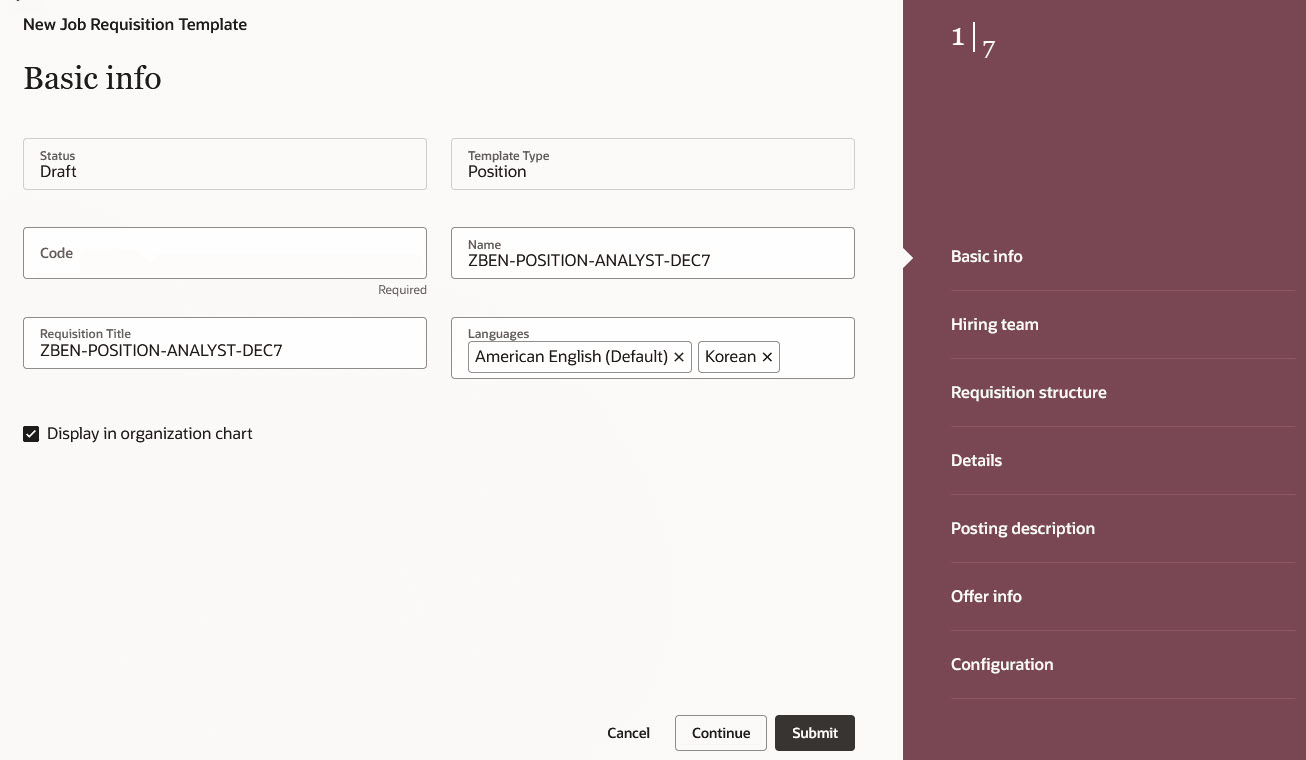
New Job Requisition Template and Empty Code Field
When you click Submit, the job requisition template is created and saved in Draft status. Info from the Details, Screening Services, Job Formatting, and Interviews tabs is copied to the new job requisition template. You can change the info as needed.
When you’re done reviewing the content, click Activate so that recruiters and hiring managers can select the newly created job requisition template when they create job requisitions.
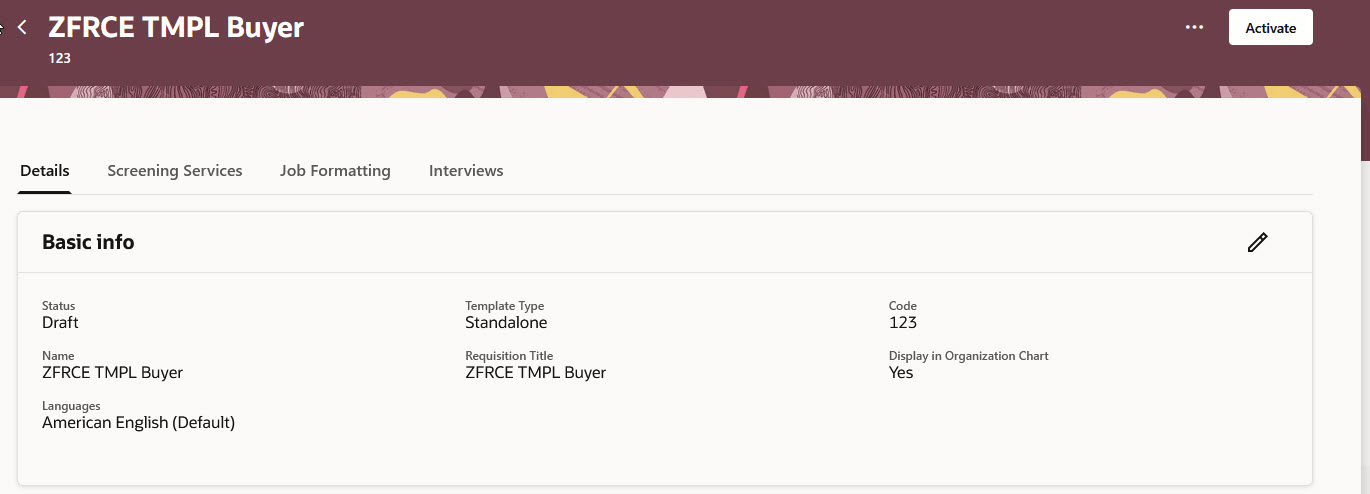
Activate Action on the Job Requisition Template Page
Business benefit: With the Redwood Duplicate action, the user experience is greatly improved, and it provides a consistent and modern look and feel.
Steps to enable and configure
To enable the Duplicate action for job requisition templates, you need to enable these profile options:
- ORA_IRC_RECRUITING_REDWOOD_ENABLED
- ORA_IRC_REQUISITION_REDWOOD_ENABLED
For details, see How do I enable a profile option?
For details on enabling and customizing Redwood for HCM, see How do I adopt Redwood for HCM? and Extending Redwood Applications for HCM and SCM Using Visual Builder Studio.