 Redwood: Enhancements In Manage Participant Feedback
You can now leverage enhancements to the Manage Participant Feedback page to help search for and select participants to provide feedback.
- Perform actions on all participants using a select all option.
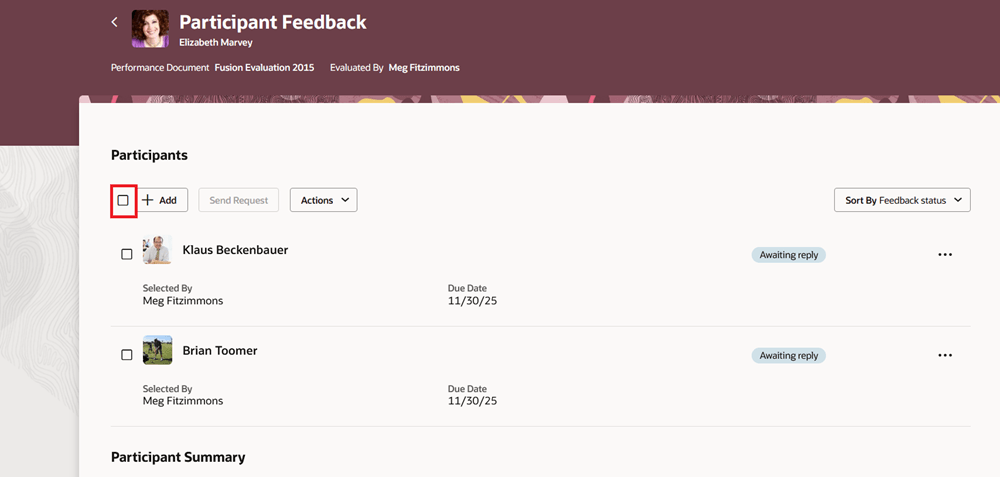
Option to Select All Participants
- Default the participant role if only one participant exists. This allows you to optionally hide the role and description from the summary table if there's only one participant role and extra information isn't required.
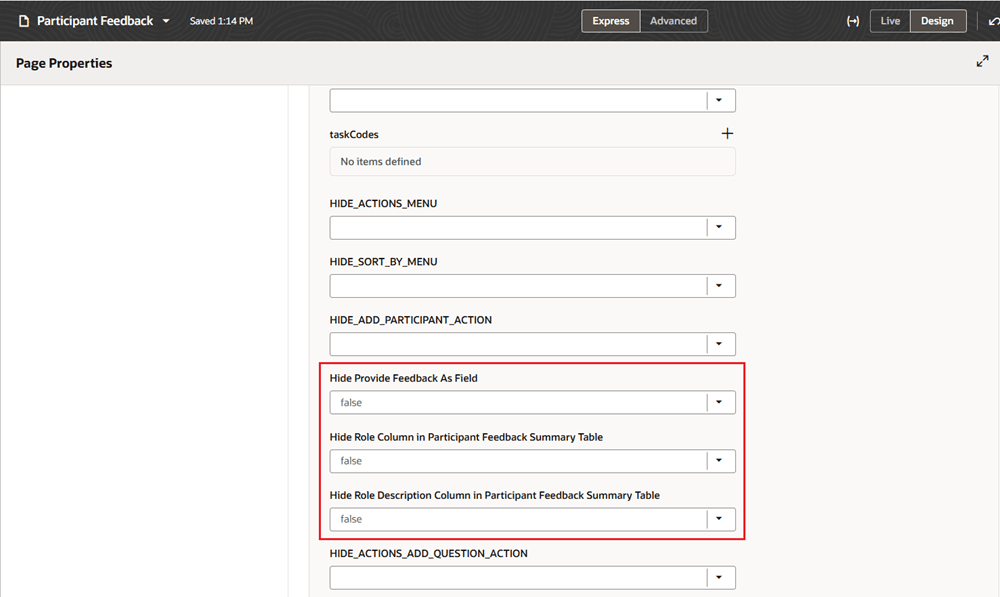
Participant Feedback Page Properties
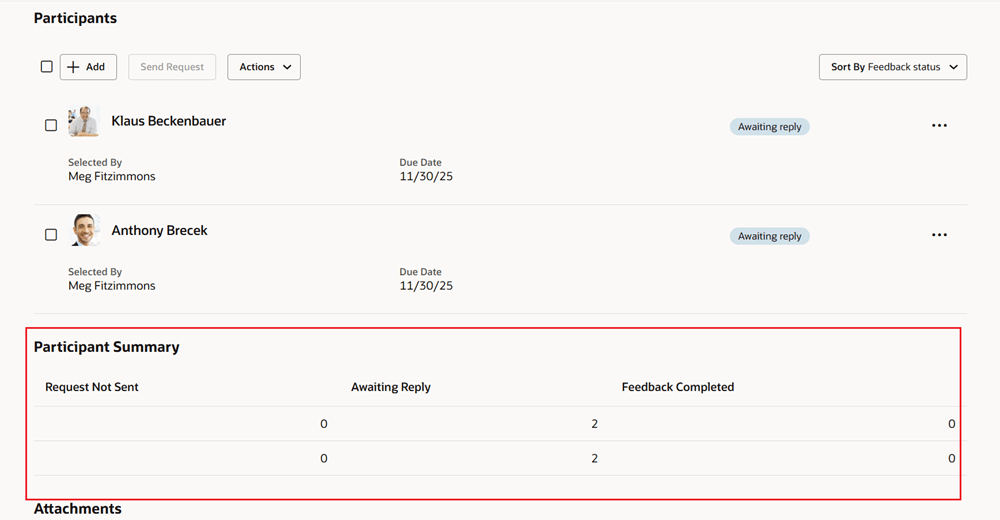
Participant Summary Table with Role Column Hidden
Business Benefit: This feature enables you to streamline participant selection and feedback management.
Steps to enable and configure
For more details see, How do I control participant selection on the Manage Participant Feedback page?
You need to configure the profile options for Redwood performance documents as indicated in the following table.
| Profile Option Code | Description | Value |
|---|---|---|
| ORA_HCM_VBCS_PWA_ ENABLED |
Enable VBCS Progressive Web Application User Interface | Y |
| ORA_HRA_PERFORMANCE_DOCUMENTS_AND_GOALS_REDWOOD_ENABLED | Enable performance documents and employee performance and development goals to display in Redwood. | Yes |
Key resources
- For a listing of all profile options for the recreated pages across HCM, see the following document in My Oracle Support:
- For more information on extending Redwood pages in HCM, refer to this guide on the Oracle Help Center: