Workforce Schedule Enhancements
Several updates have made workforce scheduling more flexible and efficient:
- Publish settings now persist every time you publish a schedule until you make and save changes. There's no need to re-enter your preferences every time you publish.
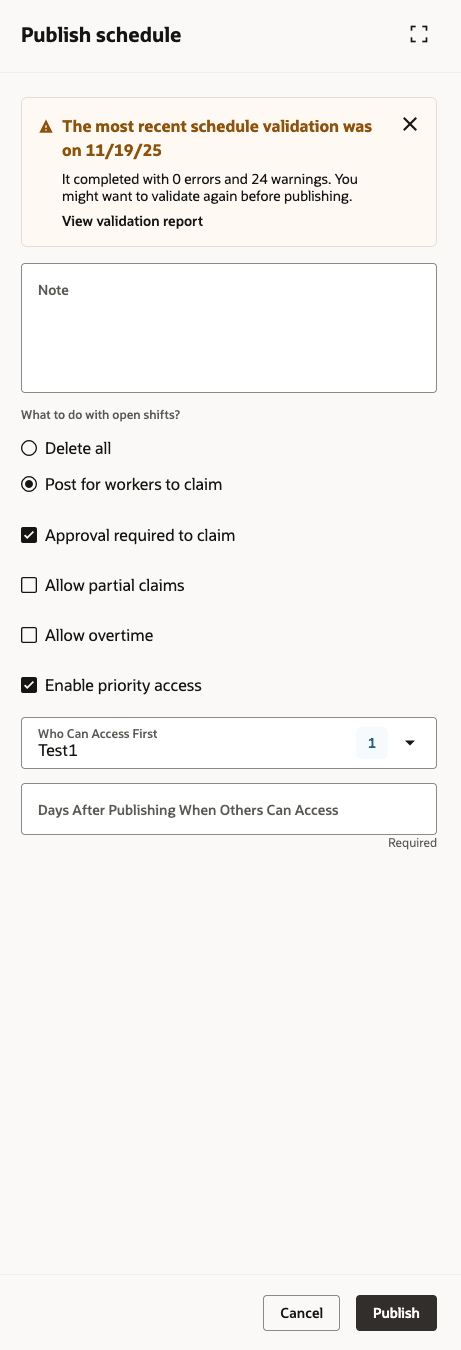
Publish Schedule Drawer
- You can tailor worker search to display the fields most useful for your teams, making it easier to assign and edit shifts.
- You now have the option to delete any schedule that's unpublished or incomplete, directly from the main page, with a confirmation alert for peace of mind
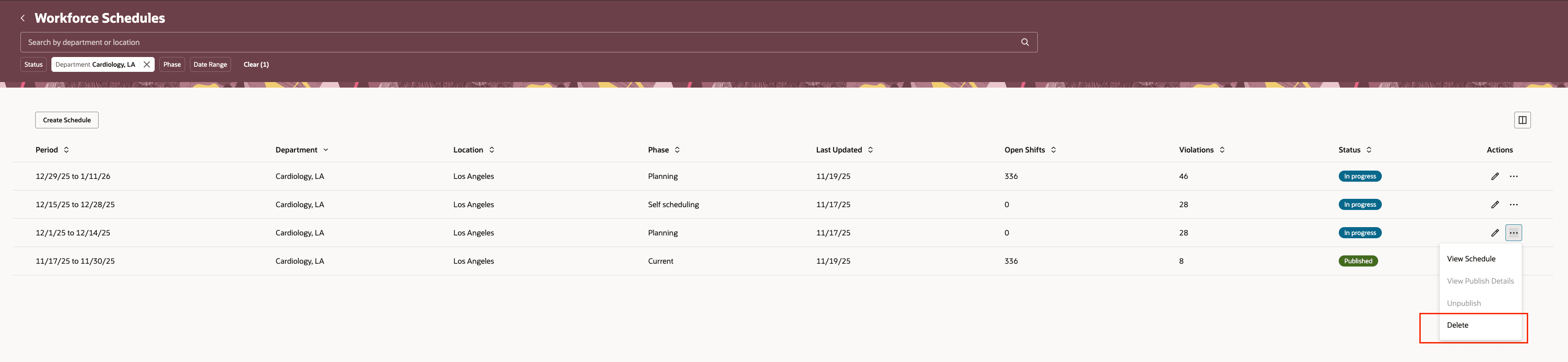
Row-Level Delete Action on the Workforce Schedules Page
- You can now copy a published schedule for a department into multiple future periods. This makes scheduling recurring shifts and assignments a smoother process.
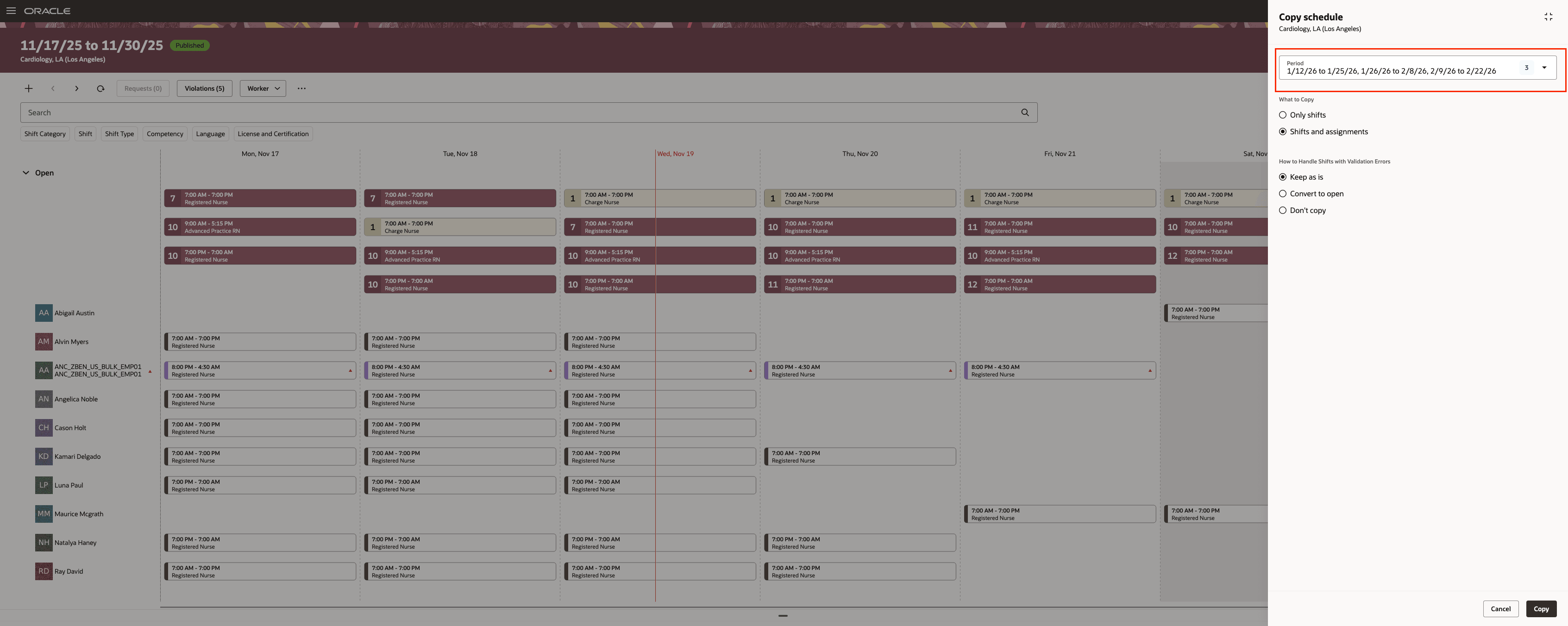
Workforce Schedule Page Showing the Copy Schedule Drawer
These enhancements minimize repetitive setup and data entry, streamline finding the best worker for each shift, avoid clutter from unused scheduling drafts, and help teams efficiently plan ahead with just a few clicks.
Steps to enable and configure
You don't need to do anything to enable this feature.