Additional Columns in the Absence Redwood Experience
The Absences and Entitlements page and the Absence Planning page now have 4 additional columns available.
-
Creation date
-
Created by
-
Last update date
-
Updated by
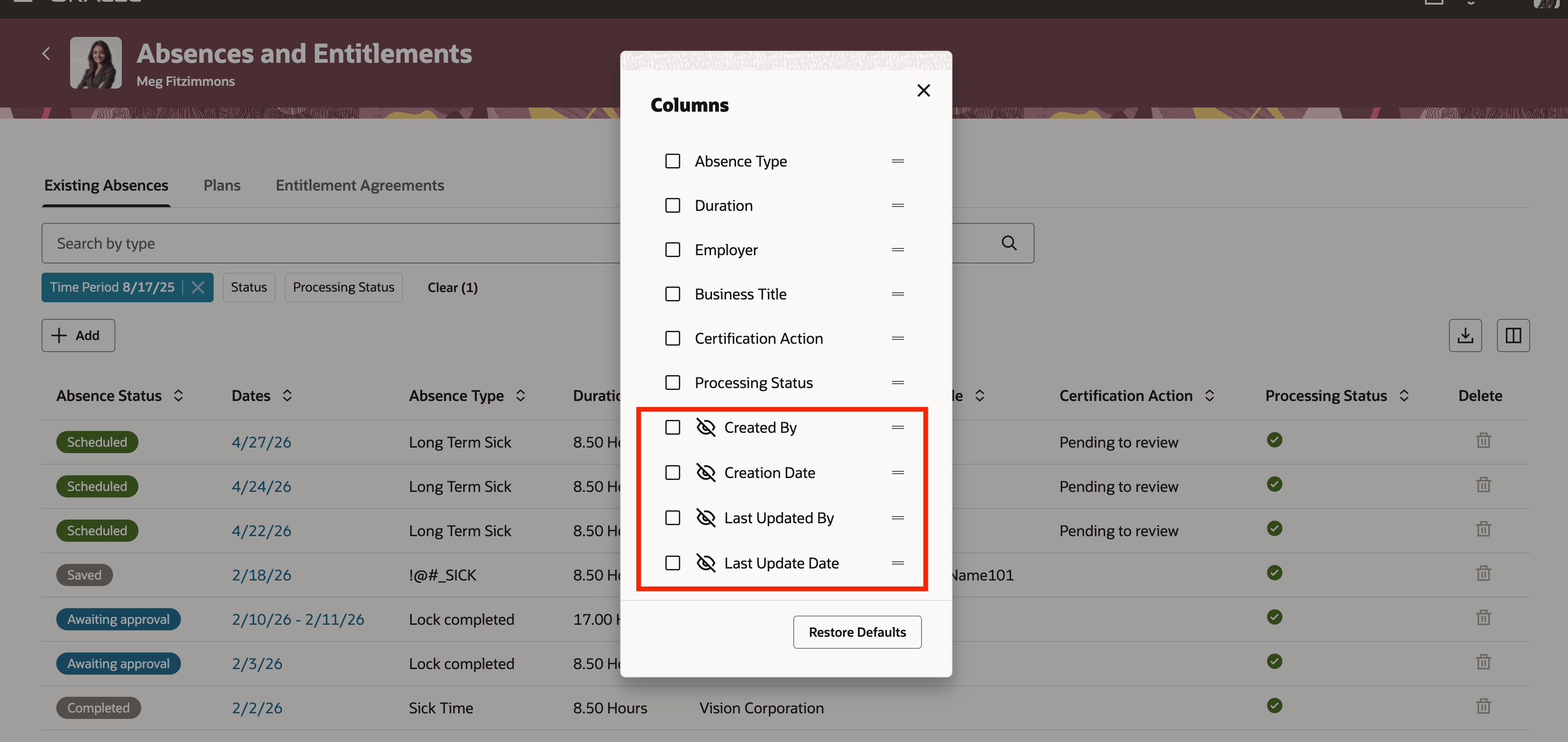
Absences and Entitlements page
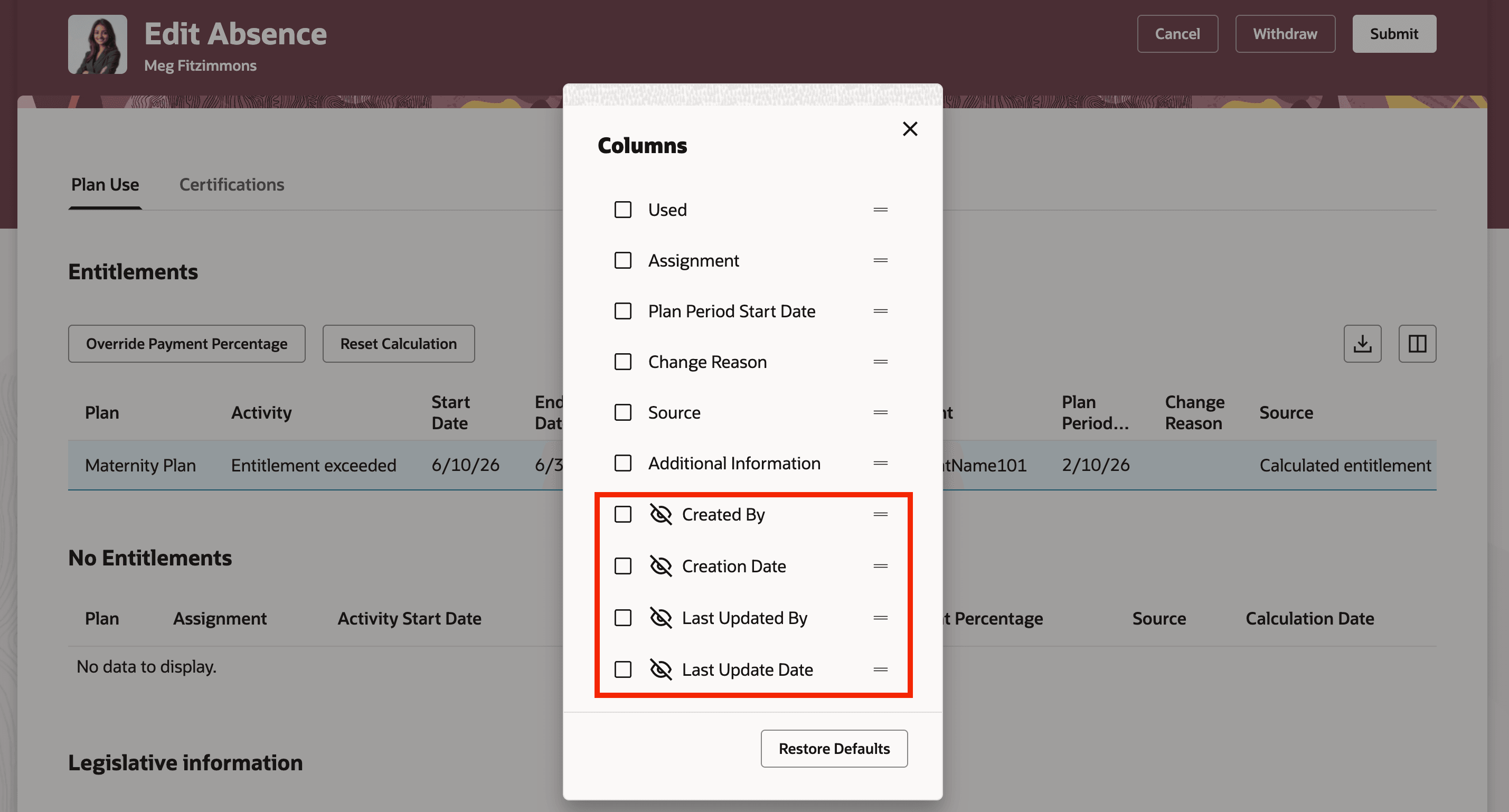
Plan Use tab
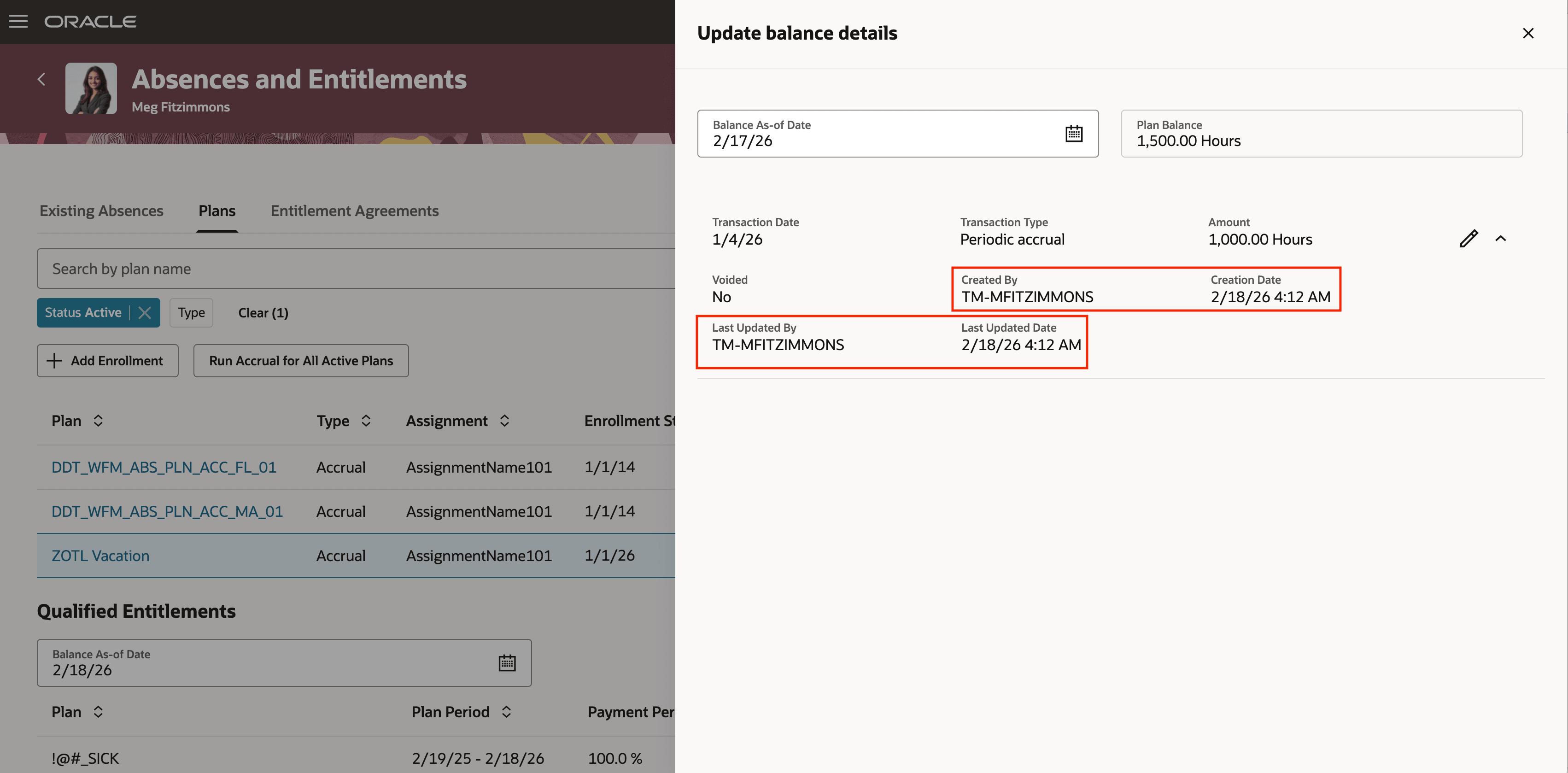
Update balance details drawer
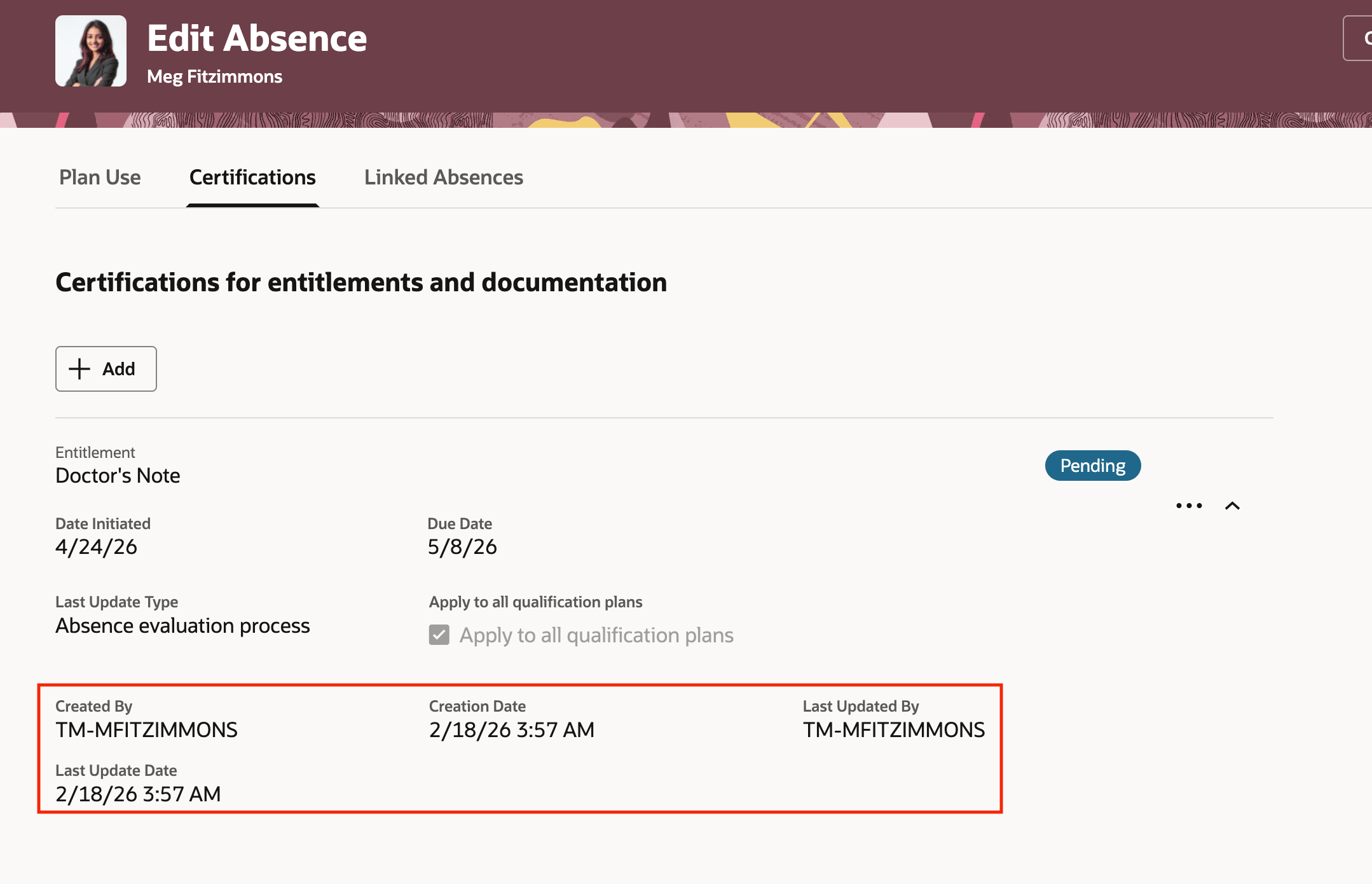
Certifications tab
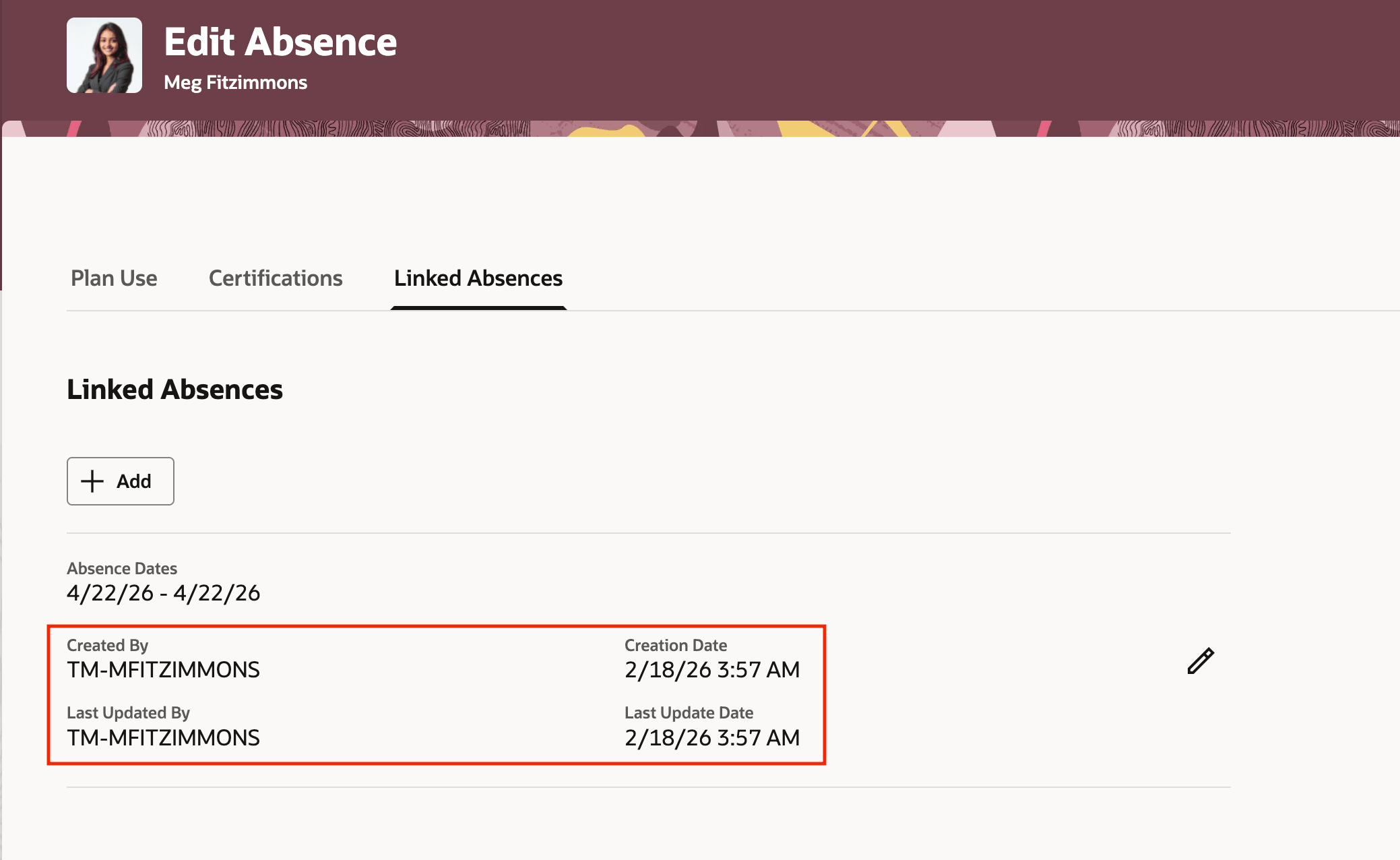
Linked Absences tab
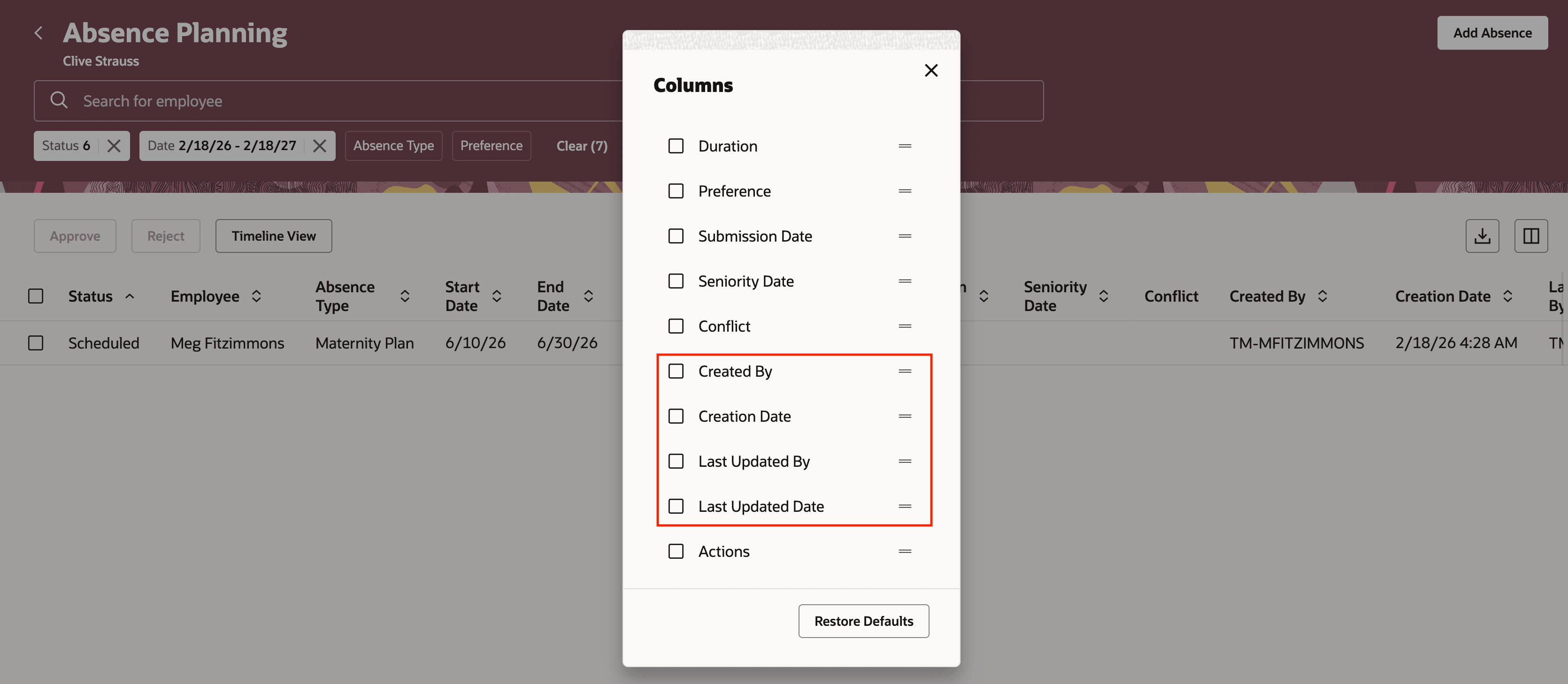
Absence planning page
You can now display four additional columns on the Absences and Entitlements page and Absence Planning page.
Steps to enable and configure
Ensure that you’ve enabled the ORA_ANC_ADMIN_ABSENCE_VBCS_UI_ENABLED profile option. The additional columns aren’t enabled by default.
You can enable the four columns on the Absences and Entitlements page using the Columns icons.
You need to use business rules to display these columns in the following pages:
-
Update balance details drawer
-
Certifications tab
-
Linked Absences tab
-
Absence Planning page
Key resources
How do I enable a profile option?