Enhancements for Absence Planning Redwood Page
The Absence Planning page for line managers has been enhanced to support the following features:
-
Ability to view absences for all plan types.
-
Ability to query past-dated absences.
-
Ability to filter completed absences.
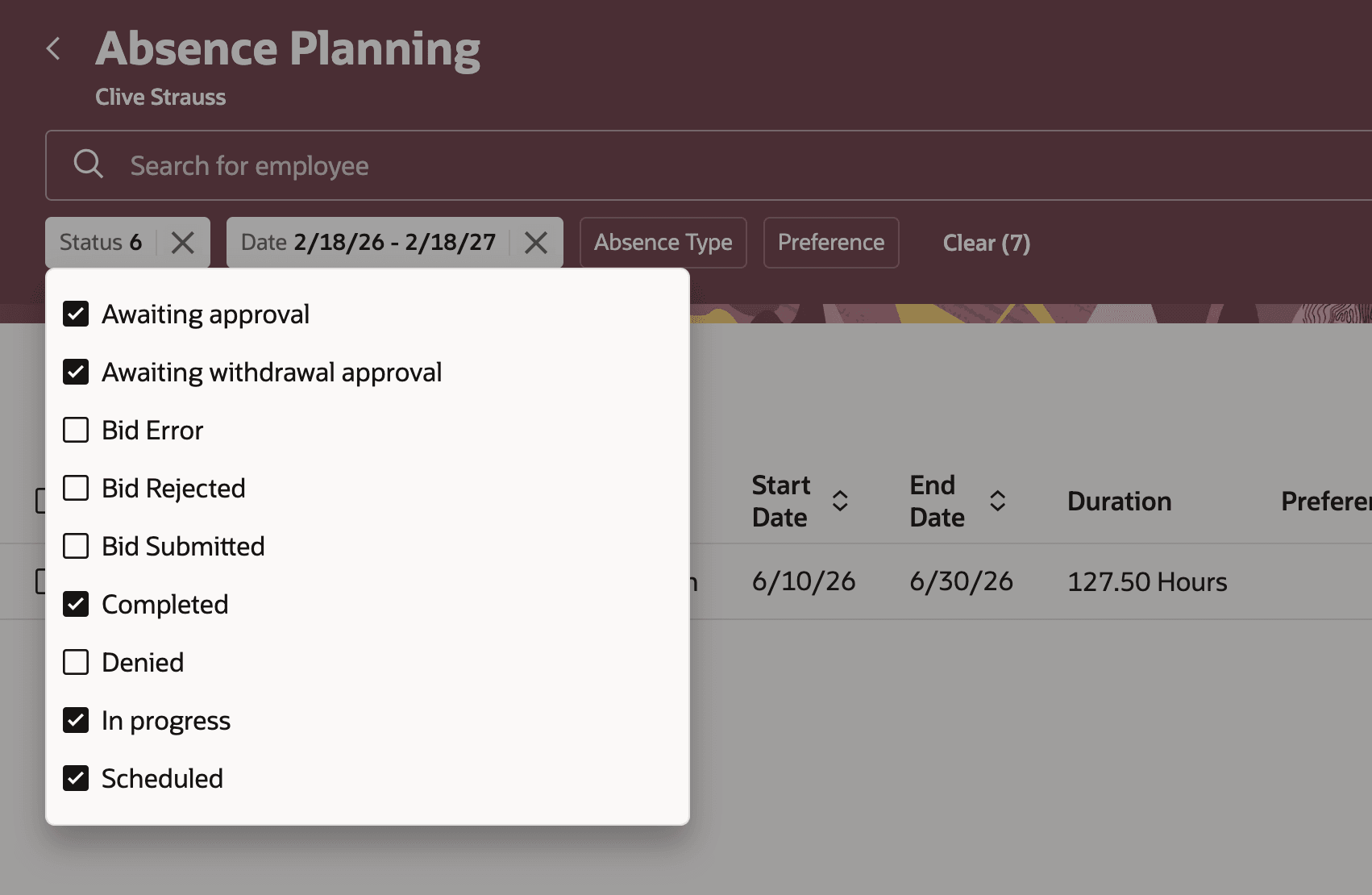
Completed absence filter in the Absence Planning page
-
Ability for managers to mass approve or reject absences or bids.
Note: If a line manager wants to approve all the absences or bids, they should first scroll and load all the records. Only then, they should approve them all. Otherwise, the system only looks at what is loaded on the screen.
-
Ability to add an absence for a direct report without navigating out of the Absence Planning page.
-
Ability to select or reorder columns.
-
Ability to download absences and bids into an Excel spreadsheet.
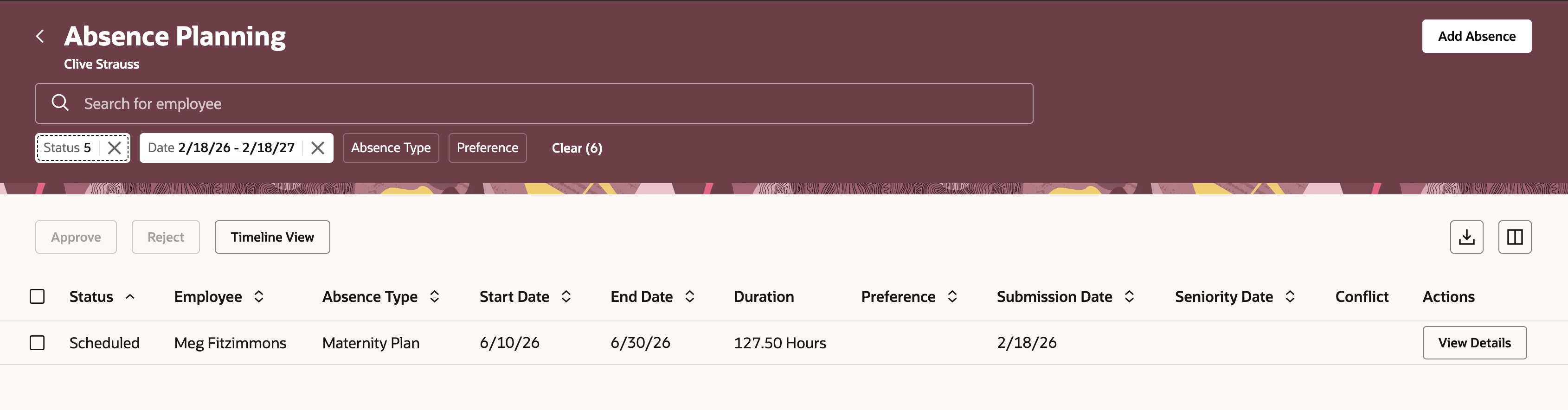
Download option on the Absence Planning page
-
Ability to configure absence approval workflow to bypass manager approval for bids. This means that once the bid is approved by the manager, it converts directly into an absence if configured accordingly. The manager would not have to approve the absence converted from a bid.
There’s a new attribute called bidEnry in the approval configuration. If the value for it is Y, an approved bid is automatically converted to an absence.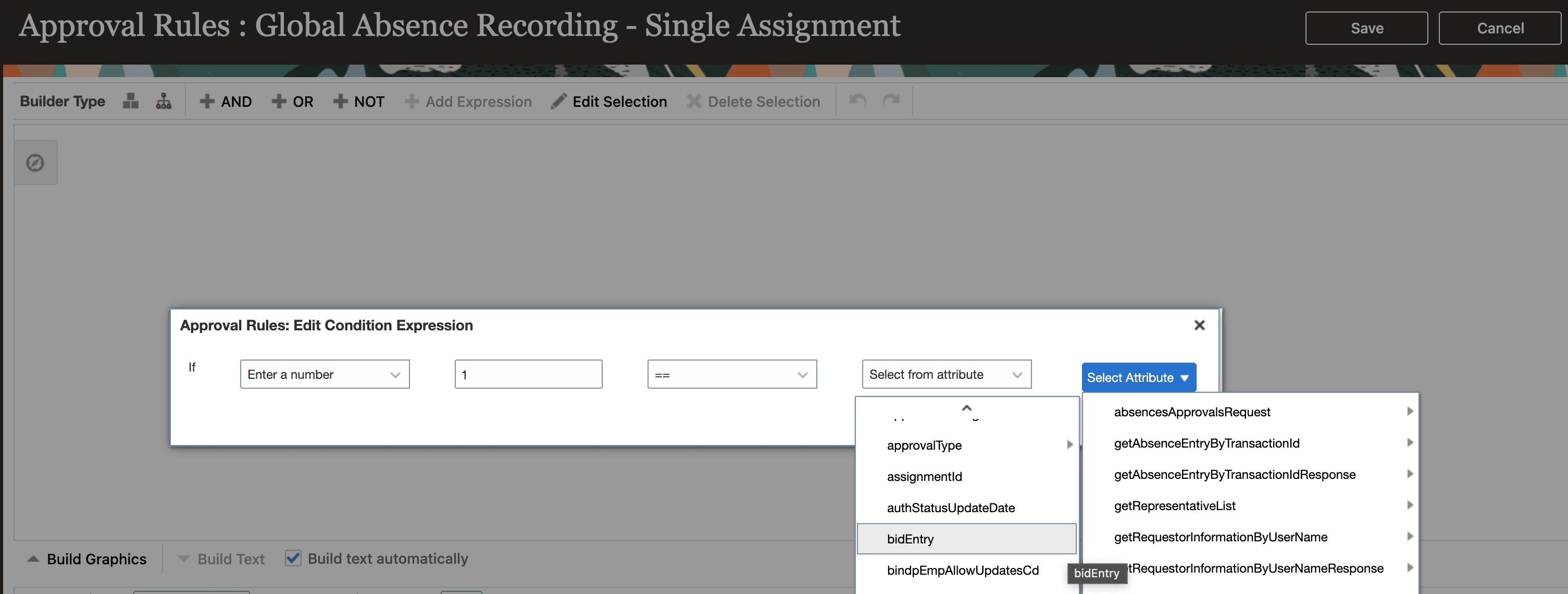
bidEntry attribute on the absence approval rules page
The Absence Planning redwood page has been enhanced to improve manager experience while planning absence for their team.
Steps to enable and configure
You need to have the ANC_SUBMIT_ABSENCE_BID_PRIV privilege for employee or manager role to enable vacation bidding.