Certain plan actions controlled using business rules
Depending on the requirements and company policy, you may need to create roles that can access the absence plans for a worker, but won’t be able to update or delete an enrollment, or run accruals. You can now do this using business rules. You can hide plan actions in the Absences and Entitlements page by creating a business rule in the Visual Builder Studio.
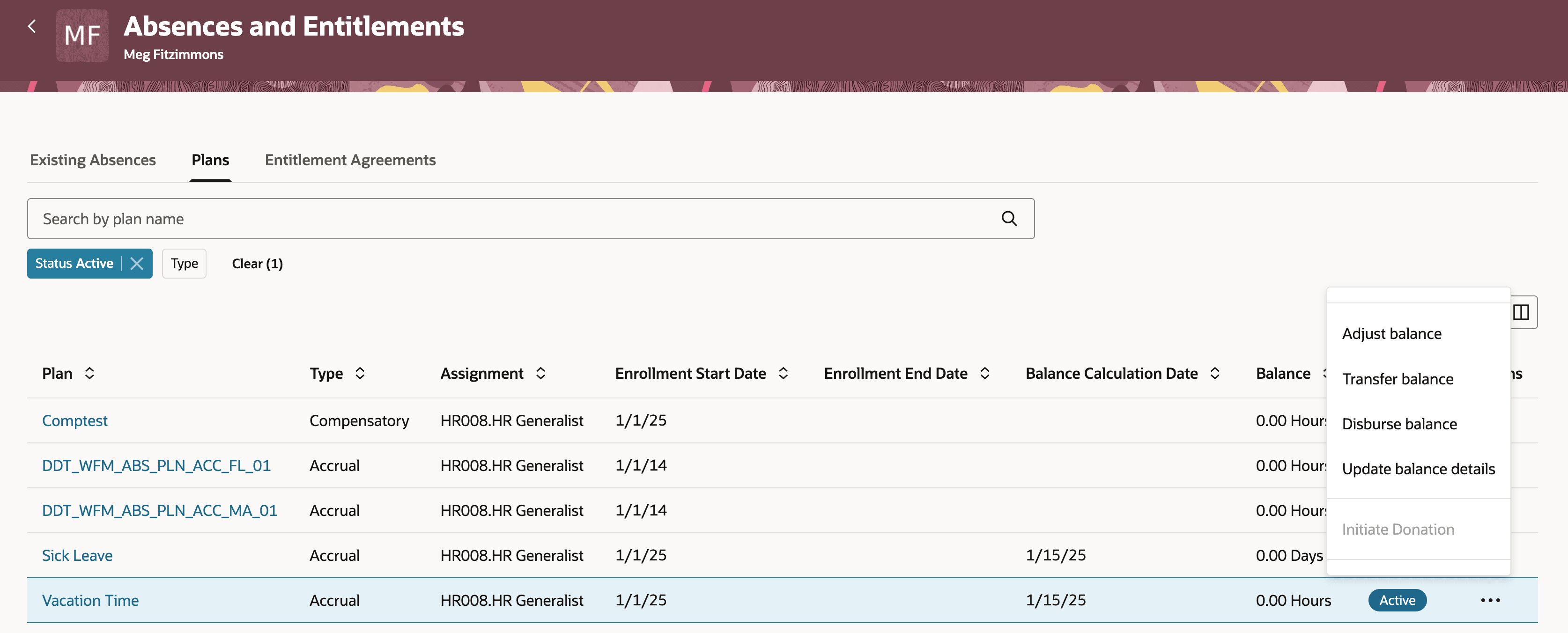
Plan actions that can be controlled using business rules
You can control what actions a person can take who has access to absence plans of a worker.
Steps to enable and configure
You need to enable the Absences and Entitlements Redwood page using the ORA_ANC_ADMIN_ABSENCE_VBCS_UI_ENABLED profile option.
Key resources
How do I enable a profile option?